





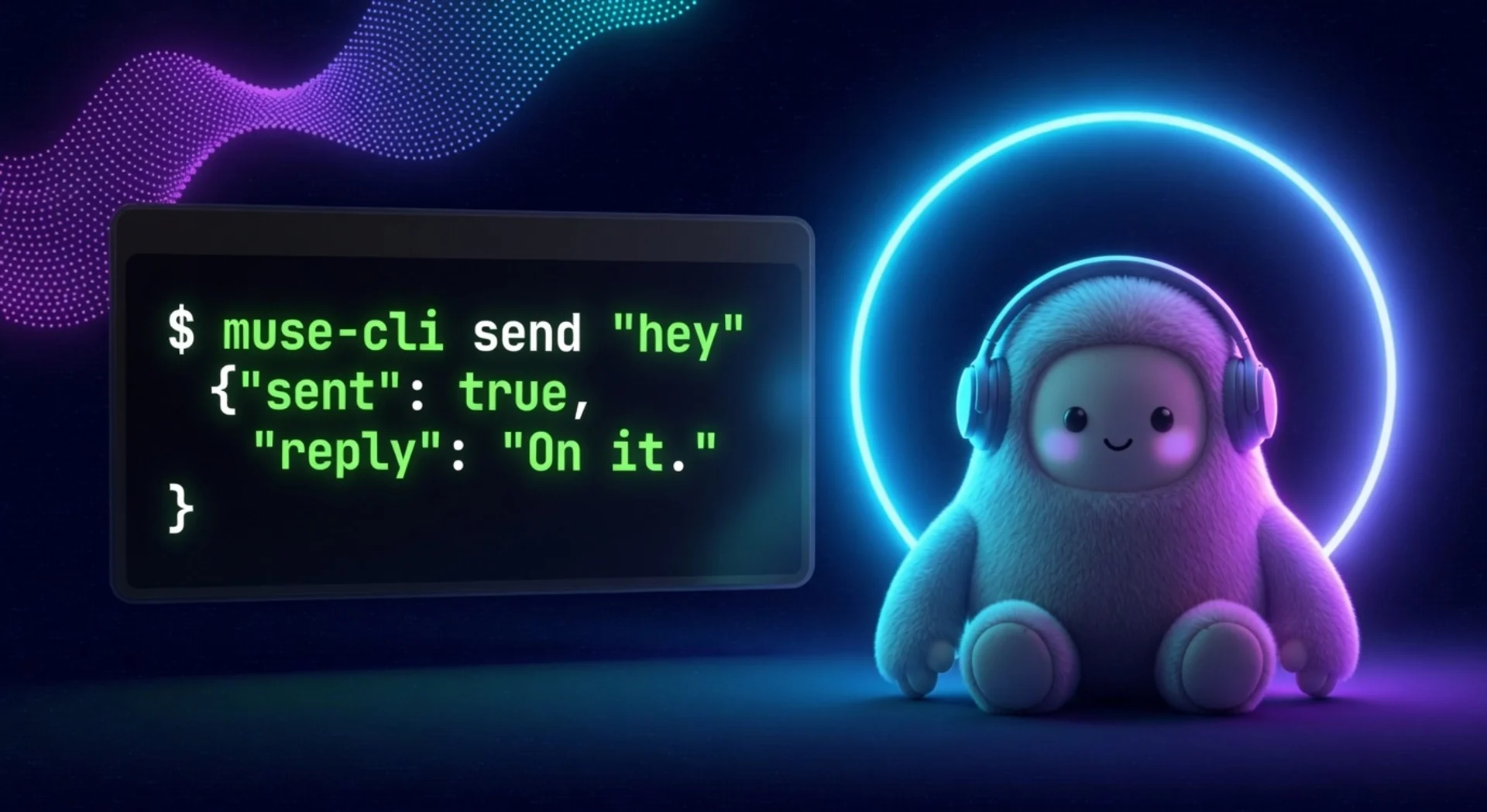
What is this?
A command-line client for your personal muse.ai AI agent: chat from the terminal, automate it with scripts, and manage side chats, feed, goals, ideas, and sessions without opening a browser. It speaks the app's own gateway protocol directly: HTTPS auth, then an encrypted Noise-XX WebSocket to your personal VM.
- Chat from the shell: send a message and get the agent's reply back as JSON.
- Script it: every command prints JSON, so it pipes into
jq, cron jobs, and other AI agents. - Full coverage: named commands for the common tasks, plus a
rawescape hatch for all 258 gateway methods. - Agent-ready: ships an agent skill so coding agents can drive your muse.ai agent for you.
Quick Start
uv tool install muse-cli # or: pipx install muse-cli / pip install muse-cli
Then log in and check the connection:
# 1. Install agent-browser (reads cookies from Chrome):
npm i -g agent-browser
# 2. Log in to https://muse.ai/ in Chrome
# 3. Export your session (one time; re-run when it expires):
muse-cli auth export

muse-cli status
Want the agent skill too? The installer sets up the CLI and copies the skill
to ~/.agents/skills/muse-cli:
curl -fsSL https://raw.githubusercontent.com/nikships/muse-cli/main/install.sh | bash
Upgrade with uv tool upgrade muse-cli, remove with uv tool uninstall muse-cli.
The command is muse-cli, not muse, because muse clashes with Muse Code
on many machines.
Usage
muse-cli threads                                  # main chat + side chats
muse-cli history --limit 5                        # recent messages
muse-cli history --thread <session-id> --limit 5  # one side chat
muse-cli send "summarize my unread" --wait 120    # send + wait for the reply
muse-cli watch --timeout 60                       # tail live agent events

muse-cli feed --limit 5
muse-cli feed-react <unit-id> love
muse-cli goals
muse-cli ideas
muse-cli idea-exec <idea-id>                      # agent acts on the idea

muse-cli session-start --title "trip planning"    # new side chat
muse-cli session-rename <id> "new title"
muse-cli session-archive <id>                     # also: pin, unpin, unarchive, delete
muse-cli seen <thread-id>
muse-cli wake
muse-cli raw <method> --body '{}'                 # escape hatch: any of 258 gateway methods
Every command prints JSON. Your VM is auto-discovered from your session, and a random device id is generated on first run.
Pipe it into other tools:
muse-cli send "what's on my calendar today?" | jq -r .reply.text
How it works

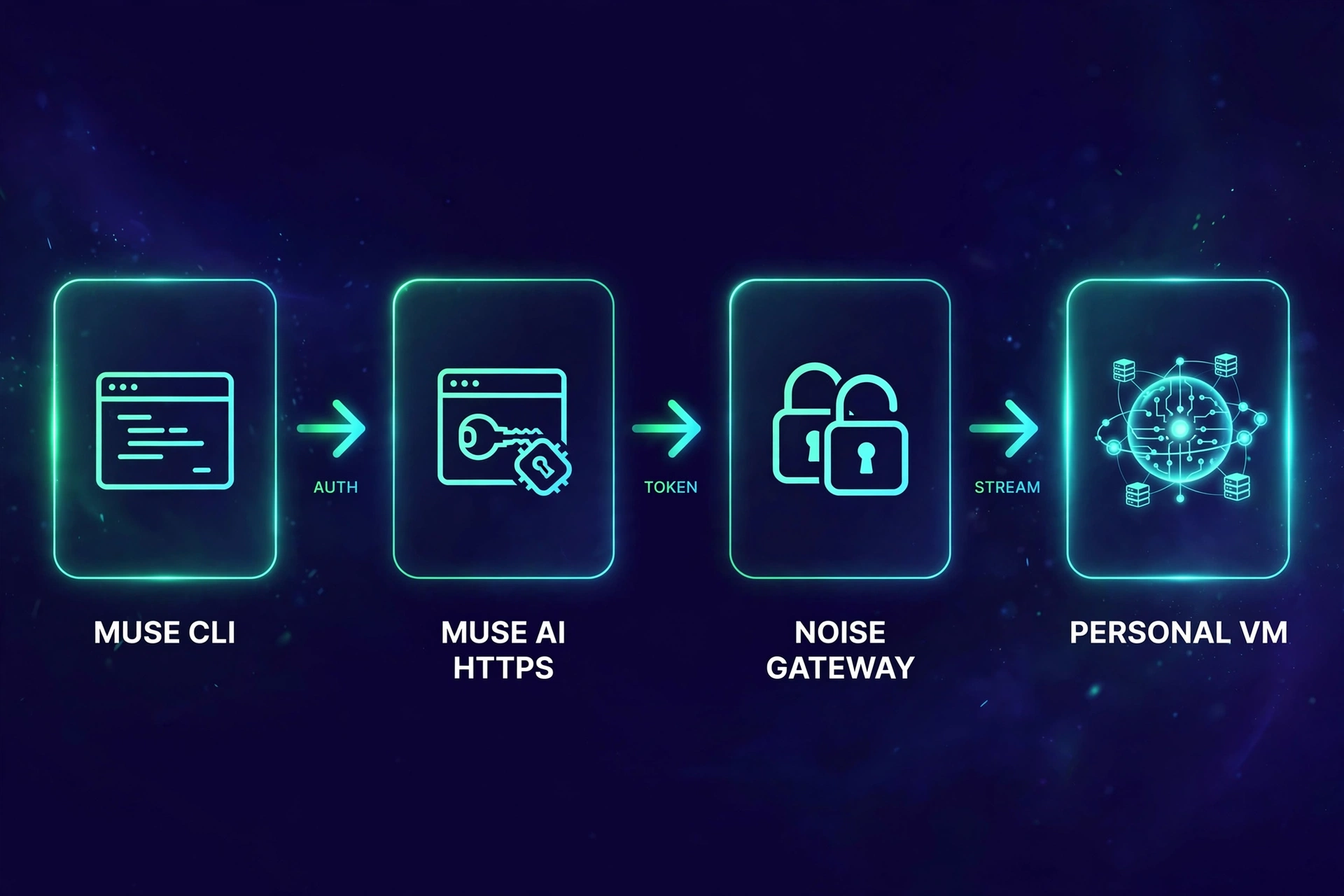
See docs/PROTOCOL.md for the full protocol notes, including the method table and the server quirks found during reverse engineering.
Documentation
| Resource | Description |
|---|---|
| skills/muse-cli/SKILL.md | Agent skill: install check, auth setup, command reference |
| docs/PROTOCOL.md | Gateway protocol reference: auth chain, Noise transport, framing, method quirks |
| routes.json | All 258 gateway methods with paths and services |
muse-cli raw --help |
Escape hatch for calling any gateway method directly |
Development
git clone https://github.com/nikships/muse-cli.git
cd muse-cli
uv run muse-cli --help
muse-cli/
assets/              README artwork (generated with Muse Image)
docs/PROTOCOL.md     protocol reference for re-derivation
skills/muse-cli/     agent skill
src/muse_cli/
  cli.py             argument parsing and all commands
  gateway.py         gateway client (auth, Noise transport, subscriptions)
  routes.json        258 gateway methods extracted from the web client
  desc0.bin          protobuf descriptors for the wire framing
  desc1.bin
install.sh           CLI + skill installer
pyproject.toml
Setup notes
auth exportreads cookies from a running Chrome via agent-browser (npm i -g agent-browser). No Chrome? Copy yourmuse.aicookies into~/.config/muse-cli/cookies.txtby hand (Netscape jar orname=value; ...format, needshatch_sess).- Cookies live at
~/.config/muse-cli/cookies.txt(mode 600). Access and gateway tokens are fetched fresh on every run, nothing long-lived is stored. - Respect muse.ai's terms and rate limits. Internal APIs are unversioned and can change; if calls fail, re-derive from a fresh app bundle.
Contributing
Issues and PRs welcome. If the protocol drifts, the most useful contribution is a note of which method broke and the new server error text.

License
MIT. See LICENSE.
1 maintainer

Release files for muse-cli 0.2.1
For a detailed explanation of source distributions (sdists) and built distributions (wheels), please see the package formats documentation.
Source distribution (sdist)
| File | Size | Uploaded | |
|---|---|---|---|
| muse_cli-0.2.1.tar.gz | 22.2 kB | Details |
Built distribution (wheel)
| File | Interpreter | ABI | Platform | Reset |
|---|---|---|---|---|
| muse_cli-0.2.1-py3-none-any.whl | Python 3 | none | any | Details |
Total release size: 42.7 kB
Release files / muse_cli-0.2.1.tar.gz
| Download URL | muse_cli-0.2.1.tar.gz |
|---|---|
| Size | 22.2 kB |
| Tags | Source |
|
SHA-256 checksum How to use checksums |
e4d4b1dd8790b7fd9bd222118ef12bf266588bb97e352b9e123e5e18af73cc3f
|
|
BLAKE2b-256 checksum How to use checksums |
d422a53c86aeb32bdcc51b4216c0b6dbc8ca33b94251114eb29502ef267a6144
|
| Upload date | |
|
Uploaded using Trusted Publishing? What is trusted publishing? |
Yes |
| Uploaded via |
twine/7.0.0 CPython/3.13.14
|
Provenance
Provenance describes where a file came from. On PyPI, provenance is shared via attestations, which provide a verifiable record of the build or publishing details. View details, limitations and caveats.


PyPI Publish Attestation
PyPI verified that this artifact, at this checksum, originated from the publisher listed below.
Signed by GitHub Actions, verified by PyPI on Sep 23, 2026.
Transparency logRelease files / muse_cli-0.2.1-py3-none-any.whl
| Download URL | muse_cli-0.2.1-py3-none-any.whl |
|---|---|
| Size | 20.5 kB |
| Tags | Python 3 |
|
SHA-256 checksum How to use checksums |
6b2bb70137eedcf269f0f2b924e889c0bb71e68977b824a5f2b390baeeb0707b
|
|
BLAKE2b-256 checksum How to use checksums |
ecb76c8747d55f86691506d59ef074ef7961278613cd377bca3e403e442caf84
|
| Upload date | |
|
Uploaded using Trusted Publishing? What is trusted publishing? |
Yes |
| Uploaded via |
twine/7.0.0 CPython/3.13.14
|
Provenance
Provenance describes where a file came from. On PyPI, provenance is shared via attestations, which provide a verifiable record of the build or publishing details. View details, limitations and caveats.
PyPI Publish Attestation
PyPI verified that this artifact, at this checksum, originated from the publisher listed below.
Signed by GitHub Actions, verified by PyPI on Sep 23, 2026.
Transparency log













