
Extra processors and variables for music_bg.
This is a plugin for music_bg package.
Plugin contents
Processors:
- Box blur;
- Gaussian blur;
- Circle;
- pop_filter
- radial_gradient
Variables:
- uuid4
- most_frequent_color
- least_frequent_color or most_frequent_color_inverted
Source image for all examples is:

Processors
Blurs

To blur an image add this to your layer config:
{
    "name": "box_blur",
    "args": {
        "strength": "6"
    }
}

You can use gaussian blur. As an optional parameter you can adjust radius.
{
    "name": "gaussian_blur",
    "args": {
        "radius": "5.4"
    }
}
Circle processor

This processor will crop a circle out of an image. To use it add this to your conig file:
{
    "name": "circle"
}
It doesn't take any args.
Pop filter

This processor splits image onto 3 color channels and places near each other.
{
    "name": "pop_filter",
    "args": {
        "offset_x": 100,
        "offset_y": 100,
        "increase_factor": 1.4,
        "decrease_factor": 0.8
    }
}
increase and decrease factors change increasing and decreasing incdividual colors for each color chanel.
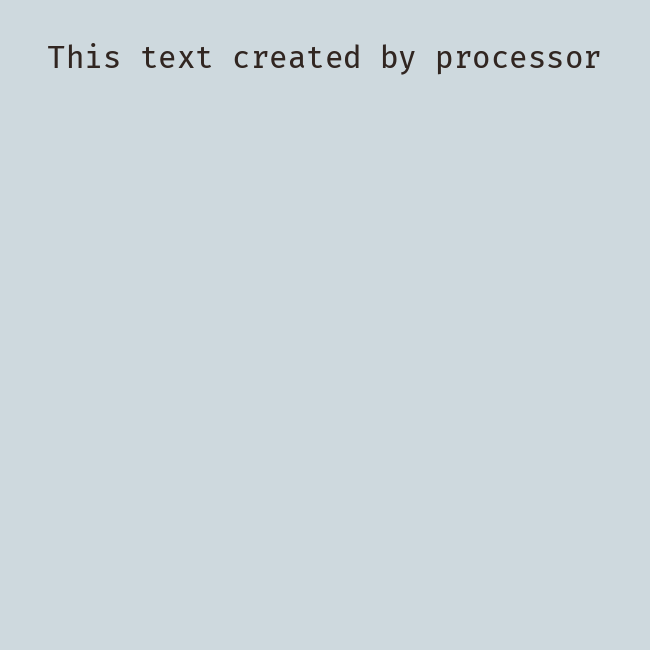
This processor renders text on an image.
{
  "name": "print",
  "args": {
    "text": "This text created by processor",
    "color": "#FFFFFF",
    "font": "FiraCode-Retina",
    "font_size": 30,
    "start_x": null,
    "start_y": null,
    }
}
you can adjust font and size. Also you can choose x and y coordinates where to start draw.
Radial gradient

This processor creates radial gradient with two colors "inner" and "outer". Inner - color at the center of an image, outer - color at the border.
Variables
uuid4
You can use "{uuid4}" or "{uuid4.hex}" in your config to generate UUIDv4.
most_frequent_color
This variable is used to retrieve most frequent color of an image in hex format.
least_frequent_color
This variable is used to retrieve inverted color to the most frequent one.
It's calculated by inverting the original color.
inverted = (255 - red, 255 - green, 255 - blue)
Also this variable has a synonym "most_frequent_color_inverted".
1 maintainer

Metadata
1 maintainer
Release files for music-bg-extra 0.2.6
For a detailed explanation of source distributions (sdists) and built distributions (wheels), please see the package formats documentation.
Source distribution (sdist)
| File | Size | Uploaded | |
|---|---|---|---|
| music_bg_extra-0.2.6.tar.gz | 7.3 kB | Details |
Built distribution (wheel)
| File | Interpreter | ABI | Platform | Reset |
|---|---|---|---|---|
| music_bg_extra-0.2.6-py3-none-any.whl | Python 3 | none | any | Details |
Total release size: 15.3 kB
Release files / music_bg_extra-0.2.6.tar.gz
| Download URL | music_bg_extra-0.2.6.tar.gz |
|---|---|
| Size | 7.3 kB |
| Tags | Source |
|
SHA-256 checksum How to use checksums |
05a46bb88dab3c689c4c7d5d4195669649cfc852a4a3675e4c247c0d05bb45f8
|
|
BLAKE2b-256 checksum How to use checksums |
03663cc349c3f68afaa545259a7cd79b9e1f34430b9db2c8b2ed9c4e9debd0f0
|
| Upload date | |
|
Uploaded using Trusted Publishing? What is trusted publishing? |
No |
| Uploaded via |
poetry/1.1.9 CPython/3.9.7 Linux/5.8.0-1041-azure
|
Release files / music_bg_extra-0.2.6-py3-none-any.whl
| Download URL | music_bg_extra-0.2.6-py3-none-any.whl |
|---|---|
| Size | 8.0 kB |
| Tags | Python 3 |
|
SHA-256 checksum How to use checksums |
647b47b82c575530360939fb8b3250bb1c0532a8e71b65a89418bcf678c21c75
|
|
BLAKE2b-256 checksum How to use checksums |
a8bd4c0b9c68db1b468efd7f74336f53cab7c2ac4765d86f4e7953ed1184b50f
|
| Upload date | |
|
Uploaded using Trusted Publishing? What is trusted publishing? |
No |
| Uploaded via |
poetry/1.1.9 CPython/3.9.7 Linux/5.8.0-1041-azure
|














