



music-tool-kit,主要使用场景为提取youtube和bilibili视频中的音频,支持音频下载,元信息自动补全,音频截取,提取伴奏,youtube 列表批量下载,自定义批量下载等.配合itunes的本地文件功能可以极大的提升音乐体验(教程)
内容目录:
环境准备
安装
python -m pip install –upgrade pip
pip install -U music-tool-kit
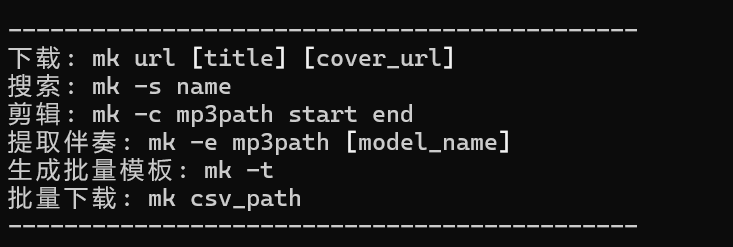
升级
pip install -U music-tool-kit
卸载
pip uninstall music-tool-kit
使用
音乐下载
mk "网址" "[标题]" "[封面url]"
普通下载

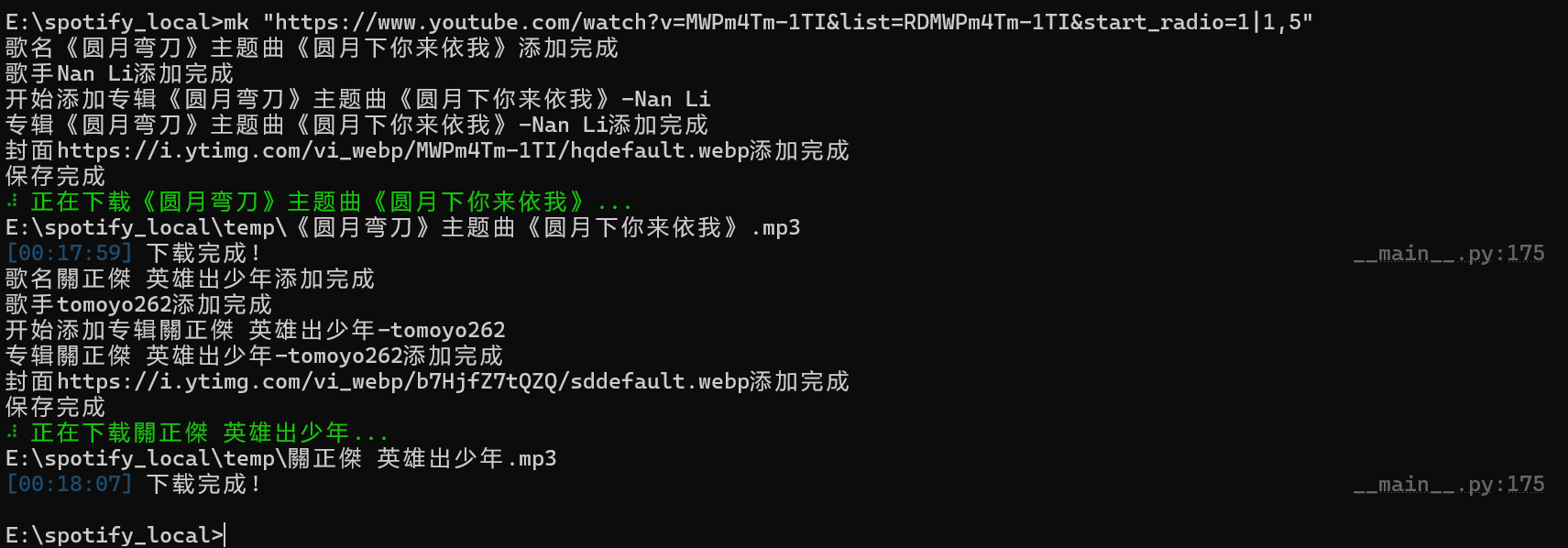
列表下载使用方法为 mk "列表url | 列表序号" ,url 需要为 youtube 的列表格式(url中含有list=),如果想下载全部歌曲,直接输入 mk "列表url |" 即可!
例如:
mk "https://www.youtube.com/playlist?list=PL8B3F8A7B0A9F4DE8 | 1,2,3,4,5"
音乐搜索
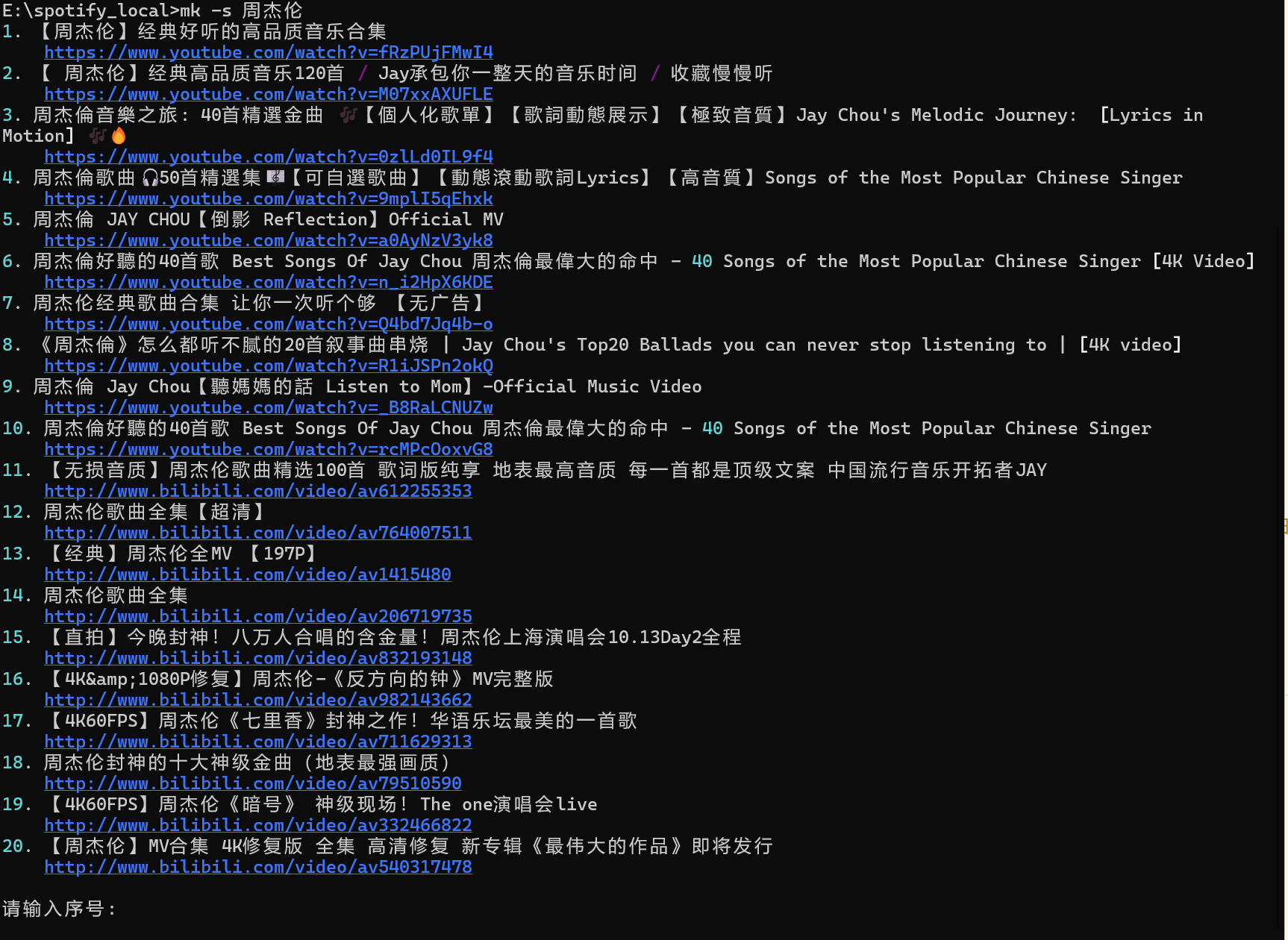
mk -s "关键字"
音乐剪辑
mk -c "输入的mp3文件" 开始时间 结束时间
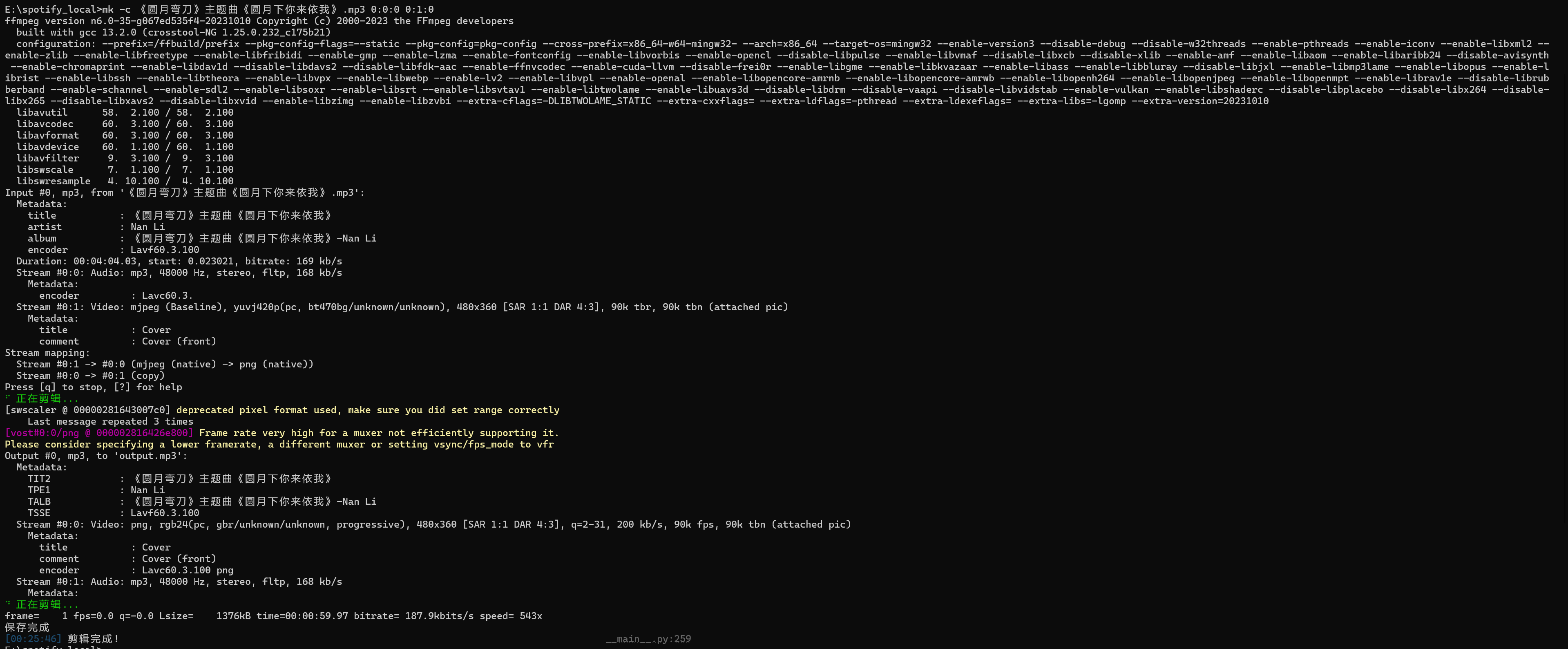
Tips: 时间格式为
00:00:00
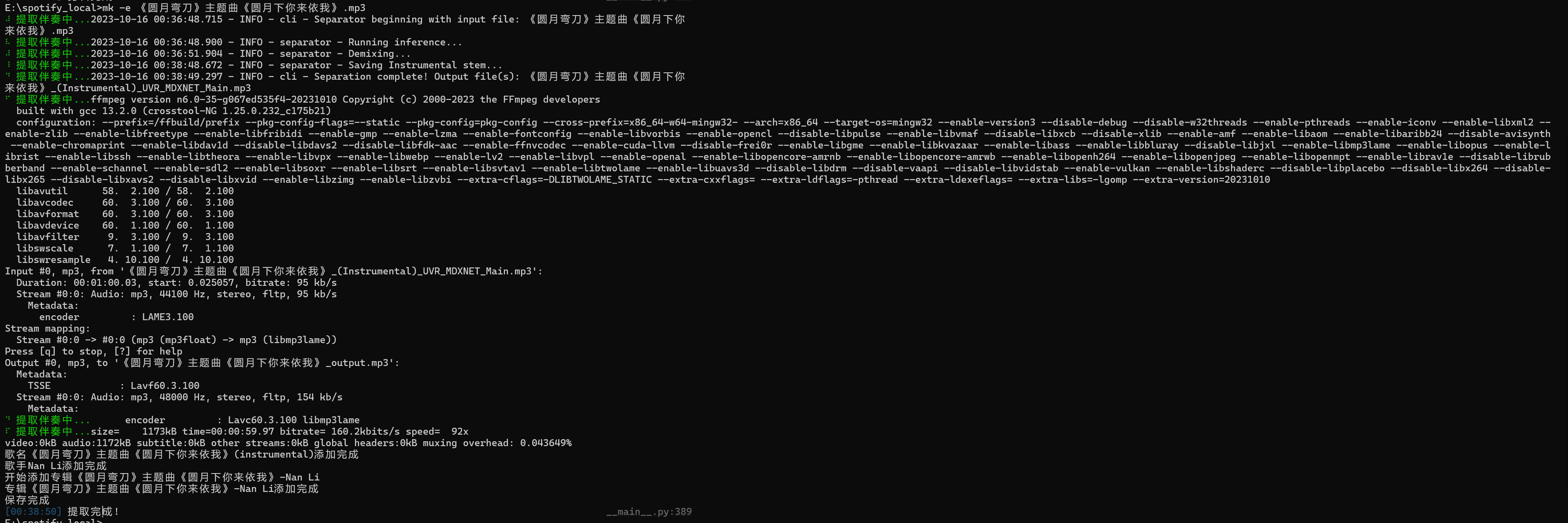
提取伴奏
mk -e "输入的mp3文件" [模型名称]
支持的模型:
UVR_MDXNET_Main(整体较好)UVR-MDX-NET-Inst_Main(整体较好)UVR-MDX-NET-Inst_3(整体较好)UVR-MDX-NET-Inst_HQ_3(整体较好)UVR_MDXNET_KARA_2(一般,人声剔除不干净,声音忽高忽低)Kim_Inst(一般)
csv 批量模板
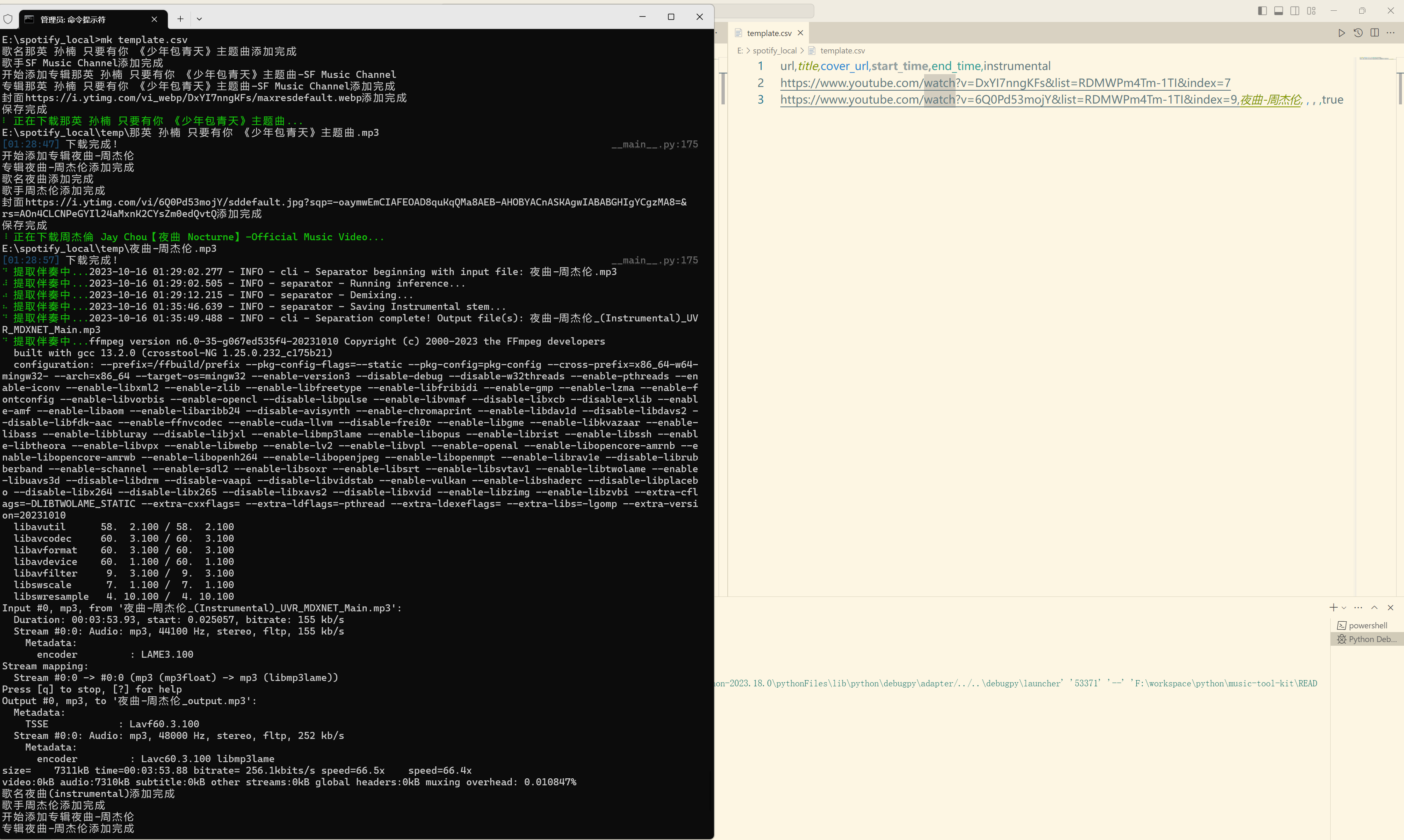
mk -t
生成的模板文件如下:

mk "csv文件"即可批量下载
| url | title | cover_url | start_time | end_time | instrumental |
|---|---|---|---|---|---|
| 网址 | 标题 | 封面 url | 开始时间 | 结束时间 | 是否生成伴奏(true or false) |
批量下载
mk "csv文件"
音乐破解
mk -u
License
This work is released under the MIT license. A copy of the license is provided in the LICENSE file.
1 maintainer

Metadata
1 maintainer
Release files for music-tool-kit 1.3.36
For a detailed explanation of source distributions (sdists) and built distributions (wheels), please see the package formats documentation.
Source distribution (sdist)
| File | Size | Uploaded | Provenance | Actions |
|---|---|---|---|---|
| music-tool-kit-1.3.36.tar.gz | 3.5 MB | Without provenance | Details for music-tool-kit-1.3.36.tar.gz |
Built distribution (wheel)
| File | Interpreter | ABI | Platform | Actions Reset |
|---|---|---|---|---|
| music_tool_kit-1.3.36-py3-none-any.whl | Python 3 | none | any | Details for music_tool_kit-1.3.36-py3-none-any.whl |
Total release size: 6.9 MB
Release files / music-tool-kit-1.3.36.tar.gz
| Download URL | music-tool-kit-1.3.36.tar.gz |
|---|---|
| Size | 3.5 MB |
| Tags | Source |
|
SHA-256 checksum How to use checksums |
b202722274278f2f9dcf98f8f0abc0eb21f33f4e290d1671c171f27d7f227999
|
|
BLAKE2b-256 checksum How to use checksums |
ef5365f099f2bf8df85ac08bc5acccd99e51c47f358c1078390707807518a583
|
| Upload date | |
|
Uploaded using Trusted Publishing? What is trusted publishing? |
No |
| Uploaded via |
twine/5.1.1 CPython/3.11.0
|
Release files / music_tool_kit-1.3.36-py3-none-any.whl
| Download URL | music_tool_kit-1.3.36-py3-none-any.whl |
|---|---|
| Size | 3.5 MB |
| Tags | Python 3 |
|
SHA-256 checksum How to use checksums |
42d5b0e6d37e1ed5dc0496b151082273bb2ece3b68cc02d7d61a4d0467168ac3
|
|
BLAKE2b-256 checksum How to use checksums |
153fbd68001187301cc8bb3590244a5882d4c0141afa0e69b60549c77e6b38fc
|
| Upload date | |
|
Uploaded using Trusted Publishing? What is trusted publishing? |
No |
| Uploaded via |
twine/5.1.1 CPython/3.11.0
|
Security for music-tool-kit 1.3.36
Provenance
Provenance describes where a file came from. On PyPI, provenance is shared via attestations, which provide a verifiable record of the build or publishing details. View details, limitations and caveats.
No provenance found
None of the files in this release were uploaded with provenance metadata.
A note on package security
PyPI is a repository for distributing packages, not a service for auditing them. While third-party security researchers and our staff do their best to detect and remove malicious packages, PyPI cannot guarantee the quality, security or suitability of any given package.
To learn more about protecting yourself from malicious actors, visit our package security documentation.














