
About
- Author: shrimp2845
- Version: 0.2.0
- requirement: Python 3.10+, FFmpeg
- License: MIT
Musics2Video is a Python CLI tool for automatically generating music playlist videos. It can fetch music from online sources like YouTube or use your local audio files, combine them with a dynamic playlist display, and render a single video file.
Features
Flexible Music Sources: Create videos from a list of online URLs (yt-dlp supported sources) or local audio files.
Batch Processing: Use a simple text file to define a mixed playlist of online and local tracks.
Customizable Visuals:
Choose from built-in styles (classic,modern) or create and use your own custom HTML/CSS templates for a unique look.
Automatic Metadata: Automatically fetches song titles and thumbnails from online sources.
Custom Artwork: Specify unique cover art for each track in your playlist.
Configurable Output: Control video resolution, FPS, audio quality, and output formats.
Installation
FFmpeg: This tool relies on FFmpeg for video and audio processing. You can download it from the official FFmpeg website.
Musics2Video: Install the package using pip.
Python 3.10 ~ 3.12
pip install musics2video
Python 3.13+
pip install musics2video
pip install audioop-lts
Usage
The tool is accessed using musics2video command, which has two main sub-commands: download and list.
1. download Command
Generates a video from a list of online URLs. Audio is downloaded, and titles/thumbnails are fetched automatically.
Example:
musics2video download "https://www.youtube.com/watch?v=xxxxxx" "https://www.youtube.com/watch?v=yyyyyy" --name "my_playlist.mp4" --style modern
2. list Command
Generates a video from a text file that specifies a sequence of local and online tracks. This method provides fine-grained control over the playlist content and artwork.
List File Format:
Create a text file (e.g., songs.txt). Each line represents a track and follows this format:
source{{NEXT}}path_or_url{{NEXT}}optional_cover_path
source: Can belocalordownload.path_or_url: A file path forlocalor a URL fordownload.optional_cover_path: An optional path to a local image file to use as the track's cover art.
Example songs.txt:
download{{NEXT}}https://www.youtube.com/watch?v=xxxxxx
local{{NEXT}}/path/to/my/song.mp3{{NEXT}}/path/to/my/album_art.png
download{{NEXT}}https://www.youtube.com/watch?v=yyyyyy{{NEXT}}/path/to/custom_cover.jpg
local{{NEXT}}/another/path/to/music.wav
Command:
musics2video list songs.txt --name "my_mixed_playlist.mp4" --style classic
Command-line Options
Both download and list commands accept the following options to customize the output:
| Option | Alias | Description | Default |
|---|---|---|---|
--name |
-n |
The filename for the final output video. | output.mp4 |
--out-dir |
-o |
Target output directory path for the final video. | ./ |
--style |
-s |
Built-in visual style template (classic, modern). |
classic |
--custom-tmpl |
Path to a folder containing a custom template.html and style.css. |
None |
|
--width |
Output video resolution width in pixels. | 1920 |
|
--height |
Output video resolution height in pixels. | 1080 |
|
--fps |
Frames per second for the final video. | 10 |
|
--yt-cover / --no-yt-cover |
Fetch and use thumbnails from online video sources. | --yt-cover |
|
--shorten / --no-shorten |
Truncate long track titles to fit the layout. | --shorten |
|
--audio-fmt |
Target audio format for internal processing. | opus |
|
--audio-q |
Audio extraction quality (0=best, 9=worst). | 0 |
|
--video-fmt |
Output video file container format. | mp4 |
|
--level |
-l |
Logging level (DEBUG, INFO, WARNING, ERROR). |
INFO |
--keep-temp/--no-keep-temp |
whether to remove temporary files or not | --no-keep-temp |
Built-in templates display
Two Built-in templates provided in current version:
1.classic

2.modern
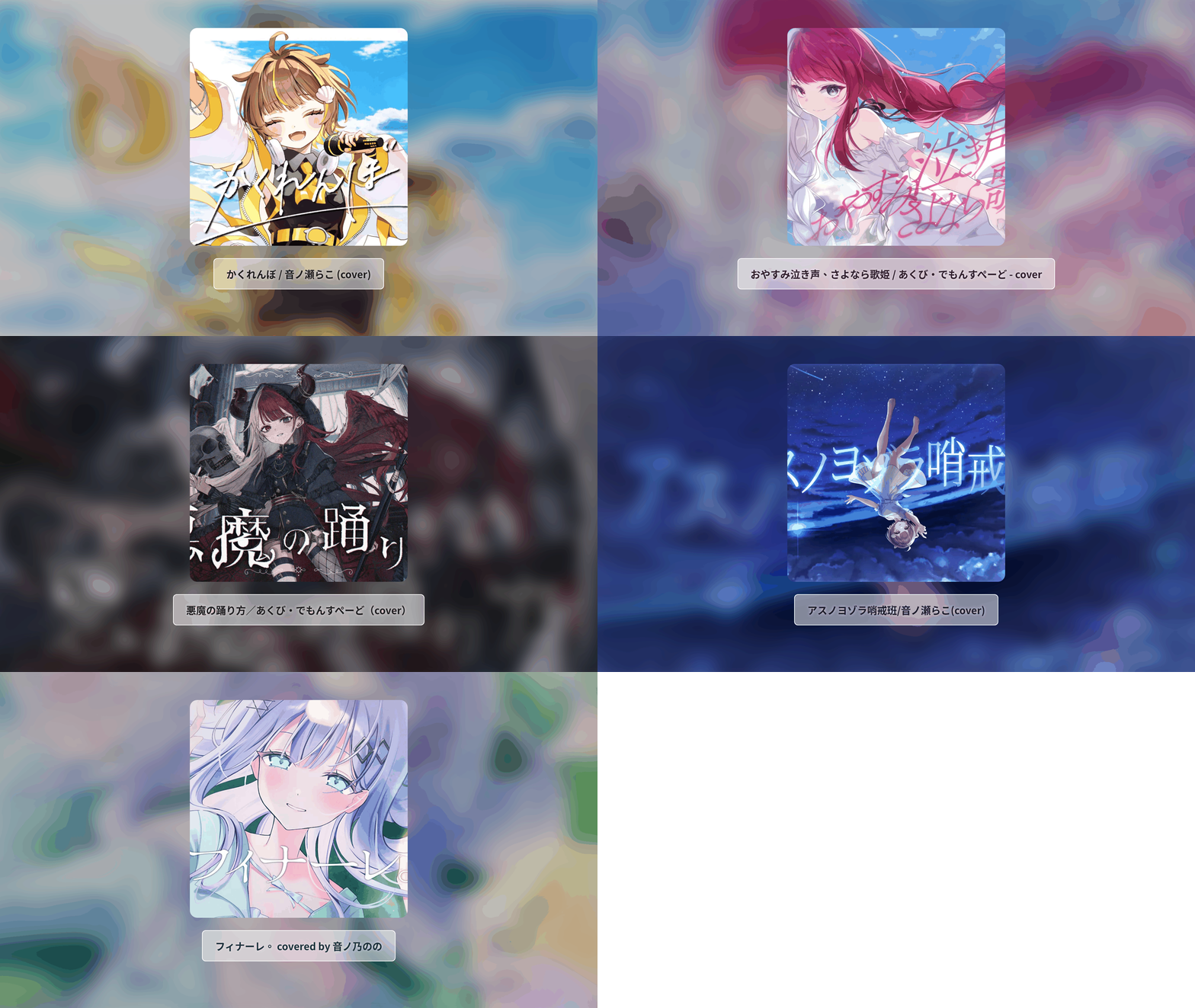
(These songs are pretty good! You should take a look at their official website)
Custom Templates
If you don't like buit-in templates, you can provide your own template directory using the --custom-tmpl option. The directory must contain:
1.template.html: The HTML structure for your video frame.
2.style.css: The CSS for styling the frame.
Template Requirements
template.html:
It must contain the {{SONGS}} placeholder. musics2video will replace this with the generated HTML for the song list.
It should reference a cover image. The generator places an image named cover.png in the rendering directory. You can reference it in your HTML like this: <img src="cover.png">.
style.css:
The playlist generated at {{SONGS}} will consist of <div class="song">...</div> elements.
The currently playing song will have an additional class: <div class="song active">...</div>. You can use .song.active to highlight it.
Example Custom Template Structure:
/my_project
├── my_template/
│   ├── template.html
│   └── style.css
└── songs.txt
Command:
musics2video list songs.txt --custom-tmpl ./my_template
Disclaimer
If you want to redistribute the videos generated by this tool, please make sure to obtain permission from the original author. The author of this project takes no responsibility if you run into any issues.
Note
This project is maintained by a beginner.
Any feedback, suggestions, issues are very welcome!
1 maintainer

Metadata
1 maintainer
Release files for musics2video 0.2.0
For a detailed explanation of source distributions (sdists) and built distributions (wheels), please see the package formats documentation.
Source distribution (sdist)
| File | Size | Uploaded | |
|---|---|---|---|
| musics2video-0.2.0.tar.gz | 19.5 kB | Details |
Built distribution (wheel)
| File | Interpreter | ABI | Platform | Reset |
|---|---|---|---|---|
| musics2video-0.2.0-py3-none-any.whl | Python 3 | none | any | Details |
Total release size: 42.3 kB
Release files / musics2video-0.2.0.tar.gz
| Download URL | musics2video-0.2.0.tar.gz |
|---|---|
| Size | 19.5 kB |
| Tags | Source |
|
SHA-256 checksum How to use checksums |
4c4c2e848a57ca5de4561f347ad9e0fb623b6a0987310899691e105fd32641d1
|
|
BLAKE2b-256 checksum How to use checksums |
c369e38c450e5605b59007f3220028ddac6bbd1d1c78edd416e95fd97b34473a
|
| Upload date | |
|
Uploaded using Trusted Publishing? What is trusted publishing? |
Yes |
| Uploaded via |
twine/6.1.0 CPython/3.13.12
|
Provenance
Provenance describes where a file came from. On PyPI, provenance is shared via attestations, which provide a verifiable record of the build or publishing details. View details, limitations and caveats.


PyPI Publish Attestation
PyPI verified that this artifact, at this checksum, originated from the publisher listed below.
Signed by GitHub Actions, verified by PyPI on May 28, 2026.
Transparency logRelease files / musics2video-0.2.0-py3-none-any.whl
| Download URL | musics2video-0.2.0-py3-none-any.whl |
|---|---|
| Size | 22.8 kB |
| Tags | Python 3 |
|
SHA-256 checksum How to use checksums |
af50b9ca6ff1681f662c1125b2ed0a6b561ebf211fede0e0b4b7de6cafc3ce1a
|
|
BLAKE2b-256 checksum How to use checksums |
803a541be04d31a822c34846409752e44d4e2601965bcd9c8ad35eb4cfdb72b7
|
| Upload date | |
|
Uploaded using Trusted Publishing? What is trusted publishing? |
Yes |
| Uploaded via |
twine/6.1.0 CPython/3.13.12
|
Provenance
Provenance describes where a file came from. On PyPI, provenance is shared via attestations, which provide a verifiable record of the build or publishing details. View details, limitations and caveats.
PyPI Publish Attestation
PyPI verified that this artifact, at this checksum, originated from the publisher listed below.
Signed by GitHub Actions, verified by PyPI on May 28, 2026.
Transparency log













