
muXec

A command line tool for running multiple commands simultaneously while observing their output
        ________________________________________
       /                 /                     /
      /   _ __ ___  _   /__  _____  ___       /
     /---| '_ ` _ \| | | \ \/ / _ \/ __|-----/
    /    | | | | | | |_| |>  <  __/ (__     /
   /     |_| |_| |_|\__,_/_/\_\___|\___|   /
  /                /                      /
 /________________/______________________/

          muXec - Multiplexed Exec
To date, the tool has only been tested on MacOS and xterm with python3.9, and may behave differently in untested setups.
Install
pip install --upgrade muxec
Usage
positional arguments:
  commands              commands to run. if using args, escape entire command with quotes

optional arguments:
  -h, --help            show this help message and exit
  -p PARALLELISM, --parallelism PARALLELISM
                        number of commands to run in parallel (default: 4)
  -x, --xargs           pipe in standard input as input to the command
  -I REPLACE_STR, --replace-str REPLACE_STR
                        when using xargs mode, replace occurrences of replace-str in the command with input, default: {}
  --break-on-fail       immediately break whole execution if any command fails
  -m MODE, --mode MODE  output print mode, either 'plain' or 'tty' (or 'auto' to pick the right one automatically)
  --ts                  prefix each line with timestamp. only applies when running in plain mode
To use from python script:
from muxec.run import run
from muxec.consts import MODE_PLAIN

run(parallelism=4, commands=["cmd", "other"], break_on_fail=True, print_mode=MODE_PLAIN)
Examples
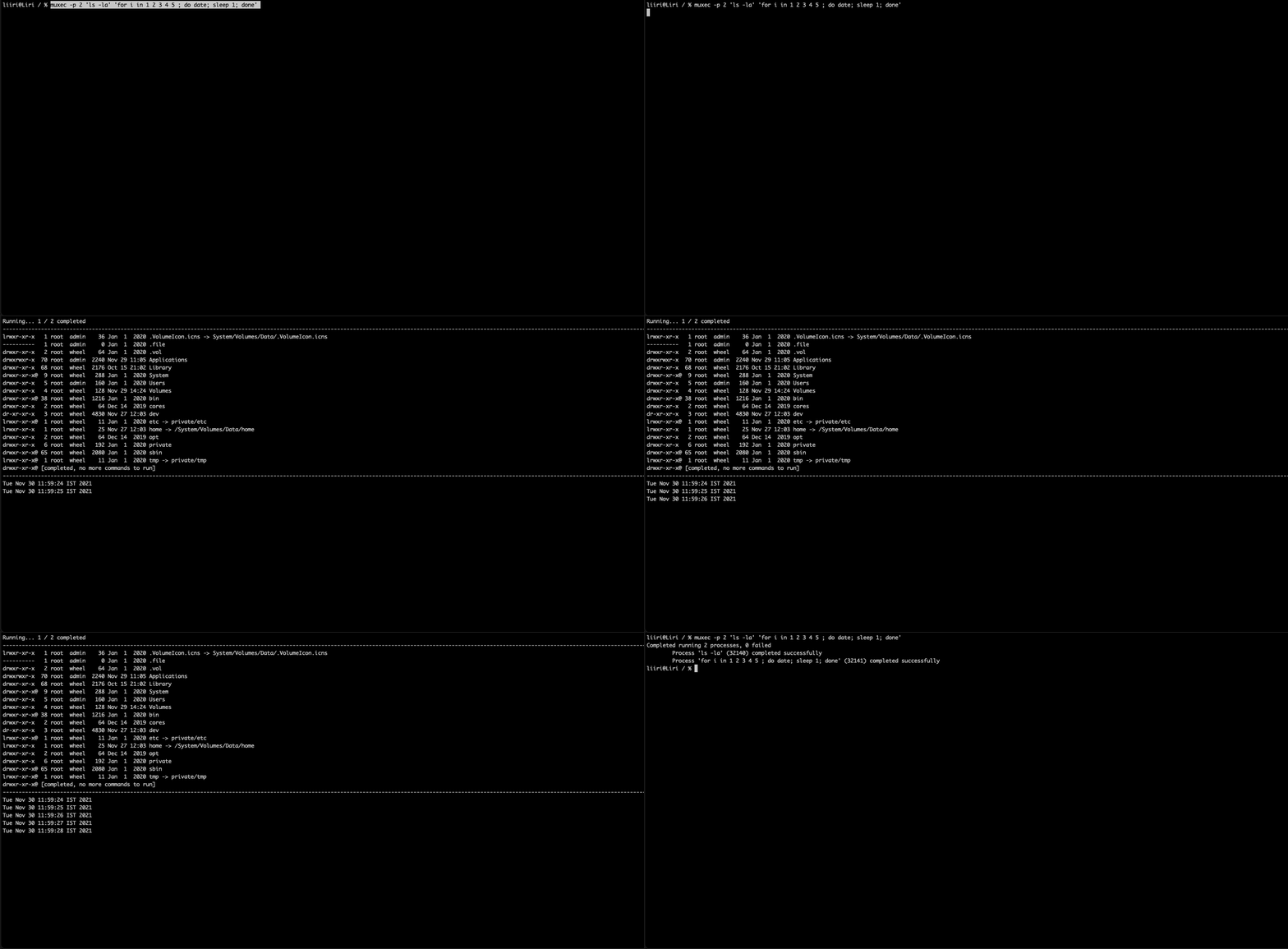
muxec -p 2 'ls -la' 'for i in 1 2 3 4 5 ; do date; sleep 1; done'
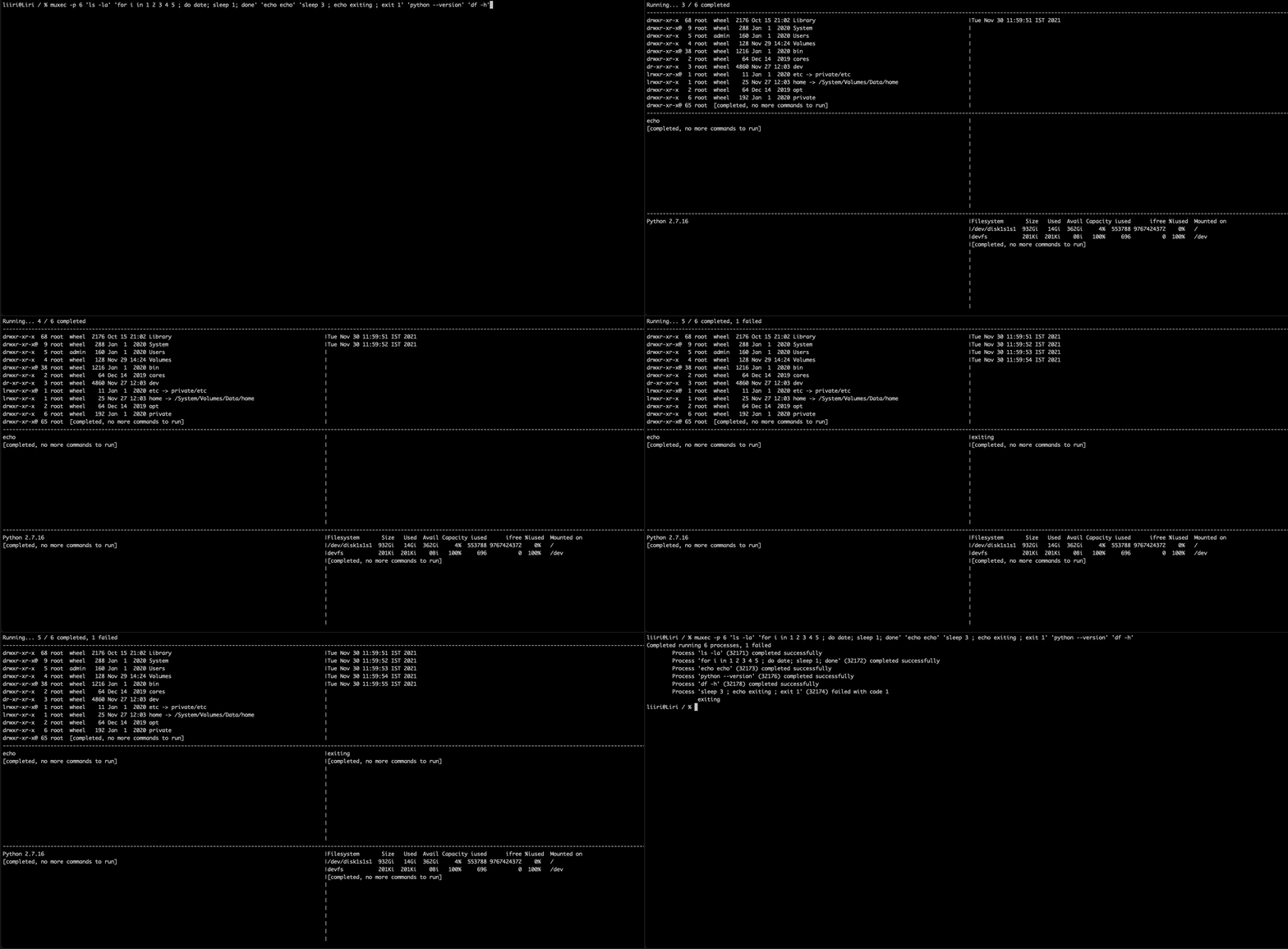
muxec -p 6 'ls -la' 'for i in 1 2 3 4 5 ; do date; sleep 1; done' 'echo echo' 'sleep 3 ; echo exiting ; exit 1' 'python --version' 'df -h'
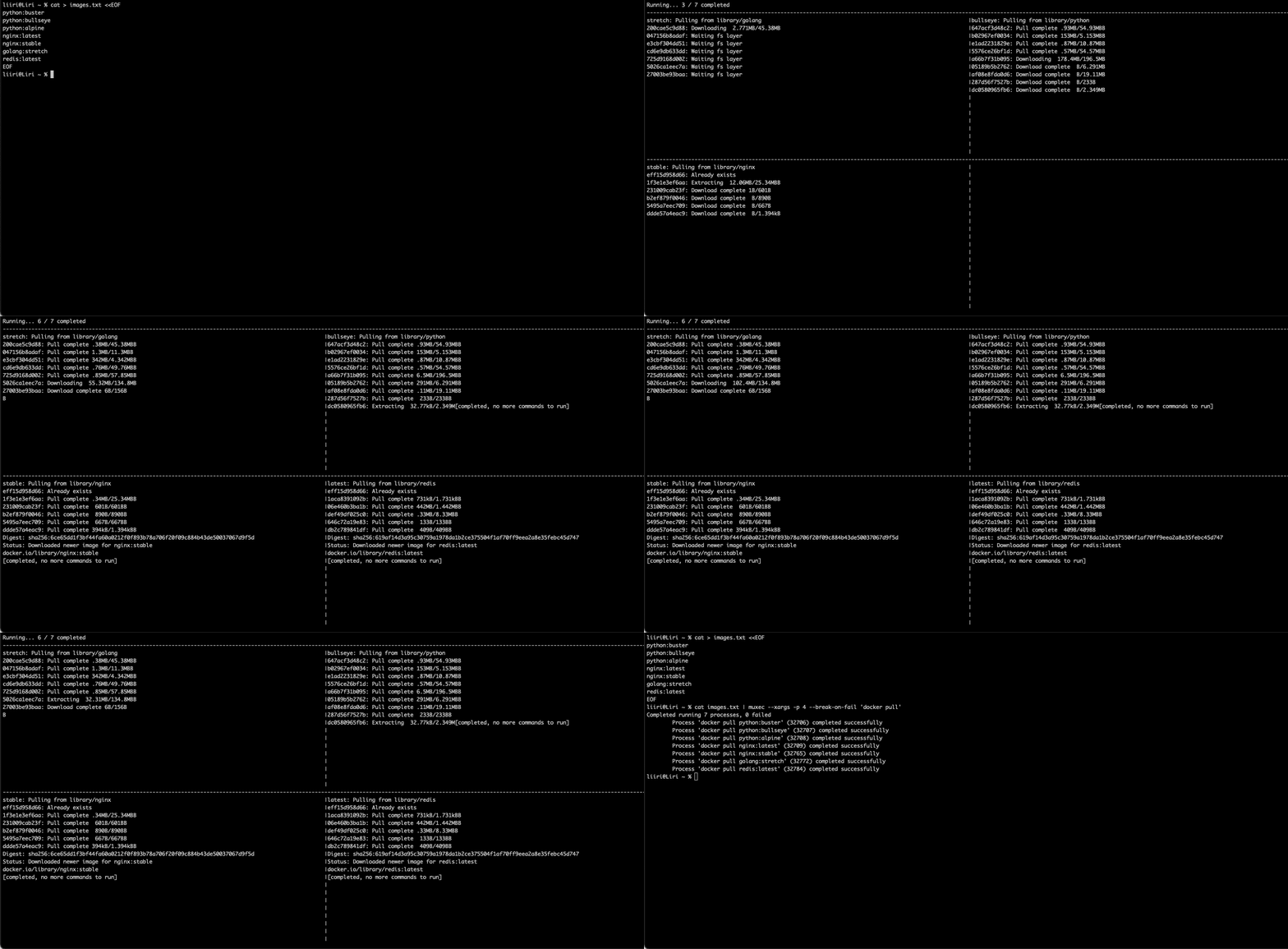
cat images.txt | muxec --xargs -p 4 --break-on-fail 'docker pull'
Open Issues
-
Terminal resize is not handled
-
There is still no full support for all control sequences or for colors (see spellr/culour)
Development
To enable logging: export LOG_HINT_ENVVAR=1. Logs will be written to /tmp/muxec.log (file is overwritten on each run).
PyCharm IDE does not provide the required terminal to run pty, but you can run the program from regular terminal and attach debugger.
Set up Python Debug Server configuration in PyCharm:
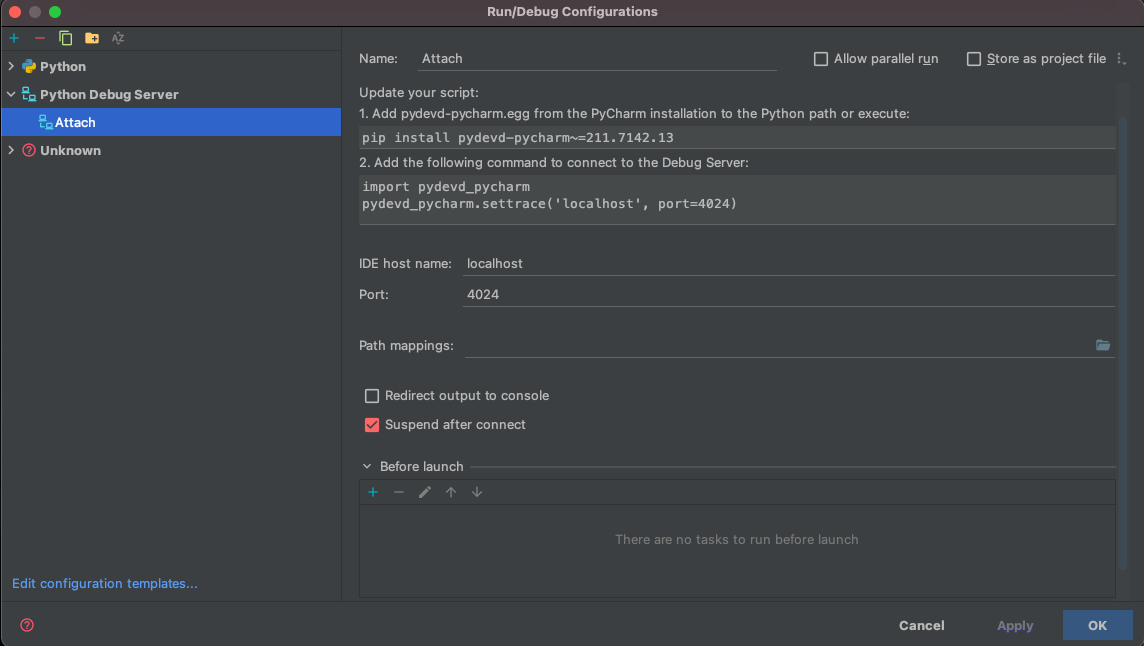
Then set export DEBUG_HINT_ENVVAR=1 and run the script: python main.py ...
1 maintainer

Release files for muxec 0.1.14
For a detailed explanation of source distributions (sdists) and built distributions (wheels), please see the package formats documentation.
Built distribution (wheel)
| File | Interpreter | ABI | Platform | Reset |
|---|---|---|---|---|
| muxec-0.1.14-py3-none-any.whl | Python 3 | none | any | Details |
Release files / muxec-0.1.14-py3-none-any.whl
| Download URL | muxec-0.1.14-py3-none-any.whl |
|---|---|
| Size | 15.1 kB |
| Tags | Python 3 |
|
SHA-256 checksum How to use checksums |
55803690813c07d513fca3fc8a90fba4bc790640fe3a2216fb3dab3ec298857f
|
|
BLAKE2b-256 checksum How to use checksums |
89ba39c92126805681047b42512eea5f3a72b170fcdb7f22b94a6d9414c93635
|
| Upload date | |
|
Uploaded using Trusted Publishing? What is trusted publishing? |
No |
| Uploaded via |
twine/3.7.1 importlib_metadata/4.10.0 pkginfo/1.8.2 requests/2.27.1 requests-toolbelt/0.9.1 tqdm/4.62.3 CPython/3.10.1
|














