
MWRpy




MWRpy is a Python software to process RPG Microwave Radiometer data and is developed at the University of Cologne, Germany as part of the Aerosol, Clouds and Trace Gases Research Infrastructure (ACTRIS).
The software features reading raw data, Level 1 quality control, generation of Level 2 data products and visualization and is based on the IDL code mwr_pro.
The netCDF data format including metadata information, variable names and file naming is designed to be compliant with either the data structure and naming convention developed in the EUMETNET Profiling Programme E-PROFILE, or within ACTRIS Cloudnet.
MWRpy documentation: https://actris-cloudnet.github.io/mwrpy/
Citing
If you wish to acknowledge MWRpy in your publication, please cite:
Marke et al., (2024). MWRpy: A Python package for processing microwave radiometer data. Journal of Open Source Software, 9(98), 6733, https://doi.org/10.21105/joss.06733
Installation
From PyPI:
python3 -m pip install mwrpy
From GitHub:
git clone https://github.com/actris-cloudnet/mwrpy.git
cd mwrpy
python3 -m venv venv
source venv/bin/activate
pip3 install --upgrade pip
pip3 install .
MWRpy requires Python 3.10 or newer.
Configuration
The folder mwrpy/site_config/ contains mandatory configuration files for each instrument
type, which also define the input and output data paths, metadata, etc.
For example, this is the configuration file for RPG-HATPRO.
The folders for each site, e.g. mwrpy/site_config/hyytiala/, contain a folder with the required retrieval coefficients
(mwrpy/site_config/hyytiala/coefficients/) and an optional site and instrument specific configuration file
(config.yaml). For example, this is the configuration file for Hyytiälä, which can
help with configuring multiple instruments of the same type.
When MWRpy is used as a Python library, a site configuration in the repository is not required: the site information and the retrieval coefficient files can be passed directly to the processing functions. See the documentation for examples.
Command line usage
MWRpy can be run using the command line tool python -m mwrpy.cli:
usage: python -m mwrpy.cli [-h] -s SITE [-d YYYY-MM-DD] [--start YYYY-MM-DD]
                           [--stop YYYY-MM-DD] [-p PRODUCTS] [-f FORMAT]
                           [-i INSTRUMENT] [{process,plot,no-plot,reprocess}]
Arguments:
| Short | Long | Default | Description |
|---|---|---|---|
-h |
--help |
Show help and exit. | |
-s |
--site |
Site to process data from, e.g, hyytiala. Required. |
|
-d |
--date |
Single date to be processed. Alternatively, --start and --stop can be defined. |
|
--start |
current day - 1 |
Starting date (included). | |
--stop |
current day + 1 |
Stopping date (excluded). | |
-p |
--products |
1C01, single, multi |
Processed products, e.g, 1C01, 2I02, 2P03, single, see below. |
-f |
--format |
cloudnet |
Data format to be used (cloudnet, e-profile). |
-i |
--instrument |
hatpro |
Instrument type to be processed (hatpro, lhatpro, lhumpro_u90). |
Commands:
| Command | Description |
|---|---|
process |
Process data and generate plots (default). |
plot |
Only generate plots. |
no-plot |
Only generate products. |
reprocess |
Like process, but skips days when data processing fails. |
Data types
Level 1
- 1B01: MWR brightness temperatures from .BRT and .BLB/.BLS files + retrieved spectrum
- 1B11: IR brightness temperatures from .IRT files
- 1B21: Weather station data from .MET files
- 1C01: Combined data type with time corresponding to 1B01
Level 2
- 2I01: Liquid water path (LWP)
- 2I02: Integrated water vapor (IWV)
- 2I06: Stability Indices
- 2P01: Temperature profiles from single-pointing observations
- 2P02: Temperature profiles from multiple-pointing observations
- 2P03: Absolute humidity profiles
- 2P04: Relative humidity profiles (derived from 2P01/2P02 + 2P03)
- 2P07: Potential temperature (derived from 2P01/2P02 + 2P03)
- 2P08: Equivalent potential temperature (derived from 2P01/2P02 + 2P03)
- single: Single pointing data product (including 2I01, 2I02, 2I06, 2P01, 2P03, and derived products)
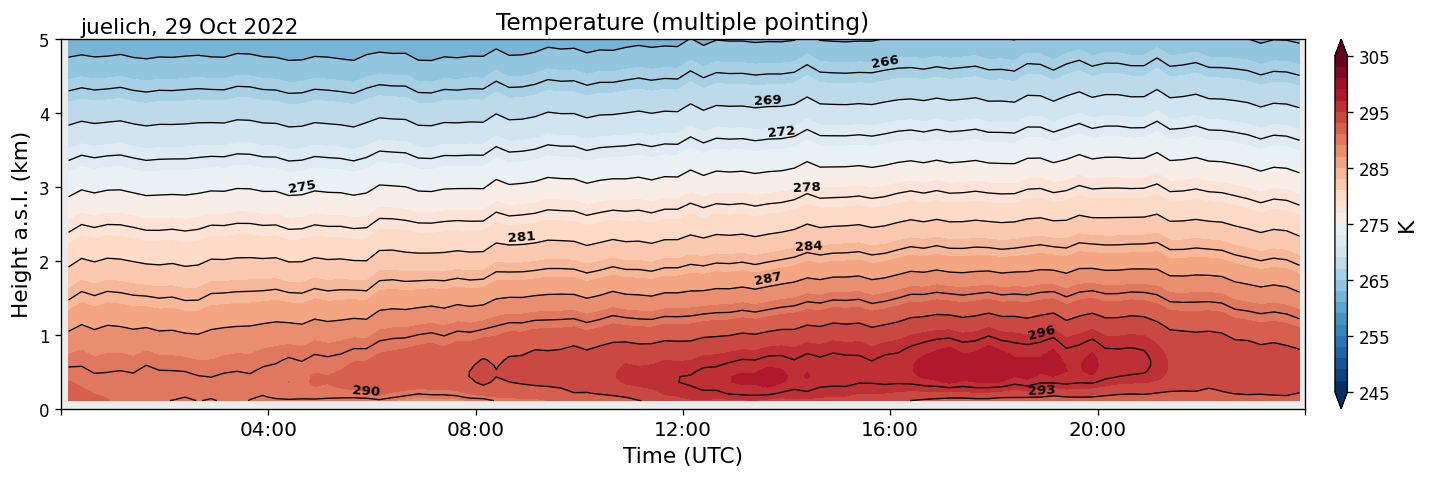
- multi: Multiple pointing data product (including 2P02, and derived products)
For the lhumpro_u90 instrument type, the single product includes 2I01, 2I02, and 2P03 only.
Only the 1C01, single, and multi data types are available when using the Cloudnet file format.
Licence
MIT
Metadata
Release files for mwrpy 1.7.2
For a detailed explanation of source distributions (sdists) and built distributions (wheels), please see the package formats documentation.
Source distribution (sdist)
| File | Size | Uploaded | |
|---|---|---|---|
| mwrpy-1.7.2.tar.gz | 858.1 kB | Details |
Built distribution (wheel)
| File | Interpreter | ABI | Platform | Reset |
|---|---|---|---|---|
| mwrpy-1.7.2-py3-none-any.whl | Python 3 | none | any | Details |
Total release size: 1.8 MB
Release files / mwrpy-1.7.2.tar.gz
| Download URL | mwrpy-1.7.2.tar.gz |
|---|---|
| Size | 858.1 kB |
| Tags | Source |
|
SHA-256 checksum How to use checksums |
4828cec497d2946f740babfe98106e70a739e68b8d0edc75f2805a6efe34544f
|
|
BLAKE2b-256 checksum How to use checksums |
5fabd5507628df8ad46788f5c60340fc77ae4878df587f2bc818fbe54fd61c76
|
| Upload date | |
|
Uploaded using Trusted Publishing? What is trusted publishing? |
Yes |
| Uploaded via |
twine/7.0.0 CPython/3.13.14
|
Provenance
Provenance describes where a file came from. On PyPI, provenance is shared via attestations, which provide a verifiable record of the build or publishing details. View details, limitations and caveats.


PyPI Publish Attestation
PyPI verified that this artifact, at this checksum, originated from the publisher listed below.
Signed by GitHub Actions, verified by PyPI on Sep 28, 2026.
Transparency logRelease files / mwrpy-1.7.2-py3-none-any.whl
| Download URL | mwrpy-1.7.2-py3-none-any.whl |
|---|---|
| Size | 906.8 kB |
| Tags | Python 3 |
|
SHA-256 checksum How to use checksums |
fd0c319d1714c77bab771496079f994718065c661e67db4a7b33f11938c43a0d
|
|
BLAKE2b-256 checksum How to use checksums |
f801f1c8bfe39df3906da72d8a5b2b10ca271317c897bb0c40eec99932e71202
|
| Upload date | |
|
Uploaded using Trusted Publishing? What is trusted publishing? |
Yes |
| Uploaded via |
twine/7.0.0 CPython/3.13.14
|
Provenance
Provenance describes where a file came from. On PyPI, provenance is shared via attestations, which provide a verifiable record of the build or publishing details. View details, limitations and caveats.
PyPI Publish Attestation
PyPI verified that this artifact, at this checksum, originated from the publisher listed below.
Signed by GitHub Actions, verified by PyPI on Sep 28, 2026.
Transparency log













