
video-streamer
Video streamer to be used with MXCuBE. The streamer currently supports streaming from Tango (Lima) devices, as well as Redis and MJPEG streams and can be extened to be used with other camera solutions as well. The output streams are either MJPEG or MPEG1 with an option to use a secondary output stream to a Redis Pub/Sub channel.
Documentation 📚
Check out the full documentation to explore everything this project has to offer! Including:
- Information about all supported input camera types
- A detailed guide on how to start and run the project
- A developers guide
- An FAQ
- and more!
Installation
git clone https://github.com/mxcube/video-streamer.git
cd video-streamer

# optional
conda env create -f conda-environment.yml

# For development
pip install -e .

# For usage
pip install .
Usage
usage: video-streamer [-h] [-c CONFIG_FILE_PATH] [-uri URI] [-hs HOST]
                      [-p PORT] [-q QUALITY] [-s SIZE] [-of OUTPUT_FORMAT]
                      [-id HASH] [-d] [-r] [-rhs REDIS_HOST] [-rp REDIS_PORT]
                      [-rk REDIS_CHANNEL] [-irc IN_REDIS_CHANNEL]

mxcube video streamer

options:
  -h, --help            show this help message and exit
  -c CONFIG_FILE_PATH, --config CONFIG_FILE_PATH
                        Configuration file path
  -uri URI, --uri URI   Tango device URI
  -hs HOST, --host HOST
                        Host name to listen on for incomming client
                        connections default (0.0.0.0)
  -p PORT, --port PORT  Port
  -q QUALITY, --quality QUALITY
                        Compresion rate/quality
  -s SIZE, --size SIZE  size
  -of OUTPUT_FORMAT, --output-format OUTPUT_FORMAT
                        output format, MPEG1 or MJPEG
  -id HASH, --id HASH   Stream id
  -d, --debug           Debug true or false
  -r, --redis           Use redis-server
  -rhs REDIS_HOST, --redis-host REDIS_HOST
                        Host name of redis server to send to
  -rp REDIS_PORT, --redis-port REDIS_PORT
                        Port of redis server
  -rk REDIS_CHANNEL, --redis-channel REDIS_CHANNEL
                        Key for saving to redis database
  -irc IN_REDIS_CHANNEL, --in_redis_channel IN_REDIS_CHANNEL
                        Channel for RedisCamera to listen to
There is the possibility to use a configuration file instead of command line arguments. All command line arguments except debug are ignored if a config file is used. The configuration file also makes it possible to configure several sources while the command line only allows configuration of a single source.
Example command line (for testing):
video-streamer -d -of MPEG1 -uri test
Example configuration file (config.json):
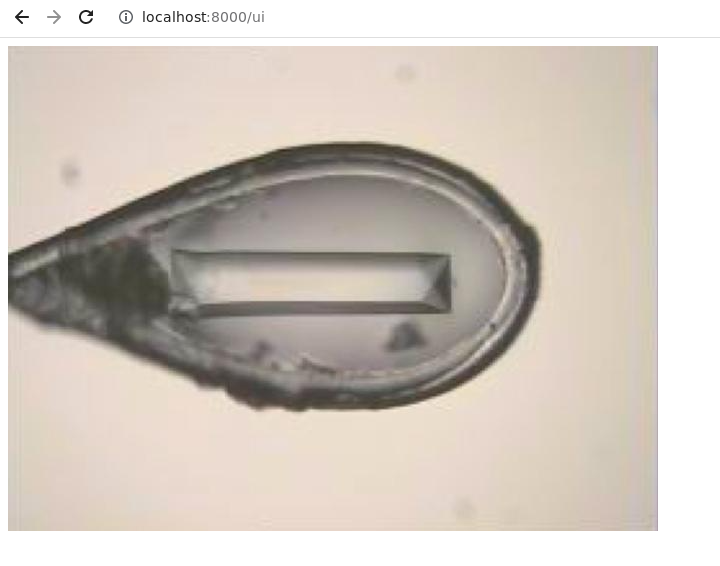
The configuration file format is JSON. A test image is used when the input_uri is set to "test". The example below creates one MPEG1 stream and one MJPEG stream from the test image. There is a defualt test/demo UI to see the video stream on http://localhost:[port]/ui. In example below case:
MPEG1: http://localhost:8000/ui
MJPEG: http://localhost:8001/ui
video-streamer -c config.json

config.json:
{
    "sources": {
        "0.0.0.0:8000": {
            "input_uri": "test",
            "quality": 4,
            "format": "MPEG1"
        },
        "0.0.0.0:8001": {
            "input_uri": "test",
            "quality": 4,
            "format": "MJPEG"
        }
    }
}
Dual Streaming: Seamlessly Serve MJPEG and Redis Pub/Sub Video Feeds
When generating an MJPEG stream using any of the cameras (except for MJPEGCamera) implemented in video-streamer, it is possible to use a Redis Pub/Sub channel as additional Video feed.
Below you can see an example on how to do that from the command line:
video-streamer -d -of MPEG1 -uri test -r -rhs localhost -rp 6379 -rk video-streamer
where -r flag is needed to allow the stream to redis , -rhs,-rp, -rk define the host, port and channel of the targeted Redis Pub/Sub respectively.
The format of the frames send to Redis looks as follows:
frame_dict = {
    "data": [encoded image data],
    "size": [image size],
    "time": [timestamp of image_polling],
    "frame_number": [number of frame send to Redis starting at 0],
}


Download files
Download the file for your platform. If you're not sure which to choose, learn more about installing packages.
Source Distribution
Built Distribution
Filter files by name, interpreter, ABI, and platform.
If you're not sure about the file name format, learn more about wheel file names.
Copy a direct link to the current filters
File details
Details for the file mxcube_video_streamer-1.10.0.tar.gz.
File metadata
- Download URL: mxcube_video_streamer-1.10.0.tar.gz
- Upload date:
- Size: 6.8 MB
- Tags: Source
- Uploaded using Trusted Publishing? No
- Uploaded via:
poetry/2.4.1 CPython/3.11.14 Linux/7.0.0-28-generic
File hashes
| Algorithm | Hash digest | |
|---|---|---|
| SHA256 |
85888e68d044a94888f5bf1e826649e3b2f5b46b8a5698ae782db069fb70dbdb
|
|
| MD5 |
c2d67d3c569d7aa47d761a79a315f3f9
|
|
| BLAKE2b-256 |
c4fb73293465bff9e13ea2833d182764312dab2d7360090f9b764017e030fe96
|
File details
Details for the file mxcube_video_streamer-1.10.0-py3-none-any.whl.
File metadata
- Download URL: mxcube_video_streamer-1.10.0-py3-none-any.whl
- Upload date:
- Size: 6.8 MB
- Tags: Python 3
- Uploaded using Trusted Publishing? No
- Uploaded via:
poetry/2.4.1 CPython/3.11.14 Linux/7.0.0-28-generic
File hashes
| Algorithm | Hash digest | |
|---|---|---|
| SHA256 |
1065c5ed9aeddd7d9dacbeb98748da58e197f8b469c9fda7d0f7cfb5f661d819
|
|
| MD5 |
46c3895c40602e3ae1975f39a7181ac0
|
|
| BLAKE2b-256 |
e648da6aea35e4daa2c0e1a1d143180afb6a62facda0e3b6bc87c9f80dc1bb32
|














