
A custom messagebox package for Tkinter applications.

Project description
my_custom_messagebox
A modern and fully customizable Messagebox for Tkinter, a must-have extension pack!
Features
- Customize all elements inside the messagebox
- Add custom icons or images
- Add multiple options according to your wish
- No ugly looking header or borders
- Comes with default icons
- Spawns at center of the screen/app
- Draggable window
- Fade-in/Fade-out window effect
Installation
pip install my_custom_messagebox
----------------------------------------------------------------------
How it looks?
Information Message Box
Warning Message Box
Error Message Box
Pinter Message Box
Self Define Message Box
Example Program
from my_custom_messagebox.cs_messagebox import cs_mb, cs_string, cs_yn, cs_yn_for_printer, cs_info, cs_error, cs_warning
my_custom_messagebox.cs_messabebox #(主函數)
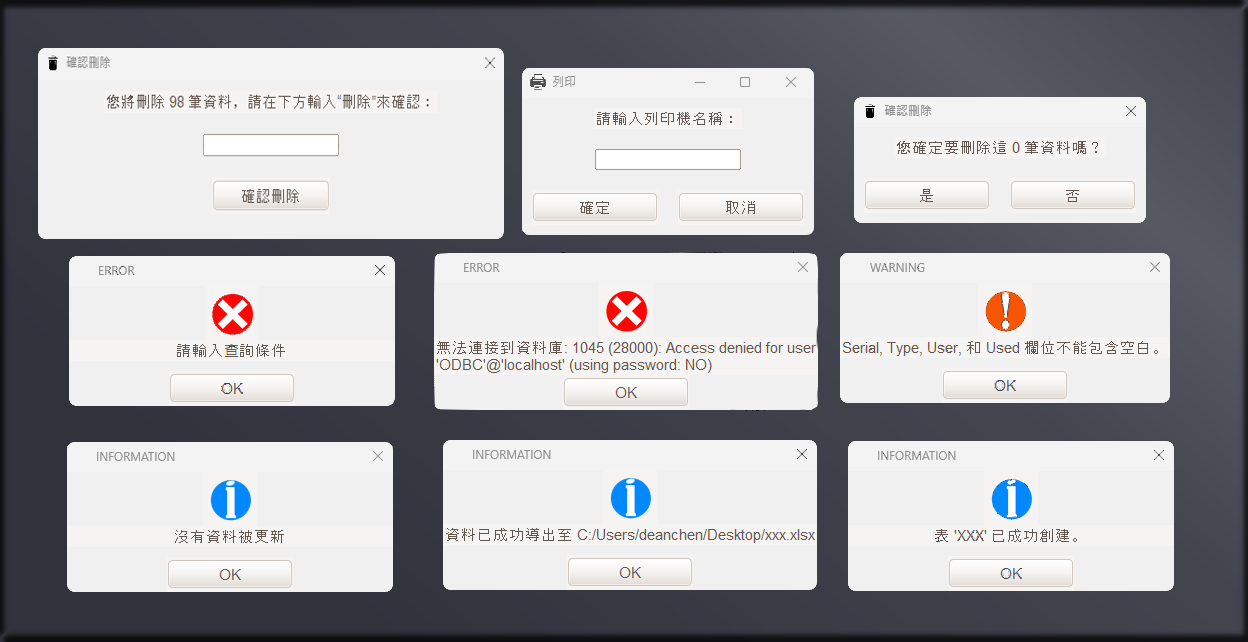
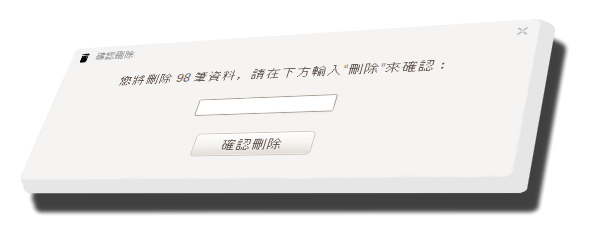

cs_mb(custom_messagebox) #對話框
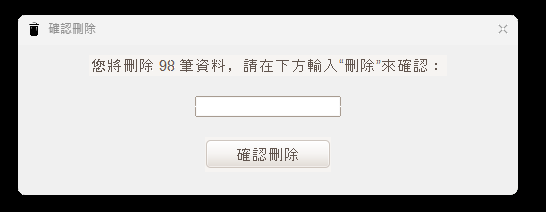
cs_string(custom_string) #對話框
cs_yn(custom_yes_or_no) #是與否

cs_yn_for_printer(custom_yes_or_no_for_printer) #是否列印
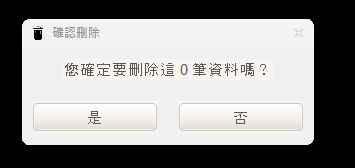
cs_info(custom_information) #資訊
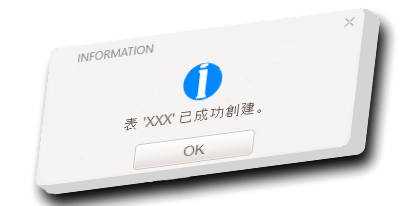
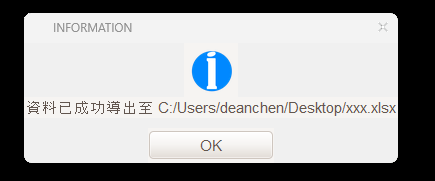
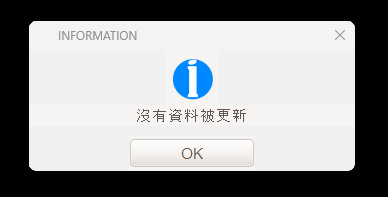
cs_error(custom_error) #錯誤
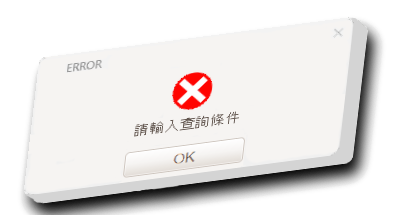
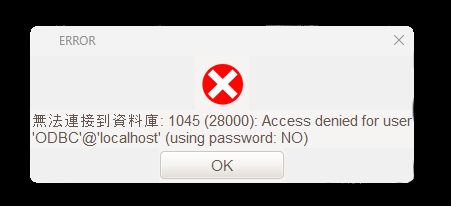
cs_warning(custom_warning) #警告
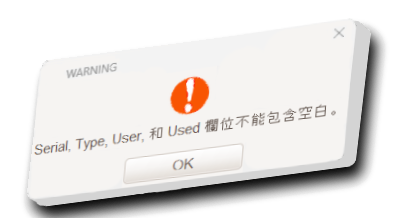
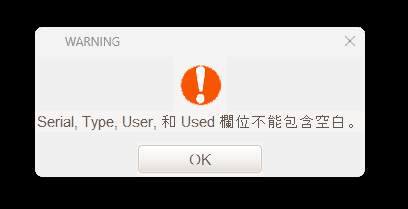
-------------------------------------------------------------------------------------------------------------------
示例程序(example):
def connect_db():
config = configparser.ConfigParser()
config.read('db_config.ini')
try:
mydb = mysql.connector.connect(
host=config.get('DATABASE', 'host'),
user=config.get('DATABASE', 'user'),
password=config.get('DATABASE', 'password'),
database=config.get('DATABASE', 'database')
)
return mydb
except mysql.connector.Error as err:
cs_error('ERROR', f'無法連接到資料庫: {err}', win)
return None
def save_to_ini():
try:
config = configparser.ConfigParser()
config.read('db_config.ini')
if not config.has_section('DATABASE'):
config.add_section('DATABASE')
config.set('DATABASE', 'host', host.get())
config.set('DATABASE', 'user', user.get())
config.set('DATABASE', 'password', password.get())
config.set('DATABASE', 'database', database.get())
with open('db_config.ini', 'w') as configfile:
config.write(configfile)
cs_info('INFORMATION', 'Database configuration saved successfully.', win)
except Exception as e:
cs_error('ERROR', f'Failed to save database configuration: {e}'
def insert_data(single_insertion=True, multiple_data=None):
try:
if single_insertion:
serial = clean_input(aaa.get())
type_ = clean_input(bbb.get())
user = clean_input(ccc.get())
used = clean_input(ddd.get())
remark = clean_input(eee.get())
valid, message = validate_fields(serial, type_, user, used, remark)
if not valid:
cs_warning('WARNING', message, win)
return
def printer(widget):
try:
if platform.system() == "Windows":
printer_name = cs_string("列印", "請輸入列印機名稱:", initialvalue=win32print.GetDefaultPrinter())
if printer_name:
confirm = cs_yn_for_printer("確認列印", f"確定要使用列印機 {printer_name} 進行列印嗎?")
if confirm:
x = win.winfo_rootx()
y = win.winfo_rooty()
width = x + win.winfo_width()
height = y + win.winfo_height()
image = ImageGrab.grab().crop((x, y, width, height))
image.save("temp_print_image.png")
win32api.ShellExecute(0, "print", "temp_print_image.png", f'/d:"{printer_name}"', ".", 0)
cs_info("INFORMATION", "列印成功", win)
else:
cs_info("INFORMATION", "取消列印", win)
else: # For Linux
conn = cups.Connection()
printers = conn.getPrinters()
printer_name = cs_string("列印", "請輸入列印機名稱:", initialvalue=list(printers.keys())[0])
if printer_name:
confirm = cs_yn_for_printer("確認列印", f"確定要使用列印機 {printer_name} 進行列印嗎?")
if confirm:
x = win.winfo_rootx()
y = win.winfo_rooty()
width = x + win.winfo_width()
height = y + win.winfo_height()
image = ImageGrab.grab().crop((x, y, width, height))
image.save("temp_print_image.png")
conn.printFile(printer_name, "temp_print_image.png", "Title", {})
cs_info("INFORMATION", "列印成功", win)
else:
cs_info("INFORMATION", "取消列印", win)
except Exception as e:
cs_error("ERROR", f"列印過程中出現錯誤:{e}", win)
----------------------------------------------------------------------
Options
Parameter Description
master Set parent window (optional)
width Width of the window in px (optional)
height Height of the window in px (optional)
fg_color Foreground color of the messagebox [middle portion]
bg_color Background color of the messagebox
title Title of the messagebox
message Main message of the messagebox
option_1 Text on the first button [Default is 'OK']
option_2 Text on the second button
option_3 Text on the third button
button_color Color of the buttons
text_color Color of the message text
title_color Color of the title text
button_text_color Color of the button text
button_hover_color Hover color of the buttons
button_width Width of the buttons in px
button_height Height of the buttons in px
border_width Width of the border around the main frame [Default is 1]
border_color Color of the frame border
icon Icon that will be shown in the messagebox [Default is the 'info' icon]
icon_size Size of the icon image
corner_radius Corner roundness of the messagebox window
font Font of the messagebox text
header Add the original header back if you don't like overrideredirect (bool)
topmost Disable the topmost window outside the app (bool)
sound Enable the system bell sound when the window pops up (bool)
justify Position the buttons to center/right/left
focus_option Select an option by default when Enter key is pressed
fade_in_duration Enable a fade-in and fade-out animation (int, default is 0)
Release history Release notifications | RSS feed


Download files
Download the file for your platform. If you're not sure which to choose, learn more about installing packages.
Source Distribution
Built Distribution
Filter files by name, interpreter, ABI, and platform.
If you're not sure about the file name format, learn more about wheel file names.
Copy a direct link to the current filters
File details
Details for the file my_custom_messagebox-1.3.2.tar.gz.
File metadata
- Download URL: my_custom_messagebox-1.3.2.tar.gz
- Upload date:
- Size: 4.0 kB
- Tags: Source
- Uploaded using Trusted Publishing? No
- Uploaded via: twine/5.1.1 CPython/3.13.0a5
File hashes
| Algorithm | Hash digest | |
|---|---|---|
| SHA256 |
66e273a085d12e6f5c51e06d714eecceec3eceb314b47e998898e7c3df1a2dce
|
|
| MD5 |
eb00a86157efa290202e8d45c3679fd0
|
|
| BLAKE2b-256 |
6167f2a9d1bb5e9d342243160b147efa343d1bdeb3bd1b791b72b67b0d0a4738
|
File details
Details for the file my_custom_messagebox-1.3.2-py3-none-any.whl.
File metadata
- Download URL: my_custom_messagebox-1.3.2-py3-none-any.whl
- Upload date:
- Size: 3.8 kB
- Tags: Python 3
- Uploaded using Trusted Publishing? No
- Uploaded via: twine/5.1.1 CPython/3.13.0a5
File hashes
| Algorithm | Hash digest | |
|---|---|---|
| SHA256 |
34eea04566a8656424afb8e7a024950034f1183a080006c2223c68b9695f5494
|
|
| MD5 |
bb1f1ae657873a3f1243930220ab5ef9
|
|
| BLAKE2b-256 |
47ef024fbfec0f2e284e69bb3f778b7cff097b70ac3ab2d7151bf02005f65f0b
|






