
No project description provided

Project description






MyOCR is a highly extensible and customizable framework for building OCR systems. Engineers can easily train, integrate deep learning models into custom OCR pipelines for real-world applications.
Try the online demo
🌟 Key Features:
⚡️ End-to-End OCR Development Framework – Designed for developers to build and integrate detection, recognition, and custom OCR models in a unified and flexible pipeline.
🛠️ Modular & Extensible – Mix and match components - swap models, predictors, or input output processors with minimal changes.
🔌 Developer-Friendly by Design - Clean Python APIs, prebuilt pipelines and processors, and straightforward customization for training and inference.
🚀 Production-Ready Performance – ONNX runtime support for fast CPU/GPU inference, support various ways of deployment.
📣 Updates
- 🔥2025.05.03 inner refactoring & update docs
- 2025.04.28 release MyOCR alpha version:
- Release image detection, class, recognition models
- All components can work together
🛠️ Installation
📦 Requirements
- Python 3.11+
- Optional: CUDA 12.6+ (Recommended for GPU acceleration, but CPU mode is also supported)
📥 Install Dependencies
# Clone the code from GitHub
git clone https://github.com/robbyzhaox/myocr.git
cd myocr

# create venv
uv venv

# Install dependencies
pip install -e .

# Development environment installation
pip install -e ".[dev]"

# Download pre-trained model weights
mkdir -p ~/.MyOCR/models/
Download weights from: https://drive.google.com/drive/folders/1RXppgx4XA_pBX9Ll4HFgWyhECh5JtHnY
# Alternative download link: https://pan.baidu.com/s/122p9zqepWfbEmZPKqkzGBA?pwd=yq6j
🚀 Quick Start
🖥️ Local Inference
Basic OCR Recognition
from myocr.pipelines import CommonOCRPipeline

# Initialize common OCR pipeline (using GPU)
pipeline = CommonOCRPipeline("cuda:0")  # Use "cpu" for CPU mode

# Perform OCR recognition on an image
result = pipeline("path/to/your/image.jpg")
print(result)
Structured OCR Output (Example: Invoice Information Extraction)
config chat_bot in myocr.pipelines.config.structured_output_pipeline.yaml
chat_bot:
  model: qwen2.5:14b
  base_url: http://127.0.0.1:11434/v1
  api_key: 'key'
from pydantic import BaseModel, Field
from myocr.pipelines import StructuredOutputOCRPipeline

# Define output data model, refer to:
from myocr.pipelines.response_format import InvoiceModel

# Initialize structured OCR pipeline
pipeline = StructuredOutputOCRPipeline("cuda:0", InvoiceModel)

# Process image and get structured data
result = pipeline("path/to/invoice.jpg")
print(result.to_dict())
🐳 Docker Deployment
The framework provides support for Docker deployment, which can be built and run using the following commands:
Run the Docker Container
docker run -d -p 8000:8000 robbyzhaox/myocr:cpu-0.1.0
Accessing API Endpoints (Docker)
IMAGE_PATH="your_image.jpg"

BASE64_IMAGE=$(base64 -w 0 "$IMAGE_PATH")  # Linux
#BASE64_IMAGE=$(base64 -i "$IMAGE_PATH" | tr -d '\n') # macOS

curl -X POST \
  -H "Content-Type: application/json" \
  -d "{\"image\": \"${BASE64_IMAGE}\"}" \
  http://localhost:8000/ocr
🔗 Using Rest API
The framework provides a simple Flask API service that can be called via HTTP interface:
# Start the service default port: 5000
python main.py
API endpoints:
GET /ping: Check if the service is running properlyPOST /ocr: Basic OCR recognitionPOST /ocr-json: Structured OCR output
We also have a UI for these endpoints, please refer to doc-insight-ui
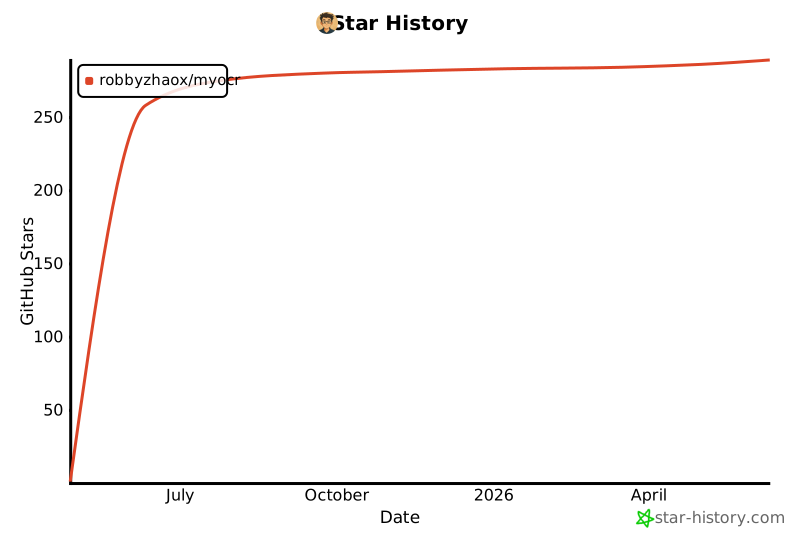
Star History
🎖 Contribution Guidelines
We welcome any form of contribution, including but not limited to:
- Submitting bug reports
- Adding new features
- Improving documentation
- Optimizing performance
📄 License
This project is open-sourced under the Apache 2.0 License, see the LICENSE file for details.
Release history Release notifications | RSS feed


Download files
Download the file for your platform. If you're not sure which to choose, learn more about installing packages.
Source Distribution
Built Distribution
Filter files by name, interpreter, ABI, and platform.
If you're not sure about the file name format, learn more about wheel file names.
Copy a direct link to the current filters
File details
Details for the file myocr_kit-0.1.0a4.tar.gz.
File metadata
- Download URL: myocr_kit-0.1.0a4.tar.gz
- Upload date:
- Size: 62.4 kB
- Tags: Source
- Uploaded using Trusted Publishing? No
- Uploaded via: twine/6.1.0 CPython/3.11.12
File hashes
| Algorithm | Hash digest | |
|---|---|---|
| SHA256 |
32941268ad5f03a7d11cf48b87fb43631b61685623070c7efb7869d545b69e71
|
|
| MD5 |
d770af2653e28f96218fc1bae8f22bc1
|
|
| BLAKE2b-256 |
d93d365809dd0bdfb05f0653768720a05e83edef0d4b8d30e096c30357583b8a
|
File details
Details for the file myocr_kit-0.1.0a4-py3-none-any.whl.
File metadata
- Download URL: myocr_kit-0.1.0a4-py3-none-any.whl
- Upload date:
- Size: 66.8 kB
- Tags: Python 3
- Uploaded using Trusted Publishing? No
- Uploaded via: twine/6.1.0 CPython/3.11.12
File hashes
| Algorithm | Hash digest | |
|---|---|---|
| SHA256 |
27321ed4b3c05d68e963b2849e26247fead0fb14fb9e9abaddc44c705769f3be
|
|
| MD5 |
de3d007cdd51386abc3a971b2432255d
|
|
| BLAKE2b-256 |
52753c840bf241b782fc513b73d889f245d08944b971aa7c69eab9bb0f70c8ff
|






