
myt - My Task Manager

Project description
myt-cli
My Tasks - A personal task manager




What is it
A simple command line task manager written in python. It is inspired from taskwarrior but with no where near as much functionality.
It can be used in two ways. As a one-shot command line app where you run individual commands directly from your shell. Or as an interactive TUI by running myt with no subcommand, which launches a persistent full-screen session with a command input, autocomplete, and auto-refresh.
What can it do
You can add tasks with descriptions, due dates and notes. You can group tasks together, add tags to them and classify them with a context such as @phone or @home. Tasks can be modified. Tasks can also be set to indicate they are currently being worked on. There is functionality to set recurring tasks.
You can also run myt as an interactive TUI with IDE-style autocomplete, command history, filter persistence, and interactive prompts for recurring task operations.
Screenshots
- The default view in TUI mode
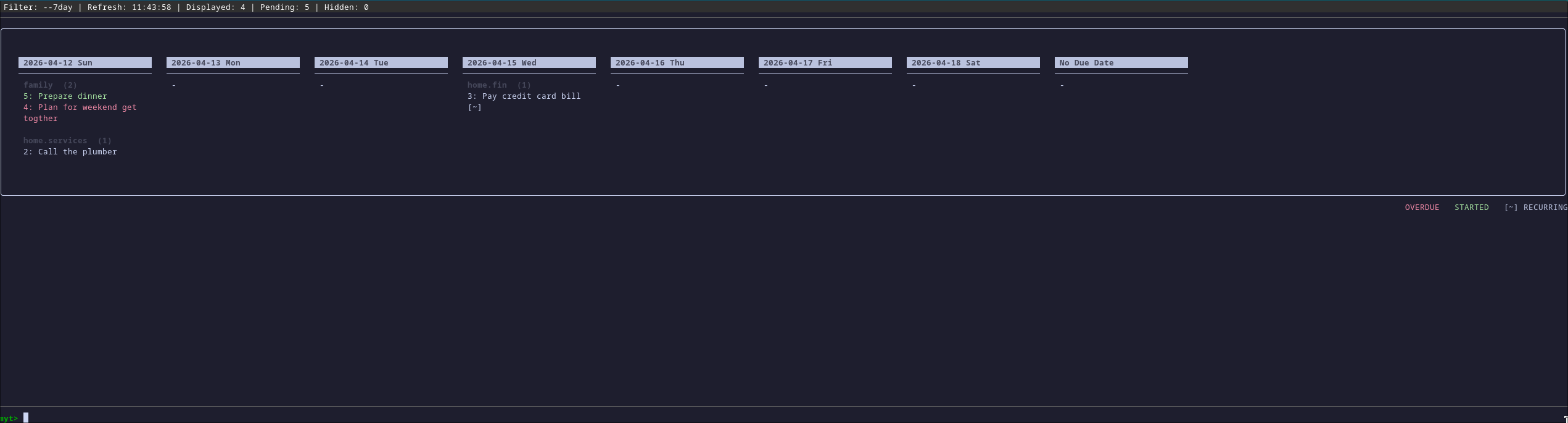
- A 7 day view of tasks -
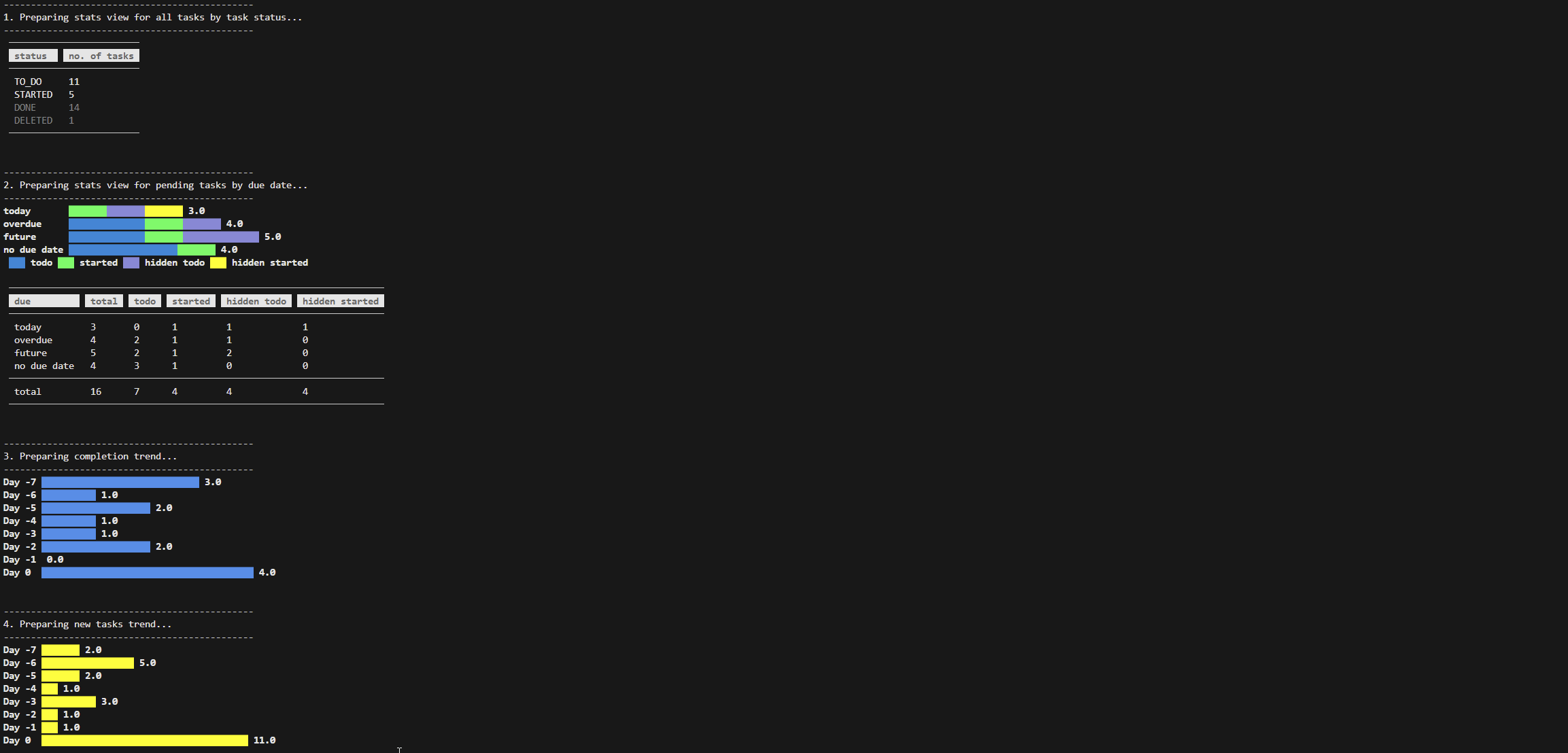
view --7day - Basic statistics -
stats

Interactive TUI Mode
Run myt with no subcommand to enter the interactive TUI. All the same commands available in one-shot CLI mode work here, typed at the myt> prompt at the bottom of the screen. The toolbar at the top shows the active filter, last refresh time and task counts.
Shorthand syntax
In TUI mode, common flags can be replaced with single-character prefixes for faster input. Quoted text without a prefix becomes the task description. Standard flags like -gr and -tg also continue to work.
| Shorthand | Flag | Field |
|---|---|---|
+value |
-gr |
Group |
@value |
-cx |
Context |
#value |
-tg |
Tag |
^value |
-du |
Due date |
!value |
-pr |
Priority |
~value |
-hi |
Hide until |
*value |
-re |
Recurrence |
*value|end |
-re and -en |
Recurrence with end date |
&"text" |
-no |
Notes |
"text" |
-de |
Description |
Keyboard shortcuts
| Key | Action |
|---|---|
F5 |
Toggle row highlight/navigation mode. Use Up/Down or j/k to move between tasks |
F6 |
Open current view in a pager for scrolling with full colour support |
F7 |
Toggle compact mode which hides non-essential columns such as duration, version, age and score |
The TUI auto-refreshes every 60 seconds, re-running the last command. Interactive dialog overlays are shown for recurring task prompts and confirmations.
Examples
One-shot CLI mode
- Add a simple task
myt add -de "Buy gifts" -du 2026-06-25 -gr PERS.SHOPPING -tg birthday,occasions -cx home - Add a recurring task
myt add -de "Pay the rent" -re M -du 2026-06-25 -hi -5 -gr PERS.FINANCES -tg billsThis task is scheduled for the 25th of every month. Using the 'hide' option the task will be hidden until 5 days from the due date for every occurrence in the tasks default view - Add a recurring task with an end date
myt add -de "Project weekly catch ups" -re WD1,2,5 -du +0 -en +30 -gr WORK.PROJECTSThis adds a recurring task for every Monday, Tuesday and Friday and ending in 30 days from today
TUI mode with shorthand
- Add a task using shorthand
add "Buy gifts" ^2026-06-25 +PERS.SHOPPING #birthday #occasions @home &"pick up from the mall" - View tasks filtered by context
view cx:phone - Add a recurring task using shorthand
add "Pay the rent" ^2026-06-25 +PERS.FINANCES #bills *M|+365 - Modify a task using shorthand
modify id:3 !H ~-3Sets task 3 to High priority and hides it until 3 days before its due date
Other functionality in the app can be explored using the app's help
Installation
Install using pip: pip install myt-cli
Development Setup
git clone https://github.com/nsmathew/myt-cli.git
cd myt-cli
python3 -m venv .venv
source .venv/bin/activate
pip install -e .
Run tests: pytest tests/
Run security scan: bandit --recursive --severity-level all src/
Technology
- Python 3
- Sqlite3
- Rich
- prompt_toolkit
Links
- Github - https://github.com/nsmathew/myt-cli
- PyPi - https://pypi.org/project/myt-cli
Contact
Nitin Mathew, nitn_mathew2000@hotmail.com
Release history Release notifications | RSS feed


Download files
Download the file for your platform. If you're not sure which to choose, learn more about installing packages.
Source Distribution
Built Distribution
Filter files by name, interpreter, ABI, and platform.
If you're not sure about the file name format, learn more about wheel file names.
Copy a direct link to the current filters
File details
Details for the file myt_cli-0.7.0.tar.gz.
File metadata
- Download URL: myt_cli-0.7.0.tar.gz
- Upload date:
- Size: 92.2 kB
- Tags: Source
- Uploaded using Trusted Publishing? No
- Uploaded via: twine/6.2.0 CPython/3.14.4
File hashes
| Algorithm | Hash digest | |
|---|---|---|
| SHA256 |
217c2255eca6dfadbdb78498d35501546c6dce542926f668061517373c82c8cd
|
|
| MD5 |
9772efe5189c9ecf73be1aab867e7b41
|
|
| BLAKE2b-256 |
14c20deceab1af0ad636b9c732abf46b6c2886d6d28a4bd9ecdd85be25ec2282
|
File details
Details for the file myt_cli-0.7.0-py3-none-any.whl.
File metadata
- Download URL: myt_cli-0.7.0-py3-none-any.whl
- Upload date:
- Size: 98.3 kB
- Tags: Python 3
- Uploaded using Trusted Publishing? No
- Uploaded via: twine/6.2.0 CPython/3.14.4
File hashes
| Algorithm | Hash digest | |
|---|---|---|
| SHA256 |
38e1f6838417fd0877a9da75435e3fb420cbf8fc92c71ae5c4c99f4ce7aae4fa
|
|
| MD5 |
69145f230df170a45e64756aa637e588
|
|
| BLAKE2b-256 |
67b6803509eb5fd4e39c80c6f20521f287663d9d70097a8465bc787c868a4e48
|






