
Find and record programs on MythTV

Project description
mythme
Find and record programs on MythTV
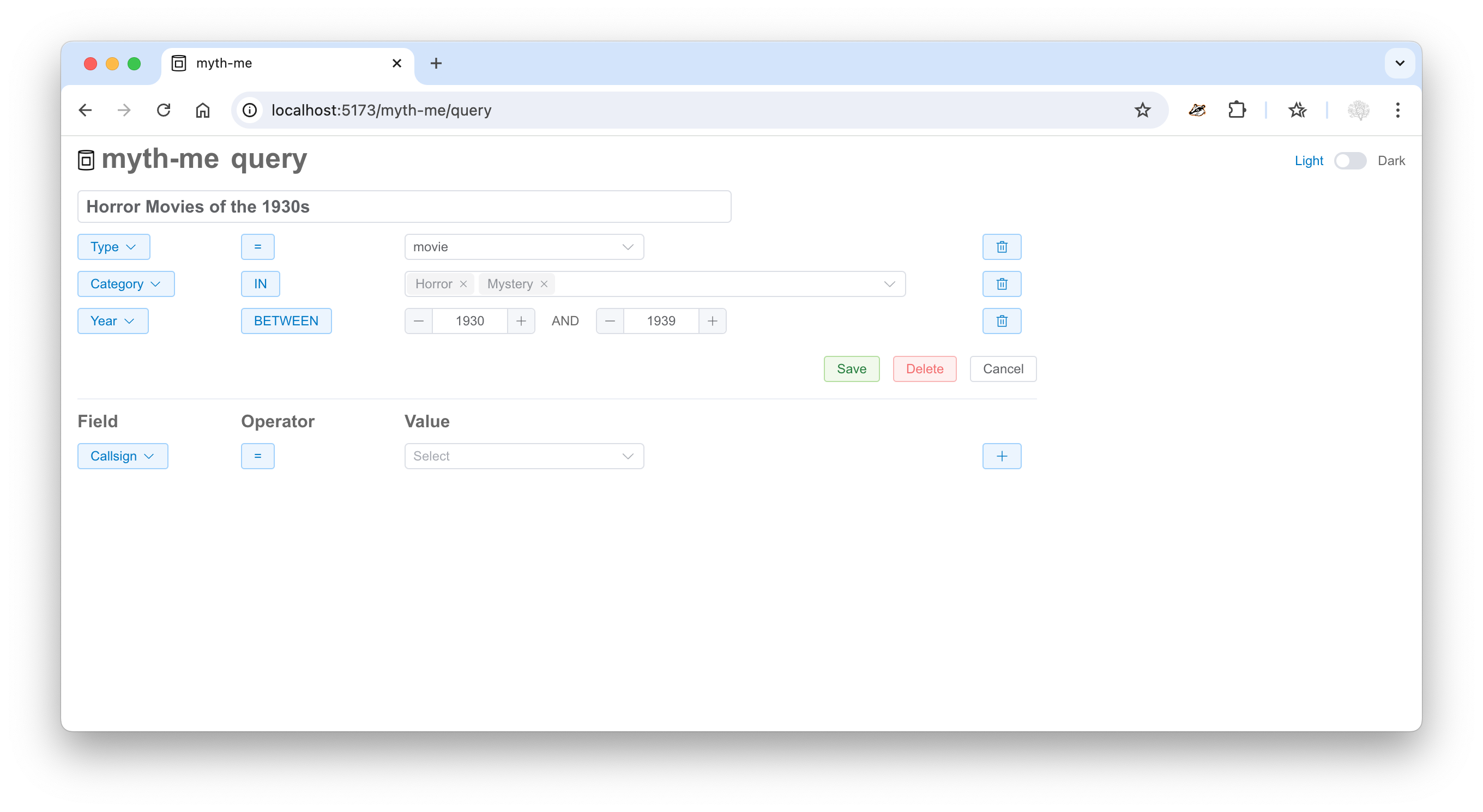
Inspired by MythWeb's Canned Searches feature, mythme makes it easy
to create and save custom queries. For example, a query named Horror Movies of the 1930s:
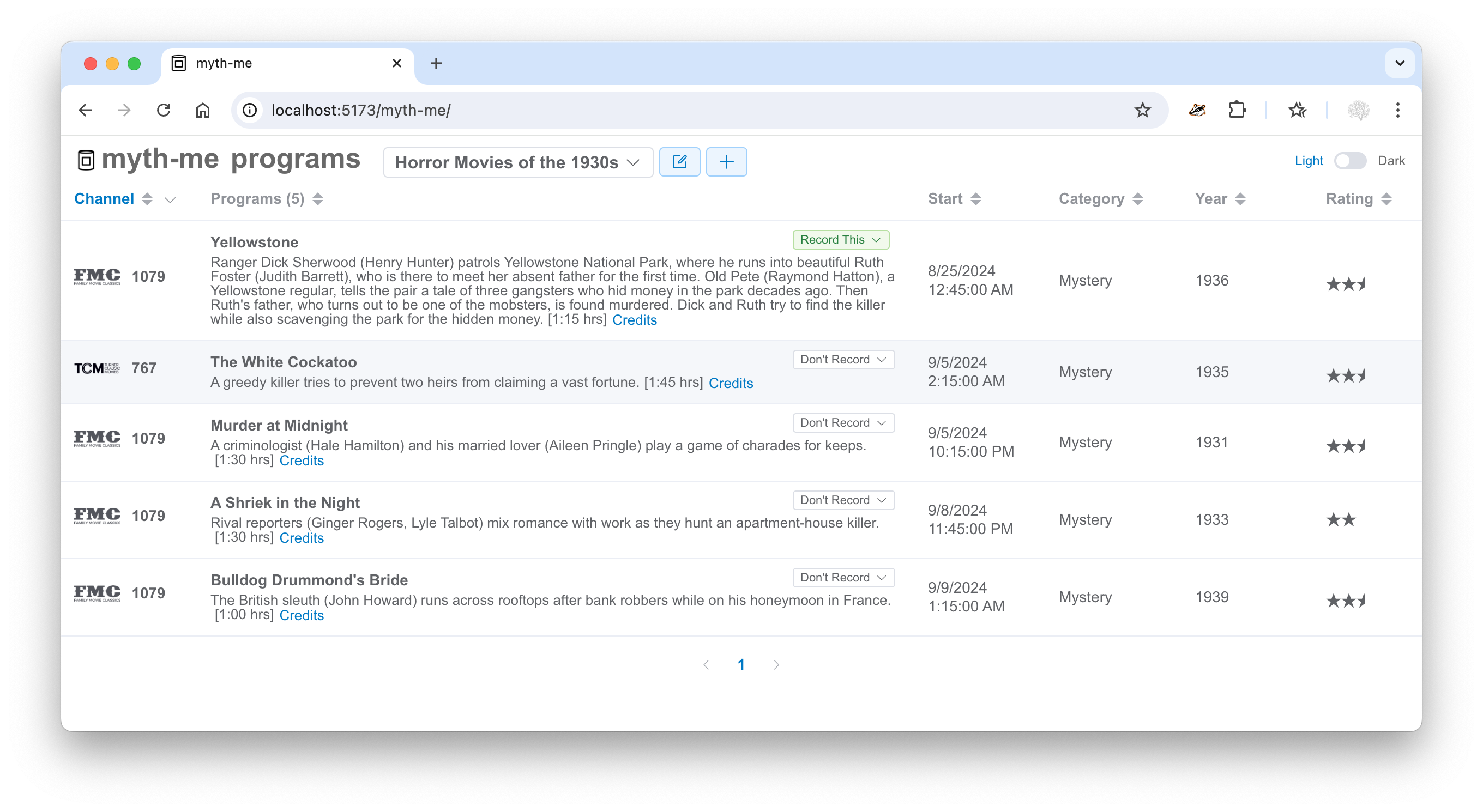
The result after clicking Save:
Prerequisites
- python 3
- mariadb connector/c
Installation
This installs to a local virtual environment.
python -m venv ~/.local --system-site-packages
~/.local/bin/pip install mythme
Environment variable
The MYTHME_DIR environment variable points to a directory where mythme stores saved queries and other items. It's also where you can create a mythme.yaml file to configure mythme.
export MYTHME_DIR="~/.mythme"
(default is ~/.mythme)
Configuration
In many cases no configuration is required. This is especially true if you're running mythme on MythTV's master backend host.
Database
For Database Configuration,
mythme looks for ~/.mythtv/config.xml and uses the <Database> element if present.
MythTV API server
To determine the MythTV Services API host, mythme tries
BackendServerAddr and BackendStatusPort from MythTV's settings db table.
Custom config
Settings specified in $MYTHME_DIR/mythme.yaml override the autoconfig values above.
Here's an example mythme.yaml:
database:
  host: '192.168.0.70'
  port: 3306
  database: mythconverg
  username: mythtv
  password: mythtv

mythtv_api_base: http://192.168.0.70:6544
Run server
Make sure ~/.local/bin is in your $PATH.
mythme
Command line options
-h, --help   show this help message
--version    show mythme's version
--host HOST  Server host
--port PORT  Server port
Channel icons
Channel icons are disabled by default. To enable, click the dropdown caret next to the Channel column heading. Check the "Icons" box and confirm.
Release history Release notifications | RSS feed


Download files
Download the file for your platform. If you're not sure which to choose, learn more about installing packages.
Source Distribution
Built Distribution
Filter files by name, interpreter, ABI, and platform.
If you're not sure about the file name format, learn more about wheel file names.
Copy a direct link to the current filters
File details
Details for the file mythme-0.0.8.tar.gz.
File metadata
- Download URL: mythme-0.0.8.tar.gz
- Upload date:
- Size: 382.3 kB
- Tags: Source
- Uploaded using Trusted Publishing? No
- Uploaded via: twine/5.1.1 CPython/3.13.0
File hashes
| Algorithm | Hash digest | |
|---|---|---|
| SHA256 |
7e92660b7e889106f7b3fd98f9e817a342d052fff63af55ef258cc17a191912a
|
|
| MD5 |
382061a2a102dfa70531d463adab73ed
|
|
| BLAKE2b-256 |
82301154fead419bbf9f8005ae85fca094beb50a7f8341ed4da22d2ad98eb817
|
File details
Details for the file mythme-0.0.8-py3-none-any.whl.
File metadata
- Download URL: mythme-0.0.8-py3-none-any.whl
- Upload date:
- Size: 386.1 kB
- Tags: Python 3
- Uploaded using Trusted Publishing? No
- Uploaded via: twine/5.1.1 CPython/3.13.0
File hashes
| Algorithm | Hash digest | |
|---|---|---|
| SHA256 |
bf1ba0c29255f13a870a8349fa446f8d05c0f880f74aa67aff6ddaa2a0be029b
|
|
| MD5 |
97f5fe529d5611bb45d2de943480ab7b
|
|
| BLAKE2b-256 |
98c86c3692b1eaf49755b3d728e879a5a73bfab3c241dab7fac7d1934a4d7b3d
|






