

An open source tool and python library for detecting website blocks, downdetecting and network analysis
Explore the docs »Getting Started · Basic Usage · Pitchhut · Context7 · Deepwiki · Latest Documentation · License

















Nadzoring (from Russian "надзор" — supervision/oversight + the English "-ing" suffix) is a free and open-source command-line tool and Python library designed for in-depth network diagnostics, service availability monitoring, and website block detection. It empowers you to investigate connectivity issues, analyze network configurations, and audit security postures through a comprehensive suite of tools. From DNS diagnostics (including reverse lookups, poisoning detection, and delegation tracing) to ARP spoofing monitoring, SSL/TLS certificate analysis, HTTP security header auditing, email security validation (SPF/DKIM/DMARC), and subdomain discovery — Nadzoring brings together a wide range of capabilities in a single, consistent interface.
Built from the ground up with AI-friendliness in mind, Nadzoring is fully type-annotated, enforces a strict zero-warnings linter policy, and is architected according to SOLID principles with a strong emphasis on modularity and the Single Responsibility Principle (SRP). This architectural clarity ensures that the codebase remains maintainable, testable, and easy to extend. The project's high-quality typing and well-structured domain logic make it equally suitable for use as a reliable Python library in your own applications, as well as a powerful standalone CLI tool.
Star History
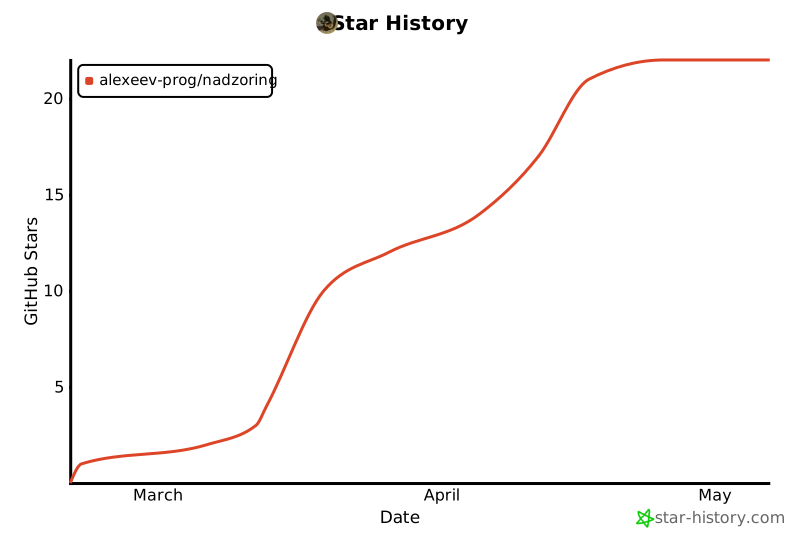







Table of Contents
Getting Started
Prerequisites
- Python 3.12+
- pip
Optional system utilities:
| Utility | Required by |
|---|---|
traceroute / tracepath |
network-base traceroute (Linux) |
whois |
network-base whois |
ip / route |
network-base params, network-base route |
net-tools |
network-base params on some Linux distros (sudo apt install net-tools) |
ss |
network-base connections (Linux) |
dig / nslookup |
security check-email (DNS TXT lookups; dnspython used when available) |
Note: The Python package
netifaces(used bynetwork-base params) is distributed as source code and requires compilation on Linux. If you encounter errors during installation (e.g.,gcc: command not found), install the required build tools first:sudo apt update && sudo apt install build-essential python3-dev(Debian/Ubuntu) or the equivalent for your distribution. On other platforms (Windows, macOS) pre‑compiled wheels are usually available.
Installation
pip install nadzoring
Verify:
nadzoring --help
Development version:
pip install git+https://github.com/alexeev-prog/nadzoring.git
Running with Docker
For Linux users, Docker provides the easiest and most stable way to run Nadzoring without system dependency issues. The container comes with all necessary network capabilities pre-configured.
📘 Detailed Docker Guide: See Docker.md for complete Docker setup instructions, including native Windows alternatives, development tips, and troubleshooting.
Quick start with Docker:
# Clone the repository
git clone https://github.com/alexeev-prog/nadzoring.git
cd nadzoring

# Build the Docker image
docker build -t nadzoring:latest .

# Create a convenient alias (add to ~/.bashrc or ~/.zshrc)
alias nadzoring='docker run --rm -it \
  --network host \
  --cap-add=NET_ADMIN \
  --cap-add=NET_RAW \
  nadzoring:latest'

# Now use Nadzoring normally
nadzoring --help
nadzoring dns resolve google.com
nadzoring network-base port-scan 192.168.1.0/24
nadzoring arp detect-spoofing
Benefits of using Docker:
- Isolated environment — No Python version conflicts or dependency issues
- Easy updates — Just rebuild the image with
git pull && docker build - No system modifications — Leaves your host system untouched
- Consistent behavior — Works the same across different Linux distributions
- Network capabilities — Pre-configured with NET_ADMIN and NET_RAW for full functionality
Platform recommendation:
| Platform | Recommended Method | Best For |
|---|---|---|
| Linux | Docker (with alias) | Servers, CI/CD |
| Linux | Native (pipx) | Most users, development |
| Windows | Native (pipx) | Windows-users |
Note for Windows users: Docker on Windows has limitations with raw sockets and local network access. Native installation via pipx is strongly recommended for Windows. See Docker.md for Windows-specific guidance.
Basic Usage
Nadzoring uses a hierarchical command structure: nadzoring <group> <command> [OPTIONS].
The four main groups are dns, network-base, security, and arp.
Global Options
These options work with every command:
| Option | Short | Description | Default |
|---|---|---|---|
--verbose |
Enable debug output with execution timing | False |
|
--quiet |
Suppress non-error output | False |
|
--no-color |
Disable colored output | False |
|
--output |
-o |
Output format: table, json, csv, html, html_table, yaml |
table |
--save |
Save results to file | None | |
--timeout |
Lifetime timeout for the entire operation (seconds) | 30.0 |
|
--connect-timeout |
Connection timeout (seconds). Falls back to --timeout |
5.0 |
|
--read-timeout |
Read timeout (seconds). Falls back to --timeout |
10.0 |
|
--proxy |
SOCKS5 proxy URL (e.g., socks5://127.0.0.1:1080). All HTTP/HTTPS traffic uses this proxy. |
None |
Timeout resolution order:
- Explicit
--connect-timeout/--read-timeout - Generic
--timeout(applies to both phases when phase-specific not set) - Module-level defaults (shown above)
Shell Completions
Nadzoring provides tab-completion support for bash, zsh, fish, and PowerShell. Enable it for your preferred shell using the commands below.
Bash
Add to ~/.bashrc (or ~/.bash_profile on macOS):
echo 'eval "$(nadzoring completion bash)"' >> ~/.bashrc
source ~/.bashrc
Alternative — save to a file and source it:
nadzoring completion bash > ~/.nadzoring-complete.bash
echo 'source ~/.nadzoring-complete.bash' >> ~/.bashrc
Zsh
Add to ~/.zshrc:
echo 'eval "$(nadzoring completion zsh)"' >> ~/.zshrc
source ~/.zshrc
Or save to a file in your fpath:
nadzoring completion zsh > "${fpath[1]}/_nadzoring"
Fish
Save directly to Fish completions directory:
nadzoring completion fish > ~/.config/fish/completions/nadzoring.fish
Or source it temporarily:
nadzoring completion fish | source
PowerShell
Add to your PowerShell profile ($PROFILE):
nadzoring completion powershell >> $PROFILE
To reload the profile immediately:
. $PROFILE
Or use it in the current session only:
nadzoring completion powershell | Invoke-Expression
Testing Completions
After installation, type nadzoring followed by TAB to see available commands:
nadzoring [TAB]
# Should show: arp  completion  dns  network-base  security
Type a command followed by space and TAB to see options:
nadzoring dns [TAB]
# Should show: resolve  reverse  check  trace  compare  health  benchmark  poisoning  monitor
Manual Activation (without saving to profile)
If you don't want to modify your shell profile, you can activate completions manually:
# Bash / Zsh
source <(nadzoring completion bash)

# Fish
nadzoring completion fish | source

# PowerShell
nadzoring completion powershell | Invoke-Expression
Troubleshooting Completions
Completions not working? Check these common issues:
- Shell not reloaded — restart your terminal or run
source ~/.bashrc(bash) /source ~/.zshrc(zsh) - Wrong shell — ensure you're using the correct completion command for your shell
- PATH issue — verify
nadzoringis in your PATH:which nadzoring - Completion not registered — run the activation command directly to see if there are any errors
Debugging bash completions:
# Enable debug output
set -x
nadzoring [TAB]
set +x
Check if completion is registered:
# Bash
complete -p | grep nadzoring
# Should output: complete -o nosort -F _nadzoring_completion nadzoring

# Zsh
echo $fpath | grep nadzoring
Show installation hints:
nadzoring completion hints bash      # For bash
nadzoring completion hints zsh       # For zsh
nadzoring completion hints fish      # For fish
nadzoring completion hints powershell  # For PowerShell
Completions Commands Reference
| Command | Description |
|---|---|
nadzoring completion bash |
Generate bash completion script |
nadzoring completion zsh |
Generate zsh completion script |
nadzoring completion fish |
Generate fish completion script |
nadzoring completion powershell |
Generate PowerShell completion script |
nadzoring completion hints <shell> |
Show detailed installation hints |
Quick examples:
# Resolve a hostname to IP
nadzoring network-base host-to-ip example.com

# Comprehensive domain information
nadzoring network-base domain-info example.com

# Reverse DNS lookup
nadzoring dns reverse 8.8.8.8

# Full DNS health check
nadzoring dns health example.com

# Detect DNS poisoning
nadzoring dns poisoning example.com

# Check SSL/TLS certificate
nadzoring security check-ssl example.com

# Real-time ARP spoofing monitor
nadzoring arp monitor-spoofing --interface eth0
For complete command reference, Python API documentation, and advanced examples, see the full documentation.
Documentation
| Version | Link | Status |
|---|---|---|
| main | Latest (development) | 🟡 Development |
| v0.2.1 | Release | 🟢 Stable |
| v0.2.0 | Release | 🟢 Stable |
| v0.1.9 | Legacy | ⚪ Legacy |
| v0.1.8 | Legacy | ⚪ Legacy |
| v0.1.7 | Legacy | ⚪ Legacy |
| v0.1.6 | Legacy | ⚪ Legacy |
| v0.1.5 | Legacy | ⚪ Legacy |
| v0.1.4 | Legacy | ⚪ Legacy |
| v0.1.3 | Legacy | ⚪ Legacy |
| v0.1.2 | Legacy | ⚪ Legacy |
| v0.1.1 | First version | ⚪ Legacy |
The documentation site includes:
- Complete CLI Command Reference — all commands with options
- Python API Examples — practical API usage
- Code Examples — real-world scenarios
- Error Handling guide — complete reference of all error patterns and return values
- Architecture overview — layer design, SRP/DRY/KISS principles applied
- DNS monitoring guide — systemd, cron, trend analysis
Contributing
Contributions are welcome! Please read CONTRIBUTING.md before submitting a pull request.
Workflow:
- Fork the repository
- Create a feature branch (
git checkout -b feature/amazing-feature) - Commit your changes (
git commit -m 'Add amazing feature') - Push to the branch (
git push origin feature/amazing-feature) - Open a Pull Request
Areas we'd love help with:
- Additional DNS record type support
- New health check validation rules
- CDN network database expansion
- Performance optimisations
- Additional output formats
- ARP detection heuristics
- New network diagnostic commands
- Extended security auditing (HSTS preload check, certificate transparency monitoring, CAA record validation)
License & Support
This project is licensed under the GNU GPL v3 License — see LICENSE for details.
For commercial support or enterprise features, contact alexeev.dev@mail.ru.
📖 Explore Docs · 🐛 Report Issue
Copyright © 2025 Alexeev Bronislav. Distributed under GNU GPL v3 license.
1 maintainer

Metadata
1 maintainer
Release files for nadzoring 0.2.2
For a detailed explanation of source distributions (sdists) and built distributions (wheels), please see the package formats documentation.
Source distribution (sdist)
| File | Size | Uploaded | Provenance | |
|---|---|---|---|---|
| nadzoring-0.2.2.tar.gz | 731.6 kB | Without provenance | Details |
Built distribution (wheel)
| File | Interpreter | ABI | Platform | Reset |
|---|---|---|---|---|
| nadzoring-0.2.2-py3-none-any.whl | Python 3 | none | any | Details |
Total release size: 884.5 kB
Release files / nadzoring-0.2.2.tar.gz
| Download URL | nadzoring-0.2.2.tar.gz |
|---|---|
| Size | 731.6 kB |
| Tags | Source |
|
SHA-256 checksum How to use checksums |
9c1947bf8b9a1c8d63fd2a62fc0bea3a86afb2a669399dfbe22e6a41786ab724
|
|
BLAKE2b-256 checksum How to use checksums |
8d407dff8f373d2f7280a42c92d2a58090168da8013636c0857465f3c368ca7a
|
| Upload date | |
|
Uploaded using Trusted Publishing? What is trusted publishing? |
No |
| Uploaded via |
uv/0.11.7 {"installer":{"name":"uv","version":"0.11.7","subcommand":["publish"]},"python":null,"implementation":{"name":null,"version":null},"distro":{"name":"Ubuntu","version":"24.04","id":"noble","libc":null},"system":{"name":null,"release":null},"cpu":null,"openssl_version":null,"setuptools_version":null,"rustc_version":null,"ci":true}
|
Release files / nadzoring-0.2.2-py3-none-any.whl
| Download URL | nadzoring-0.2.2-py3-none-any.whl |
|---|---|
| Size | 152.9 kB |
| Tags | Python 3 |
|
SHA-256 checksum How to use checksums |
800e61ca67360f197e82eb623e6c01d4a809d1b01cffc8f8c6d3ba71c35ca3cc
|
|
BLAKE2b-256 checksum How to use checksums |
42393b018218a31e657881e6496a48ade92b10df8acad5e450d7a4a16c1c8f31
|
| Upload date | |
|
Uploaded using Trusted Publishing? What is trusted publishing? |
No |
| Uploaded via |
uv/0.11.7 {"installer":{"name":"uv","version":"0.11.7","subcommand":["publish"]},"python":null,"implementation":{"name":null,"version":null},"distro":{"name":"Ubuntu","version":"24.04","id":"noble","libc":null},"system":{"name":null,"release":null},"cpu":null,"openssl_version":null,"setuptools_version":null,"rustc_version":null,"ci":true}
|
Security for nadzoring 0.2.2
Provenance
Provenance describes where a file came from. On PyPI, provenance is shared via attestations, which provide a verifiable record of the build or publishing details. View details, limitations and caveats.
No provenance found
None of the files in this release were uploaded with provenance metadata.
A note on package security
PyPI is a repository for distributing packages, not a service for auditing them. While third-party security researchers and our staff do their best to detect and remove malicious packages, PyPI cannot guarantee the quality, security or suitability of any given package.














