
9jaLingo Python SDK
🇳🇬 The Official Python SDK for 9jaLingo — AI-Powered Text-to-Speech for African Languages



9jaLingo is the first AI speech platform built specifically for African languages. This SDK provides a simple, Pythonic interface to the 9jaLingo TTS API, enabling developers to generate natural-sounding speech in Hausa, Igbo, Yoruba, and Nigerian Pidgin with over 240+ speaker voices.
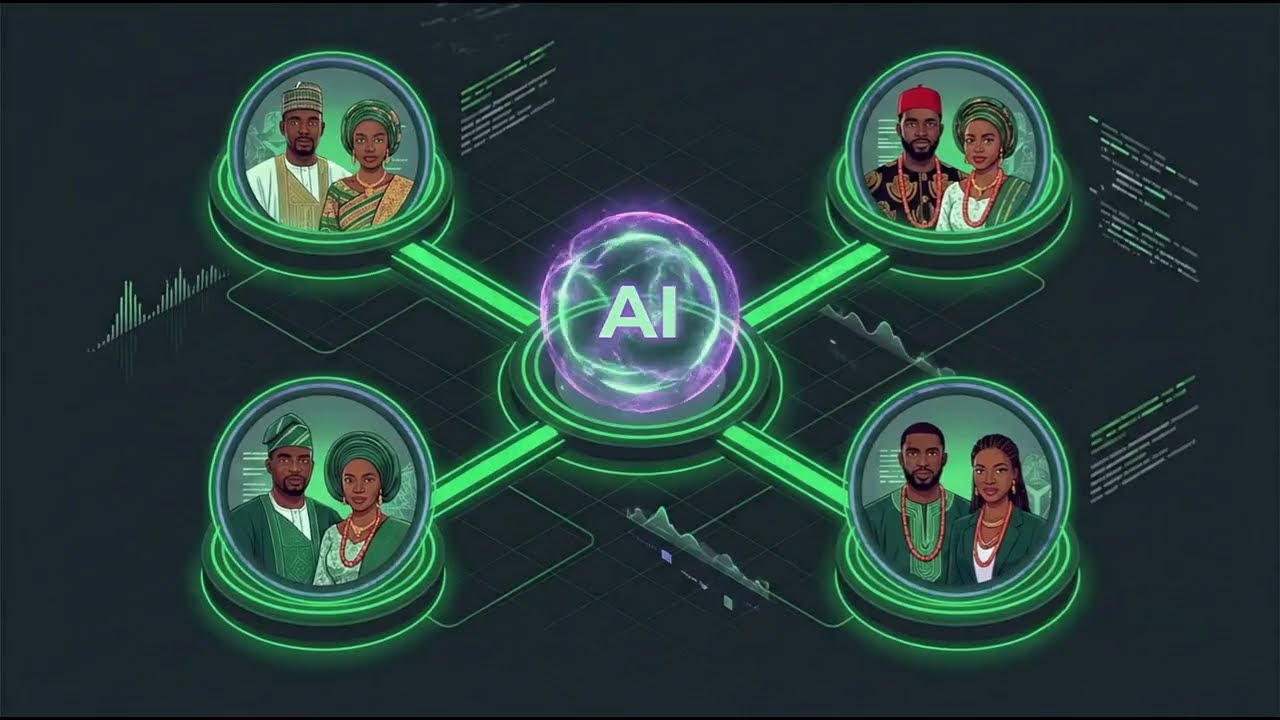
Whether you're building voice assistants, accessibility tools, e-learning platforms, audiobook generators, or any application that needs high-quality African language speech synthesis — 9jaLingo has you covered.
Key Features
- 🗣️ Text-to-Speech — Convert text to natural speech in 4 Nigerian languages
- 🎭 240+ Speaker Voices — Choose from a diverse library of male and female voices
- 🔊 Voice Cloning — Clone any voice from a short reference audio sample (WAV, MP3, M4A, etc.)
- 🎧 Multi-Format Output — Export speech natively to WAV, PCM, MP3, FLAC, AAC, ALAC, or OGG
- 📡 Streaming — Stream audio chunks as they're generated for real-time playback
- ⚡ Long-Form Generation — Automatically handles long texts with intelligent chunking
- 🤖 OpenAI-Compatible — Drop-in replacement for OpenAI TTS with Nigerian language support
- 🐍 Python 3.11+ — Modern Python with full type hints
Installation
pip install naijalingo
Quick Start
from naijalingo import NaijaLingo

client = NaijaLingo(api_key="nl-...")

# voice/speaker = speaker ID · lang/language = language code
audio = client.tts.generate(
    "Bawo ni, I dey greet you!",
    voice="adeola_yo",
    lang="yo",
)
audio.save("greeting.wav")
Or set your API key as an environment variable:
export NAIJALINGO_API_KEY="nl-..."
from naijalingo import NaijaLingo

client = NaijaLingo()  # picks up NAIJALINGO_API_KEY from env
audio = client.tts.generate("Sannu da zuwa!", speaker="aisha_ha", language="ha")
audio.save("output.wav")
Important: For
generateandstream:
voice/speaker= speaker ID (e.g.ada_pcm,adaeze_ig)lang/language= language code (ha,ig,yo,pcm)Do not pass language codes as
voice. Uselist_speakers(language="pcm")to discover speaker IDs. Voice cloning is different:clone(..., voice="ig")still takes a language code (sent as APIlang).
API Reference
Speech-to-Text
transcript = client.stt.transcribe(
    "https://cdn.example.com/pidgin-sample.wav",
    language="pcm",
)
print(transcript.text, transcript.language, transcript.duration)
The audio URL must be publicly reachable and your API key must have the stt
scope. Supported language hints are yo, ha, ig, pcm, and en.
Cold starts: the speech engine scales down when idle and takes a few minutes to start. The first request after a quiet period waits for it automatically (it returns once the transcript is ready) instead of failing; you are only charged for the successful transcription. Long recordings (over 40 seconds, up to 60 minutes) are split and transcribed automatically, so allow a few minutes for long audio.
Text-to-Speech
from naijalingo import NaijaLingo

client = NaijaLingo(api_key="nl-...")

# Basic generation (returns WAV) — voice/speaker = speaker ID, lang = language
audio = client.tts.generate("How you dey?", voice="ada_pcm", lang="pcm")
audio.save("output.wav")

# speaker= is an alias for voice= (takes precedence when both are set)
audio = client.tts.generate(
    "Nnoo, kedu ka i mere?",
    speaker="adaeze_ig",
    language="ig",
)
audio.save("adaeze_greeting.wav")

# Raw PCM format
audio = client.tts.generate(
    "Hello!", voice="ada_pcm", lang="pcm", response_format="pcm"
)
pcm_bytes = audio.content  # raw 16-bit signed LE, 22050 Hz mono

# Export directly to compressed formats like MP3 or FLAC
audio = client.tts.generate(
    "Make we test compressed audio.",
    voice="ada_pcm",
    lang="pcm",
    response_format="mp3",
)
audio.save("output.mp3")

# Adjust generation parameters
audio = client.tts.generate(
    "Na so life be sometimes.",
    voice="ada_pcm",
    lang="pcm",
    temperature=0.8,
    top_p=0.9,
    repetition_penalty=1.2,
)
Streaming
For long texts, stream audio chunks as they're generated:
# Stream to a file
with open("long_speech.wav", "wb") as f:
    for chunk in client.tts.stream(
        "Very long text here...", speaker="ada_pcm", lang="pcm"
    ):
        f.write(chunk)

# Or collect the full stream
long_text = """
        Life na one kind journey wey nobody fit fully understand. From the day person open eye for this world, the journey don start.
        Some people go say life na race, some go say na school, others go talk say na battle. But the truth be say life na mixture of many things together. E get sweet time, e get bitter time, e get time wey everything go dey move smooth like fresh engine, and e get time wey everywhere go just scatter like market wey rain beat.
        """
stream = client.tts.stream(long_text, lang="pcm", speaker="ada_pcm")
audio = stream.collect()
audio.save("long_speech.wav")
Voice Cloning
Clone a voice from a reference audio file. Here voice is a language code
(ha / ig / yo / pcm), not a speaker ID:
audio = client.tts.clone(
    "Kedu ka i mere?",
    audio_file="reference_voice.mp3", # Natively supports MP3, M4A, FLAC, OGG, etc.
    voice="ig",
    response_format="mp3"
)
audio.save("cloned.mp3")

# Reuse the persisted clone as either voice or speaker.
audio = client.tts.generate(
    "Nnoo, kedu ka i mere?",
    voice=audio.voice_id,
)
audio.save("cloned_voice_greeting.wav")

# Permanently delete the cloned voice when consent is withdrawn.
client.tts.delete_voice(audio.voice_id)

# From a file-like object
with open("reference.wav", "rb") as f:
    audio = client.tts.clone("Hello!", audio_file=f, voice="pcm")
Speakers
# List all speakers
speakers = client.tts.list_speakers()
for s in speakers:
    print(f"{s.id} — {s.language} ({s.gender})")

# Filter by language code
yoruba_speakers = client.tts.list_speakers(language="yo")

# Get a specific speaker
speaker = client.tts.get_speaker("ada_pcm")
print(speaker.name, speaker.language)
Languages
langs = client.tts.list_languages()
for lang in langs.languages:
    print(f"{lang.code}: {lang.name}")
# ha: Hausa
# ig: Igbo
# yo: Yoruba
# pcm: Pidgin
Models
models = client.list_models()
for model in models:
    print(f"{model.id} — owned by {model.owned_by}")
API Info
# Get root API information
info = client.api_info()
print(info.name)        # "9jaLingo TTS API"
print(info.version)     # "1.0.0"
print(info.endpoints)   # dict of all available endpoints

# Get v1 service metadata
service = client.service_info()
print(service.name)             # "9jaLingo API v1"
print(service.speech_url)       # "/v1/audio/speech"
print(service.models_url)       # "/v1/models"
Health Check
status = client.tts.health()
print(status.status)            # "healthy"
print(status.speakers_loaded)   # 240
Supported Languages
Language codes (ha, ig, yo, pcm) are used to filter speakers and for
voice cloning. They are not valid voice values for generate / stream.
| Code | Language | Description | Example speakers |
|---|---|---|---|
ha |
Hausa | Widely spoken across Northern Nigeria and West Africa | aisha_ha, bello_ha |
ig |
Igbo | Native to southeastern Nigeria | adaeze_ig, ifeanyi_ig |
yo |
Yoruba | Spoken across southwestern Nigeria and Benin | adeola_yo, adekunle_yo |
pcm |
Nigerian Pidgin | The most widely spoken lingua franca in Nigeria | ada_pcm, blessing_pcm |
Error Handling
from naijalingo import (
    NaijaLingo,
    AuthenticationError,
    InvalidRequestError,
    NotFoundError,
    ServerError,
)

client = NaijaLingo(api_key="nl-...")

try:
    audio = client.tts.generate("Hello!", voice="nonexistent_speaker")
except AuthenticationError:
    print("Invalid API key")
except NotFoundError as e:
    print(f"Speaker not found: {e.message}")
except InvalidRequestError as e:
    print(f"Check the request or public audio URL: {e.message}")
except ServerError:
    print("Server error — try again later")
except ValueError as e:
    # Raised locally if you pass a language code as voice, e.g. voice="pcm"
    print(e)
STT raises InvalidRequestError (HTTP 400/413/415/422) for invalid input,
unsupported audio formats, oversized files, or inaccessible audio URLs. Transient
audio-host or inference failures raise ServerError or InferenceCapacityError.
Configuration
| Parameter | Environment Variable | Default |
|---|---|---|
api_key |
NAIJALINGO_API_KEY |
— |
base_url |
NAIJALINGO_BASE_URL |
https://api.9jalingo.org |
timeout |
— | 120 seconds |
Context Manager
with NaijaLingo(api_key="nl-...") as client:
    audio = client.tts.generate("Bawo ni!", voice="adeola_yo", lang="yo")
    audio.save("output.wav")
# Connection pool is automatically closed
Links
- 🌐 Website: www.9jalingo.org
- 📚 API Docs: www.9jalingo.org/api-documentation
- 💬 Support: support@9jalingo.org
1 maintainer

Metadata
1 maintainer
Release files for naijalingo 2.2.0
For a detailed explanation of source distributions (sdists) and built distributions (wheels), please see the package formats documentation.
Source distribution (sdist)
| File | Size | Uploaded | |
|---|---|---|---|
| naijalingo-2.2.0.tar.gz | 15.0 MB | Details |
Built distribution (wheel)
| File | Interpreter | ABI | Platform | Reset |
|---|---|---|---|---|
| naijalingo-2.2.0-py3-none-any.whl | Python 3 | none | any | Details |
Total release size: 15.1 MB
Release files / naijalingo-2.2.0.tar.gz
| Download URL | naijalingo-2.2.0.tar.gz |
|---|---|
| Size | 15.0 MB |
| Tags | Source |
|
SHA-256 checksum How to use checksums |
04844b1988a0ca5a41722947b7597b7ac55fbcc9f9aa2a3fdff50d4a57111c17
|
|
BLAKE2b-256 checksum How to use checksums |
eebf527ac35afabb0f255a8d86ea864fca0ea598154448a65dc1e24e53d544cb
|
| Upload date | |
|
Uploaded using Trusted Publishing? What is trusted publishing? |
No |
| Uploaded via |
twine/7.0.0 CPython/3.13.12
|
Release files / naijalingo-2.2.0-py3-none-any.whl
| Download URL | naijalingo-2.2.0-py3-none-any.whl |
|---|---|
| Size | 19.7 kB |
| Tags | Python 3 |
|
SHA-256 checksum How to use checksums |
08809049e5a2b010a980e8c59d14a9c7783a3eb3ca939526e4654cc89b5a2eaf
|
|
BLAKE2b-256 checksum How to use checksums |
d7b2975ee7db6f05ae23e88a96e5e56803472689b3b693e2804d514c9f416b10
|
| Upload date | |
|
Uploaded using Trusted Publishing? What is trusted publishing? |
No |
| Uploaded via |
twine/7.0.0 CPython/3.13.12
|














