
napari-ISM




This plugin is built upon the python package BrightEyes-ISM. Napari-ISM enables the simulation, loading, and analysis of ISM datasets. More in detail, it performs:
- Loading and compression of .h5 files generated by the MCS software.
- Simulation of a realistic dataset of tubulin filaments.
- Simulation of realistic ISM Point Spread Functions.
- Summing over the detector array dimension
- Adaptive Pixel Reassignment
- Multi-image deconvolution
- Focus-ISM
Installation
You can install napari-ISM via PyPI:
pip install napari-ISM
or by using napari hub.
It requires the following Python packages
numpy
scipy
h5py
PyQt5
brighteyes-ism>=1.2.0
Documentation
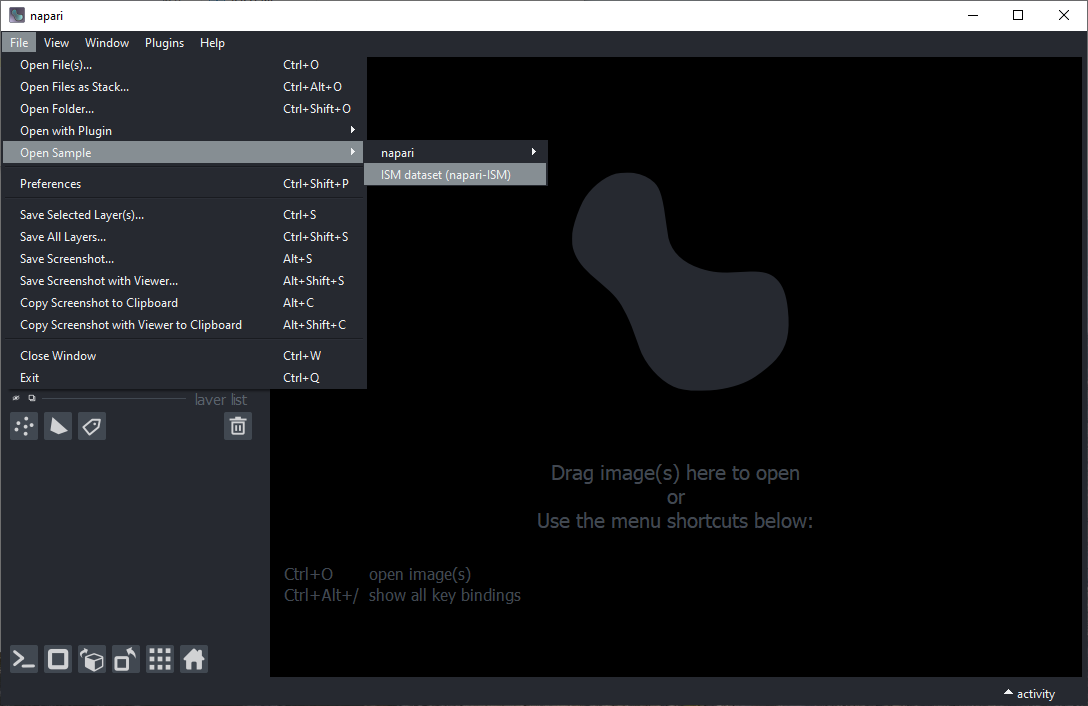
To generate a simulated dataset, go to File > Open Sample > ISM dataset.
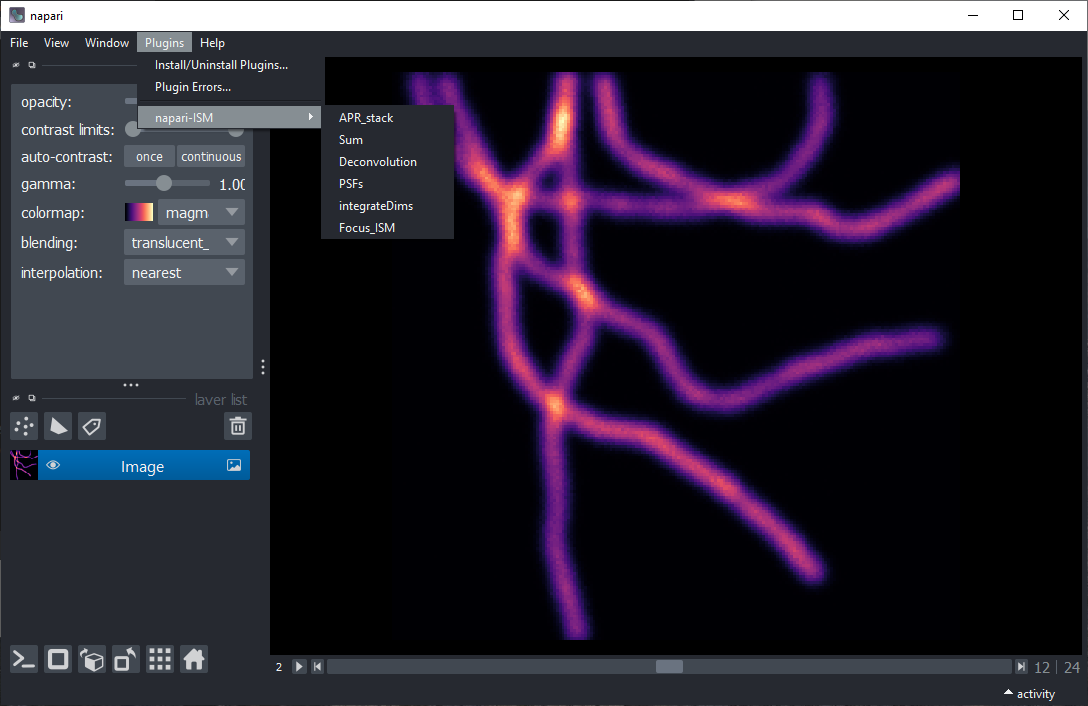
To acces the plugin list, go to Plugins > Napari-ISM.
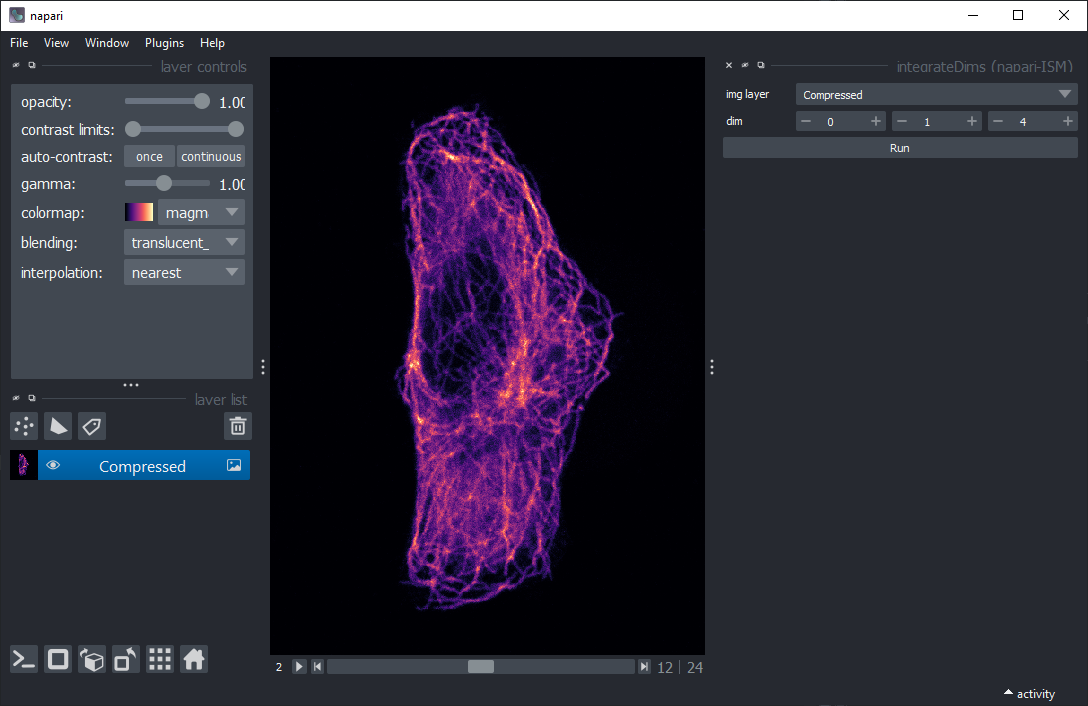
To open a .h5 file, go to File > Open .
You can then sum over the dimensions that are not needed, using the command integrateDims.
The default axes are 0 (repetition), 1 (axial position), and 4 (time).
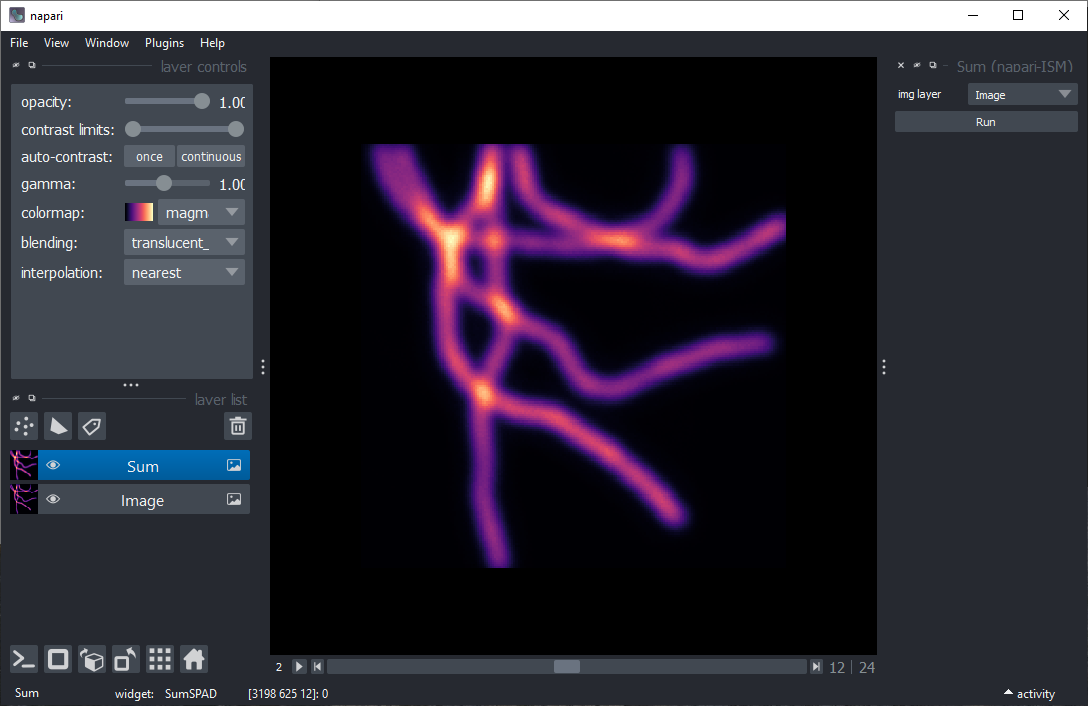
Note that all the analysis commands expect an input with size X x Y X Ch.
To see the result of summing over the SPAD dimensions Ch, use the plugin command Sum. Then, press Run.
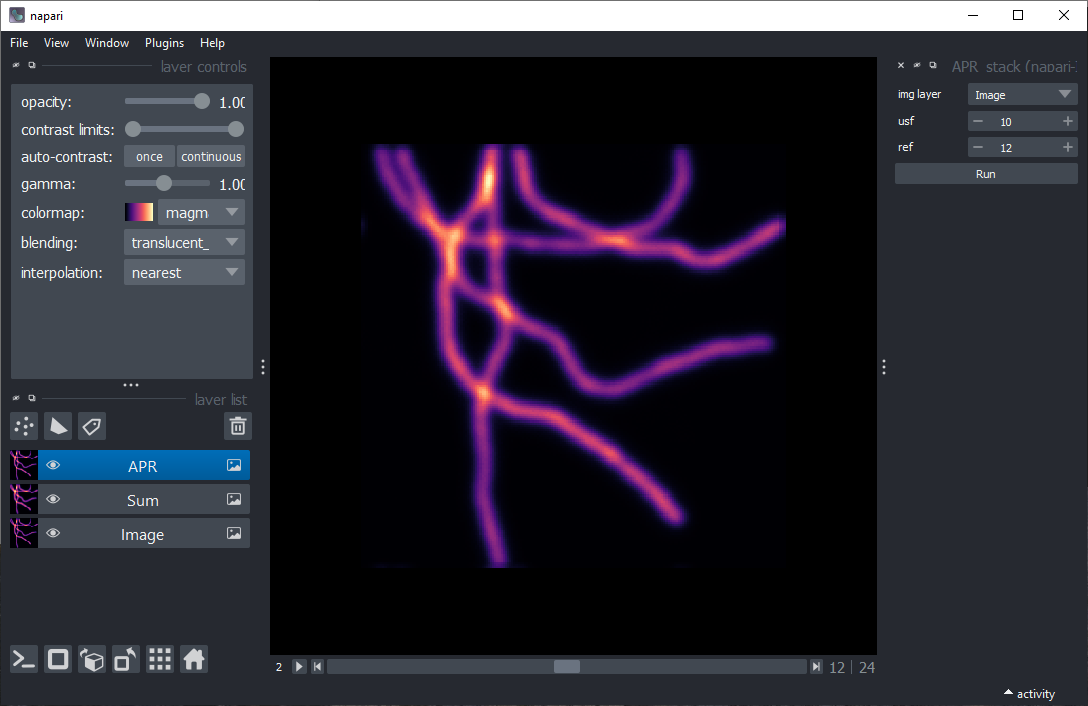
To see the result of Adaptive Pixel Reassignment, use the plugin command APR_stack.
Select as reference image (ref) the central one. Select an upsampling factor (usf),
which corresponds to the sub-pixel precision of the shift-vector estimation. Then, press Run.
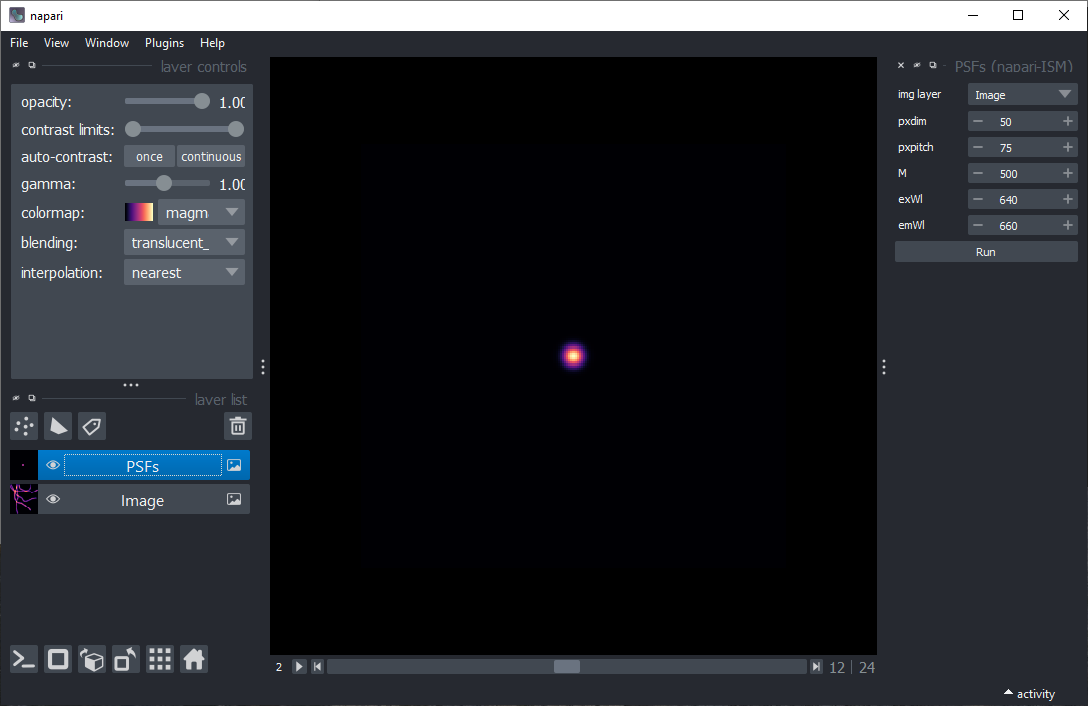
To generate the PSFs, use the plugin command PSFs. Select an image layer (img layer),
it will be used to determine the number of pixels and the pixel size.
Then, select the detector pixel size (pxsize) and pixel pitch (pxpitch) in microns.
Select the magnification of the system (M). Select the excitation (exWl) and emission wavelength (emWl) in nanometers.
Then, press Run.
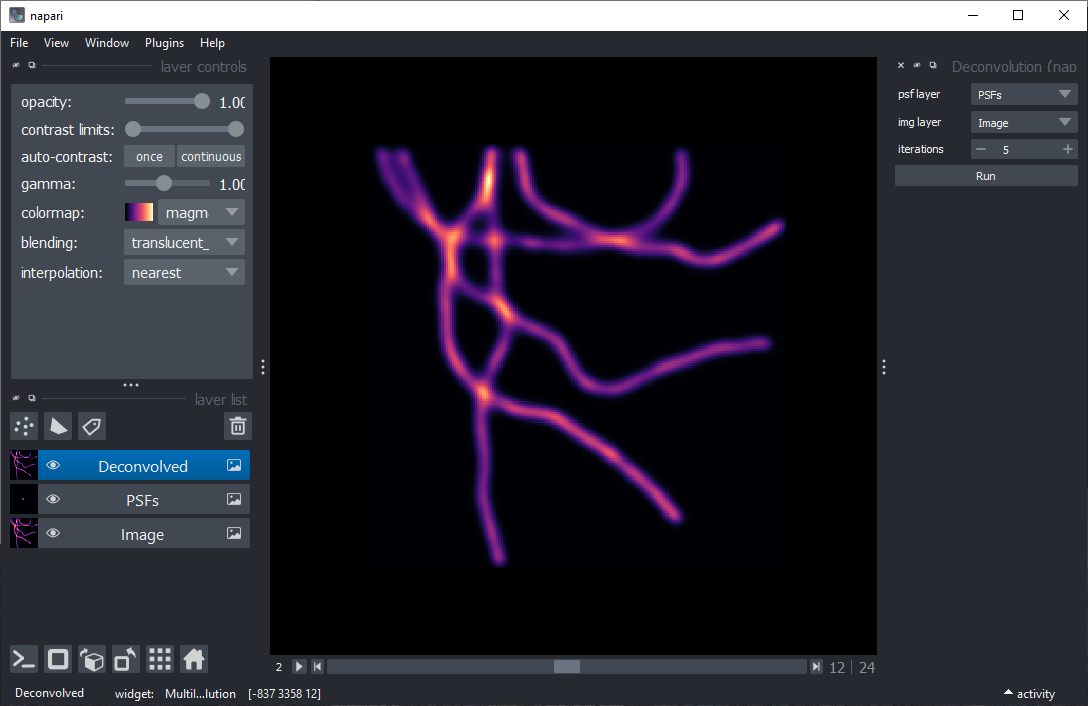
To see the result of multi-image deconvolution, use the plugin command Deconvolution.
Select an image layer (img layer) containing the ISM dataset to deconvolve and another image layer (psf layer) containing the PSFs, either simulated or experimental.
Then, press Run.
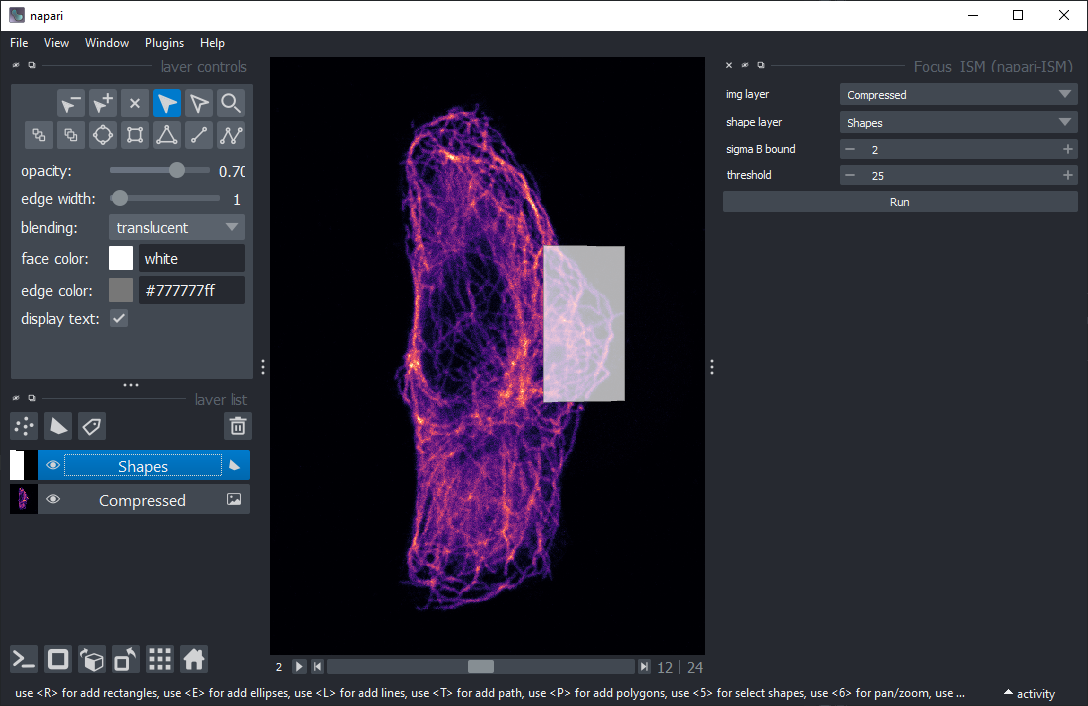
To use Focus-ISM, first select a region on the input dataset using a shapes layer.
Select a rectangle containing mainly in-focus emitters. It will be used as a calibration.
Then, use the plugin command Focus-ISM. Select an image layer (img layer) containing the ISM dataset and a shape layer (shape layer) defining the calibration region.
Select a lower bound for the standard deviation of the out-of-focus curve (sigma B bound) in units of standard deviations of the in-focus term. We suggest to never select a value below 2.
Select a threshold (threshold) in units of photon counts. Scan coordinates with less photons than the threshold will be skipped in the analysis and classified as background. Then, press Run.
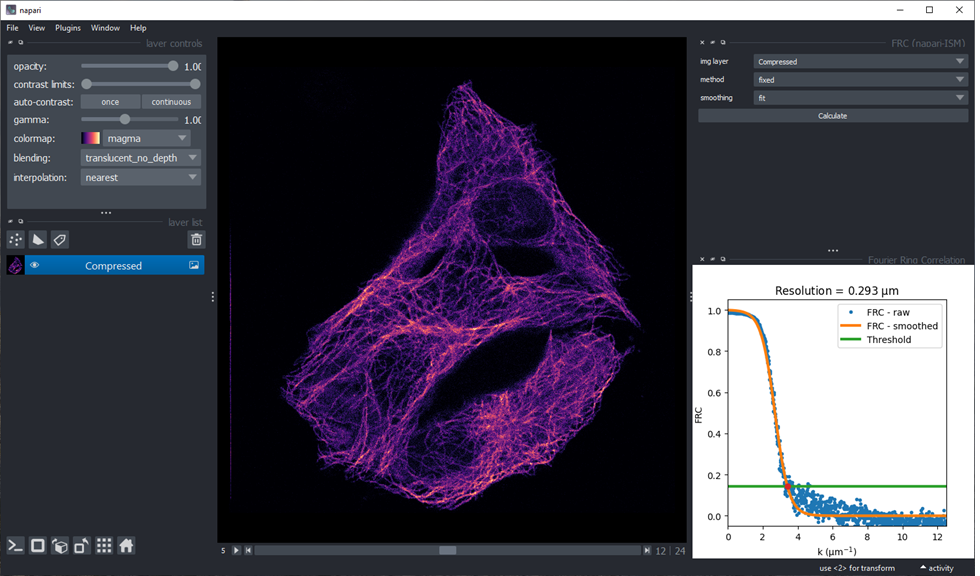
To use FRC, prepare the dataset to be in the shape xyt.
Select the theshodling method (method) and smoothing method (smoothing) among those available.
Then, press Calculate.
Contributing
Contributions are very welcome. Tests can be run with tox, please ensure the coverage at least stays the same before you submit a pull request.
License
Distributed under the terms of the GNU LGPL v3.0 license, "napari-ISM" is free and open source software
Issues
If you encounter any problems, please file an issue along with a detailed description.
3 maintainers


Metadata
3 maintainers
Release files for napari-ISM 1.0.7
For a detailed explanation of source distributions (sdists) and built distributions (wheels), please see the package formats documentation.
Source distribution (sdist)
| File | Size | Uploaded | Provenance | Actions |
|---|---|---|---|---|
| napari-ISM-1.0.7.tar.gz | 21.4 kB | Without provenance | Details for napari-ISM-1.0.7.tar.gz |
Built distribution (wheel)
| File | Interpreter | ABI | Platform | Actions Reset |
|---|---|---|---|---|
| napari_ISM-1.0.7-py3-none-any.whl | Python 3 | none | any | Details for napari_ISM-1.0.7-py3-none-any.whl |
Total release size: 43.8 kB
Release files / napari-ISM-1.0.7.tar.gz
| Download URL | napari-ISM-1.0.7.tar.gz |
|---|---|
| Size | 21.4 kB |
| Tags | Source |
|
SHA-256 checksum How to use checksums |
299516bdeeffb4fd7903c3e76820a7bfd4569a69a54060314f50eaec7ca545ef
|
|
BLAKE2b-256 checksum How to use checksums |
e9287e832746cc26d335fab2508e2dfbe297710a4d422e442628be52f7d59706
|
| Upload date | |
|
Uploaded using Trusted Publishing? What is trusted publishing? |
No |
| Uploaded via |
twine/4.0.2 CPython/3.10.2
|
Release files / napari_ISM-1.0.7-py3-none-any.whl
| Download URL | napari_ISM-1.0.7-py3-none-any.whl |
|---|---|
| Size | 22.4 kB |
| Tags | Python 3 |
|
SHA-256 checksum How to use checksums |
6a2116124943e6098347f2df12eff7cd79b63e2b96a6039f6751c3a29e122edb
|
|
BLAKE2b-256 checksum How to use checksums |
2ca286b0bfbf40514f8dbbaf632fd721ccaa58c91c24c5324e93c70adb4e929e
|
| Upload date | |
|
Uploaded using Trusted Publishing? What is trusted publishing? |
No |
| Uploaded via |
twine/4.0.2 CPython/3.10.2
|
Security for napari-ISM 1.0.7
Provenance
Provenance describes where a file came from. On PyPI, provenance is shared via attestations, which provide a verifiable record of the build or publishing details. View details, limitations and caveats.
No provenance found
None of the files in this release were uploaded with provenance metadata.
A note on package security
PyPI is a repository for distributing packages, not a service for auditing them. While third-party security researchers and our staff do their best to detect and remove malicious packages, PyPI cannot guarantee the quality, security or suitability of any given package.
To learn more about protecting yourself from malicious actors, visit our package security documentation.














