
NapCat SDK for Python - Fully typed and async ready
Verified details
These details have been verified by PyPIProject links
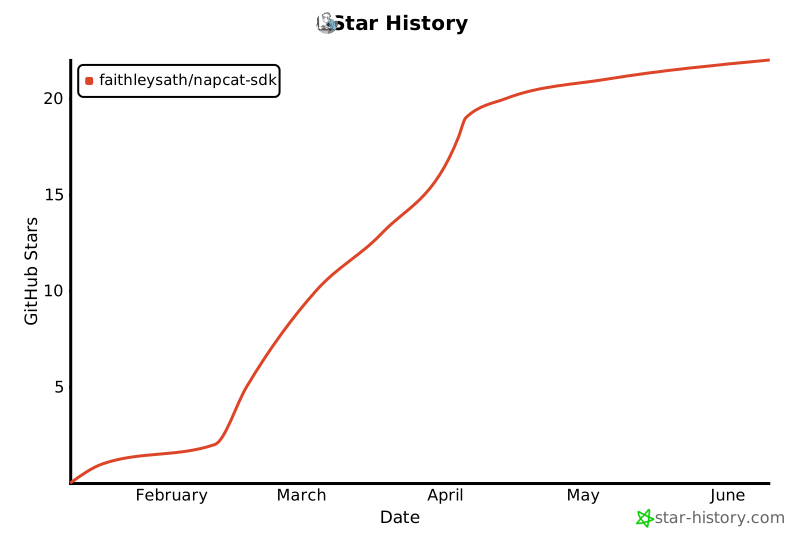
GitHub Statistics
Maintainers

Project description

NapCat-SDK for Python
Type-Safe • Async-Ready • Framework-Free







Stop guessing parameter types. Let the IDE do the work.
告别查文档,享受 100% 类型覆盖 带来的极致补全体验。
⚡ The "IDE Magic"
这就是为什么你应该选择 NapCat-SDK:
| 智能 API 补全 + 精准参数提示 | 原生开发体验 + 零心智负担 |
|---|---|
 |
 |
👆 真正的 140+ API 全量类型覆盖,每一次按键都有 IDE 的守护。
✨ Features
- 🔄 协议自动同步: 基于 OpenAPI 自动构建,与 NapCat 上游定义零时差同步。
- 🧘 原生无框架: 拒绝框架“黑魔法”,纯粹 Python 语法,零心智负担。
- 💎 极致类型: 100% 类型覆盖,每一个参数都有定义,享受极致 IDE 补全。
- ⚡ 完全异步: 基于
websockets+asyncio原生开发,无惧高并发。 - 🔌 双模支持: 完美支持正向 (Client) 与反向 (Server) WebSocket 连接。
- 📦 极轻量级: 仅依赖
websockets和orjson,极速安装,拒绝臃肿。
📦 Installation
uv add napcat-sdk
# or
pip install napcat-sdk
📸 Quick Look

🖱️ 点击复制代码文本
import asyncio
from napcat import NapCatClient, GroupMessageEvent, PrivateMessageEvent

async def listen_private(client: NapCatClient):
    print(">> 私聊监听启动")
    async for event in client.events():
        match event:
            case PrivateMessageEvent():
                print(f"[私信] {event.sender.nickname}: {event.raw_message}")
                await event.send_msg("已阅")
            case _:
                pass

async def listen_group(client: NapCatClient):
    print(">> 群聊监听启动")
    async for event in client.events():
        match event:
            case GroupMessageEvent():
                print(f"[群消息] {event.group_id}: {event.raw_message}")
                await event.reply("复读")
            case _:
                pass

async def main():
    # 正向 WebSocket 连接
    async with NapCatClient(ws_url="ws://localhost:3001", token="123") as client:
        await asyncio.gather(
            listen_private(client),
            listen_group(client)
        )

if __name__ == "__main__":
    asyncio.run(main())
📖 Usage
🔌 反向 WebSocket 服务端 (Server Mode)
如果你配置 NapCat 主动连接你的程序,请使用 ReverseWebSocketServer。
import asyncio
from napcat import ReverseWebSocketServer, NapCatClient, GroupMessageEvent

async def handler(client: NapCatClient):
    """每个新的 WebSocket 连接都会触发此回调"""
    print(f"Bot Connected! Self ID: {client.self_id}")

    # 就像 Client 模式一样处理事件
    async for event in client.events():
        if isinstance(event, GroupMessageEvent):
            print(f"收到群 {event.group_id} 消息: {event.raw_message}")
            await event.reply("服务端已收到")

async def main():
    # 启动服务器监听 8080 端口
    server = ReverseWebSocketServer(handler, host="0.0.0.0", port=8080, token="my-token")
    await server.run_forever()

if __name__ == "__main__":
    asyncio.run(main())
🖼️ 发送富媒体消息 (图片/At/回复)
SDK 提供了强类型的 MessageSegment,告别手动拼接 CQ 码。
from napcat import (
    NapCatClient,
    TextMessageSegment,
    ImageMessageSegment,
    AtMessageSegment
)

async def send_rich_media(client: NapCatClient, group_id: int):
    # 构建消息链:@某人 + 文本 + 图片
    message = [
        AtMessageSegment(qq=12345678),
        TextMessageSegment(text=" 来看这张图:"),
        ImageMessageSegment(file="[https://example.com/image.jpg](https://example.com/image.jpg)")
    ]

    # 直接发送列表
    await client.send_group_msg(group_id=group_id, message=message)
🔗 调用 OneBot API (100% 类型提示)
所有 API 都挂载在 client.api 下,拥有完整的参数类型检查。
async def managing_bot(client: NapCatClient):
    # 获取登录号信息
    login_info = await client.api.get_login_info()
    print(f"当前登录: {login_info['nickname']}")

    # 获取群成员列表
    members = await client.api.get_group_member_list(
        group_id=123456,
        no_cache=True
    )
    for member in members:
        print(f"成员: {member['card'] or member['nickname']}")

    # 动态调用(针对未收录的 API)
    await client.call_action("some_new_action", {"param": 1})
🛠️ Development
本项目使用 uv 进行包管理。
- 克隆项目并同步环境:
git clone https://github.com/faithleysath/napcat-sdk.git
cd napcat-sdk
uv sync
- 同步协议定义: SDK 的核心代码由 OpenAPI 规范自动生成。如果你更新了
schema.openapi.json,请运行以下命令重新生成代码:
uv run scripts/generate_schema.py
这会自动更新 src/napcat/types/schemas.py 和 src/napcat/client_api.py。
- 运行测试:
uv run tests/smoke_test.py
📄 License
MIT License © 2025 faithleysath
Project details
Verified details
These details have been verified by PyPIProject links
GitHub Statistics
Maintainers
Release history Release notifications | RSS feed


Download files
Download the file for your platform. If you're not sure which to choose, learn more about installing packages.
Source Distribution
Built Distribution
Filter files by name, interpreter, ABI, and platform.
If you're not sure about the file name format, learn more about wheel file names.
Copy a direct link to the current filters
File details
Details for the file napcat_sdk-0.2.8.tar.gz.
File metadata
- Download URL: napcat_sdk-0.2.8.tar.gz
- Upload date:
- Size: 33.9 kB
- Tags: Source
- Uploaded using Trusted Publishing? Yes
- Uploaded via: uv/0.9.26 {"installer":{"name":"uv","version":"0.9.26","subcommand":["publish"]},"python":null,"implementation":{"name":null,"version":null},"distro":{"name":"Ubuntu","version":"24.04","id":"noble","libc":null},"system":{"name":null,"release":null},"cpu":null,"openssl_version":null,"setuptools_version":null,"rustc_version":null,"ci":true}
File hashes
| Algorithm | Hash digest | |
|---|---|---|
| SHA256 |
ac4210f96caf0b07d49767f61873e71e48a3c95c23e679cad70dcaf867b3b394
|
|
| MD5 |
73c45fe43a8f66ff459976152db8fe39
|
|
| BLAKE2b-256 |
584885530da6a1d336de7e55f18496fd1557a94eaef0154d81eb7717ba5f2c97
|
File details
Details for the file napcat_sdk-0.2.8-py3-none-any.whl.
File metadata
- Download URL: napcat_sdk-0.2.8-py3-none-any.whl
- Upload date:
- Size: 36.9 kB
- Tags: Python 3
- Uploaded using Trusted Publishing? Yes
- Uploaded via: uv/0.9.26 {"installer":{"name":"uv","version":"0.9.26","subcommand":["publish"]},"python":null,"implementation":{"name":null,"version":null},"distro":{"name":"Ubuntu","version":"24.04","id":"noble","libc":null},"system":{"name":null,"release":null},"cpu":null,"openssl_version":null,"setuptools_version":null,"rustc_version":null,"ci":true}
File hashes
| Algorithm | Hash digest | |
|---|---|---|
| SHA256 |
6e1723fdc8aa1bf1bce583e5901a9f2efdfe666e46ca4adef1127ec469d6fd49
|
|
| MD5 |
2f19c37cd810af7577b3cfcd0fc503ad
|
|
| BLAKE2b-256 |
9fed57361a50e3ce13718c26ad04be8c2ce967b150841ed8f8e6209fa4b566a5
|






