
Project Introduction
FastAPI-User-Auth
FastAPI-User-Auth is a simple and powerful FastAPI user RBAC authentication and authorization library.
It is based on FastAPI-Amis-Admin and provides a freely extensible visual management interface.





SourceCode · OnlineDemo · Documentation · Can't open the document?
FastAPI-User-Auth It is an application plug -in based on FastAPI-Amis-Admin
, which is deeply integrated to provide user authentication and authorization..
Install
pip install fastapi-user-auth
Simple example
from fastapi import FastAPI
from fastapi_amis_admin.admin.settings import Settings
from fastapi_user_auth.site import AuthAdminSite
from starlette.requests import Request
from sqlmodel import SQLModel

# Create Fast API application
app = FastAPI()

# Create an Admin Site instance
site = AuthAdminSite(settings=Settings(database_url_async='sqlite+aiosqlite:///amisadmin.db'))
auth = site.auth
# Mount the Site management system to the FastAPI instance
site.mount_app(app)

# Create initialization database table
@app.on_event("startup")
async def startup():
    await site.db.async_run_sync(SQLModel.metadata.create_all, is_session=False)
    # Create default admin user,user name:admin,password:admin,please change it after login!!!
    await auth.create_role_user('admin')
    await auth.create_role_user('vip')

# Requirements: User must be logged in
@app.get("/auth/get_user")
@auth.requires()
def get_user(request: Request):
    return request.user

if __name__ == '__main__':
    import uvicorn

    uvicorn.run(app, debug=True)
Ways of identifying
Decorator
- Recommended scenario: Single route. Supports synchronous and asynchronous routing.
# Requirements: User must be logged in
@app.get("/auth/user")
@auth.requires()
def user(request: Request):
    return request.user  # current request user object.

# Authentication route: user has admin role
@app.get("/auth/admin_roles")
@auth.requires('admin')
def admin_roles(request: Request):
    return request.user

# Requirement: User has vip role
# Support synchronous and asynchronous routing
@app.get("/auth/vip_roles")
@auth.requires(['vip'])
async def vip_roles(request: Request):
    return request.user

# Requirements: User has admin role or vip role
@app.get("/auth/admin_or_vip_roles")
@auth.requires(roles=['admin', 'vip'])
def admin_or_vip_roles(request: Request):
    return request.user

# Requirement: The user belongs to the admin user group
@app.get("/auth/admin_groups")
@auth.requires(groups=['admin'])
def admin_groups(request: Request):
    return request.user

# Requirements: The user has the admin role and belongs to the admin user group
@app.get("/auth/admin_roles_and_admin_groups")
@auth.requires(roles=['admin'], groups=['admin'])
def admin_roles_and_admin_groups(request: Request):
    return request.user

# Requirements: The user has the vip role and has the `article:update` permission
@app.get("/auth/vip_roles_and_article_update")
@auth.requires(roles=['vip'], permissions=['article:update'])
def vip_roles_and_article_update(request: Request):
    return request.user
Dependencies (recommended)
- Recommended scenarios: single route, route collection, FastAPI application.
from fastapi import Depends
from typing import Tuple
from fastapi_user_auth.auth import Auth
from fastapi_user_auth.auth.models import User

# Route parameter dependencies, this method is recommended
@app.get("/auth/admin_roles_depend_1")
def admin_roles(user: User = Depends(auth.get_current_user)):
    return user  # or request.user

# Path manipulation decorator dependencies
@app.get("/auth/admin_roles_depend_2", dependencies=[Depends(auth.requires('admin')())])
def admin_roles(request: Request):
    return request.user

# Global dependencies
# All requests under the app application require the admin role
app = FastAPI(dependencies=[Depends(auth.requires('admin')())])

@app.get("/auth/admin_roles_depend_3")
def admin_roles(request: Request):
    return request.user
Middleware
- Recommended Scenario: FastAPI Application
app = FastAPI()
# Append `request.auth` and `request.user` objects before each request processing under the app
auth.backend.attach_middleware(app)
Call directly
- Recommended scenarios: non-routing methods
from fastapi_user_auth.auth.models import User

async def get_request_user(request: Request) -> Optional[User]:
    # user= await auth.get_current_user(request)
    if await auth.requires('admin', response=False)(request):
        return request.user
    else:
        return None
Token storage backend
fastapi-user-auth Supports multiple token storage methods. The default is: DbTokenStore, It is recommended to customize the modification to: JwtTokenStore
JwtTokenStore
from fastapi_user_auth.auth.backends.jwt import JwtTokenStore
from sqlalchemy.ext.asyncio import create_async_engine
from sqlalchemy_database import AsyncDatabase

# Create an asynchronous database engine
engine = create_async_engine(url='sqlite+aiosqlite:///amisadmin.db', future=True)
# Create auth object using `Jwt Token Store`
auth = Auth(
    db=AsyncDatabase(engine),
    token_store=JwtTokenStore(secret_key='09d25e094faa6ca2556c818166b7a9563b93f7099f6f0f4caa6cf63b88e8d3e7')
)

# Pass the auth object into the Admin Site
site = AuthAdminSite(
    settings=Settings(database_url_async='sqlite+aiosqlite:///amisadmin.db'),
    auth=auth
)
DbTokenStore
# Create auth object using `Db Token Store`
from fastapi_user_auth.auth.backends.db import DbTokenStore

auth = Auth(
    db=AsyncDatabase(engine),
    token_store=DbTokenStore(db=AsyncDatabase(engine))
)
RedisTokenStore
# Create auth object using `Redis Token Store`
from fastapi_user_auth.auth.backends.redis import RedisTokenStore
from aioredis import Redis

auth = Auth(
    db=AsyncDatabase(engine),
    token_store=RedisTokenStore(redis=Redis.from_url('redis://localhost?db=0'))
)
RBAC model
The RBAC model adopted by this system is as follows, you can also expand it according to your own needs.
- Reference: Design of Permission System
flowchart LR
	 User -. m:n .-> Group
	 User -. m:n .-> Role
     Group -. m:n .-> Role
	 Role -. m:n .-> Perimission
Advanced Extension
### Extending the `User` model

```python
from datetime import date

from fastapi_amis_admin.models.fields import Field
from fastapi_user_auth.auth.models import User

# Customize `User` model, inherit `User`
class MyUser(User, table = True):
    point: float = Field(default = 0, title = 'Source', description = 'User source')
    phone: str = Field(None, title = 'Phone number', max_length = 15)
    parent_id: int = Field(None, title = "Superior", foreign_key = "auth_user.id")
    birthday: date = Field(None, title = "Date of birth")
    location: str = Field(None, title = "Location")

# Create an auth object using a custom `User` model
auth = Auth(db = AsyncDatabase(engine), user_model = MyUser)
Extend the Role, Group, Permission models
from fastapi_amis_admin.models.fields import Field
from fastapi_user_auth.auth.models import Group

# Customize the `Group` model, inherit `Base RBAC`; override the `Role`, the `Permission` model is similar,
# the difference is the table name.
class MyGroup(Group, table=True):
    __tablename__ = 'auth_group'  # Database table name, must be this to override the default model
    icon: str = Field(None, title='Icon')
    is_active: bool = Field(default=True, title="Activate now")
Custom User Auth App default management class
Default management classes can be overridden and replaced by inheritance.
For Example: UserLoginFormAdmin,UserRegFormAdmin,UserInfoFormAdmin,
UserAdmin,GroupAdmin,RoleAdmin,PermissionAdmin
# Customize the model management class, inherit and override the corresponding default management class
class MyGroupAdmin(admin.ModelAdmin):
    page_schema = PageSchema(label='用户组管理', icon='fa fa-group')
    model = MyGroup
    link_model_fields = [Group.roles]
    readonly_fields = ['key']

# Customize the user authentication application, inherit and override the default user authentication application
class MyUserAuthApp(UserAuthApp):
    GroupAdmin = MyGroupAdmin

# Customize the user management site, inherit and override the default user management site
class MyAuthAdminSite(AuthAdminSite):
    UserAuthApp = MyUserAuthApp

# Create a site object using a custom `Auth Admin Site` class
site = MyAuthAdminSite(settings, auth=auth)
Interface/UI preview
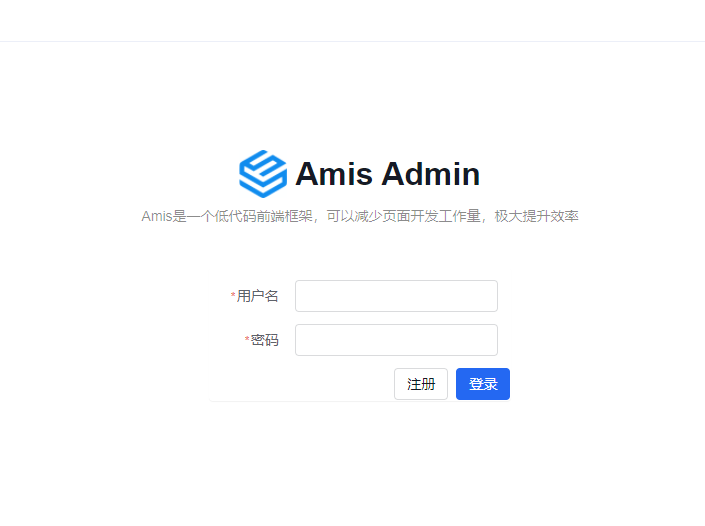
- Open
http://127.0.0.1:8000/admin/auth/form/loginin your browser:
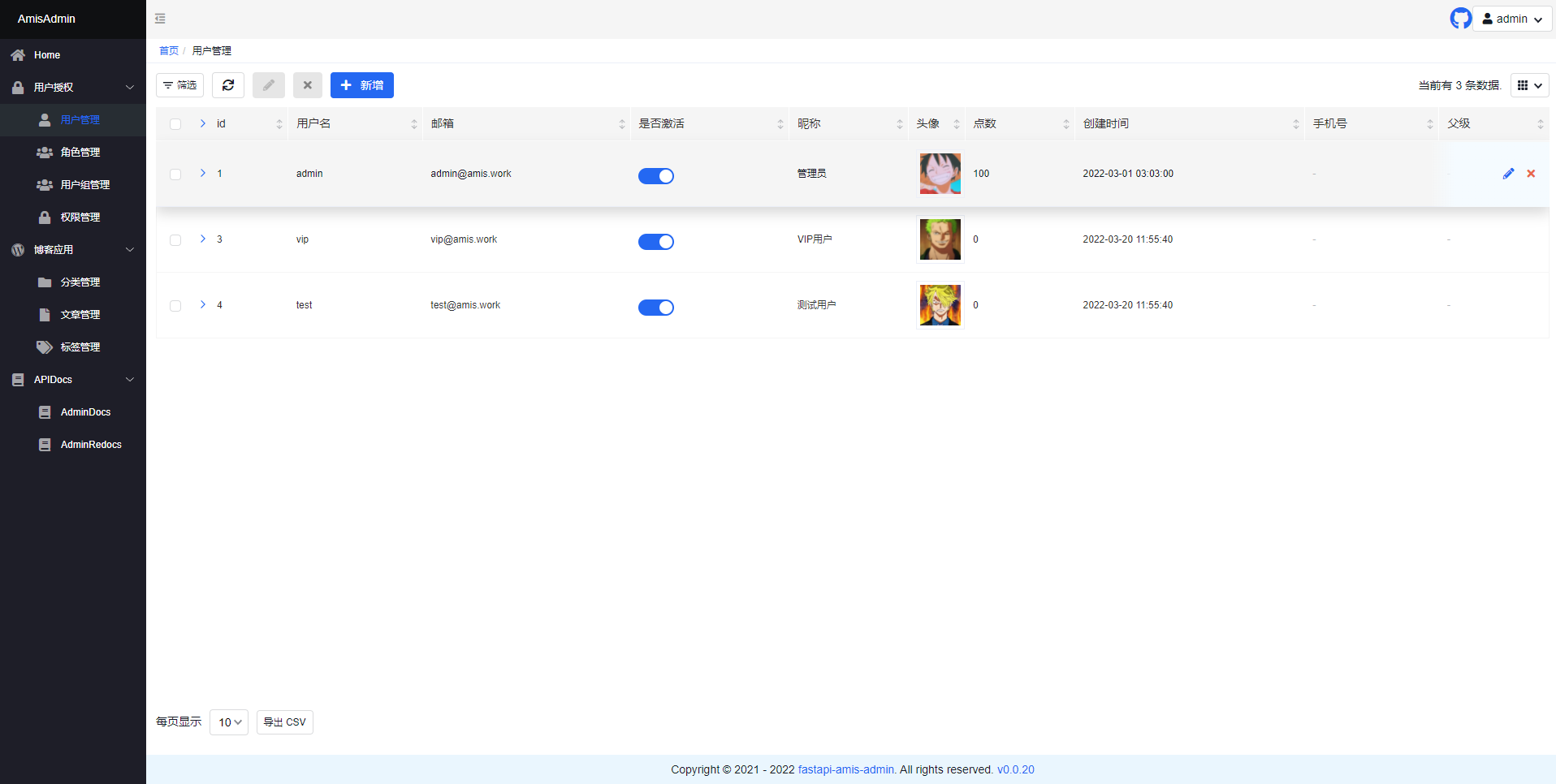
- Open
http://127.0.0.1:8000/admin/in your browser:
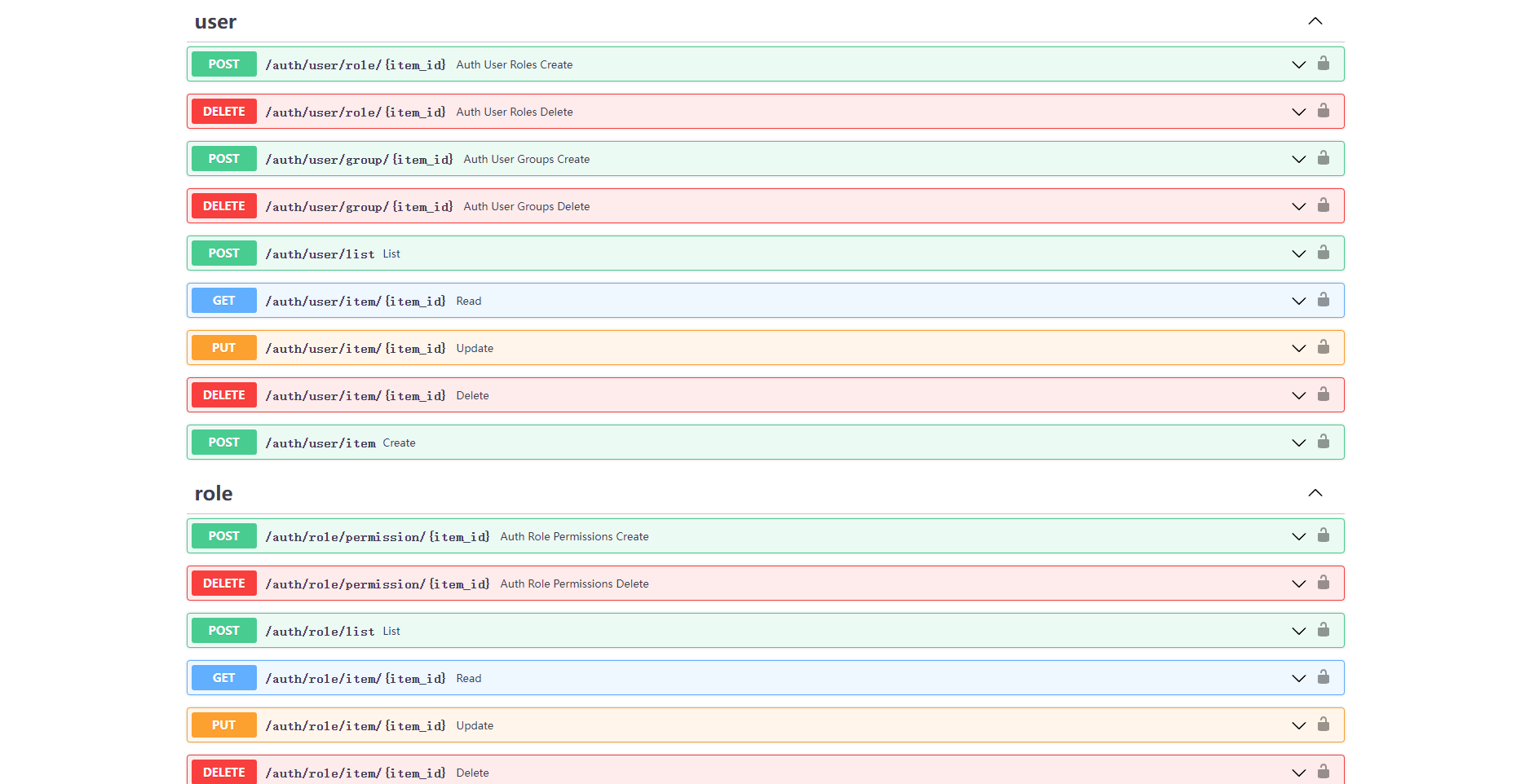
- Open
http://127.0.0.1:8000/admin/docsin your browser:
License
fastapi-amis-adminis based onApache2.0Open source is free to use and can be freely used for commercial purposes, but please clearly display the copyright information about Fast API-Amis-Admin in the display interface.
Thanks
Thanks to the following developers for their contributions to FastAPI-User-Auth:

1 maintainer

Metadata
1 maintainer
Release files for nasone_userauth 0.5.0
For a detailed explanation of source distributions (sdists) and built distributions (wheels), please see the package formats documentation.
Source distribution (sdist)
| File | Size | Uploaded | |
|---|---|---|---|
| nasone_userauth-0.5.0.tar.gz | 89.5 kB | Details |
Built distribution (wheel)
| File | Interpreter | ABI | Platform | Reset |
|---|---|---|---|---|
| nasone_userauth-0.5.0-py3-none-any.whl | Python 3 | none | any | Details |
Total release size: 113.1 kB
Release files / nasone_userauth-0.5.0.tar.gz
| Download URL | nasone_userauth-0.5.0.tar.gz |
|---|---|
| Size | 89.5 kB |
| Tags | Source |
|
SHA-256 checksum How to use checksums |
5b4786f2dc7f2d972d7b8b6e04a1c7f50991563971b7e03152cf1705c451de34
|
|
BLAKE2b-256 checksum How to use checksums |
13f59d2c92960ca23712e43ab4f620c894329cb793eeb45cfb3c0fc2c90c03ee
|
| Upload date | |
|
Uploaded using Trusted Publishing? What is trusted publishing? |
No |
| Uploaded via |
python-requests/2.28.2
|
Release files / nasone_userauth-0.5.0-py3-none-any.whl
| Download URL | nasone_userauth-0.5.0-py3-none-any.whl |
|---|---|
| Size | 23.6 kB |
| Tags | Python 3 |
|
SHA-256 checksum How to use checksums |
9fa06b3652e75114093882fad7a165a42b8a2b7aa5807f2eeaa0892781402aa8
|
|
BLAKE2b-256 checksum How to use checksums |
cba430100a28579eb1fe307726a536cc901b8b254519799e406e77337703cc04
|
| Upload date | |
|
Uploaded using Trusted Publishing? What is trusted publishing? |
No |
| Uploaded via |
python-requests/2.28.2
|













