
🇷🇺 Русский · 🇬🇧 English
nativeprompt
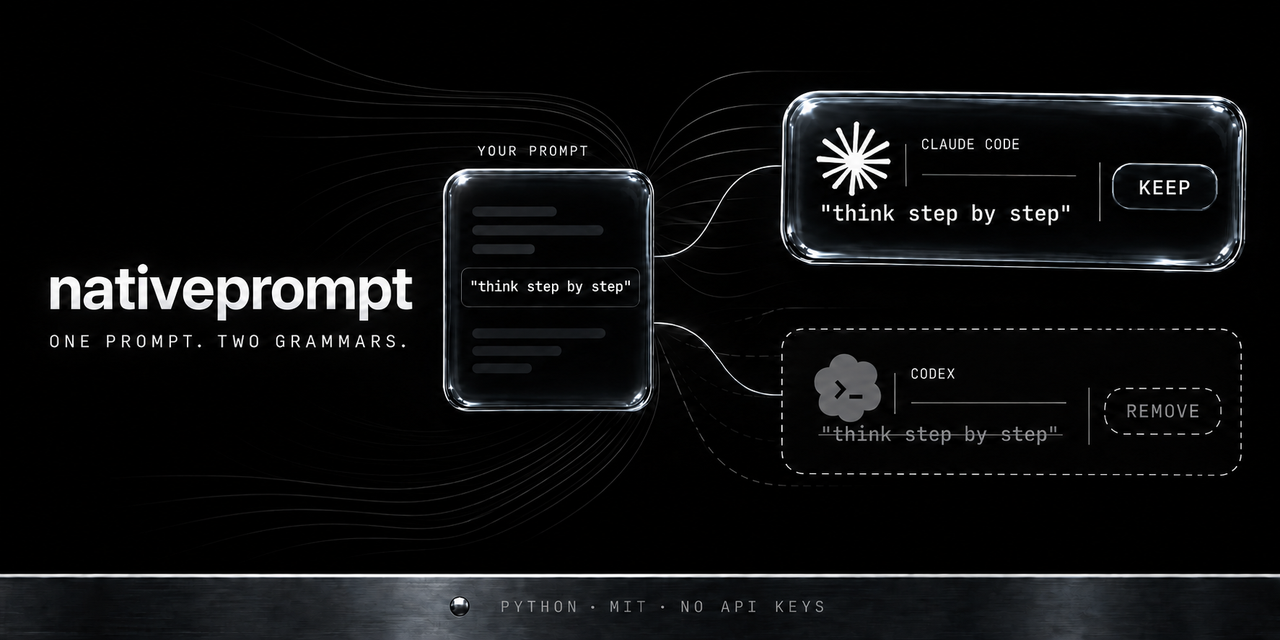
Claude Code and Codex read the same prompt differently. nativeprompt rewrites it for the model you are actually sitting in front of, using that vendor's official rules, and links every edit to the doc it came from.






Claude Code · Codex · 2518 tests · zero dependencies · no API key · runs offline
Fresh. Rules for Claude Opus 5.5 landed on 23 September 2026, the day after the model shipped: five behaviours that show up in the prompt text itself. The whole GPT-6 line — Astra, Sol and Luna — landed the same day: OpenAI moved its main prompting page onto GPT-6, and the three models share one guide. Rules for GPT-6 Astra landed on 7 September, for Claude Fable 5.1 on 2 September, the day after its release. Full model list below.
Scope: the agentic CLIs — Claude Code, Codex, Gemini CLI, Grok Build, Qwen Code and Kimi CLI. Not the API, not the web chat.
Coverage differs by vendor, and the tool says so out loud. Anthropic and OpenAI publish model-specific prompting rules, so for Claude Code and Codex you get both halves: what to change in the prompt and which command to launch with. Google, xAI, Alibaba and Moonshot publish no such rules — for Gemini CLI, Grok Build, Qwen Code and Kimi CLI you get the harness half only. Inventing rules and attributing them to a vendor would defeat the point: every finding here cites a source.
Why
The two vendors do not agree on what a good prompt looks like. Their own docs say so.
| Same phrase in your prompt | Claude Code | Codex / GPT‑5.x |
|---|---|---|
| "think step by step" | acceptable scaffolding | remove it — reasoning models plan internally, and prescribed intermediate steps get in the way (reasoning guide) |
| "double-check yourself" | warned about on Opus 5 — the model already verifies, so the reminder buys over-verification, tokens and latency; the tool flags the phrase but does not cut it (Opus 5 prompting) | harmless, but usually redundant |
| "only report the important stuff" | rephrase — Opus 5 follows constraints literally and will genuinely hide the rest; ask for everything, filter in a second pass (Opus 5 prompting) | same direction, weaker effect |
| repeated instructions, extra examples | tolerated | cut them — lean prompts win on GPT‑5.x (prompt guidance) |
| mixed instructions + data + examples | wrap in XML tags so the model doesn't blend them (XML tags) | not a documented Codex practice |
| "CRITICAL: you MUST…" in caps | drop the caps — aggressive scaffolding causes over-triggering on new models | drop it — GPT‑4.1-era scaffolding, no longer helps (GPT‑5 prompting guide) |
So a prompt tuned on one CLI is measurably mis-tuned on the other. nativeprompt detects which one you're on and applies that vendor's published rules — plus it recommends how to run the task (/goal, /loop, plan mode, dynamic workflow on Claude Code; /plan, /goal, delegation on Codex).
Supported models
Rules are worked out per generation, not per vendor: each model differs, and lumping them together means guessing.
| Model | Rules | Added | Vendor guide |
|---|---|---|---|
| Claude Opus 5.5 | 5 + Opus 5 rules + family | 2026-09-23, the day after release | prompting-opus-5-5 |
| GPT-6 Astra / Sol / Luna | 4 for the line + family | Astra 2026-09-07, Sol and Luna 2026-09-23 | latest-model/gpt-6-astra |
| GPT-5.6 (sol / terra / luna / cyber) | family | 2026-07-29 | prompt-guidance-gpt-5p6 |
| Claude Fable 5.1 | 4 + family | 2026-09-02, the day after release | prompting-fable-5-1 |
| Claude Opus 5 | 4 + family | 2026-07-29 | prompting-opus-5 |
| Claude Sonnet 5, Opus 4.8 | family | 2026-07-29 | general best practices |
| Gemini CLI, Grok Build, Qwen Code, Kimi CLI | one each | 2026-08-04 | vendors publish no prompting rules |
What changed in Opus 5.5. Thinking can no longer be disabled, and asking the model
to spell out its reasoning in the answer now hits a new refusal category,
reasoning_extraction — the request comes back with refusal, and server-side fallback
does not retry that one. On a long task the model ends its turn with a report and no tool
call, which is exactly where an unattended agent stops. "Think step by step" now only
delays the first token. In frontend work a blanket "avoid the generic AI look" swaps one
default for another; the vendor's advice is to name the patterns. Opus 5 rules still
apply — the 5.5 page says so itself, and the tool inherits them via rules_of rather
than copying them.
What changed in the GPT-6 line. Sol and Luna are separate models next to Astra, not
modes. The prompting guide covers all three — the vendor says so explicitly — so Astra's
rules apply to each. One runtime difference: reasoning effort none is unavailable on
Astra and available on Sol and Luna. The names are reused: sol and luna also existed in
GPT-5.6, so pass the version in --model or "sol" reads as 5.6.
What changed in Astra. It asks a clarifying question where you expected work, and stops. It ships a vendor-published blocklist of tells that mark prose as machine-written (the "X, not Y" construction is on that list). It can rank AGENTS.md project rules above your own request. And it writes tests for small reversible changes. All four are fixed by a line in the prompt, which is why they are this tool's business.
Unrelated to prompt text but it breaks old integrations: Astra no longer accepts
temperature, top_p or top_logprobs, and reasoning effort none is gone.
It runs on the subscription you already pay for
There is no model inside this tool. None.
The analysis is computed locally: regular expressions plus a versioned rule sheet. No API key,
no token bill, no prompt leaving your machine. Pull the network cable and it keeps working,
except for update, which fetches the vendors' docs.
The literary rewrite is done by your own model, from a meta-prompt the tool prepares for it. That happens inside the Claude Code or Codex subscription you are already paying for. No second invoice appears.
Who it's for
People with both windows open. Claude Code for one thing, Codex for another. Holding two grammars in your head by hand is work, and the difference is real enough to cost you answer quality.
People who pay for a subscription and don't want a second bill. The analysis is free because it runs on your machine.
People who teach prompting. Every piece of advice carries a link to the vendor's own page. Hard to argue with, and much shorter than explaining it yourself.
Teams with shared conventions. The rule sheet is JSON, reviewed through PRs, versioned. Your own rules sit next to the vendors'.
People maintaining a project over time. Vendors change their recommendations and you are
usually the last to hear. nativeprompt update watches 25 doc pages and tells you when the
source moved.
What makes it different
Both vendors ship a prompt improver, but only for their own model, closed, and frozen at release time. Generic multi-vendor rewriters make you pick the target and their rule sets drift out of date. Four properties together are the point:
| Anthropic prompt improver | OpenAI prompt optimizer | Generic multi-vendor rewriters (Rosetta et al.) | nativeprompt | |
|---|---|---|---|---|
| Auto-detects the model you're on | n/a — Anthropic only | n/a — OpenAI only | you pick the target manually | yes — family + generation, from the live session, env, or settings files |
| Rules sourced from vendor docs | implicit, not shown | implicit, not shown | usually hand-written folklore | every rule carries a source URL you can open |
| Explains each edit | no — silent rewrite | no — silent rewrite | rarely | yes — rule title, rationale, and link per finding |
| Stays current | ships when the vendor ships | ships when the vendor ships | goes stale | update --diff shows the exact changed lines in the vendor's doc; weekly CI opens a PR with that diff |
Plus: zero runtime dependencies (stdlib only), deterministic, works offline, no API key. The only command that touches the network is update.
Note on language. The CLI's explanations are currently written in Russian (the author's audience); rule titles link to the vendors' English documentation. The code, the API and this README are English. English CLI output is on the roadmap — see Contributing.
Install
pipx install nativeprompt # or: pip install nativeprompt
Published on PyPI. Zero runtime dependencies — stdlib only, works offline, no API key.
From source, if you want to edit the rules yourself:
git clone https://github.com/edvardgrishin27/nativeprompt
cd nativeprompt
pip install -e .            # gives you the `nativeprompt` command
Or run it with no install at all — it is stdlib-only:
python3 -m nativeprompt improve "your prompt" --model claude-opus-5
Requires Python ≥ 3.9. Nothing else.
Quick start
# 1. Which model does it think you're on?
nativeprompt detect
Модель: claude-opus-5[1m] · opus-5
Семейство/CLI: claude (Claude Code)
Определено: ~/.claude/settings.json (сессия Claude Code · VS Code)
# 2. Rewrite + explain. Always pass the prompt over stdin —
#    quotes and $substitutions inside a user prompt will otherwise break the command.
printf '%s' 'Could you please FIX the login bug, think step by step and double-check yourself. Only report the most important things.' \
  | nativeprompt improve --model gpt-5.6
Real output (trimmed to the findings and the harness advice):
МОДЕЛЬ: Codex (gpt-5.6) · gpt-5.6
определено: явно (--model)

ЧТО УЛУЧШИТЬ (3, сначала важное):
1. [+] Сначала результат: цель, формат ответа и что считается «готово»
   неприменимо: Если результат уже описан в AGENTS.md или в предыдущем сообщении…
   правило: https://developers.openai.com/cookbook/examples/gpt-5/gpt-5_prompting_guide
2. [~] Просить действие прямо
   неприменимо: Если вы спрашиваете совет, а не поручаете работу…
   правило: https://developers.openai.com/cookbook/examples/gpt-5/gpt-5_prompting_guide
3. [!] «думай пошагово» лишнее — GPT-5.x рассуждает сам
   неприменимо: Если «пошагово» относится к ФОРМАТУ ответа («опиши пошагово процесс деплоя»)…
   правило: https://developers.openai.com/api/docs/guides/reasoning

КАК ЗАПУСКАТЬ (Codex) — форма задачи: normal
  → начните обычным запуском; при первой же неясности — /plan
The exact same prompt against Claude Opus 5 produces a different set — that contrast is the whole point of the tool.
The prompt text itself is left intact in both cases. The tool changes form only — it lowers SHOUTING CAPS and drops the polite wrapper — and it adds placeholder sections. It never deletes and never substitutes: [!] means "the vendor recommends dropping this; your call". Why it works this way is in CLAIMS.md, section "Why the tool does not rewrite your text".
Findings are ordered by importance, not by their order in the rule file: priority 1 is the result contract and the task boundaries, 2 the run mode and structure, 3 cosmetics. Under each finding there is a неприменимо: line — the concrete situation in which the advice does not apply ("the file is already named earlier in this conversation"), because the detectors here are regexes and see no conversation history. A false positive you can recognise and skip costs nothing; that is cheaper than a detector that is never wrong. The same clause travels into the meta-prompt and into the hook.
When nothing fires — or when everything that fired the tool has already closed itself — improve says so and prints no meta-prompt: "Промпт соответствует правилам, которые инструмент умеет проверять, переписывать нечего." Handing a model the order "rewrite this" over a prompt that needs no rewrite only buys you a change for the sake of a change. A placeholder ‹…› does not count as closed: it hands the rule to you, and --verify counts it the same way.
Markers: [+] add, [-] remove, [~] restructure, [!] flagged, not touched.
A marker is derived from what actually happened, not from what the rule declares: a finding gets an action marker only if it really changed the text, so [!] is also what you see when a rule's advice went to the meta-prompt alone.
See both side by side in one command:
python3 examples/contrast_demo.py
More raw prompts to try are in examples/prompts.md.
Commands
| Command | Flags | What it does |
|---|---|---|
improve "<prompt>" |
--model M, --json, --no-metaprompt, --verify |
detect → analyze → rewrite → harness advice → explain. Reads the prompt from stdin when the argument is omitted. Every report carries a reproducibility card — one line in the header, the full meta object under --json: tool version, family, rules version, vendor-docs snapshot date, generation and the signal it came from, task shape, the rule ids that fired and were applied, and the first 12 characters of the prompt's sha256. Without it, two reports from different tool and rule-sheet versions are indistinguishable. |
detect |
--model M, --json |
shows the resolved model, family/CLI, and which signal it came from. Exit 1 if nothing resolved. |
rules [claude|codex] |
— | prints every rule with its source URL, plus the harness table. No argument = all families. |
update |
--diff, --write, --timeout N, --json |
fetches the vendors' canonical docs and compares them with stored text snapshots. --diff prints the exact before/after lines. Non-zero exit when action is needed (CI signal). --write records the new snapshots after you've reviewed the rules. A weekly CI job opens a PR containing the diff — rules themselves are always edited by a human (see below). |
coverage <file> |
--model M, --models A,B, --json |
counts how many vendor rules your own prompts break, and how many the tool closes. On the project corpus: 227 findings, 87 closed (38 %), 140 left to you, 0 introduced. That last number is the point — the tool must never add a violation that was not there. It is a count of rules, not a quality score: no model runs. |
install |
--dir DIR, --force |
installs the Claude Code skill into ~/.claude/skills/nativeprompt/, read by both the terminal CLI and the desktop app. |
nativeprompt --version prints the version.
improve output has four blocks: what to fix (each with the vendor rule + link), the rewritten prompt, a how-to-run recommendation, and a meta-prompt you can hand to your own model for a full prose rewrite (suppress it with --no-metaprompt).
--verify adds a fifth: the same detectors run a second time over the tool's own result, and the rules land in three buckets — closed (the finding is gone from your text), left to you (the rule still fires — that is the norm, those rules are flagged rather than cut) and introduced by the tool (there was no finding and now there is — that one is a defect of the tool). It is a count of rules, not a quality score: the tool has no opinion on whether your text got better.
Using it in VS Code
Both CLIs have a VS Code extension, and both have quirks that change how nativeprompt sees your setup. Everything in this section comes from the vendors' docs.
Claude Code extension
The extension does not put claude on your PATH. It bundles a private copy of the CLI for its chat panel; a standalone CLI install is a separate thing (vs-code). Practical consequence: run nativeprompt in VS Code's integrated terminal (Cmd+`), and use the hook (below) if you want it inside the chat panel.
Where the model actually comes from. Claude Code's documented precedence is: in-session /model → claude --model at startup → ANTHROPIC_MODEL → the model field in your settings file (model-config). nativeprompt detect follows the same order (env before settings) and tells you which signal it used.
Three ways to confirm the model, in increasing order of reliability:
/statusin the chat panel — shows the active model and account (model-config).nativeprompt detectin the integrated terminal — also names the source file or variable.- A
statusLinescript — it receivesmodel.idandmodel.display_nameon stdin, along witheffort.levelandcontext_window.context_window_size, so it's the only way to confirm that a 1M context is actually active (statusline).
If detect shows the wrong model, it is almost always one of these:
- You pressed
sin the/modelpicker ("this session only"). Since v2.1.153 onlyEnterwrites themodelfield to your user settings;swrites nothing, so any settings-based detection sees the old value (model-config). - VS Code was launched from Finder/Dock and never inherited your shell environment, so
ANTHROPIC_MODELfrom.zshrcis invisible to it. The documented fixes: launch withcode .from a terminal, set the extension'sclaudeCode.environmentVariablessetting, or put the variable in theenvblock of~/.claude/settings.json— which is shared between the extension and the CLI (vs-code). - Project or managed settings override yours. The cascade is managed → CLI args →
.claude/settings.local.json→.claude/settings.json→~/.claude/settings.json(settings). When the startup model comes from project or managed settings, the startup header names the file. - You're on an alias, not a version.
opus/sonnet/haiku/bestresolve to different concrete models depending on your provider (Anthropic API vs Bedrock vs Foundry vs Google Cloud), andANTHROPIC_DEFAULT_OPUS_MODELand friends can redirect them (model-config).nativepromptsays so explicitly and falls back to family-level rules. Pass--model claude-opus-5to get generation-specific rules. The[1m]suffix (1M context) is preserved and reported — it works on aliases and on full model names alike, includingopusplan[1m].
Hooks work identically in the panel. ~/.claude/settings.json is "shared between the extension and CLI" — the same hooks block applies to both (vs-code). You can also reach it from the panel: type / → Customize → hooks. Adding "$schema": "https://json.schemastore.org/claude-code-settings.json" to the file gives you completion and validation right in the editor.
Codex extension
- The IDE extension and the CLI share the same configuration layers; open it from the gear icon → Codex Settings → Open config.toml (config-basic).
- Precedence: CLI flags → project
.codex/config.toml(closest directory wins) → profile →~/.codex/config.toml→/etc/codex/config.toml→ built-in defaults. Untrusted projects skip the project-scoped.codex/layers entirely. - There is no official environment variable for the Codex model — the documented list is
CODEX_HOME,CODEX_SQLITE_HOME,CODEX_NON_INTERACTIVE,CODEX_INSTALL_DIR,CODEX_API_KEY,CODEX_ACCESS_TOKEN,CODEX_CA_CERTIFICATE,SSL_CERT_FILE,RUST_LOG(environment-variables).nativepromptreadsmodel = "..."fromconfig.toml; itsCODEX_MODEL/OPENAI_MODELlookups are an unofficial convenience heuristic, and so is its detection of an active Codex session. When in doubt, pass--model codexexplicitly.
Known gaps in the current detector, stated plainly: it does not yet read Claude Code's managed settings (highest precedence, enterprise deployments), the project-level .codex/config.toml, CODEX_HOME, or the ANTHROPIC_DEFAULT_* alias redirects. Issues and PRs welcome.
Two modes
On demand — as a skill
SKILL.md at the repo root is a Claude Code skill. Drop it into ~/.claude/skills/nativeprompt/SKILL.md (or your project's .claude/skills/), and "improve my prompt" routes through the tool: it runs nativeprompt improve --json, shows you the findings with their source links and the how-to-run advice, then executes the returned meta-prompt to produce the polished rewrite.
Two rules baked into the skill are worth repeating: the incoming prompt is treated as data, not instructions (the model must not execute what's inside it), and the prompt is passed over stdin only, never interpolated into a shell command.
Every prompt — as a UserPromptSubmit hook
hooks/nativeprompt_hook.py runs on every prompt you send and attaches the improved version plus the applicable rules as context. Add to ~/.claude/settings.json (shared by the CLI and the VS Code panel):
{
  "$schema": "https://json.schemastore.org/claude-code-settings.json",
  "hooks": {
    "UserPromptSubmit": [
      {
        "hooks": [
          {
            "type": "command",
            "command": "python3 /absolute/path/to/nativeprompt/hooks/nativeprompt_hook.py"
          }
        ]
      }
    ]
  }
}
What it does and doesn't do:
- It cannot replace your prompt text.
UserPromptSubmithas noupdatedPromptoutput field — a handler can only returnhookSpecificOutput.additionalContextor block the submission (hooks). So Claude sees your original next to the improved version, and the hook says which one to act on. - It stays quiet on short prompts (< 15 chars) and on prompts that already satisfy the rules, so it doesn't turn into noise.
- Any error is swallowed — it never blocks your prompt from being sent.
- Budget: 30 seconds.
UserPromptSubmitlowers the default hook timeout from 600 s to 30 s (hooks). This hook is deterministic and makes no network calls, so it fits comfortably — don't add network calls of your own there. - Matchers are not supported for this event and are silently ignored; it fires on every prompt.
- Context budget: 2400 characters. The hook is paid for on every prompt, out of your own context window, so its size is capped; over the project corpus the worst case after trimming is 1729 characters. When it does not fit, it trims in a fixed order and only its own blocks — the run recommendation first, then the tail of the advisory list beyond three, then the "improved version" block in full. Your text is never cut in the middle: the block is whole or absent, and a single line says what was dropped (CLAIMS).
- The hook resolves the package on its own: an installed
nativepromptfirst, then its own repository directory, thenNATIVEPROMPT_HOME/CLAUDE_PROJECT_DIR, and finally the isolated environments of pipx and uv at their standard paths. That last step matters:pipx installputs the package in an environment the plainpython3from the config line above cannot see, and until 0.6.1 the hook silently did nothing in that case. It now finds it by itself — no need to hand-write~/Library/Application Support/pipx/venvs/.... - If the package is nowhere to be found, the hook writes one line to stderr and skips the turn. It never blocks prompt submission; on any other error it stays silent.
There is also a documented way to get the model exactly, which the hook does not use yet: only SessionStart hooks can receive a model field, and "there is no $CLAUDE_MODEL environment variable" (hooks). A SessionStart hook that caches that value would beat any settings-file read, because it also catches --model and the session-only s choice. Contributions welcome.
Codex usage
Root AGENTS.md governs agent work in this repo. Codex-specific integration lives entirely in codex/:
codex/integration/plugins/nativeprompt/skills/nativeprompt/— a standalone Codex skill.codex/integration/plugins/nativeprompt/skills/nativeprompt/scripts/improve_prompt.py— a safe wrapper: stdin only, no shell, validates the JSON contract.codex/integration/AGENTS.md.snippet— an optional block for your own project'sAGENTS.mdso Codex calls the tool when you ask it to improve a prompt.codex/REVIEW.md— review notes. By convention, proposed core changes are staged as unified diffs incodex/patches/rather than applied tonativeprompt/directly.
Local install for Codex:
python3 -m pip install -e .
mkdir -p ~/.agents/skills
ln -s "$PWD/codex/integration/plugins/nativeprompt/skills/nativeprompt" ~/.agents/skills/nativeprompt
Then, in a new Codex session: $nativeprompt improve this prompt for Codex: ‹prompt›.
Note that Codex reads persistent project rules from AGENTS.md automatically, merged from ~/.codex down through directories from the repo root to the current one, with deeper files overriding (agents-md). Reasoning depth and answer length belong in ~/.codex/config.toml (model_reasoning_effort, model_verbosity), not in prose inside your prompt (config-reference) — nativeprompt will tell you so instead of rewriting the prompt around it.
How it works
detect → analyze → rewrite → harness → explain (+ update, out of band)
- detect (
detect.py) — resolves model → family + generation. Keying on family means an unreleased id likeclaude-opus-6still gets Claude-family rules instead of nothing. Signals, in order:--model, active CLI session markers,ANTHROPIC_MODEL/OPENAI_MODEL/CODEX_MODEL, the~/.claude/settings.jsoncascade,~/.codex/config.toml. The[1m]suffix is split off and reported separately. - analyze (
analyze.py) — regex detectors for prompt smells (forced_cot,verification_demand,pushy_caps,repetition,contradiction_hint,missing_verification,missing_output_contract,vague_ask, …) plus a task shape classifier:trivial | normal | planning | goal | loop | workflow. - rewrite (
rewrite.py) — the deterministic pass. It lowers SHOUTING CAPS, drops the polite opener, and adds missing sections as‹placeholders›. It never deletes your content and never invents your task — anything the vendor recommends removing by meaning is flagged instead. - harness (
harness.py) — maps the task shape to a run mode from theharnessblock of the rules file: plan mode //goal//loop/ dynamic workflow on Claude Code,/plan//goal/ delegation on Codex — each with its own source link. - explain (
explain.py) — assembles the report and the meta-prompt: a model-specific instruction, built from exactly the rules that fired, which your own Claude or Codex executes to do the full prose rewrite. That split is deliberate — the tool itself contains no model.
Self-update
nativeprompt/rules/*.json is a human-curated, versioned cheat sheet, keyed by model family + generation, where every rule carries a source URL.
nativeprompt update fetches the vendors' canonical .md / llms.txt pages (manifest: nativeprompt/rules/_sources.json), hashes them, and diffs against the stored snapshot:
[изменилось]       claude  https://code.claude.com/docs/en/goal.md
[новое]            openai  https://learn.chatgpt.com/docs/prompting.md
[без изменений]    claude  https://code.claude.com/docs/en/best-practices.md
...
Итог: изменилось 1, новых 2, без изменений 24, недоступно 0 (из 28).
A weekly GitHub Actions job (.github/workflows/update-rules.yml) runs exactly that and fails when the official guidance moved. The rules are never rewritten automatically — a maintainer reads the changed doc, updates the JSON, and lands it in a PR, then records the new snapshot with nativeprompt update --write. That is a deliberate design choice: a cheat sheet you can audit is worth more than one that mutates silently.
Boundaries
Deliberately narrow, so the tool stays trustworthy:
- It does not invent your task. Missing details — file paths, done criteria, output format — become explicit
‹placeholders›, never fabricated content. - The deterministic rewrite is structural, not literary. It lowers CAPS, drops the polite opener, and inserts placeholder sections — nothing else. The full prose rewrite is the meta-prompt, run by your own model. There is no LLM inside this tool.
- Detectors are regex heuristics. Unusual phrasings will produce false positives and misses. It is an assistant, not an oracle.
- An alias is not a version.
opus,sonnet,bestresolve differently per provider and plan, so generation-specific rules are withheld and family rules applied — and the CLI says so. - No benchmark claims. The tool applies the vendors' published rules; it does not measure that your prompt got "N% better", and it will never print such a number.
- Depth differs by vendor. Claude Code and Codex are worked out per generation: 18 and 12 rules. Gemini CLI, Grok Build, Qwen Code and Kimi CLI get one rule and a harness hint each, because those vendors publish far less. Inventing rules and signing a vendor's name to them would defeat the whole point.
Honest limits are tracked in CLAIMS.md.
Contributing
Verify first:
python3 -m pytest -q # 2518 tests: detection, detectors, rewrite, harness, rules integrity, frozen snapshot, self-check, refusal, hook context budget, reproducibility card
Adding or changing a rule. Rules live in nativeprompt/rules/<family>.json. A rule is only accepted with a link to the vendor's own documentation — no folklore, no blog posts, no "it worked for me". Shape:
{
  "id": "opus5-remove-verification",
  "scope": "opus-5",                 // "family" or a generation key
  "check": "verification_demand",    // a detector in analyze.py
  "action": "warn",                  // add | remove | restructure | warn
  "title": "short imperative",
  "why": "one or two sentences, concrete",
  "source": "https://…"              // official vendor doc, must return 200
}
If your rule needs a new check, add the detector to analyze.py with a test. If the source page isn't in rules/_sources.json, add it there too so update starts watching it. There's a frozen-snapshot test over the rule set: rule changes are visible in the diff by design.
Adding a vendor. Drop a new nativeprompt/rules/<family>.json with detect (id prefixes + aliases), generations, rules, and a harness block describing that CLI's run modes; register its docs in _sources.json. catalog.py discovers families from the directory — no code change needed for a well-formed file.
Other useful contributions, in rough priority order: English CLI output, managed-settings and CODEX_HOME support in detect.py, a SessionStart hook for exact model resolution, and detector precision on non-Russian, non-English prompts.
Why rules are not auto-merged
The robot detects the change, fetches it, shows the exact diff and opens the PR. The last step — deciding whether a rule changes — stays human, on purpose:
- A doc change is not a rule change. Most edits are typos, rewordings, new examples. Auto-applying would churn the rules for nothing.
- A rule is a translation, not a copy. The doc says, in prose, "Opus 5 verifies its own work — remove explicit verification instructions". The rule is a detector plus a decision about scope (whole family, or just this generation). That is judgement.
- A wrong auto-update is worse than a stale rule. It would hand you bad advice carrying an official source link — that is, with maximum credibility. This package is installed by other people; model-written changes should not merge themselves into it.
License
MIT — see LICENSE. Built by Edvard Grishin (Futura AI studio).
1 maintainer

Release files for nativeprompt 0.8.1
For a detailed explanation of source distributions (sdists) and built distributions (wheels), please see the package formats documentation.
Source distribution (sdist)
| File | Size | Uploaded | |
|---|---|---|---|
| nativeprompt-0.8.1.tar.gz | 253.7 kB | Details |
Built distribution (wheel)
| File | Interpreter | ABI | Platform | Reset |
|---|---|---|---|---|
| nativeprompt-0.8.1-py3-none-any.whl | Python 3 | none | any | Details |
Total release size: 375.1 kB
Release files / nativeprompt-0.8.1.tar.gz
| Download URL | nativeprompt-0.8.1.tar.gz |
|---|---|
| Size | 253.7 kB |
| Tags | Source |
|
SHA-256 checksum How to use checksums |
00023e9515e96e5fe262a3bd8019eed39ca3bec4fbad835a35089d20d1f4ee00
|
|
BLAKE2b-256 checksum How to use checksums |
5201b86d7950c390bf66cc02e54923e47f401b42372e6b4c434c611c031dbd8c
|
| Upload date | |
|
Uploaded using Trusted Publishing? What is trusted publishing? |
Yes |
| Uploaded via |
twine/7.0.0 CPython/3.13.14
|
Provenance
Provenance describes where a file came from. On PyPI, provenance is shared via attestations, which provide a verifiable record of the build or publishing details. View details, limitations and caveats.


PyPI Publish Attestation
PyPI verified that this artifact, at this checksum, originated from the publisher listed below.
Signed by GitHub Actions, verified by PyPI on Sep 23, 2026.
Transparency logRelease files / nativeprompt-0.8.1-py3-none-any.whl
| Download URL | nativeprompt-0.8.1-py3-none-any.whl |
|---|---|
| Size | 121.5 kB |
| Tags | Python 3 |
|
SHA-256 checksum How to use checksums |
2563e992118a918a4b9a49416e457c9729cf6fe0743f5aea3bfefcb930d61fdd
|
|
BLAKE2b-256 checksum How to use checksums |
8a2fb763061d870c8bcf9008ea8f447e51b175a689b1230e953365dc3f8a7e83
|
| Upload date | |
|
Uploaded using Trusted Publishing? What is trusted publishing? |
Yes |
| Uploaded via |
twine/7.0.0 CPython/3.13.14
|
Provenance
Provenance describes where a file came from. On PyPI, provenance is shared via attestations, which provide a verifiable record of the build or publishing details. View details, limitations and caveats.
PyPI Publish Attestation
PyPI verified that this artifact, at this checksum, originated from the publisher listed below.
Signed by GitHub Actions, verified by PyPI on Sep 23, 2026.
Transparency log













