
AI Models




Overview
AI Models makes Nautobot the source of truth for your LLM estate. It records which providers exist, how to reach each one, and which models each provider offers. Access control, change logging, custom fields, and the REST API all come from Nautobot.
The app is a data catalog. It has no AI or LLM client code and it does no inference. Another app, a Job, or an external system reads these records and does the work. This keeps the question what is available and allowed apart from the question how do I call it.
The app keeps no URL and no credential of its own. Each AI Provider points at a Nautobot External Integration. That integration gives the remote URL, the HTTP headers, the SSL verification, the CA file path, the timeout, and the Secrets Group. A provider also records its API dialect, so that a consuming app knows how to address the endpoint.
Each AI Model belongs to a provider. It carries a name, a description, and a kind of chat or
embedding. It also carries an enabled flag, the cost of a million tokens, and the parameters to
send with a call. num_predict and temperature fall back to the provider default.
The Discover AI Models Job reads GET /v1/models from each enabled, OpenAI-compatible provider
and keeps the model list current. It creates and updates records. It never deletes one.
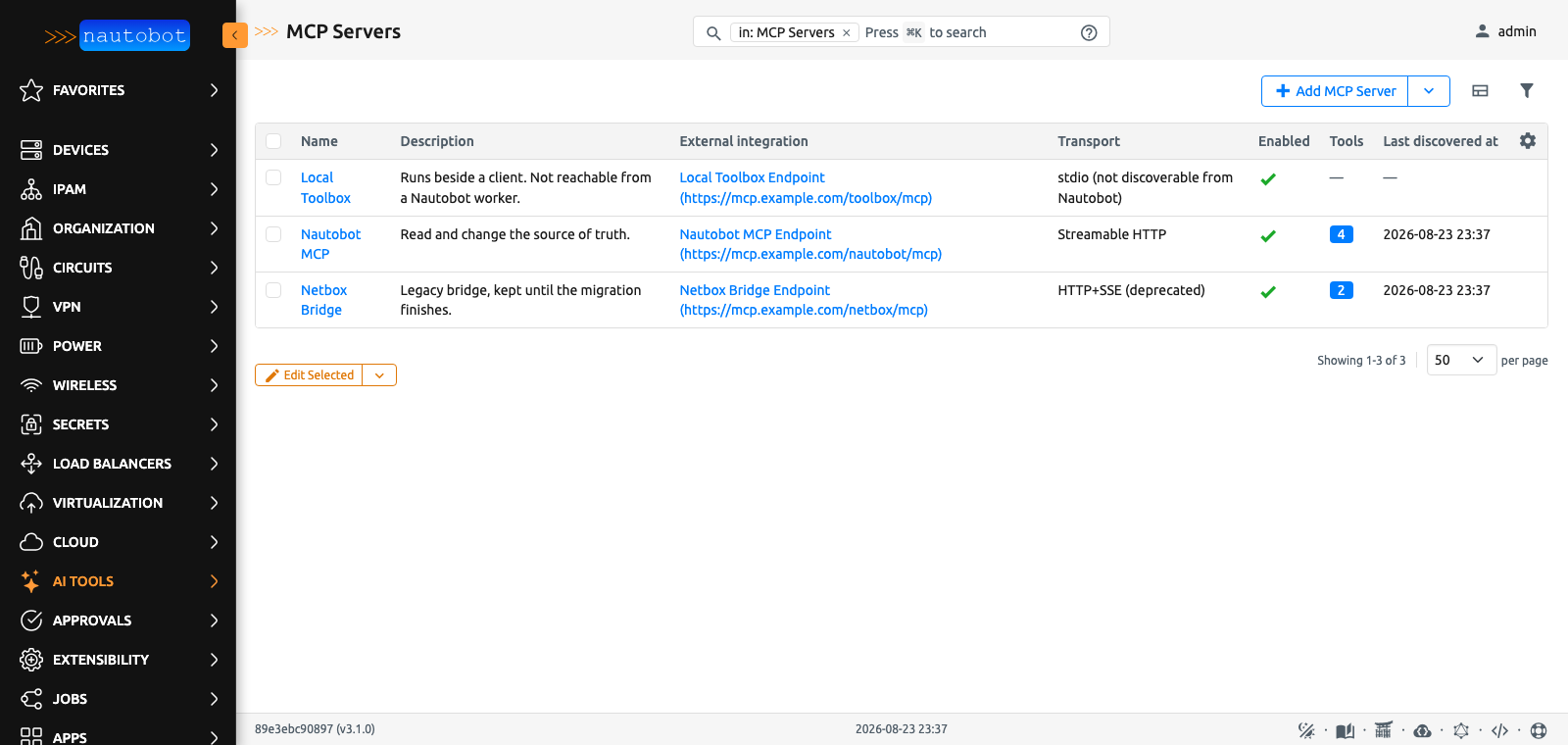
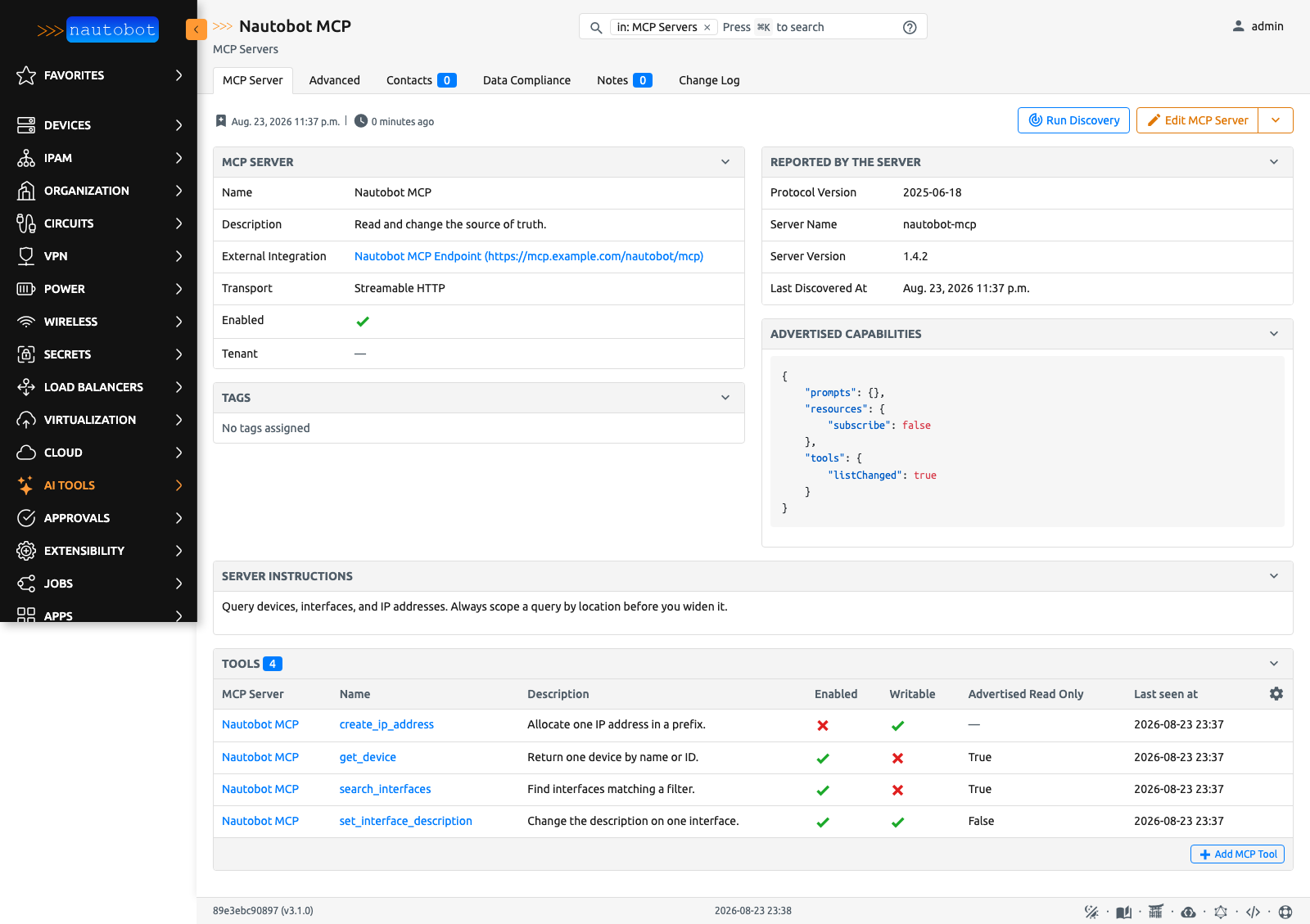
A second pair of models does the same for MCP. An MCP Server records one server and what it reported about itself. An MCP Tool records one tool that a server advertises, with both advertised JSON Schemas and the two flags that a person owns.
Screenshots
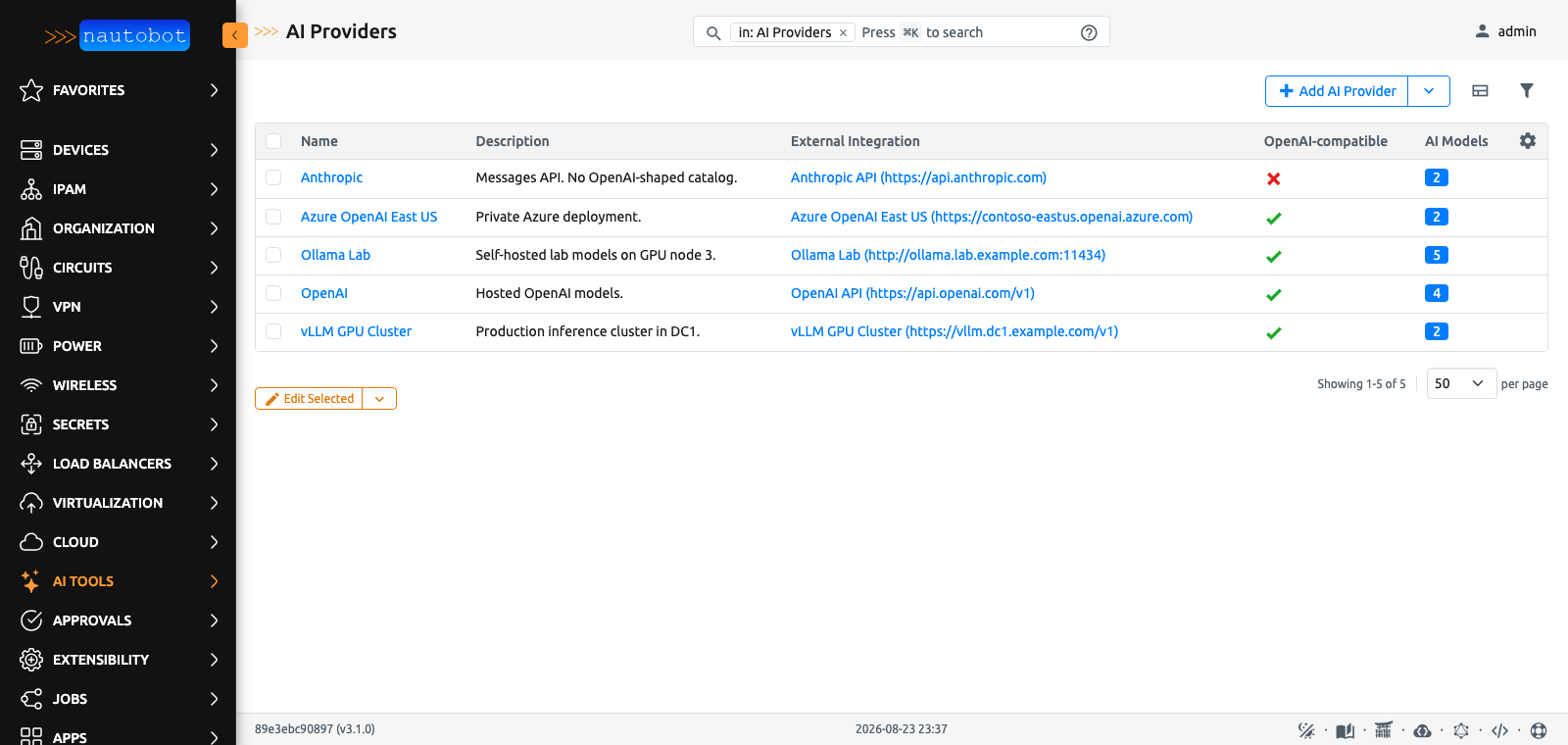
The AI Providers list. Each provider points at an External Integration. The Provider Type column says how a consuming app addresses the endpoint.
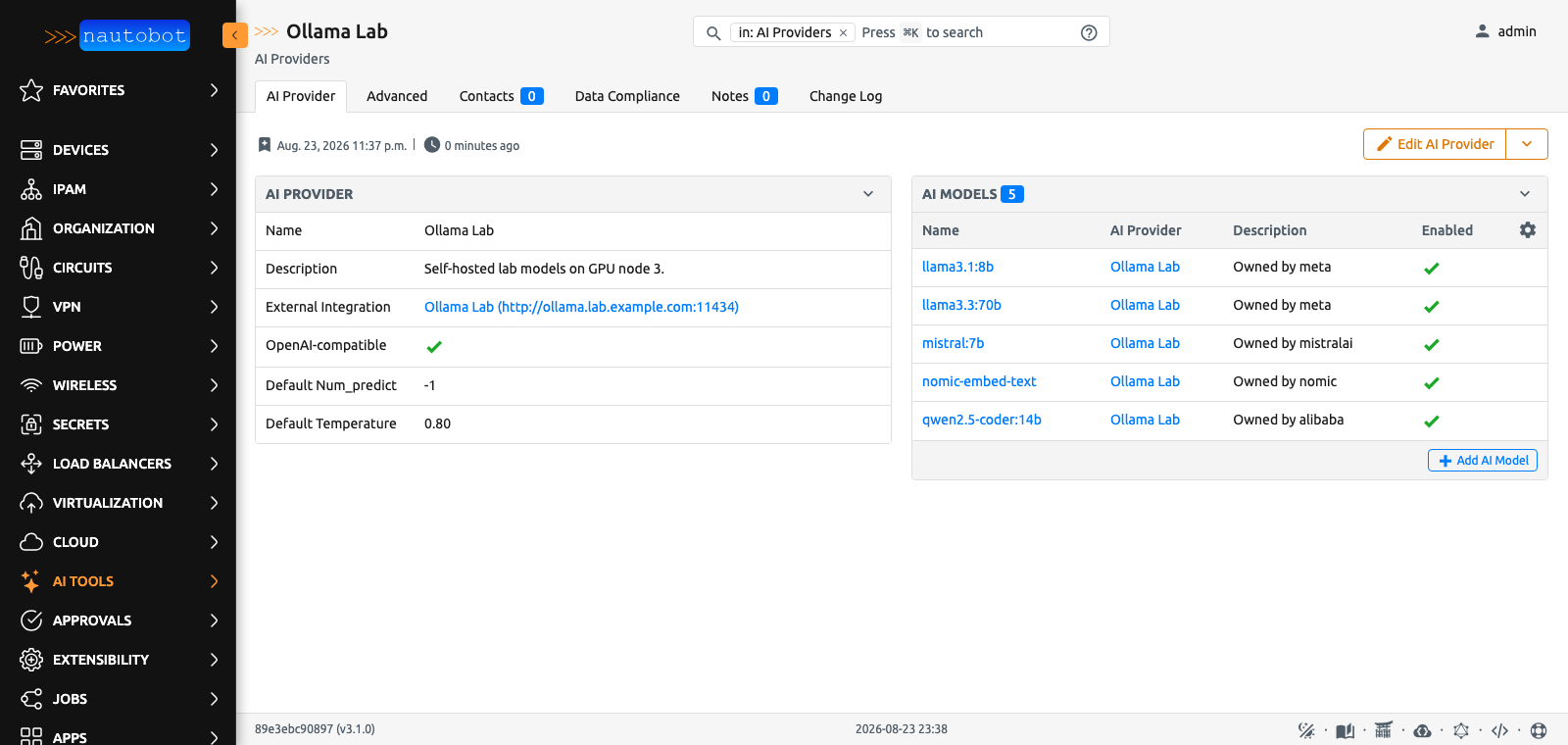
The provider detail view lists each model that the provider offers.
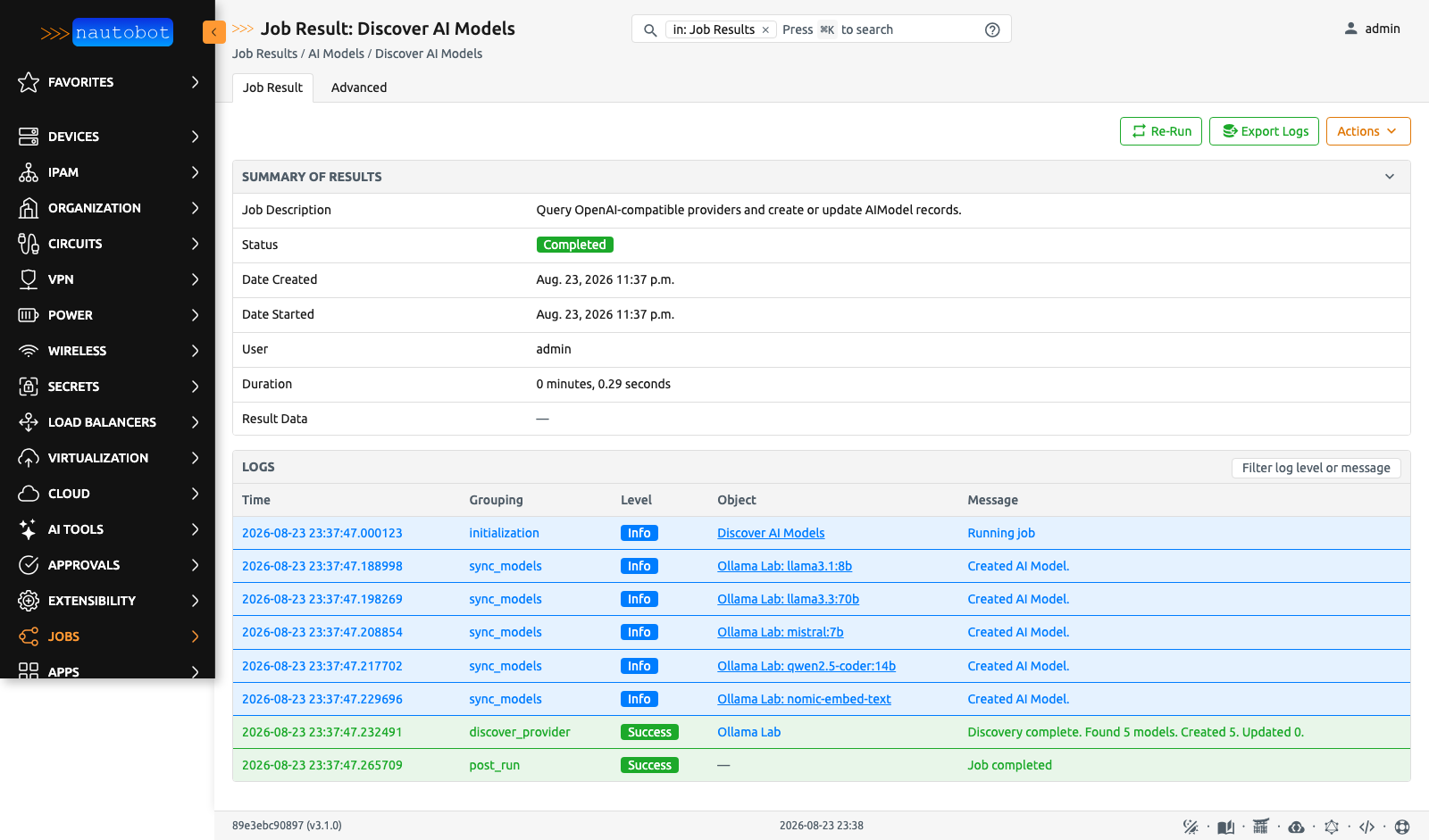
The Discover AI Models job reads GET /v1/models and records what it finds. It never deletes a
record.
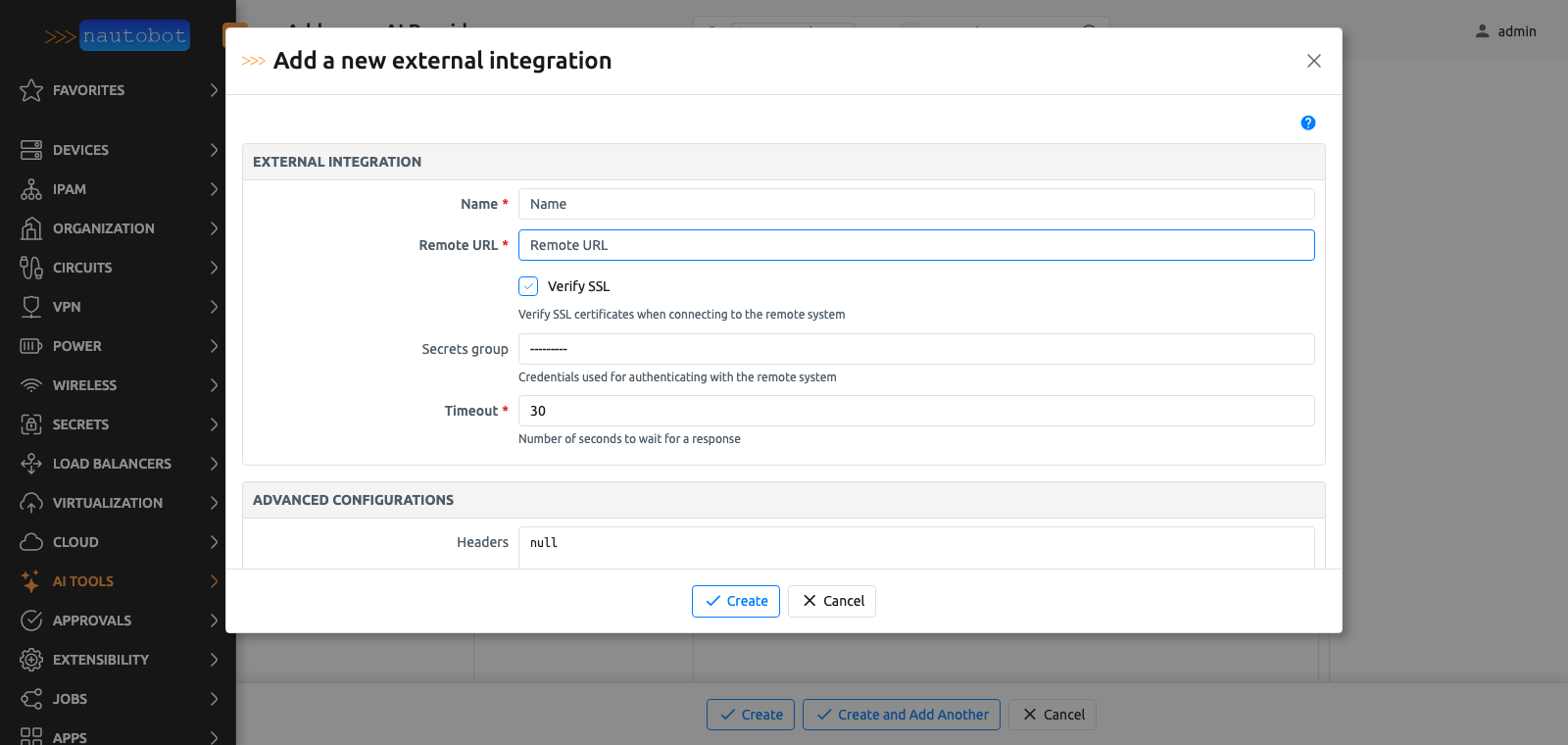
If the External Integration that you need does not exist, create it in a modal. You do not leave the provider form.
The MCP Servers list, and one server with what it advertised.
For more screenshots, read the Using the App page.
Documentation
The full documentation for this app is on Read the Docs:
- User Guide - Overview, Using the App, Getting Started.
- Administrator Guide - How to Install, Configure, Upgrade, or Uninstall the App.
- Developer Guide - Extending the App, Code Reference, Contribution Guide.
- Release Notes / Changelog.
- Frequently Asked Questions.
Contributing to the Documentation
The Markdown source of the documentation is in the docs folder of this repository. For a simple edit, a Markdown editor is enough. Clone the repository and make the change.
To see the generated documentation site, build it with MkDocs. The invoke commands start a container that hosts the documentation on http://localhost:8001. The Development Environment Guide gives the details. The container rebuilds a page when you save a change, and your browser reloads it.
Pull requests with fixes or improvements are welcome.
Questions
For a question or a comment, read the FAQ first. You can also use the Network to Code Slack, in the #nautobot channel. If you have no account, sign up here.
1 maintainer

Metadata
1 maintainer
Release files for nautobot-ai-models 1.2.0
For a detailed explanation of source distributions (sdists) and built distributions (wheels), please see the package formats documentation.
Source distribution (sdist)
| File | Size | Uploaded | Provenance | |
|---|---|---|---|---|
| nautobot_ai_models-1.2.0.tar.gz | 4.1 MB | With provenance | Details |
Built distribution (wheel)
| File | Interpreter | ABI | Platform | Reset |
|---|---|---|---|---|
| nautobot_ai_models-1.2.0-py3-none-any.whl | Python 3 | none | any | Details |
Total release size: 8.2 MB
Release files / nautobot_ai_models-1.2.0.tar.gz
| Download URL | nautobot_ai_models-1.2.0.tar.gz |
|---|---|
| Size | 4.1 MB |
| Tags | Source |
|
SHA-256 checksum How to use checksums |
ad0828ff20569d6beabd7df8d7f1fe9b0d590a17fd71d979fd25e8fb8e2efe34
|
|
BLAKE2b-256 checksum How to use checksums |
c8fd80d7d09ce4b870932df0a395a6058a09e8a083edee1b7ddb06d98eb0f5ed
|
| Upload date | |
|
Uploaded using Trusted Publishing? What is trusted publishing? |
Yes |
| Uploaded via |
twine/6.1.0 CPython/3.13.7
|
Provenance
Provenance describes where a file came from. On PyPI, provenance is shared via attestations, which provide a verifiable record of the build or publishing details. View details, limitations and caveats.


PyPI Publish Attestation
PyPI verified that this artifact, at this checksum, originated from the publisher listed below.
Signed by GitHub Actions, verified by PyPI on Sep 2, 2026.
Transparency logRelease files / nautobot_ai_models-1.2.0-py3-none-any.whl
| Download URL | nautobot_ai_models-1.2.0-py3-none-any.whl |
|---|---|
| Size | 4.2 MB |
| Tags | Python 3 |
|
SHA-256 checksum How to use checksums |
565155396035be4501aa3a88c9d8c86b5c525c0bfcc4512d5332a7b19946c067
|
|
BLAKE2b-256 checksum How to use checksums |
4b4cf3e02ef5ee90b014d4a3060dd9f355740676c9fd53e6c8762c893d211517
|
| Upload date | |
|
Uploaded using Trusted Publishing? What is trusted publishing? |
Yes |
| Uploaded via |
twine/6.1.0 CPython/3.13.7
|
Provenance
Provenance describes where a file came from. On PyPI, provenance is shared via attestations, which provide a verifiable record of the build or publishing details. View details, limitations and caveats.
PyPI Publish Attestation
PyPI verified that this artifact, at this checksum, originated from the publisher listed below.
Signed by GitHub Actions, verified by PyPI on Sep 2, 2026.
Transparency logSecurity for nautobot-ai-models 1.2.0
Provenance
Provenance describes where a file came from. On PyPI, provenance is shared via attestations, which provide a verifiable record of the build or publishing details. View details, limitations and caveats.
Full provenance
All 2 files in this release have been uploaded with provenance metadata.
Attestation for nautobot_ai_models-1.2.0.tar.gz
PyPI Publish Attestation
PyPI verified that this artifact, at this checksum, originated from the publisher listed below.
Signed by GitHub Actions, verified by PyPI on Sep 2, 2026.
Transparency logA note on package security
PyPI is a repository for distributing packages, not a service for auditing them. While third-party security researchers and our staff do their best to detect and remove malicious packages, PyPI cannot guarantee the quality, security or suitability of any given package.
To learn more about protecting yourself from malicious actors, visit our package security documentation.














