
IP Fabric ChatOps
An IP Fabric ChatOps plugin for Nautobot.
This plugin uses the Nautobot ChatOps base framework. It provides the ability to query data from IP Fabric using a supported chat platform (currently Slack, Webex Teams, MS Teams, and Mattermost).
Version Matrix
Here is a compatibility matrix and the minimum versions required to run this plugin:
| IP Fabric | Python | Nautobot | chatops | chatops-ipfabric | python-ipfabric | python-ipfabric-diagrams |
|---|---|---|---|---|---|---|
| 4.4 | 3.7.1 | 1.1.0 | 1.1.0 | 1.2.0 | 0.11.0 | 1.2.7 |
| 5.0.1 | 3.7.1 | 1.1.0 | 1.1.0 | 1.3.0 | 5.0.4 | 5.0.2 |
| 6.0 | 3.7.1 | 1.4.0 | 1.1.0 | 3.0.0 | 6.0.9 | 6.0.2 |
Screenshots
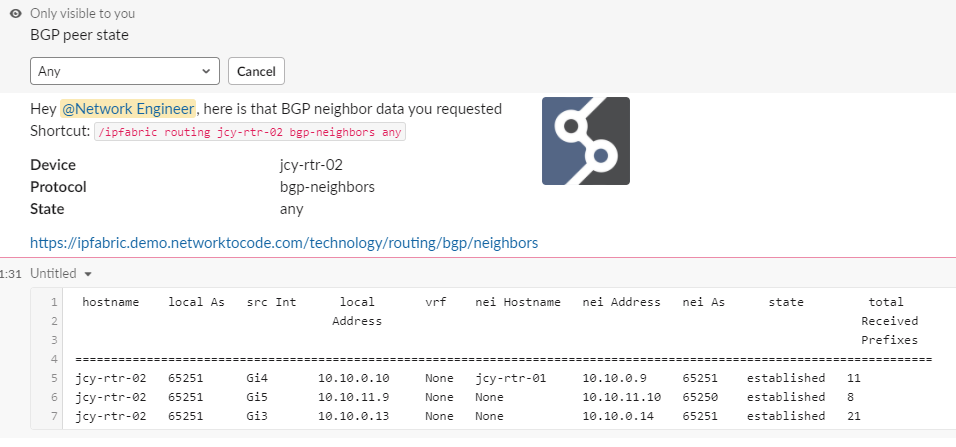
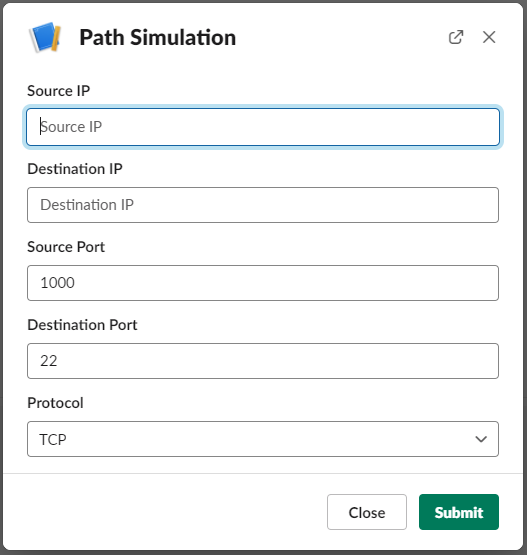
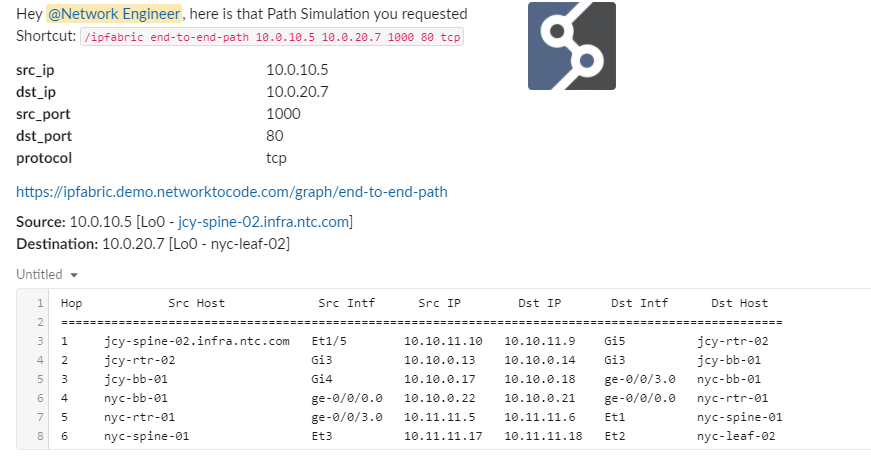
Usage
Add a slash command to your chat platform called /ipfabric.
See the nautobot-chatops installation guide for instructions on adding a slash command to your chat channel.
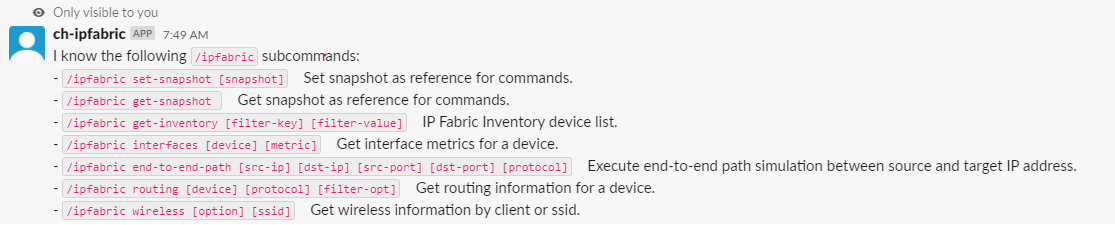
The following commands are available:
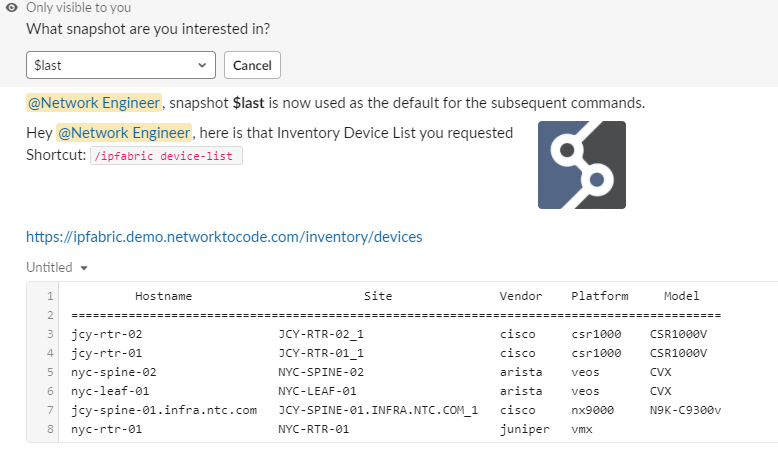
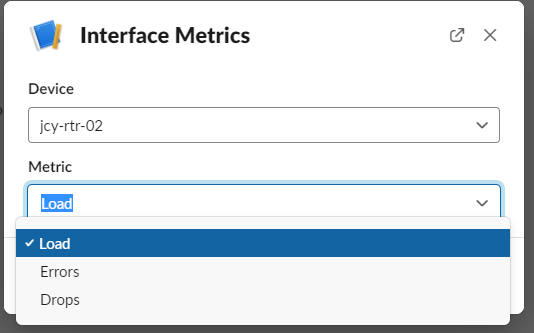
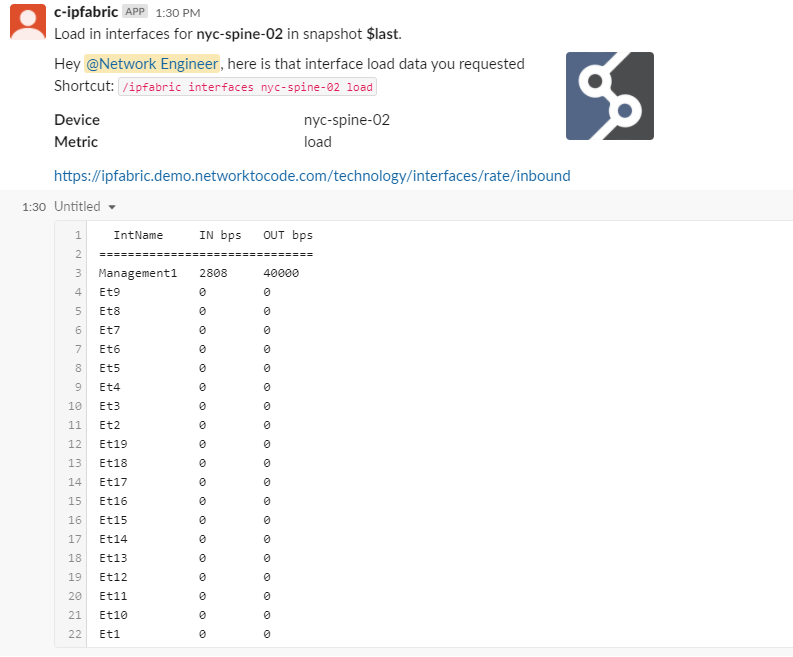
/ipfabric set-snapshot [snapshot]: Set snapshot as reference for commands./ipfabric get-snapshot: Get snapshot as reference for commands./ipfabric device-list: Get the device list./ipfabric interfaces [device] [metric]: Get interface metrics for a device./ipfabric pathlookup [src-ip] [dst-ip] [src-port] [dst-port] [protocol]: Path simulation diagram lookup between source and target IP address./ipfabric pathlookup-icmp [src-ip] [dst-ip] [icmp-type]: ICMP path simulation diagram lookup between source and target IP address./ipfabric routing [device] [protocol] [filter-opt]: Get routing information for a device./ipfabric wireless [option] [ssid]: Get wireless information by client or ssid./ipfabric find-host [filter-key] [filter-value]: Get host information using the inventory host table./ipfabric table-diff [category] [table] [snapshot] [view]: Get the diff of the category/table between the current snapshot and snapshot. Output view can be either a summary with counters or detailed with tables.
IP Fabric uses a concept of snapshots which can include different devices and data. The plugin supports querying specific snapshots via the /ipfabric set-snapshot command. The snapshot is set per user and cached for all future commands. If a snapshot is not set, the commands will default to $last unless a specific snapshot id is required.
Installation
The extension is available as a Python package in PyPI and can be installed with pip
pip install nautobot-chatops-ipfabric
The plugin is compatible with Nautobot 1.0.0 and higher
To ensure the IP Fabric ChatOps plugin is automatically re-installed during future upgrades, create a file named local_requirements.txt (if not already existing) in the Nautobot root directory (alongside requirements.txt) and list the nautobot-chatops-ipfabric package:
# echo nautobot-chatops-ipfabric >> local_requirements.txt
Once installed, the plugin needs to be enabled in your nautobot_configuration.py
# In your nautobot_configuration.py
PLUGINS = ["nautobot_chatops", "nautobot_chatops_ipfabric"]

PLUGINS_CONFIG = {
  "nautobot_chatops": {
    # ADD SLACK/MS-TEAMS/WEBEX-TEAMS/MATTERMOST SETTINGS HERE
  }
  "nautobot_chatops_ipfabric": {
      "IPFABRIC_API_TOKEN": os.environ.get("IPFABRIC_API_TOKEN"),
      "IPFABRIC_HOST": os.environ.get("IPFABRIC_HOST"),
      "IPFABRIC_VERIFY": os.environ.get("IPFABRIC_VERIFY", True),
  },
}
The plugin behavior can be controlled with the following list of settings
IPFABRIC_API_TOKEN: Token for accessing IP Fabric APIIPFABRIC_HOST: URL of IP Fabric instanceIPFABRIC_VERIFY: Default: True; False to ignore self-signed certificates
Development
The development environment supports a self-contained environment for developing nautobot chatops commands.
Build of the environment requires python3-invoke. For development purposes, install poetry and use it to manage the required packages.
poetry install        # first time use
poetry shell
You can start the deveopment containers locally with an invoke build and invoke start after copying creds.env locally.
cp development/creds.env.example development/creds.env
invoke build
invoke start
You should be able to access nautobot at http://0.0.0.0:8080
Contributing
Pull requests are welcomed and automatically built and tested against multiple version of Python and multiple version of Nautobot through TravisCI.
The project is packaged with a light development environment based on docker-compose to help with the local development of the project and to run the tests within TravisCI.
The project is following Network to Code software development guideline and is leveraging:
- Black, Pylint, Bandit and pydocstyle for Python linting and formatting.
- Django unit test to ensure the plugin is working properly.
Development Environment
The development environment can be used in 2 ways. First, with a local poetry environment if you wish to develop outside of Docker. Second, inside of a docker container.
Invoke tasks
The PyInvoke library is used to provide some helper commands based on the environment. There are a few configuration parameters which can be passed to PyInvoke to override the default configuration:
nautobot_ver: the version of Nautobot to use as a base for any built docker containers (default: develop-latest)project_name: the default docker compose project name (default: ipfabric)python_ver: the version of Python to use as a base for any built docker containers (default: 3.6)local: a boolean flag indicating if invoke tasks should be run on the host or inside the docker containers (default: False, commands will be run in docker containers)compose_dir: the full path to a directory containing the project compose filescompose_files: a list of compose files applied in order (see Multiple Compose files for more information)
Using PyInvoke these configuration options can be overridden using several methods. Perhaps the simplest is simply setting an environment variable INVOKE_IPFABRIC_VARIABLE_NAME where VARIABLE_NAME is the variable you are trying to override. The only exception is compose_files, because it is a list it must be overridden in a yaml file. There is an example invoke.yml in this directory which can be used as a starting point.
Local Poetry Development Environment
- Copy
development/creds.example.envtodevelopment/creds.env(This file will be ignored by git and docker) - Uncomment the
POSTGRES_HOST,REDIS_HOST, andNAUTOBOT_ROOTvariables indevelopment/creds.env - Create an invoke.yml with the following contents at the root of the repo:
---
ipfabric:
  local: true
  compose_files:
    - "docker-compose.requirements.yml"
- Run the following commands:
poetry shell
poetry install
export $(cat development/dev.env | xargs)
export $(cat development/creds.env | xargs)
- You can now run nautobot-server commands as you would from the Nautobot documentation for example to start the development server:
nautobot-server runserver 0.0.0.0:8080 --insecure
Nautobot server can now be accessed at http://localhost:8080.
Docker Development Environment
This project is managed by Python Poetry and has a few requirements to setup your development environment:
- Install Poetry, see the Poetry Documentation for your operating system.
- Install Docker, see the Docker documentation for your operating system.
Once you have Poetry and Docker installed you can run the following commands to install all other development dependencies in an isolated python virtual environment:
poetry shell
poetry install
invoke start
Nautobot server can now be accessed at http://localhost:8080.
CLI Helper Commands
The project is coming with a CLI helper based on invoke to help setup the development environment. The commands are listed below in 3 categories dev environment, utility and testing.
Each command can be executed with invoke <command>. Environment variables INVOKE_IPFABRIC_PYTHON_VER and INVOKE_IPFABRIC_NAUTOBOT_VER may be specified to override the default versions. Each command also has its own help invoke <command> --help
Docker dev environment
  build            Build all docker images.
  debug            Start Nautobot and its dependencies in debug mode.
  destroy          Destroy all containers and volumes.
  restart          Restart Nautobot and its dependencies.
  start            Start Nautobot and its dependencies in detached mode.
  stop             Stop Nautobot and its dependencies.
Utility
  cli              Launch a bash shell inside the running Nautobot container.
  create-user      Create a new user in django (default: admin), will prompt for password.
  makemigrations   Run Make Migration in Django.
  nbshell          Launch a nbshell session.
Testing
  bandit           Run bandit to validate basic static code security analysis.
  black            Run black to check that Python files adhere to its style standards.
  flake8           This will run flake8 for the specified name and Python version.
  pydocstyle       Run pydocstyle to validate docstring formatting adheres to NTC defined standards.
  pylint           Run pylint code analysis.
  tests            Run all tests for this plugin.
  unittest         Run Django unit tests for the plugin.
Questions
For any questions or comments, please check the FAQ first and feel free to swing by the Network to Code slack channel (channel #networktocode). Sign up here
1 maintainer

Metadata
1 maintainer
Release files for nautobot-chatops-ipfabric 3.0.1
For a detailed explanation of source distributions (sdists) and built distributions (wheels), please see the package formats documentation.
Source distribution (sdist)
| File | Size | Uploaded | Provenance | |
|---|---|---|---|---|
| nautobot_chatops_ipfabric-3.0.1.tar.gz | 55.2 kB | Without provenance | Details |
Built distribution (wheel)
| File | Interpreter | ABI | Platform | Reset |
|---|---|---|---|---|
| nautobot_chatops_ipfabric-3.0.1-py3-none-any.whl | Python 3 | none | any | Details |
Total release size: 111.5 kB
Release files / nautobot_chatops_ipfabric-3.0.1.tar.gz
| Download URL | nautobot_chatops_ipfabric-3.0.1.tar.gz |
|---|---|
| Size | 55.2 kB |
| Tags | Source |
|
SHA-256 checksum How to use checksums |
ec51de2d653210039905a990a4179da795c3ee686f4771f2c43a0a3d1b2e1c89
|
|
BLAKE2b-256 checksum How to use checksums |
bf091c9952212336ced526715cc2d9103ff4dab5537ff1eb6ea9c874be763f81
|
| Upload date | |
|
Uploaded using Trusted Publishing? What is trusted publishing? |
No |
| Uploaded via |
twine/4.0.1 CPython/3.11.1
|
Release files / nautobot_chatops_ipfabric-3.0.1-py3-none-any.whl
| Download URL | nautobot_chatops_ipfabric-3.0.1-py3-none-any.whl |
|---|---|
| Size | 56.3 kB |
| Tags | Python 3 |
|
SHA-256 checksum How to use checksums |
db3e3664a7d7a4c6a53546cb1ecd61b90cc0636383c075e69c59f4c76ab03074
|
|
BLAKE2b-256 checksum How to use checksums |
7811cd0a957e8d3e8974a930642be3ac8a23795b4f8e3dadf72468cd651327a0
|
| Upload date | |
|
Uploaded using Trusted Publishing? What is trusted publishing? |
No |
| Uploaded via |
twine/4.0.1 CPython/3.11.1
|
Security for nautobot-chatops-ipfabric 3.0.1
Provenance
Provenance describes where a file came from. On PyPI, provenance is shared via attestations, which provide a verifiable record of the build or publishing details. View details, limitations and caveats.
No provenance found
None of the files in this release were uploaded with provenance metadata.
A note on package security
PyPI is a repository for distributing packages, not a service for auditing them. While third-party security researchers and our staff do their best to detect and remove malicious packages, PyPI cannot guarantee the quality, security or suitability of any given package.
To learn more about protecting yourself from malicious actors, visit our package security documentation.














