
This release is a pre-release and may not be stable for production use.
Pdu Manager




Overview
PDU Manager is a Nautobot app that controls APC managed PDU outlets directly from Nautobot — power an outlet on or off, reboot it, or read its status — over SSH (Nornir + Netmiko, the apc_aos driver). It works from either the PDU device itself or from any device that is powered by a PDU outlet, building entirely on Nautobot's native power modeling (a PDU's outlets are PowerOutlet components, a powered device exposes a PowerPort, and the two are joined by a power Cable). The APC outlet number is derived from the outlet's name, so there is no extra per-outlet configuration to maintain.
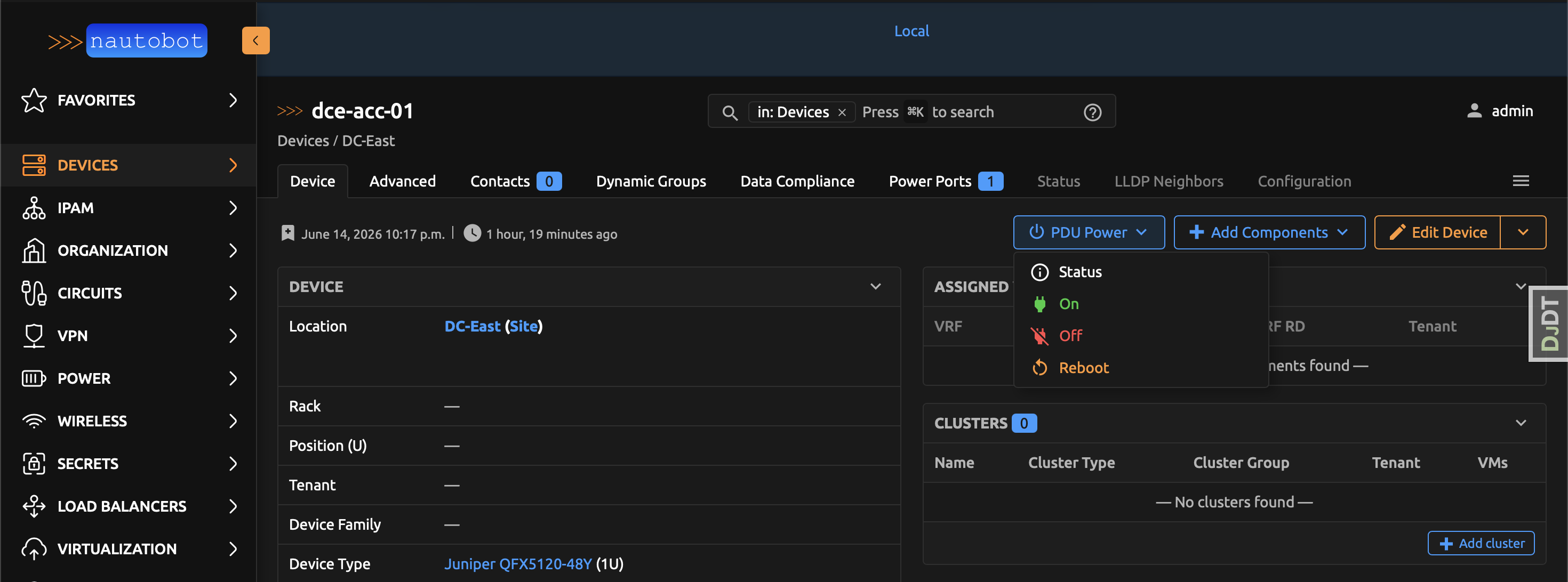
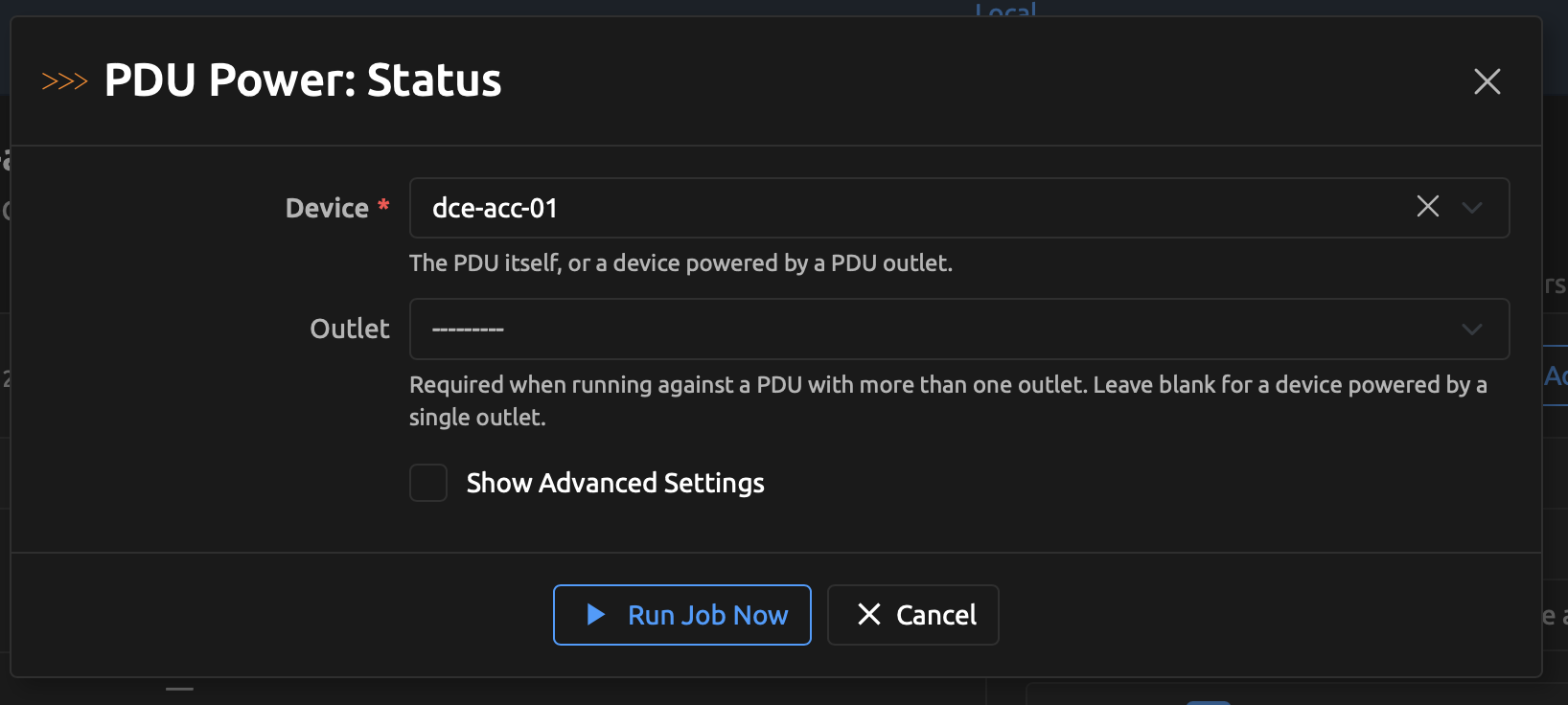
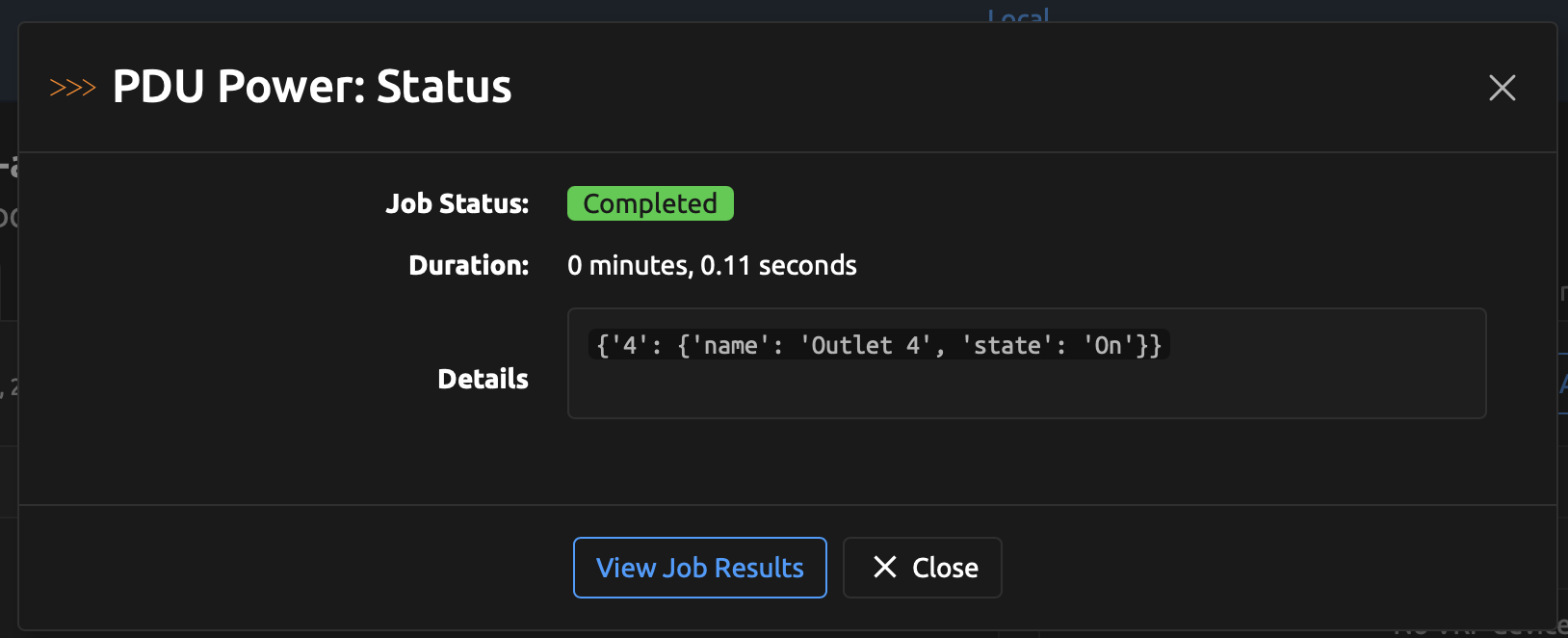
Every action runs as a Nautobot Job, surfaced as a built-in PDU Power dropdown (Status / On / Off / Reboot) on every device detail page — no Job Button configuration required. Each item opens the Job in a modal with the device pre-filled; the result, including outlet status, is written to the Job Result log. A Status read is scoped to just the outlet(s) feeding the selected device rather than the whole PDU.
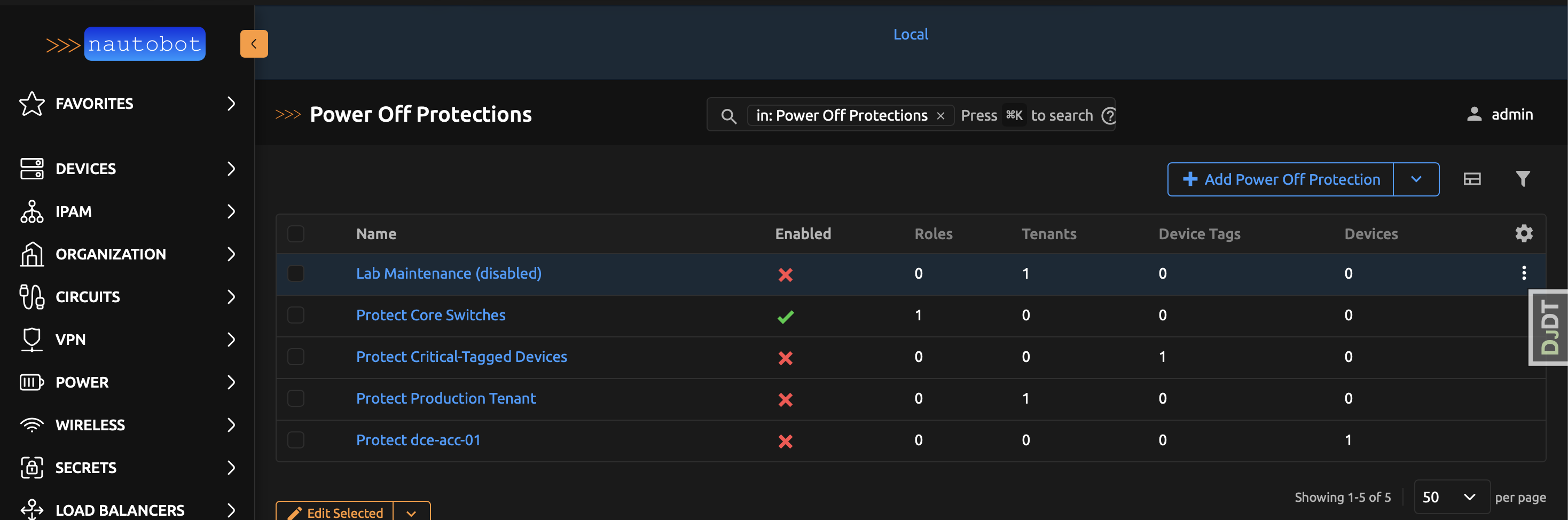
To prevent accidental outages, PDU Manager adds a Power Off Protection model (with full UI and REST API) that refuses Off and Reboot for devices matched by role, tenant, tag, or explicit device. For demos and evaluation without real hardware, a MOCK_CONNECTIONS setting simulates the APC CLI, and an invoke generate-test-data command builds a complete sample environment (PDUs, cabled devices, and protection rules) and enables the jobs.
Screenshots
The built-in PDU Power dropdown on a device detail page (Status / On / Off / Reboot, with a power icon):
Selecting an action opens the Job in a modal with the device pre-filled:
The Job Result reports the outcome — here, a Status read scoped to just the device's outlet:
The Power Off Protection rules that guard devices from being powered off or rebooted:
More screenshots can be found in the Using the App page in the documentation.
Documentation
Full documentation for this App can be found over on the Nautobot Docs website:
- User Guide - Overview, Using the App, Getting Started.
- Administrator Guide - How to Install, Configure, Upgrade, or Uninstall the App.
- Developer Guide - Extending the App, Code Reference, Contribution Guide.
- Release Notes / Changelog.
- Frequently Asked Questions.
Contributing to the Documentation
You can find all the Markdown source for the App documentation under the docs folder in this repository. For simple edits, a Markdown capable editor is sufficient: clone the repository and edit away.
If you need to view the fully-generated documentation site, you can build it with MkDocs. A container hosting the documentation can be started using the invoke commands (details in the Development Environment Guide) on http://localhost:8001. Using this container, as your changes to the documentation are saved, they will be automatically rebuilt and any pages currently being viewed will be reloaded in your browser.
Any PRs with fixes or improvements are very welcome!
Questions
For any questions or comments, please check the FAQ first. Feel free to also swing by the Network to Code Slack (channel #nautobot), sign up here if you don't have an account.
1 maintainer

Metadata
1 maintainer
Release files for nautobot-pdu-manager 1.0.0a4
For a detailed explanation of source distributions (sdists) and built distributions (wheels), please see the package formats documentation.
Source distribution (sdist)
| File | Size | Uploaded | |
|---|---|---|---|
| nautobot_pdu_manager-1.0.0a4.tar.gz | 3.3 MB | Details |
Built distribution (wheel)
| File | Interpreter | ABI | Platform | Reset |
|---|---|---|---|---|
| nautobot_pdu_manager-1.0.0a4-py3-none-any.whl | Python 3 | none | any | Details |
Total release size: 6.7 MB
Release files / nautobot_pdu_manager-1.0.0a4.tar.gz
| Download URL | nautobot_pdu_manager-1.0.0a4.tar.gz |
|---|---|
| Size | 3.3 MB |
| Tags | Source |
|
SHA-256 checksum How to use checksums |
800c266956be5f3dcd2855c8d2c5d7bce1848564cd9104d9a42e61823bfe33f4
|
|
BLAKE2b-256 checksum How to use checksums |
a6cc3551cf7129750dfd2d4b4b6b42502eddc674da39554c3c94d36101d5c95b
|
| Upload date | |
|
Uploaded using Trusted Publishing? What is trusted publishing? |
Yes |
| Uploaded via |
twine/6.1.0 CPython/3.13.7
|
Provenance
Provenance describes where a file came from. On PyPI, provenance is shared via attestations, which provide a verifiable record of the build or publishing details. View details, limitations and caveats.


PyPI Publish Attestation
PyPI verified that this artifact, at this checksum, originated from the publisher listed below.
Signed by GitHub Actions, verified by PyPI on Jun 15, 2026.
Transparency logRelease files / nautobot_pdu_manager-1.0.0a4-py3-none-any.whl
| Download URL | nautobot_pdu_manager-1.0.0a4-py3-none-any.whl |
|---|---|
| Size | 3.4 MB |
| Tags | Python 3 |
|
SHA-256 checksum How to use checksums |
cb3cd6a98562a4402cfb854e17be26105876ce9ffdbf441a83b7653b01e28e5d
|
|
BLAKE2b-256 checksum How to use checksums |
26bd8b8d62692cae89b07d0fc85ae0cf77dca35144f443195855ebba74d857dd
|
| Upload date | |
|
Uploaded using Trusted Publishing? What is trusted publishing? |
Yes |
| Uploaded via |
twine/6.1.0 CPython/3.13.7
|
Provenance
Provenance describes where a file came from. On PyPI, provenance is shared via attestations, which provide a verifiable record of the build or publishing details. View details, limitations and caveats.
PyPI Publish Attestation
PyPI verified that this artifact, at this checksum, originated from the publisher listed below.
Signed by GitHub Actions, verified by PyPI on Jun 15, 2026.
Transparency log













