
This release is a pre-release and may not be stable for production use.
Nautobot Schedule App
Overview
A calendaring/scheduling app for Nautobot. It can be used (but not limited to) to define and assign maintenance or blackout schedules to an object (ex: Device). It uses a subset of RFC 5545 for specifying recurring date/times.
Nautobot Schedule relies on these libraries:
- The
rrulemodule of dateutil as the implementation of the recurrence rules. - FullCalendar to display event schedule in the Nautobot UI.
Concepts
Schedule (or schedules) are rules that include or exclude time for various actions or tasks. They can be used to specify maintenance or blackout windows, service level agreements or inactivity monitors, or on-call rotations.
Schedule type
A schedule type describes the purpose of the schedule. There are two pre-built types:
- Maintenance Window: A pre-scheduled, time-boxed period during which technical staff perform system updates, hardware repairs, or infrastructure maintenance.
- Blackout Window: A defined period where system changes, updates, or maintenance are strictly prohibited.
Schedule
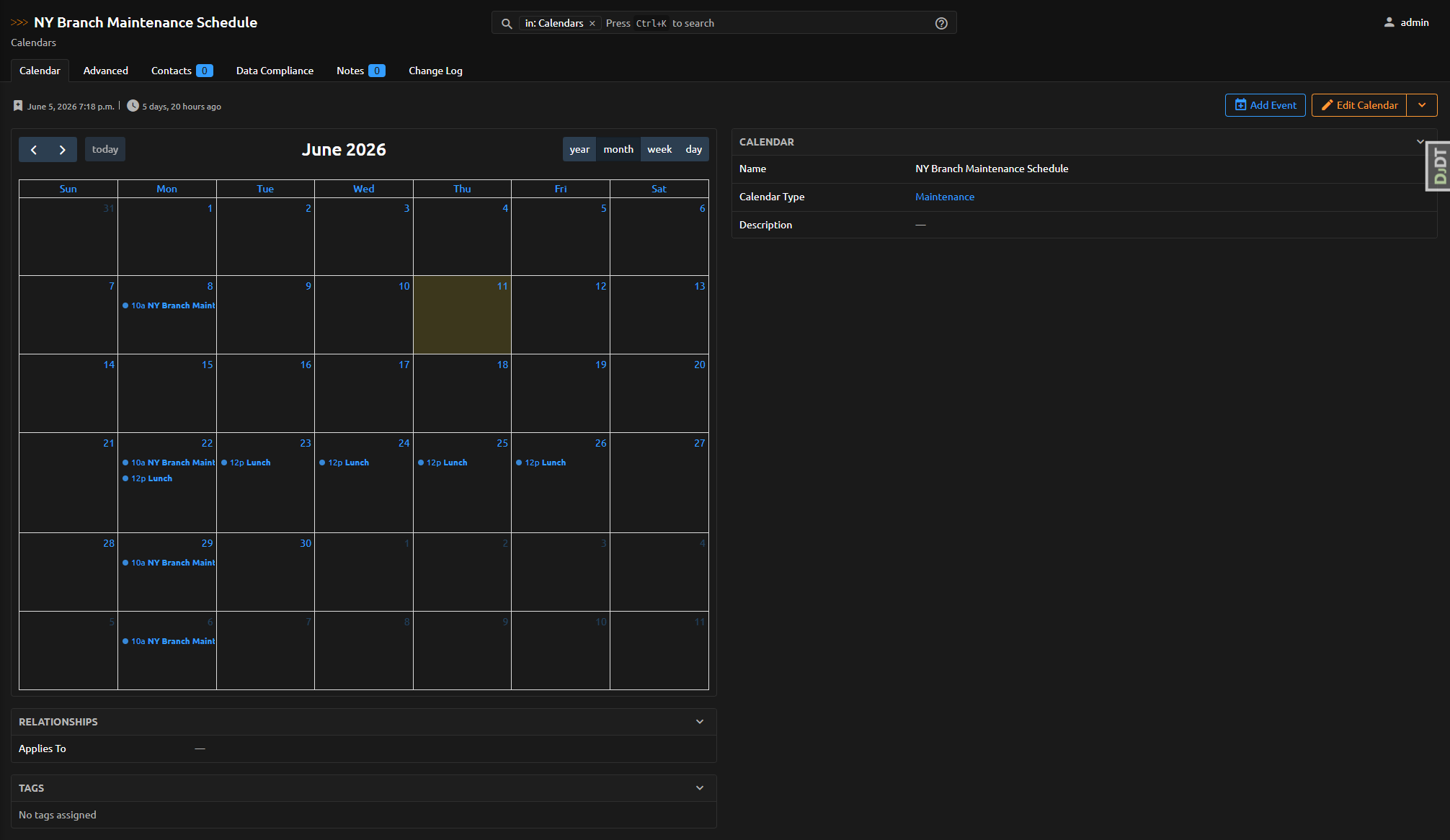
A schedule is a collection of related events, along with additional metadata such as name and description.
Events
An event is an object associated with a specific date or time range. Besides a start and end date-time, events contain other data such as title, description, organizer, etc. Nautobot Schedule supports single and recurring events:
- A single event represents a unique occurrence.
- A recurring event defines multiple occurrences.
Recurrence rule
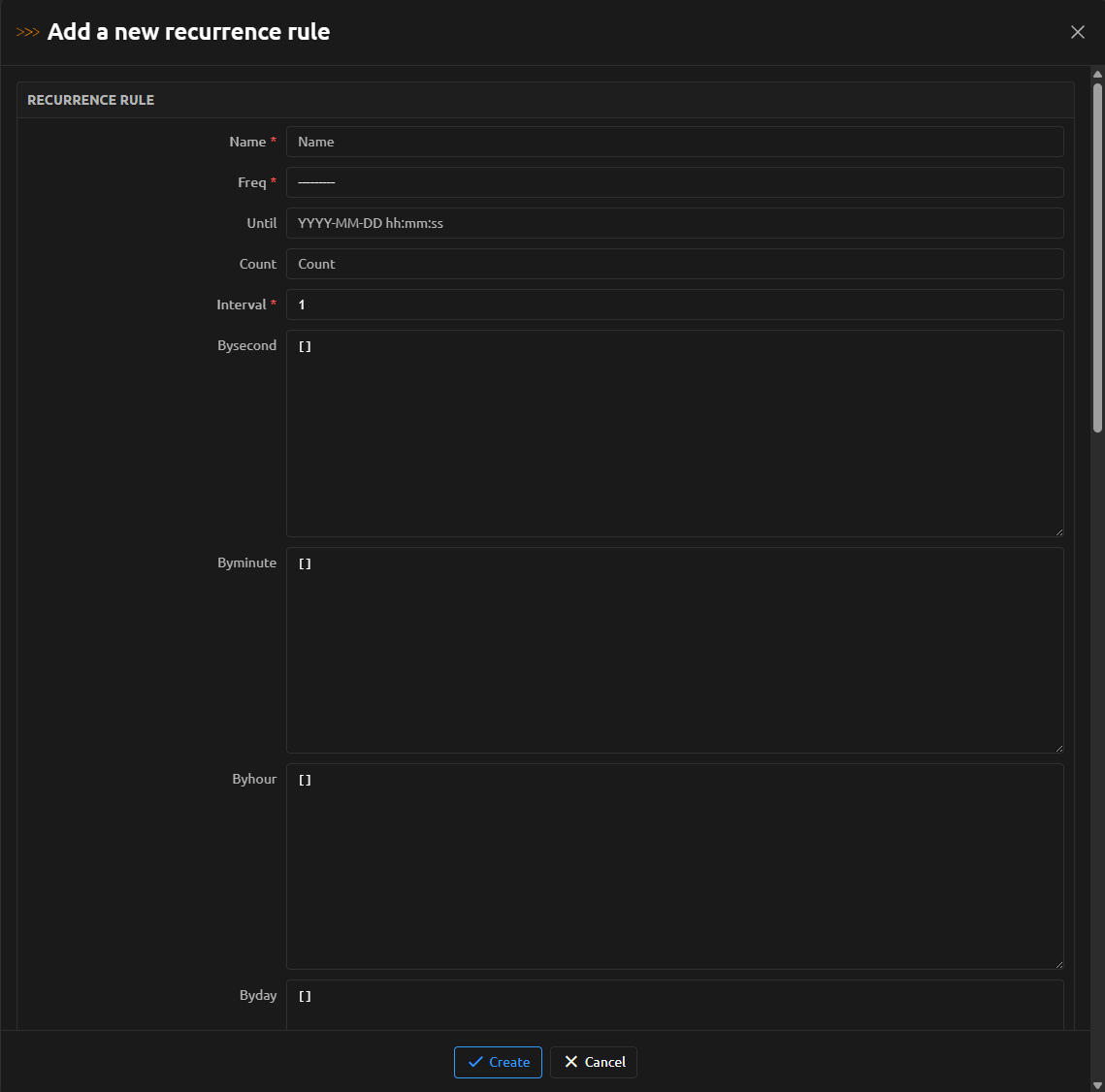
A recurrence rule contains fields representing one or several RRULE properties as defined in RFC 5545.
The RRULE property is the most important as it defines a regular rule for repeating the event. It is composed of the following components:
FREQ: The frequency with which the event should be repeated (such asDAILYorWEEKLY). Required.UNTIL: The date or date-time until which the event should be repeated (inclusive).COUNT: Number of times this event should be repeated. You can use eitherCOUNTorUNTILto specify the end of the event recurrence. Don't use both in the same rule.INTERVAL: Works together withFREQto specify how often the event should be repeated. For example,FREQ=DAILY;INTERVAL=2means once every two days.BYDAY: Days of the week on which the event should be repeated (SU,MO,TU, etc.). Other similar components includeBYSECOND,BYMINUTE,BYHOUR,BYMONTHDAY,BYYEARDAY,BYWEEKNO,BYMONTHandBYSETPOS.WKST: The day on which the workweek starts. Valid values areMO,TU,WE,TH,FR,SA, andSU.
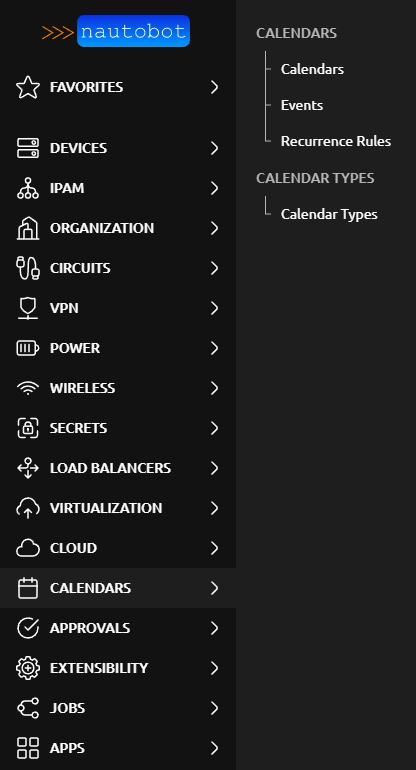
Screenshots
1 maintainer

Release files for nautobot-schedule 1.0.0a0
For a detailed explanation of source distributions (sdists) and built distributions (wheels), please see the package formats documentation.
Source distribution (sdist)
| File | Size | Uploaded | |
|---|---|---|---|
| nautobot_schedule-1.0.0a0.tar.gz | 14.1 kB | Details |
Built distribution (wheel)
| File | Interpreter | ABI | Platform | Reset |
|---|---|---|---|---|
| nautobot_schedule-1.0.0a0-py3-none-any.whl | Python 3 | none | any | Details |
Total release size: 35.1 kB
Release files / nautobot_schedule-1.0.0a0.tar.gz
| Download URL | nautobot_schedule-1.0.0a0.tar.gz |
|---|---|
| Size | 14.1 kB |
| Tags | Source |
|
SHA-256 checksum How to use checksums |
36a1bbe3c0466f1213584355144cac859f6a38b7d0de1be919f58f7d9262397b
|
|
BLAKE2b-256 checksum How to use checksums |
afc9c2bac73e0b44bedbf30b1427d0ef41eb3692edad44062645c867fe805483
|
| Upload date | |
|
Uploaded using Trusted Publishing? What is trusted publishing? |
Yes |
| Uploaded via |
twine/7.0.0 CPython/3.13.14
|
Provenance
Provenance describes where a file came from. On PyPI, provenance is shared via attestations, which provide a verifiable record of the build or publishing details. View details, limitations and caveats.


PyPI Publish Attestation
PyPI verified that this artifact, at this checksum, originated from the publisher listed below.
Signed by GitHub Actions, verified by PyPI on Sep 26, 2026.
Transparency logRelease files / nautobot_schedule-1.0.0a0-py3-none-any.whl
| Download URL | nautobot_schedule-1.0.0a0-py3-none-any.whl |
|---|---|
| Size | 21.0 kB |
| Tags | Python 3 |
|
SHA-256 checksum How to use checksums |
70dd24fea8b5cce3de5d79b43ee592fdf1751c0ff9bf9a6986a2388075e0d080
|
|
BLAKE2b-256 checksum How to use checksums |
c1d0891b8f200c95840b52bd4d1f381e2d830bd4de6336ab19febb1e516dfe61
|
| Upload date | |
|
Uploaded using Trusted Publishing? What is trusted publishing? |
Yes |
| Uploaded via |
twine/7.0.0 CPython/3.13.14
|
Provenance
Provenance describes where a file came from. On PyPI, provenance is shared via attestations, which provide a verifiable record of the build or publishing details. View details, limitations and caveats.
PyPI Publish Attestation
PyPI verified that this artifact, at this checksum, originated from the publisher listed below.
Signed by GitHub Actions, verified by PyPI on Sep 26, 2026.
Transparency log












