
Nautobot Single Source of Truth (SSoT)




Overview
An app for Nautobot. This Nautobot app facilitates integration and data synchronization between various "source of truth" (SoT) systems, with Nautobot acting as a central clearinghouse for data - a Single Source of Truth, if you will.
The Nautobot SSoT app builds atop the DiffSync Python library and Nautobot's Jobs feature. This enables the rapid development and integration of Jobs that can be run within Nautobot to pull data from other systems ("Data Sources") into Nautobot and/or push data from Nautobot into other systems ("Data Targets") as desired. Key features include the following:
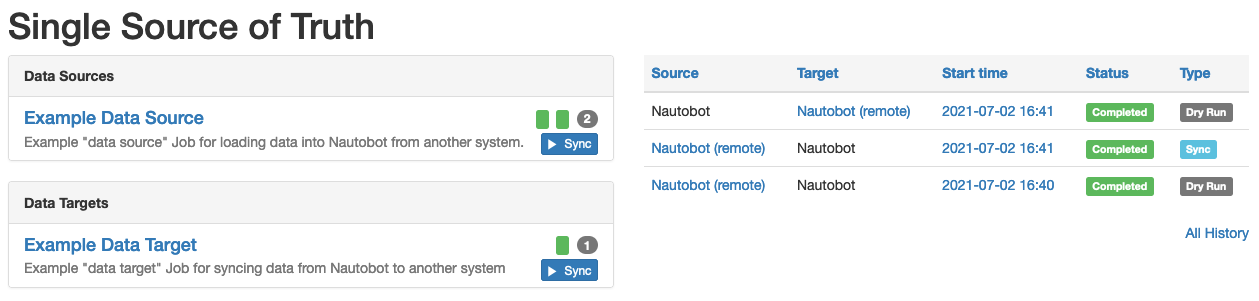
- A dashboard UI lists all registered Data Sources and Data Targets and provides a summary of the synchronization history.
- The outcome of executing of a data synchronization Job is automatically saved to Nautobot's database for later review.
- Detailed logging output generated by DiffSync is automatically captured and saved to the database as well.
Integrations
This Nautobot application framework includes the following integrations:
- Cisco ACI
- Bootstrap
- Cisco SD-WAN
- Citrix ADM
- Arista CloudVision
- Device42
- Cisco DNA Center
- Infoblox
- IPFabric
- Itential
- LibreNMS
- Cisco Meraki
- ServiceNow
- Slurpit
- SolarWinds
- vSphere
Read more about integrations here. To enable and configure integrations follow the instructions from the install guide.
Screenshots
The dashboard view of the app.
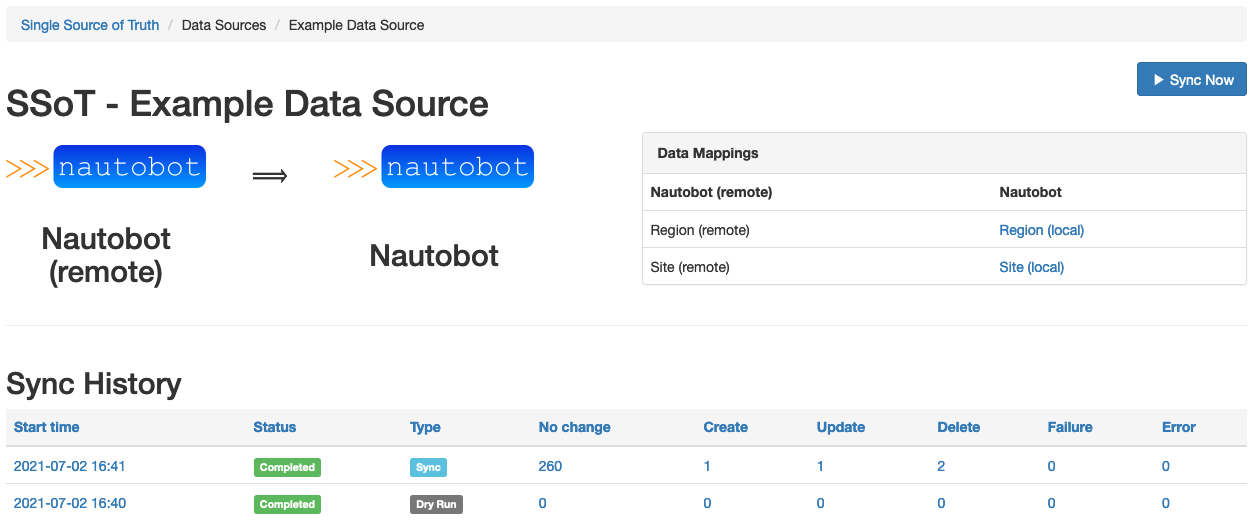
The detailed view of the example data source that is prepackaged within this app.
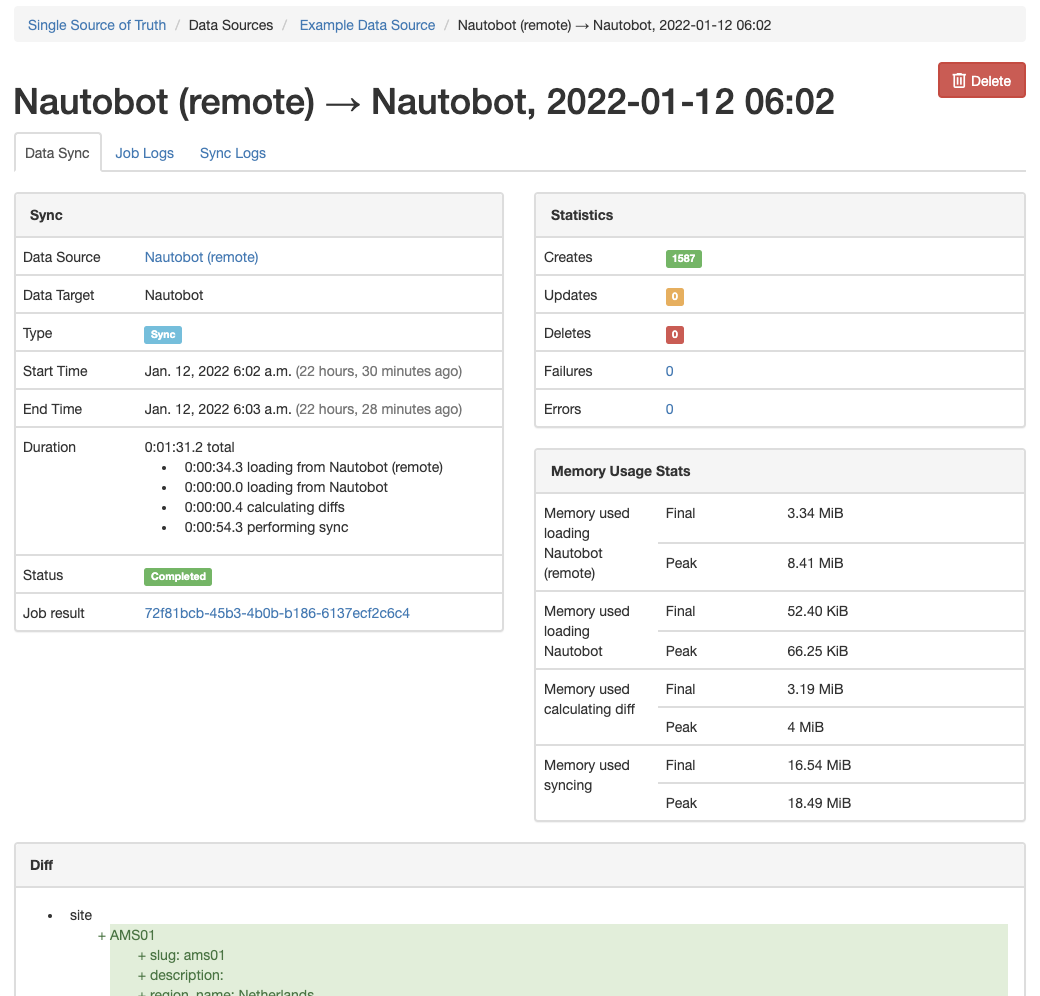
The detailed view of an executed sync.
More screenshots can be found in the Using the App page in the documentation.
Try it out!
This Nautobot app is installed in the Nautobot Community Sandbox found over at demo.nautobot.com!
For a full list of all the available always-on sandbox environments, head over to the main page on networktocode.com.
Documentation
Full documentation for this app can be found over on the Nautobot Docs website:
- User Guide - Overview, Using the App, Getting Started, Developing Jobs.
- Administrator Guide - How to Install, Configure, Upgrade, or Uninstall the App.
- Developer Guide - Extending the App, Code Reference, Contribution Guide.
- Release Notes / Changelog.
Note On Integration Compatability
The SSoT framework includes a number of integrations with external Systems of Record:
- Cisco ACI
- Bootstrap
- Cisco SD-WAN
- Citrix ADM
- Arista CloudVision
- Device42
- Cisco DNA Center
- Infoblox
- Itential
- LibreNMS
- Cisco Meraki
- ServiceNow
- Slurpit
- SolarWinds
- vSphere
Contributing to the Documentation
You can find all the Markdown source for the App documentation under the docs folder in this repository. For simple edits, a Markdown capable editor is sufficient: clone the repository and edit away.
If you need to view the fully-generated documentation site, you can build it with MkDocs. A container hosting the documentation can be started using the invoke commands (details in the Development Environment Guide) on http://localhost:8001. Using this container, as your changes to the documentation are saved, they will be automatically rebuilt and any pages currently being viewed will be reloaded in your browser.
Any PRs with fixes or improvements are very welcome!
Questions
For any questions or comments, please check the FAQ first. Feel free to also swing by the Network to Code Slack (channel #nautobot), sign up here if you don't have an account.
Acknowledgements
This project includes code originally written in separate Nautobot apps, which have been merged into this project:
- nautobot-plugin-ssot-aci: Thanks @chadell, @dnewood, @progala, @ubajze
- nautobot-plugin-ssot-bootstrap: Thanks @bile0026
- nautobot-plugin-ssot-citrix-adm: Thanks @jdrew82
- nautobot-plugin-ssot-arista-cloudvision: Thanks @burnyd, @chipn, @jdrew82, @jvanderaa, @nniehoff, @qduk, @ubajze
- nautobot-plugin-ssot-device42: Thanks @jdrew82
- nautobot-plugin-ssot-dna-center: Thanks @jdrew82
- nautobot-plugin-ssot-infoblox: Thanks @FragmentedPacket, @chadell, @jdrew82, @jtdub, @pke11y, @smk4664, @ubajze @whitej6,
- nautobot-plugin-ssot-ipfabric: Thanks @FragmentedPacket, @armartirosyan, @chadell, @grelleum, @h4ndzdatm0ld, @jdrew82, @justinjeffery-ipf, @pke11y, @ubajze @whitej6,
- nautobot-plugin-ssot-device42: Thanks @jtdub
- nautobot-plugin-ssot-meraki: Thanks @jdrew82
- nautobot-plugin-ssot-servicenow: Thanks @chadell, @glennmatthews, @qduk, @ubajze
- nautobot-plugin-ssot-solarwinds: Thanks @jdrew82, @nopg
1 maintainer

Metadata
1 maintainer
Release files for nautobot-ssot 4.7.0
For a detailed explanation of source distributions (sdists) and built distributions (wheels), please see the package formats documentation.
Source distribution (sdist)
| File | Size | Uploaded | |
|---|---|---|---|
| nautobot_ssot-4.7.0.tar.gz | 25.3 MB | Details |
Built distribution (wheel)
| File | Interpreter | ABI | Platform | Reset |
|---|---|---|---|---|
| nautobot_ssot-4.7.0-py3-none-any.whl | Python 3 | none | any | Details |
Total release size: 51.1 MB
Release files / nautobot_ssot-4.7.0.tar.gz
| Download URL | nautobot_ssot-4.7.0.tar.gz |
|---|---|
| Size | 25.3 MB |
| Tags | Source |
|
SHA-256 checksum How to use checksums |
3897fd54c81ca4a2b7991386ff39685351bdd52fc97920c29af68fe909df3c07
|
|
BLAKE2b-256 checksum How to use checksums |
be48166af8ec4932c9b12f6bde8fd32bd15eade337b56792e82a44321de58081
|
| Upload date | |
|
Uploaded using Trusted Publishing? What is trusted publishing? |
Yes |
| Uploaded via |
twine/6.1.0 CPython/3.13.7
|
Provenance
Provenance describes where a file came from. On PyPI, provenance is shared via attestations, which provide a verifiable record of the build or publishing details. View details, limitations and caveats.


PyPI Publish Attestation
PyPI verified that this artifact, at this checksum, originated from the publisher listed below.
Signed by GitHub Actions, verified by PyPI on Sep 24, 2026.
Transparency logRelease files / nautobot_ssot-4.7.0-py3-none-any.whl
| Download URL | nautobot_ssot-4.7.0-py3-none-any.whl |
|---|---|
| Size | 25.8 MB |
| Tags | Python 3 |
|
SHA-256 checksum How to use checksums |
f0e666fceb2b1d914092d4738882c754b9d2a8f17e1fd0e30998d0ba684f47d8
|
|
BLAKE2b-256 checksum How to use checksums |
a32682bdcfa0f6293ec2b9f70d03486b476c856369840f23a364ea77b85d0085
|
| Upload date | |
|
Uploaded using Trusted Publishing? What is trusted publishing? |
Yes |
| Uploaded via |
twine/6.1.0 CPython/3.13.7
|
Provenance
Provenance describes where a file came from. On PyPI, provenance is shared via attestations, which provide a verifiable record of the build or publishing details. View details, limitations and caveats.
PyPI Publish Attestation
PyPI verified that this artifact, at this checksum, originated from the publisher listed below.
Signed by GitHub Actions, verified by PyPI on Sep 24, 2026.
Transparency log













