
navcom
Super-fast search over your past AI coding sessions, from one command, across 30 harnesses.
navcom indexes the transcripts your coding agents already write to disk (SQLite FTS5, incremental) and answers "where did we talk about X?" in well under a second. It's built to be called by LLM agents from their shell tool, and by you.
| Harness | Where navcom reads it |
|---|---|
| Claude Code | $CLAUDE_CONFIG_DIR/projects (default ~/.claude/projects) |
| Codex CLI | $CODEX_HOME/sessions (default ~/.codex/sessions) |
| Gemini CLI | ~/.gemini/tmp/*/chats/*.json (≤0.38) and *.jsonl (≥0.39, edits replayed) |
| pi | $PI_CODING_AGENT_SESSION_DIR or ~/.pi/agent/sessions |
| omo (OmO) | $OMO_CODING_AGENT_SESSION_DIR or ~/.omo/agent/sessions |
| opencode | $XDG_DATA_HOME/opencode/opencode.db (and legacy storage/message) |
| goose | $XDG_DATA_HOME/goose/sessions/sessions.db (and legacy *.jsonl) |
DeepSeek Harness (dsh) |
$DSH_HOME/sessions/--<cwd>--/<id>/session.v4.jsonl.zstd (zstd: Python 3.14, zstandard, or the zstd CLI) |
Grok Build (xAI grok) |
$GROK_HOME/sessions/<url-encoded cwd>/<id>/updates.jsonl |
| Kilo Code CLI | $KILO_DB or $XDG_DATA_HOME/kilo/kilo.db (opencode's schema) |
| GitHub Copilot CLI | $COPILOT_HOME/session-state/<id>/events.jsonl |
| Cline (CLI 3.x + VS Code extension tasks) | ~/.cline/data/sessions/ and …/globalStorage/saoudrizwan.claude-dev/tasks/ |
Continue (cn + IDE) |
$CONTINUE_GLOBAL_DIR/sessions/*.json |
| Qwen Code | ~/.qwen/projects/<cwd>/chats/*.jsonl (+ subagents; rewinds followed) |
| Kimi Code (+ legacy Kimi CLI) | ~/.kimi-code/sessions/…/wire.jsonl, ~/.kimi/sessions/…/context.jsonl |
| Crush | <project>/.crush/crush.db (found via ~/.local/share/crush/projects.json) |
| Codewhale (DeepSeek-TUI) | ~/.codewhale/sessions/*.json (+ legacy ~/.deepseek/sessions) |
| DeepSeek Reasonix | ~/.reasonix/…/sessions-v4/*/events.frames and sessions/*.jsonl + .events.jsonl |
| Deep Code | ~/.deepcode/projects/<cwd>/*.jsonl |
| Hermes Agent | $HERMES_HOME/state.db (+ profiles/*/state.db) |
| OpenHands CLI | ~/.openhands/conversations/<id>/events/*.json |
| Mistral Vibe | ~/.vibe/logs/session/session_*/messages.jsonl |
| Aider | every .aider.chat.history.md under ~ (one session per "aider chat started" header; refs project@N) |
Antigravity CLI (agy) |
~/.gemini/antigravity-cli/brain/<id>/.system_generated/logs/transcript_full.jsonl |
| Factory Droid | ~/.factory/sessions/<cwd>/<id>.jsonl |
| grok-dev (community Grok CLI) | ~/.grok/grok.db |
| Cursor CLI ¹ | ~/.cursor/chats/<md5(cwd)>/<id>/store.db (+ projects/*/agent-transcripts/) |
| Kiro CLI ¹ | ~/.kiro/sessions/cli/*.jsonl (+ KAS sess_*, legacy conversations_v2) |
| Amp ¹ | $XDG_DATA_HOME/amp/threads/T-*.json |
| Augment Auggie ¹ | ~/.augment/sessions/*.json |
¹ These need a vendor account to run, so they were built from the vendor's shipped code and tested with format-faithful fixtures. Every other harness above was proven against sessions it actually wrote.
Run navcom --where to see what it found on your machine.
navcom --menu
A full-screen retro dashboard for humans. It shows your history (sessions, turns, tool output, and how many sessions were rescued after their harness deleted them) and retention (each harness's default deletion window, then the fix navcom applied). It also has live search with a session reader, every harness on the machine, and a LEARN screen. Each screen shows the CLI command it is running, so the commands are easy to pick up.
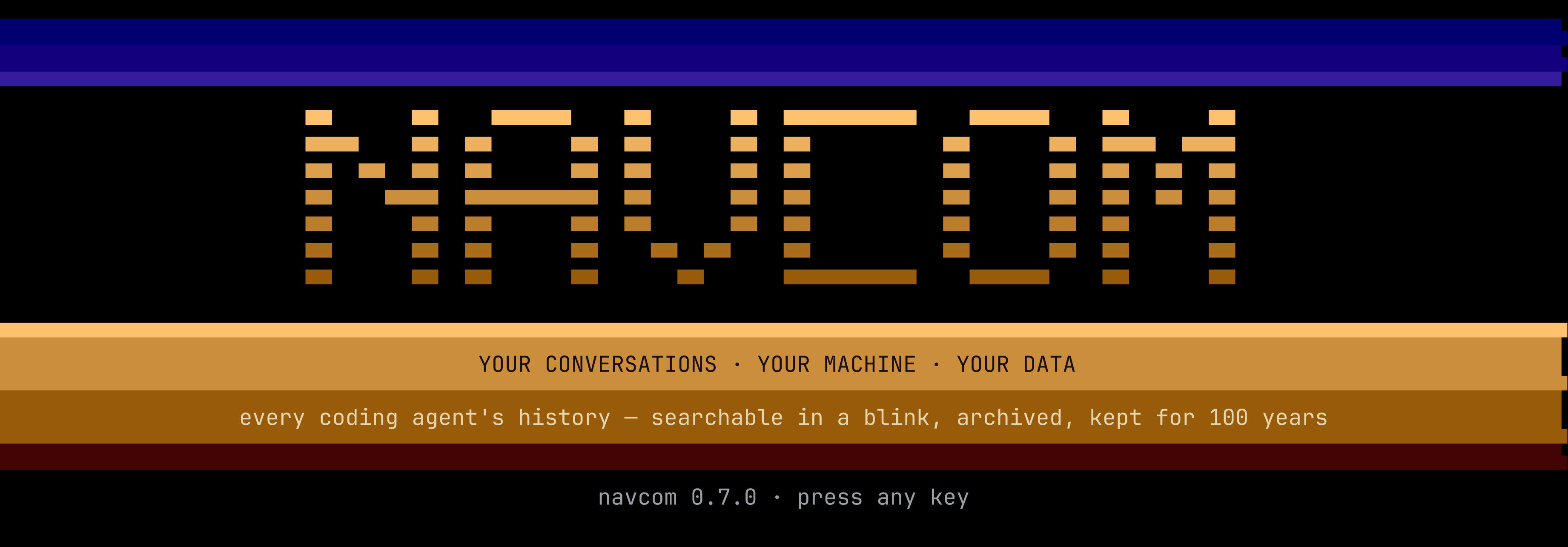
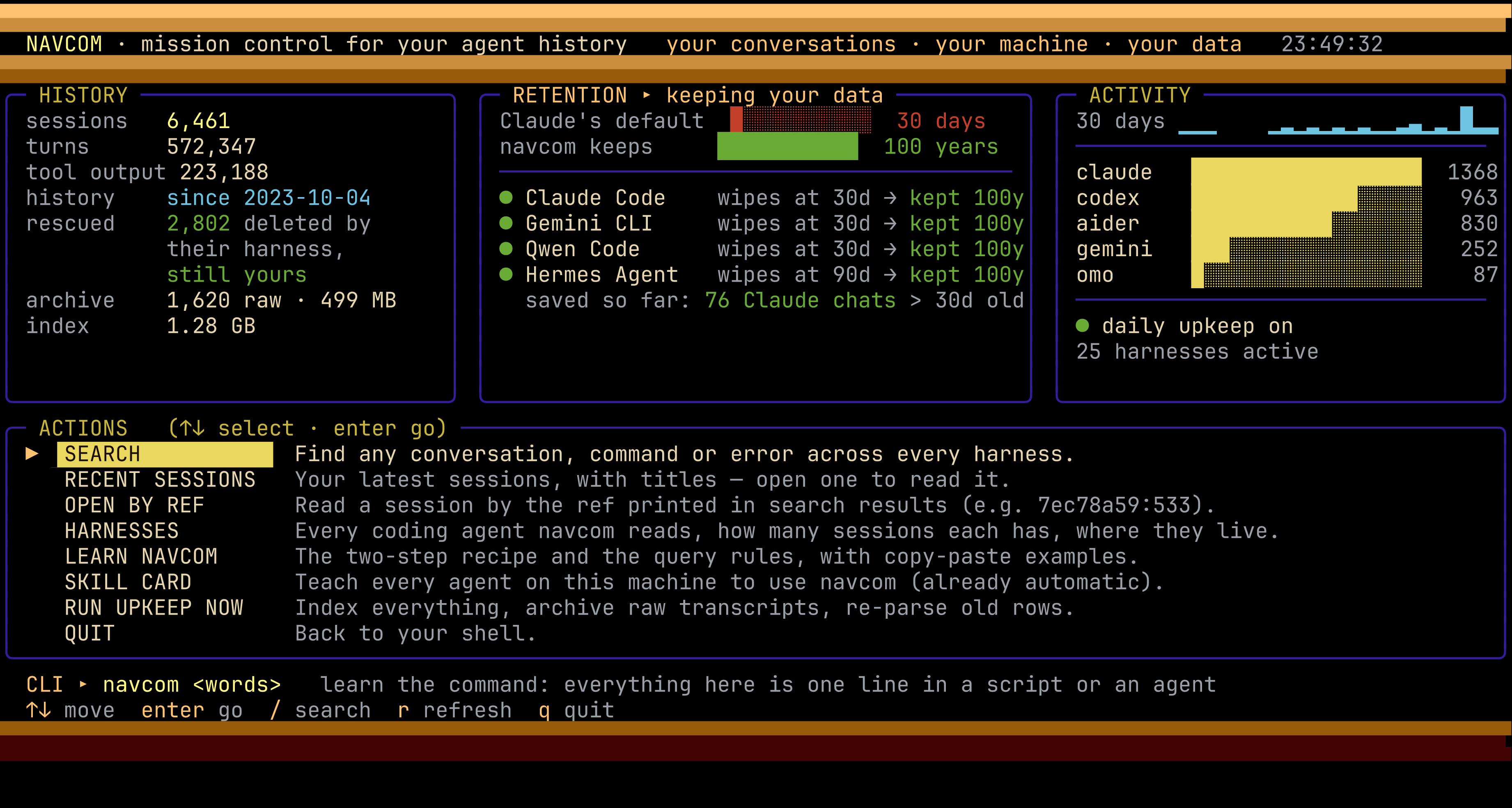
It needs only the standard library and a truecolor terminal (Atari raster-bar styling, with a
block-glyph wordmark that renders the same in any font). Bare navcom prints the manual.
navcom --sessions lists your recent sessions.
Install
pipx install navcom        # or: uv tool install navcom
pipx upgrade navcom
No dependencies. Python 3.10+.
On every run, navcom silently installs or refreshes a small agent skill card
(navcom-session-recall/SKILL.md) into every skill folder a harness on this machine reads, one copy per
folder so no agent sees it twice:
| Folder | Read by |
|---|---|
$CLAUDE_CONFIG_DIR/skills (~/.claude/skills) |
Claude Code (opencode, Kilo, goose, Grok, Crush, Amp, Augment and Cursor read it too) |
~/.agents/skills |
the Agent Skills standard: Codex, Gemini CLI, Copilot CLI, pi, omo, opencode, Kilo, goose, Qwen, Kimi, Crush, DeepSeek dsh, Grok Build, Cline, Codewhale, Reasonix, Deep Code, OpenHands, Mistral Vibe, Factory Droid, Cursor, Amp, Augment, grok-dev |
~/.continue/skills |
Continue (cn and the IDE extension) |
$HERMES_HOME/skills (+ each profile) |
Hermes Agent |
$KIRO_HOME/skills |
Kiro CLI |
~/.gemini/config/skills |
Antigravity CLI |
Aider has no global skill mechanism; point it at the card with read: in ~/.aider.conf.yml if you want.
A folder is only written when its harness is installed. Older navcom versions also wrote
~/.codex/skills; Codex reads ~/.agents/skills too and listed the card twice, so navcom now removes
that copy (only if it is navcom's own, unedited). Your agents
know navcom exists before anyone mentions it. A card someone has edited is never overwritten.
NAVCOM_NO_SKILLS=1 turns it off.
navcom --skill                 # print the stock SKILL.md (hand it to any agent)
navcom --skill install         # (re)install it for every harness here, and show where
navcom --skill list            # Skillflag-compatible (github.com/osolmaz/skillflag) …
navcom --skill export | npx skillflag install --agent claude    # … so its installer works too
navcom --help is the full manual, written for LLMs: the two-step recipe, the query rules and an
example for every option. The test suite runs every example in it.
Use
navcom drizzle migration            # every harness; compact hits grouped by session
navcom --open 395e14b4:73           # read the turns around hit #73 of that session
navcom --resume 395e14b4            # get back into it: cd to its folder + reopen it in its harness
navcom --recap 395e14b4             # its whole story, sized for an LLM (picking old work back up)
navcom drizzle --context            # expand every hit with the turns around it
navcom --sessions                   # your most recent sessions, with titles
navcom --menu                       # the retro dashboard: retention, history, search, learn
navcom drizzle --solo               # one LLM summary of all the hits
Output is plain text when piped (no color codes), so agents can read it:
navcom: 7 hits in 3 sessions · query: drizzle* migration*
[1] 2026-09-28  claude   ~/clients/syra/syrab2bdev  ref 7ec78a59  (4 hits)
    #533 assistant: The «migration» runner looks correct — it reads `«drizzle»/*.sql` …
    #570 cmd: git add «drizzle».config.ts Dockerfile …
[2] 2026-09-27  codex    ~/dev/api  ref 0174f1b5255f  (3 hits)
    …
→ read around a hit: navcom --open 7ec78a59:533   · expand all: add --context
→ get back into [1] yourself: cd ~/clients/syra/syrab2bdev && claude --resume 7ec78a59-…   · any session: navcom --resume <ref> (--tab: new tab)
Get back into a conversation
Found the conversation? Every search ends with the exact command that reopens the top session: it
cds to the folder it ran in and resumes it in its own harness. navcom --open shows the same line
for the session it prints, and --json carries it as "resume".
navcom --resume 7ec78a59            # cd + reopen it right here, in this terminal
navcom --resume 7ec78a59 --tab      # in a new tab: cmux workspace, tmux window, iTerm2, WezTerm, kitty, Terminal.app
navcom --resume 7ec78a59 --print    # just print the command (pipes and agents always get this)
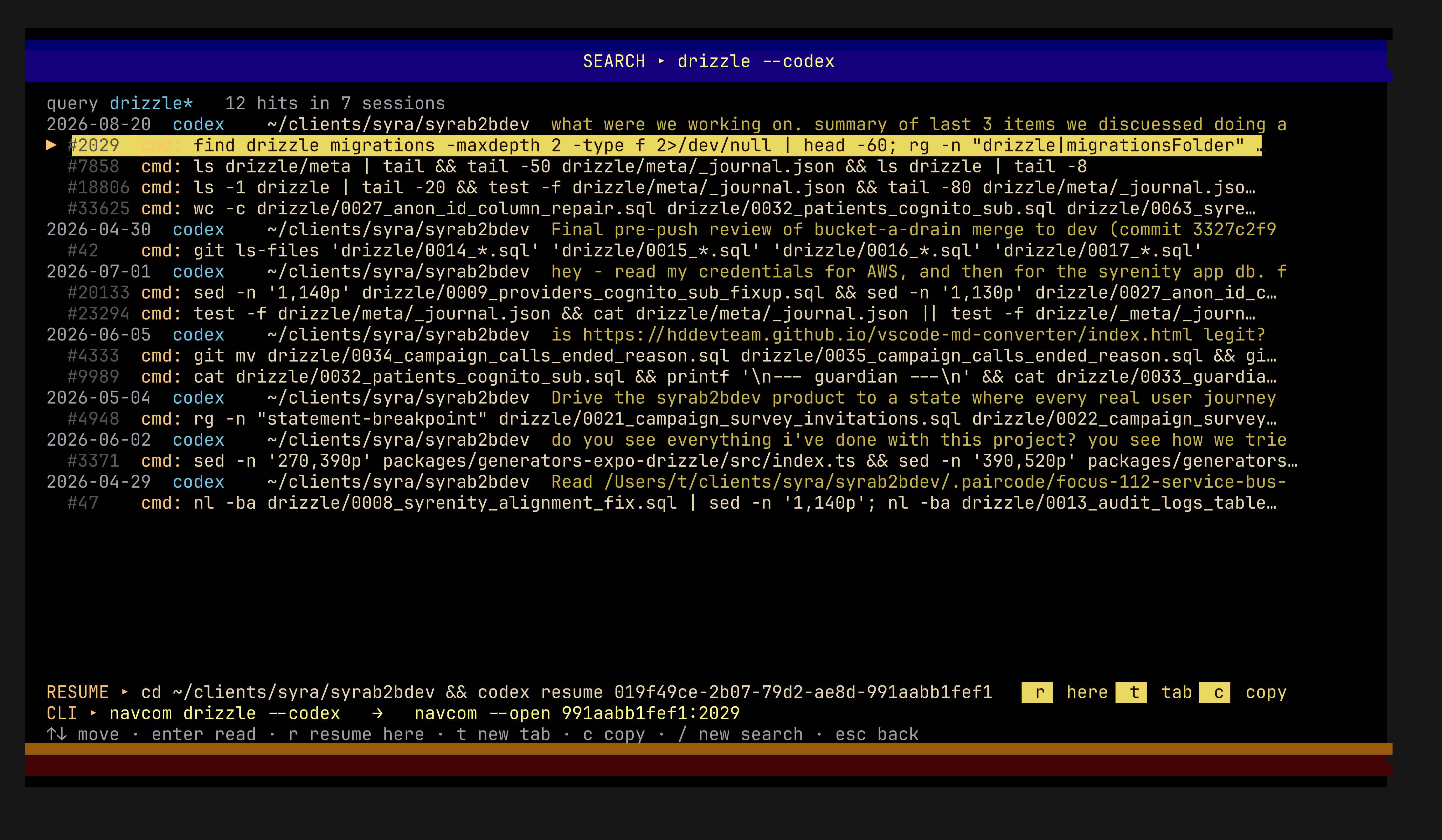
In navcom --menu, every search hit and open session shows a RESUME line with that command:
press r to resume here, t for a new tab, c to copy it.
Each harness gets its own command (claude --resume <uuid>, codex resume <uuid>, gemini --resume <sessionId>, opencode --session ses_…, kimi -S session_<uuid>, amp threads continue T-…,
goose session --resume --session-id …, and so on for all 30). Continue and Aider can't reopen a
session by id, so navcom gives their closest command (cn --fork <id>, aider --restore-chat-history)
and says what it does. If the harness already deleted the transcript, navcom restores it from its
archive first.
Too old to reopen? Revive it with its context
A session its harness deleted, one from a harness that can't resume, or one you'd rather continue in
another agent can still be picked back up. navcom starts a fresh agent of your choice in that
folder and primes it with one instruction: run navcom --recap <ref> first.
navcom --recap 7ec78a59                     # the context pack: every user message, where it stopped,
                                            # commands run, files changed, how to dig deeper (~30k chars)
navcom --resume 7ec78a59 --with claude      # fresh Claude in that folder, primed with the recap
navcom --resume 7ec78a59 --with codex --tab # …or Codex, Gemini, Copilot, opencode, pi, … in a new tab
Without --with, --resume on a session that can't be reopened asks which agent to use. In
navcom --menu, r on such a session (or n on any session) opens a REVIVE picker. A raw
--open of a long session can run to hundreds of KB; the recap is about 8k tokens. In a live test, a
fresh Claude given only the revive prompt rebuilt a five-month-old Codex review in three turns: what was
checked, the two leftovers it flagged, and what was next. Search results also point at it:
whole story: navcom --recap <ref>.
Queries never break
Type anything. navcom never throws an FTS5 syntax error.
- words: every word must appear in the same turn, prefix-matched (
authfindsauthentication). If no turn contains all of them, navcom falls back to any word and tells you so. "exact phrase"(curly quotes work too).a OR b,a or b,a | b: either one.a, b, c: a comma or semicolon list means any of the groups.NOT x: exclude.- Punctuation is fine:
don't,main(),v0.1.3,log-search,C++,~/dev/x,role:user. - Shell quoting awkward? Pipe the query in:
navcom - <<'EOF'
it's the "weird"; query, (really)
EOF
- A half-remembered
"exact phrase"that matches nothing is retried as loose words. --queryand bare words combine, and a leadingsearch/findis ignored.- Only the turn text is matched. Words that appear in project paths don't produce false hits.
Tool outputs
What commands printed, files that were read, errors and test runs are indexed too. Each output is labelled with the call that produced it, and long ones are capped to the first 3 KB plus the last 1 KB, where errors usually are. Tool outputs stay out of normal searches so file dumps don't drown your conversations:
navcom "TypeError: cannot read" --tool    # only tool outputs
navcom cognito --everything               # conversation and tool outputs together
Narrow it
navcom auth --claude              # or --codex --gemini --pi --omo --opencode --goose
navcom auth -p claude,pi          # several harnesses (aliases like omo-ai, pi-dev work)
navcom auth --here                # sessions whose working dir is the current directory
navcom auth --project syra        # sessions whose project path contains "syra"
navcom auth --days 7              # active in the last week (also --since 2026-09-01, --since 12h)
navcom auth --user                # only what you typed; --cmd for shell commands the agent ran
navcom auth -n 50                 # hits PER HARNESS (default 20) — every harness gets its own share
navcom auth --newest              # order sessions by date instead of relevance
navcom auth --json                # machine-readable
navcom -v                         # version (also -V, --version)
--compact is the default and still accepted, so old scripts keep working.
By default a search leaves out the conversation navcom runs inside when the harness exposes its id
(CLAUDE_CODE_SESSION_ID, CODEX_THREAD_ID, …). Your own session is noise when you want prior
work. --include-self brings it back. --this-session searches only the current conversation,
which is useful after a context compaction. navcom's own past invocations never show up as hits.
Read
navcom --open 7ec78a59            # whole session (turns truncated to 400 chars)
navcom --open 7ec78a59:533        # 3 turns either side of #533, full length
navcom --open 7ec78a59:520-560    # a range
navcom --latest                   # dump the most recent session
Summaries
--solo produces one consolidated summary and --summary produces one per session. Both use the
first LLM CLI that works (claude, gemini, codex, then local ollama). --ollama or --llmgemini
picks a specific one.
Your history stays yours
Claude Code deletes transcripts older than cleanupPeriodDays, which defaults to 30 days. The
deletion has been there since Claude Code's very first public release, v0.2.9 (2025-02-24). It
became a setting in v0.2.118 (2025-05-18), still defaulting to 30.
On every run, if you haven't chosen a value, navcom sets "cleanupPeriodDays": 36500 (100 years)
in ~/.claude/settings.json. It writes atomically and keeps a one-time backup in
settings.json.navcom-backup.
- An explicit value you set is respected.
- A settings file that isn't plain JSON is never touched.
- It never writes
0: Claude rejects it, and older versions read 0 as "save nothing". NAVCOM_NO_RETENTION_FIX=1opts out.
Other harnesses that delete history get the same treatment, but only when you haven't set the value yourself:
- Qwen Code: subagent transcripts after 30 days (
general.cleanupPeriodDays→ 36500). - Hermes Agent: ended sessions after 90 days, from v2026.9.7 (
sessions.auto_prune: false). This one is a single-line YAML edit with a backup kept.
navcom --where lists every harness's retention.
Gemini CLI deletes chats after 30 days by default too (general.sessionRetention). When that
setting is unset, navcom turns it off ({"enabled": false}) in ~/.gemini/settings.json, following
the same rules as for Claude.
navcom --whereshows the current retention.
Raw archive. Every Claude and Gemini transcript (the two harnesses that delete) is also kept whole and compressed under
~/.navcom/archive/, with every byte of every tool output. A growing session is archived
incrementally: only the new part is compressed and appended. If a transcript ever disappears,
navcom --restore <ref> (or --restore all) puts it back so claude --resume works again.
NAVCOM_ARCHIVE=all archives every harness, and =off stops archiving.
Daily upkeep. navcom installs a daily background job, a launchd agent on macOS or a systemd
user timer on Linux. The job runs navcom --maintain, which indexes everything, re-parses old rows
and archives, with no time limits. Your history is kept current even if nobody runs navcom.
navcom --daily status | off | on controls it, and off stays off.
navcom's index keeps every session it has seen, even after a harness deletes the file. It is
created owner-only (0600), matching the transcripts it copies text from.
Safe to call from agents
- Parallel calls are fine. If another navcom is writing, a call waits at most ~3s. It then searches the index as it stands and prints a one-line note on stderr.
- In a read-only sandbox navcom searches the index without refreshing it.
- Unknown flags print a hint on stdout as well, so a
2>/dev/nulldoesn't turn a typo into an empty result that looks like "nothing found". --soloand--summaryhave a hard time budget (NAVCOM_SUMMARY_TIMEOUT, default 150s). A summarizer that hangs is killed along with its child processes.
The index
The index lives at $NAVCOM_INDEX (default $CODEX_HOME/navcom-index.sqlite) and updates itself on every
call. Only new or changed sessions are read, and a growing JSONL is read from where it left off.
A session stays searchable after its harness deletes the transcript. Claude Code, for example,
prunes old sessions. navcom --where shows the counts, and navcom --reindex rebuilds.
1 maintainer

Metadata
1 maintainer
Release files for navcom 0.9.0
For a detailed explanation of source distributions (sdists) and built distributions (wheels), please see the package formats documentation.
Source distribution (sdist)
| File | Size | Uploaded | |
|---|---|---|---|
| navcom-0.9.0.tar.gz | 1.8 MB | Details |
Built distribution (wheel)
| File | Interpreter | ABI | Platform | Reset |
|---|---|---|---|---|
| navcom-0.9.0-py3-none-any.whl | Python 3 | none | any | Details |
Total release size: 2.0 MB














