
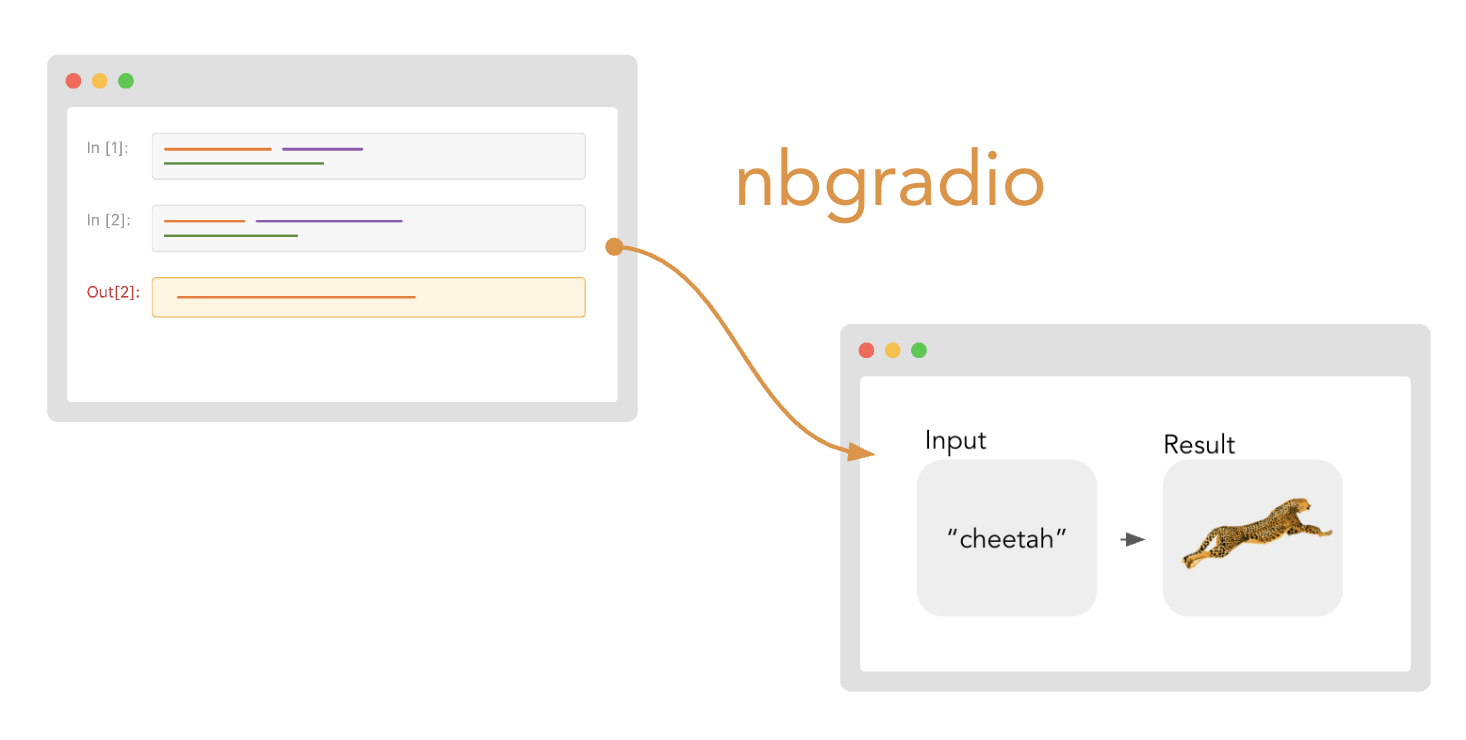
nbgradio: convert Jupyter notebooks to static HTML websites with live, embedded Gradio apps.
Installation
pip install nbgradio
Usage
Quickstart
Try nbgradio instantly by running:
nbgradio serve https://github.com/gradio-app/nbgradio/blob/main/test_notebook.ipynb
This will:
- Download this example notebook from GitHub
- Extract the Gradio apps from any cells that contain the Gradio Cell Syntax (
#nbgradiocomment in the first line) - Start a local FastAPI server at
http://localhost:7860and launch each Gradio app on a separate page on that server. - Generate a static HTML site in a
/sitedirectory with anindex.htmlthat is served at the roothttp://localhost:7860.
Open your browser to see the result! The notebook contains a simple greeting app that you can interact with.
With Your Own Notebooks
Create a Jupyter notebook with Gradio cells marked with the #nbgradio comment:
#nbgradio name="greet"
import gradio as gr

def greet(name):
    return f"Hello {name}!"

demo = gr.Interface(
    fn=greet,
    inputs=gr.Textbox(label="Your name"),
    outputs=gr.Textbox(label="Greeting")
)

demo.launch()
Then build and serve your notebook with live Gradio apps:
nbgradio serve notebook.ipynb
Or just build the static HTML without starting a server:
nbgradio build notebook.ipynb
More Usage
Multiple Notebooks
nbgradio serve notebook1.ipynb notebook2.ipynb --output-dir my-site
Fragment Mode (for embedding into an existing websites)
nbgradio build notebook.ipynb --fragment --output-dir fragments
Custom Port
nbgradio serve notebook.ipynb --port 8080
Deploying to Hugging Face Spaces 🔥
Deploy your Gradio apps directly to Hugging Face Spaces for public hosting with the --spaces flag:
nbgradio build notebook.ipynb --spaces
This will:
- Prompt you to login to Hugging Face if not already authenticated
- Create Spaces named
{username}/{app_name}for each Gradio app extracted from the jupyter notebook - Deploy each app with proper README and
nbgradiotag - Return URLs pointing to your live Spaces
Why Deploy to Spaces?
Perfect for Static Hosting: This is especially useful if you're deploying your static site to platforms like GitHub Pages or a static Hugging Face Space. These platforms can serve your static HTML, but they can't run Python/Gradio apps. By deploying the interactive components to Spaces, you get:
- Static HTML → Hosted on GitHub Pages/Static Hugging Face Space (fast, free, always on)
- Interactive Apps → Hosted on Spaces with Python runtime and Gradio support
- Integration → Web Components automatically connect the two
Gradio Cell Syntax
Mark cells with #nbgradio name="app_name":
#nbgradio name="calculator"
import gradio as gr

def calculate(operation, a, b):
    if operation == "add":
        return a + b
    elif operation == "multiply":
        return a * b
    return 0

demo = gr.Interface(
    fn=calculate,
    inputs=[
        gr.Radio(["add", "multiply"], label="Operation"),
        gr.Number(label="First number"),
        gr.Number(label="Second number")
    ],
    outputs=gr.Number(label="Result")
)

demo.launch()
Key Points:
- Multiple cells with the same
nameare concatenated together - The
demo.launch()call is automatically removed
📁 Output Structure
site/
├── index.html              # Main HTML page
├── fragments/              # HTML fragments (with --fragment)
│   └── notebook_name.html
└── static/
    └── style.css           # CSS with syntax highlighting
🎨 HTML Output
Generated HTML includes:
- Markdown cells → Rendered HTML with styling
- Code cells → Syntax-highlighted code blocks
- Gradio cells → Live
<gradio-app>Web Components
<gradio-app src="http://localhost:7860/greet" class="gradio-app"></gradio-app>
⚙️ CLI Reference
nbgradio serve - Build and serve with live Gradio apps
nbgradio serve [OPTIONS] NOTEBOOKS...
NOTEBOOKS: One or more Jupyter notebook files (.ipynb) or URLs
Options:
--spaces- Serve with Spaces configuration (for testing Spaces deployments)--overwrite- Overwrite existing Spaces (use with caution)--output-dir PATH- Output directory (default: site)--port INTEGER- Port for local Gradio apps (default: 7860)--fragment- Output HTML fragments instead of full pages--no-browser- Don't open browser automatically
nbgradio build - Build static HTML only
nbgradio build [OPTIONS] NOTEBOOKS...
NOTEBOOKS: One or more Jupyter notebook files (.ipynb) or URLs
Options:
--spaces- Deploy Gradio apps to Hugging Face Spaces--overwrite- Overwrite existing Spaces (use with caution)--fragment- Output HTML fragments instead of full pages--output-dir PATH- Output directory (default: site)--port INTEGER- Port for local Gradio apps (default: 7860)
📄 Requirements
- Python ≥ 3.10
- Jupyter notebooks with nbformat ≥ 5.0
- Gradio ≥ 5.0
📜 License
MIT License - see LICENSE file for details.
🔗 Links
- GitHub Repository
- PyPI Package
- Gradio Documentation
- The excellent nbconvert and nbdev projects, which provided inspiration for
nbgradio!
1 maintainer

Metadata
1 maintainer
Release files for nbgradio 0.0.3
For a detailed explanation of source distributions (sdists) and built distributions (wheels), please see the package formats documentation.
Source distribution (sdist)
| File | Size | Uploaded | |
|---|---|---|---|
| nbgradio-0.0.3.tar.gz | 19.2 kB | Details |
Built distribution (wheel)
| File | Interpreter | ABI | Platform | Reset |
|---|---|---|---|---|
| nbgradio-0.0.3-py3-none-any.whl | Python 3 | none | any | Details |
Total release size: 36.3 kB
Release files / nbgradio-0.0.3.tar.gz
| Download URL | nbgradio-0.0.3.tar.gz |
|---|---|
| Size | 19.2 kB |
| Tags | Source |
|
SHA-256 checksum How to use checksums |
bb859c07e5106116b524c579f538e7ae8c51b67846992ccdc6079b6fe6254546
|
|
BLAKE2b-256 checksum How to use checksums |
0594ddfe45fd0ecba92a75aec98f9c07ece2f48c0f75e60f189c3686a738d4d0
|
| Upload date | |
|
Uploaded using Trusted Publishing? What is trusted publishing? |
No |
| Uploaded via |
twine/6.1.0 CPython/3.13.7
|
Release files / nbgradio-0.0.3-py3-none-any.whl
| Download URL | nbgradio-0.0.3-py3-none-any.whl |
|---|---|
| Size | 17.1 kB |
| Tags | Python 3 |
|
SHA-256 checksum How to use checksums |
25c1305f1f108e348da89fbda288bc9aace06d0246a7c2796617eeb83e32645f
|
|
BLAKE2b-256 checksum How to use checksums |
484be56c8e3dbc2365955e36f73b30fc5a9c858db66ac63a8a305d5c63d43a79
|
| Upload date | |
|
Uploaded using Trusted Publishing? What is trusted publishing? |
No |
| Uploaded via |
twine/6.1.0 CPython/3.13.7
|














