
This release is a pre-release and may not be stable for production use.




🧐 What is Nbox?
nbox provides first class support API for all NimbleBox.ai infrastructure (NBX-Build, Jobs, Deploy) and services (NBX-Workspaces) components. Write jobs using nbox.Operators
🤷Why NimbleBox
- Write and execute code in Python
- Document your code that supports mathematical equations
- Create/Upload/Share notebooks
- Import notebooks from your local machine
- Import/Publish notebooks from/to GitHub
- Import external datasets (e.g. from Kaggle)
- Integrate PyTorch, TensorFlow, Keras, OpenCV
- Share your projects
- Collaborate with your team
🎚 Features
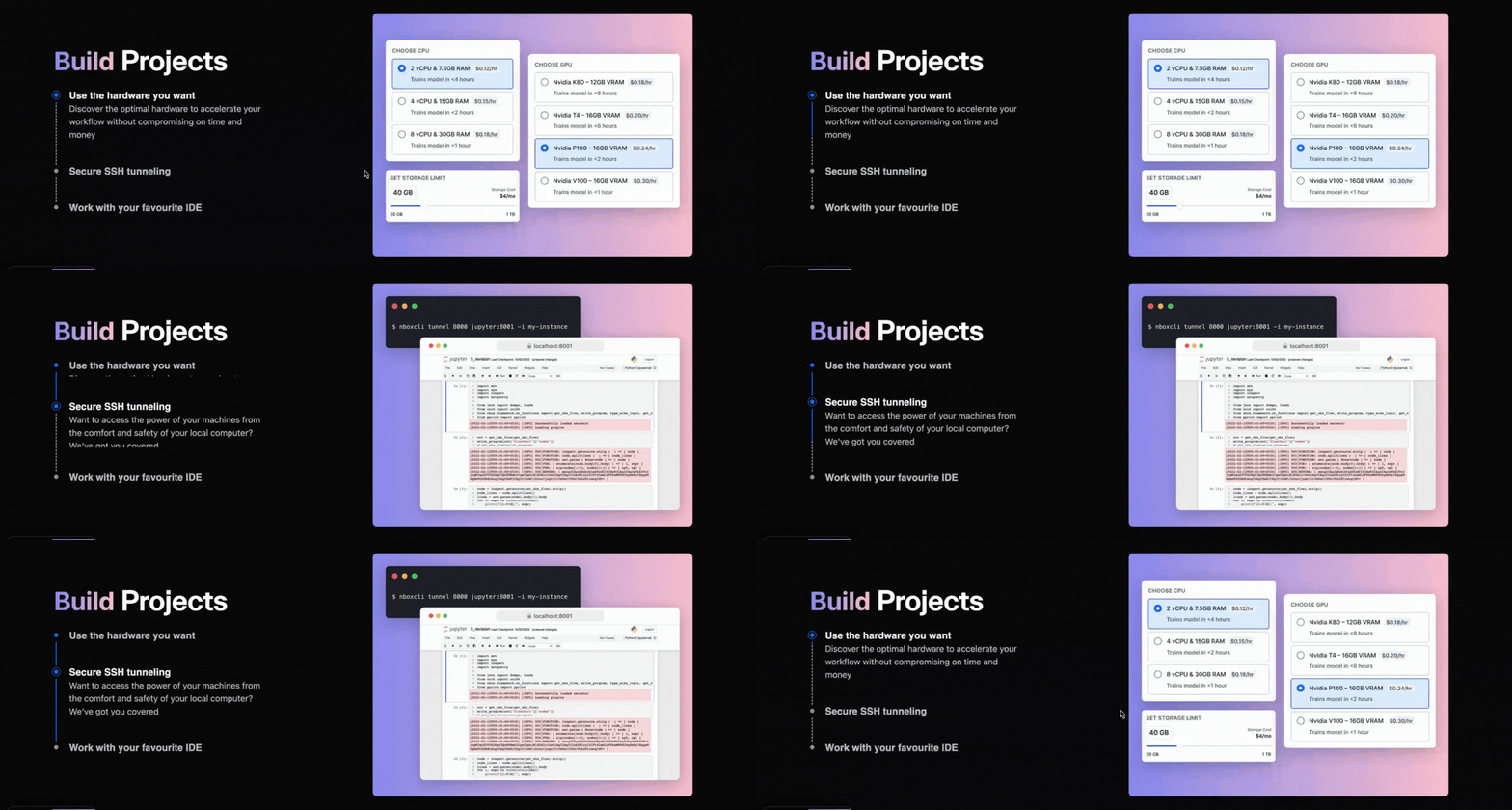
🏗️ Freedom To Build
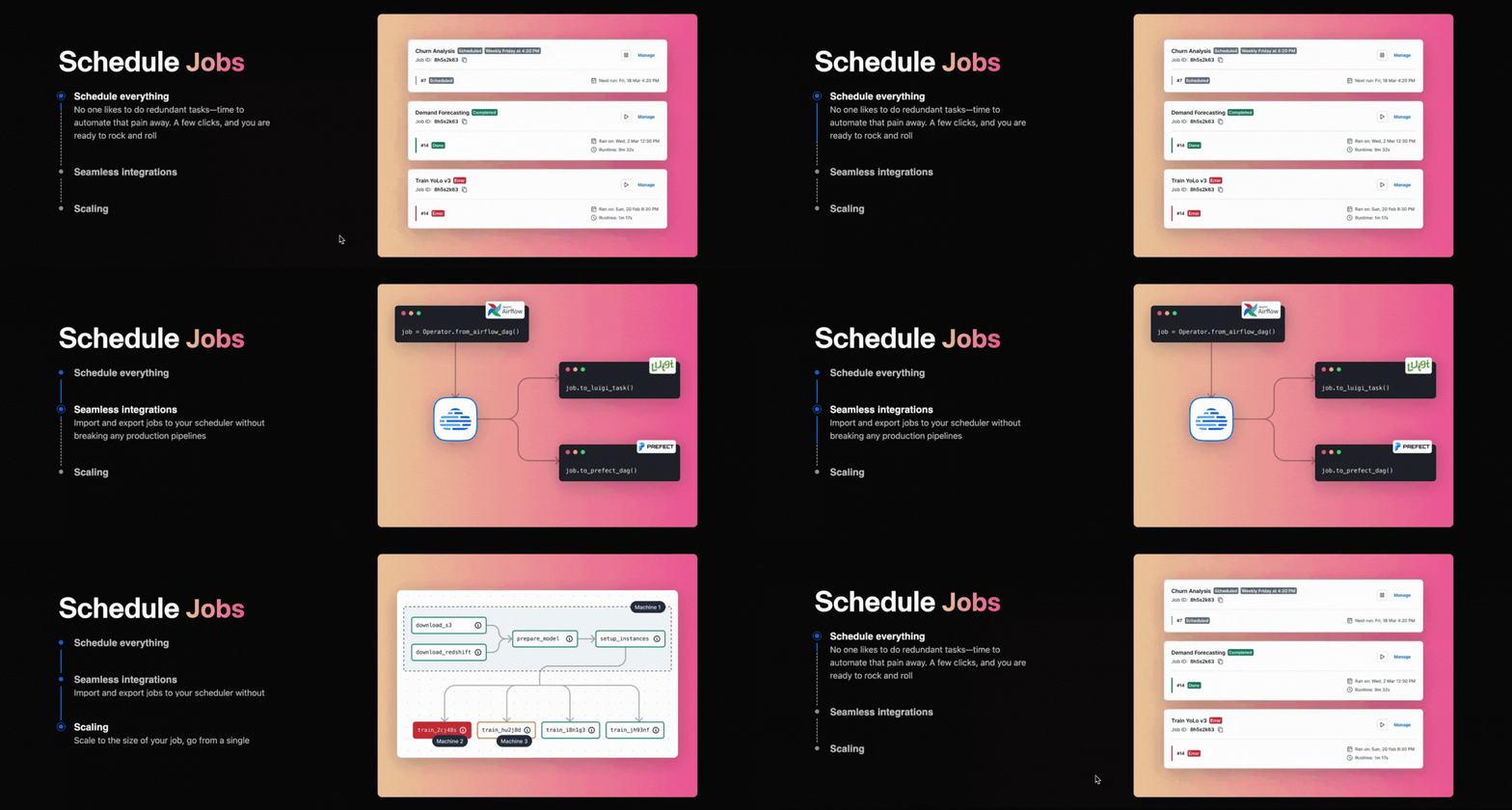
🦾 Automate with Ease
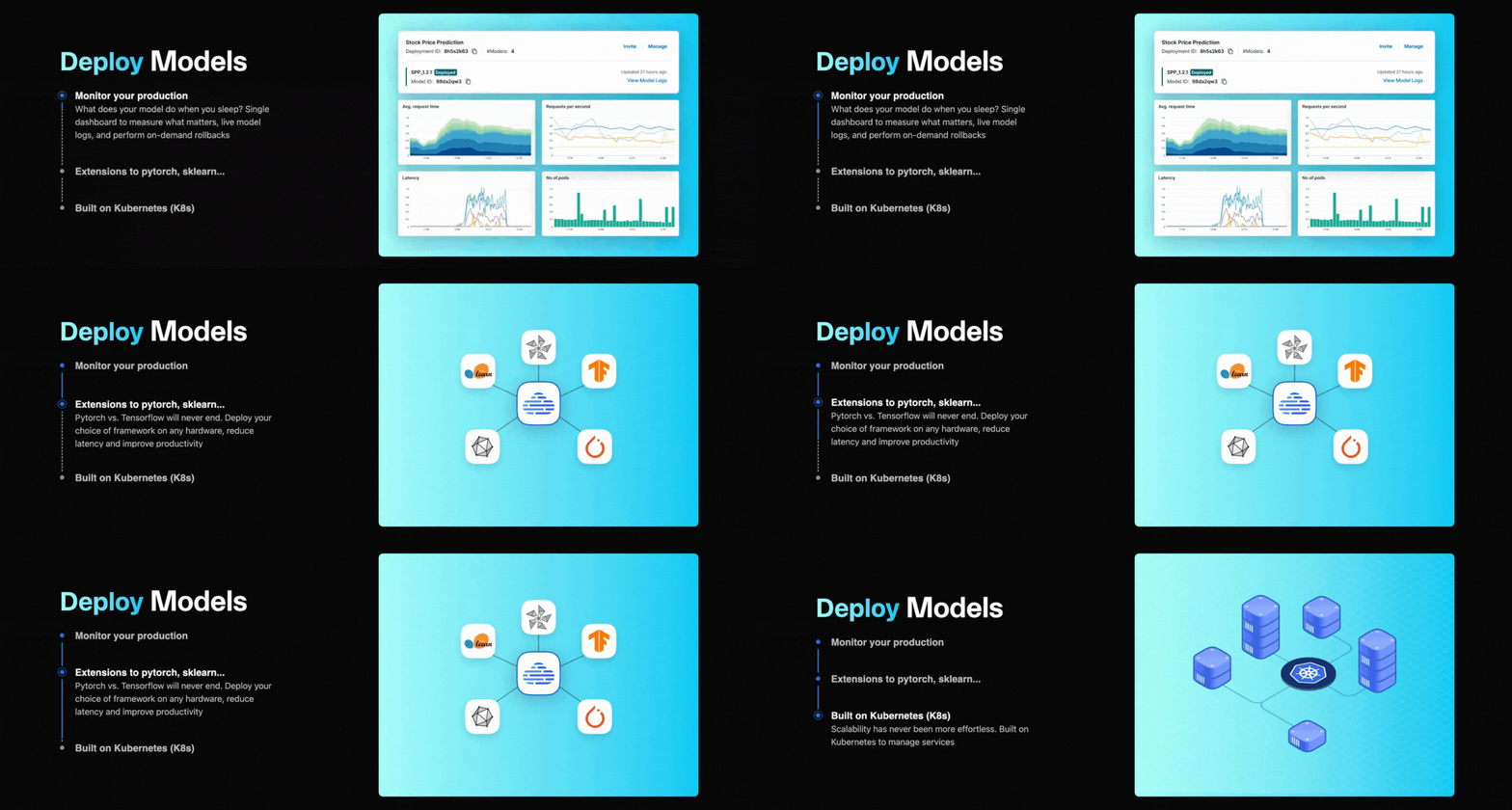
🚀 Intuitive Dashboard
🏁 Get Started
Install the package from pipy:
pip install nbox
For convinience you should add nbox to your path by setting up an alias. Throughout the rest of the documentation we will be using nbx as the CLI:
alias nbx="python3 -m nbox"
When loading nbox for the first time, it will prompt you the username and password and create a secrets file at ~/.nbx/secrets.json. This file then contains all the information that you don’t have to fetch manually again.
APIs
Our APIs are deep, user functions are kept to minimum and most relavant. This documentation contains the full spec of everything, but here’s all the APIs you need to know:
nbox
├── Model          # Framework agnostic Model
│   ├── __call__
│   ├── deploy
│   ├── train_on_instance (WIP)
│   └── train_on_jobs (WIP)
├── Operators      # How jobs are combinations of operators
│   ├── __call__
│   └── deploy
├── Jobs           # For controlling all your jobs
│   ├── logs       # stream logs right on your terminal
│   └── trigger    # manually trigger a job
└── Instance
   ├── __call__    # Run any command on the instance
   └── mv (WIP)    # Move files to and from NBX-Build
NBX-Jobs and NBX-Deploy
Create a simple folder:
nbx jobs new moonshot
Run any Batch Process
Add the following code to foobar.py:
from nbox import operator, Operator
from nbox.lib.shell import ShellCommand

# define your function and wrap it as an operator
@operator()
def foo(x: Dict):
  return "bar"

# or use OOPs like torch, etc.
class MyJob(Operator):
  def __init__(self):
    super().__init__()
    self.foo = foo
    self.shell = ShellCommand("echo 'hello {text}'")

  def forward(self):
    text = self.foo()
    self.shell(text = text)
How to get help?
Join our discord and someone from our community or engineering team will respond!
🔖Read our Blog.
🧩 License
The code in thist repo is licensed as Apache License 2.0. Please check for individual repositories for licenses.
1 maintainer

Release files for nbox 0.9.41rc10
For a detailed explanation of source distributions (sdists) and built distributions (wheels), please see the package formats documentation.
Source distribution (sdist)
| File | Size | Uploaded | |
|---|---|---|---|
| nbox-0.9.41rc10.tar.gz | 138.6 kB | Details |
Built distribution (wheel)
| File | Interpreter | ABI | Platform | Reset |
|---|---|---|---|---|
| nbox-0.9.41rc10-py3-none-any.whl | Python 3 | none | any | Details |
Total release size: 295.4 kB
Release files / nbox-0.9.41rc10.tar.gz
| Download URL | nbox-0.9.41rc10.tar.gz |
|---|---|
| Size | 138.6 kB |
| Tags | Source |
|
SHA-256 checksum How to use checksums |
e29393c467d9825b4fe4a9b38a42a069b5c32b1383b55f874102da7a4bab60d3
|
|
BLAKE2b-256 checksum How to use checksums |
3320eb79a7949cfb036ff3c58b6451c335b9386a7336d0b5bb3e5f48137f091f
|
| Upload date | |
|
Uploaded using Trusted Publishing? What is trusted publishing? |
No |
| Uploaded via |
poetry/1.1.13 CPython/3.9.12 Darwin/21.1.0
|
Release files / nbox-0.9.41rc10-py3-none-any.whl
| Download URL | nbox-0.9.41rc10-py3-none-any.whl |
|---|---|
| Size | 156.8 kB |
| Tags | Python 3 |
|
SHA-256 checksum How to use checksums |
784a42672d8ad4d924b6808d8b50ad3fcb0250c27660fea0ccda5673a0af8170
|
|
BLAKE2b-256 checksum How to use checksums |
8e44c6eb5dffcf25a4889a02d795ba2021475a611ae07758ff9e4b14c065bfb6
|
| Upload date | |
|
Uploaded using Trusted Publishing? What is trusted publishing? |
No |
| Uploaded via |
poetry/1.1.13 CPython/3.9.12 Darwin/21.1.0
|














