
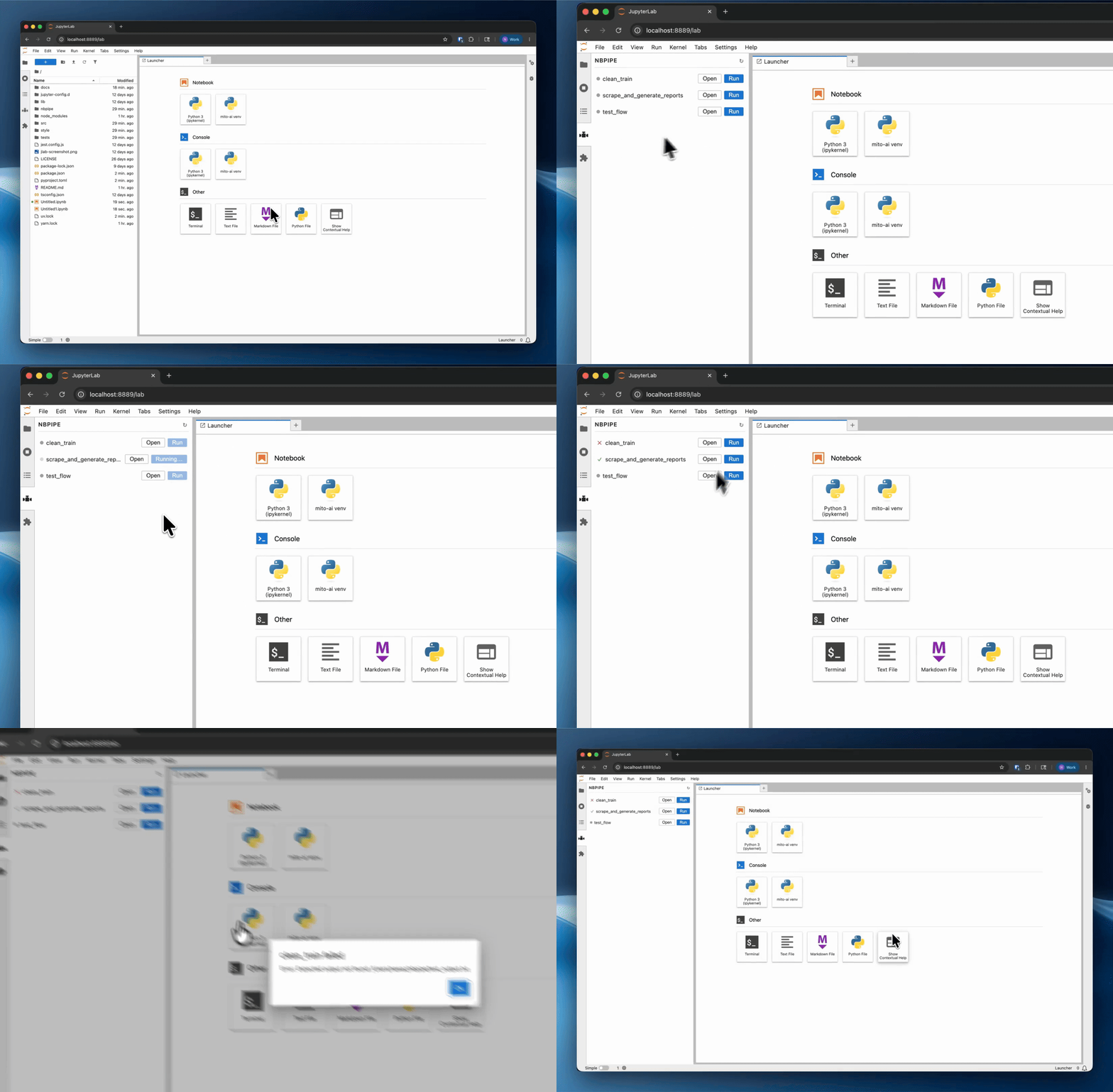
Run sequences of Jupyter notebooks as a workflow from the command line or the JupyterLab sidebar
Verified details
These details have been verified by PyPIProject links
GitHub Statistics
Maintainers

Project description
nbpipe
Run sequences of Jupyter notebooks as a workflow from the command line or the JupyterLab sidebar.
Installation
pip install nbpipe
Usage
Create a .nbpipe/ directory at the root of your project and add a workflow YAML file inside it.
# .nbpipe/my_workflow.yaml

name: my_workflow
steps:
  - notebook: prepare_data.ipynb
    output: data/processed.csv
    timeout: 120
  - notebook: train_model.ipynb
Run it from the CLI:
nbpipe run .nbpipe/my_workflow.yaml
or from the JupyterLab sidebar.
Step fields
| Field | Required | Description |
|---|---|---|
notebook |
yes | Notebook to run, relative to the project root. |
output |
no | File the notebook must produce — workflow fails if absent. Supports wildcards (e.g. report_*.csv). |
timeout |
no | Maximum seconds the notebook may run. Raises an error if exceeded. |
Project details
Verified details
These details have been verified by PyPIProject links
GitHub Statistics
Maintainers


Download files
Download the file for your platform. If you're not sure which to choose, learn more about installing packages.
Source Distribution
Built Distribution
Filter files by name, interpreter, ABI, and platform.
If you're not sure about the file name format, learn more about wheel file names.
Copy a direct link to the current filters
File details
Details for the file nbpipe-0.1.6.tar.gz.
File metadata
- Download URL: nbpipe-0.1.6.tar.gz
- Upload date:
- Size: 5.7 MB
- Tags: Source
- Uploaded using Trusted Publishing? Yes
- Uploaded via: uv/0.11.24 {"installer":{"name":"uv","version":"0.11.24","subcommand":["publish"]},"python":null,"implementation":{"name":null,"version":null},"distro":{"name":"Ubuntu","version":"24.04","id":"noble","libc":null},"system":{"name":null,"release":null},"cpu":null,"openssl_version":null,"setuptools_version":null,"rustc_version":null,"ci":true}
File hashes
| Algorithm | Hash digest | |
|---|---|---|
| SHA256 |
4dcaa5388e2cbb0e19ede7cd9a9c75a849d9643de4423727e272c1e9ee0dd74f
|
|
| MD5 |
5942d45b0173368debef5173a42dfaf8
|
|
| BLAKE2b-256 |
a5058c3478b84aa74086ba1691ff9086e27ab8a4b88b724dbe1d2e637b7d4727
|
File details
Details for the file nbpipe-0.1.6-py3-none-any.whl.
File metadata
- Download URL: nbpipe-0.1.6-py3-none-any.whl
- Upload date:
- Size: 19.5 kB
- Tags: Python 3
- Uploaded using Trusted Publishing? Yes
- Uploaded via: uv/0.11.24 {"installer":{"name":"uv","version":"0.11.24","subcommand":["publish"]},"python":null,"implementation":{"name":null,"version":null},"distro":{"name":"Ubuntu","version":"24.04","id":"noble","libc":null},"system":{"name":null,"release":null},"cpu":null,"openssl_version":null,"setuptools_version":null,"rustc_version":null,"ci":true}
File hashes
| Algorithm | Hash digest | |
|---|---|---|
| SHA256 |
a41a31aa4baf1808cd733e51b6dcccc7ade7a732603ef94cecf73bcdf02e3ab7
|
|
| MD5 |
cd56ce2ffc635facd986499aae62a3e0
|
|
| BLAKE2b-256 |
ccf7c0ceae7e790b3b457c591eb03e1a97eee08c2198abcef13c4f15f20c8b12
|






