
Jupyter kernel for Stata built on pystata

Project description
nbstata: a new Stata kernel
nbstata is a Jupyter kernel for Stata built on top of pystata.
For the User Guide, click here.
What is Jupyter?
A Jupyter notebook allows you to combine interactive code and results with Markdown in a single document. Though it is named after the three core programming languages it supports (Julia, Python, and R), it can be used with with a wide variety of languages.
nbstata allows you to create Stata notebooks (as opposed to using Stata within a Python notebook, which is needlessly clunky if you are working primarily with Stata).
Key nbstata features
- Easy setup
- Works with Stata 17+ (only).
- DataGrid widget with
browse-like capabilities (e.g., interactive filtering) - Variable and data properties available in a ‘contextual help’ side panel
- Quarto inline code support
Users of Stata 17 or 18.0 also get these features only built-in natively to Stata 18.5+:
- Displays Stata output without the redundant ‘echo’ of (multi-line) commands
- Autocompletion for variables, macros, matrices, and file paths
- Interactive/richtext help files accessible within notebook
#delimit ;interactive support (along with all types of comments)
The video below demonstrates using Stata in a Jupyter notebook. In addition to the NBClassic application shown there, nbstata can also be used with JupyterLab, VS Code, or Quarto.
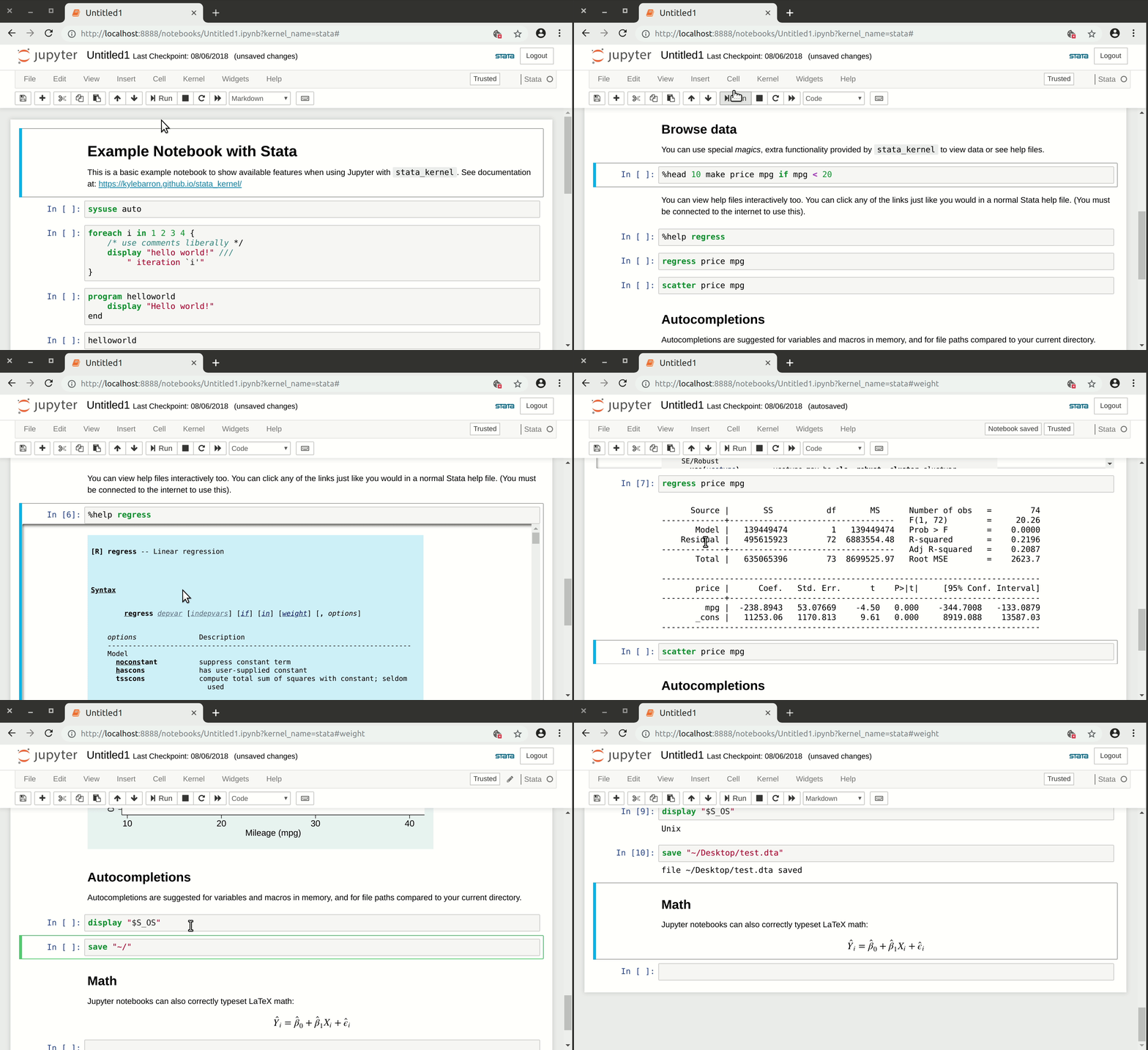
What can you do with Stata notebooks…
…that you can’t do with the official Stata interface?
- Exploratory analysis that is both:
- interactive
- preserved for future reference/editing
- Present results in a way that interweaves:[^1]
- code
- results (including graphs)
- rich text:
- lists
- Headings
-
- links
- math: $y_{it}=\beta_0+\varepsilon_{it}$

Contributing
nbstata is being developed using
nbdev.
The /nbs directory is where edits to the source code should be made.
(The python code is then exported to the /nbdev library folder.)
For more, see CONTRIBUTING.md.
Acknowledgements
Kyle Barron authored the original stata_kernel, which works for older versions of Stata. Vinci Chow created a Stata kernel that instead uses pystata, which first became available with Stata 17. nbstata was originally derived from his pystata-kernel, but much of the docs and newer features are derived from stata_kernel.
[^1]: Stata dynamic documents can do this part, though with a less interactive workflow. (See also: markstat, stmd, and Statamarkdown) Using nbstata with Quarto instead gives you a similar workflow, with greater flexibility of output.
Release history Release notifications | RSS feed


Download files
Download the file for your platform. If you're not sure which to choose, learn more about installing packages.
Source Distribution
Built Distribution
Filter files by name, interpreter, ABI, and platform.
If you're not sure about the file name format, learn more about wheel file names.
Copy a direct link to the current filters
File details
Details for the file nbstata-0.8.5.tar.gz.
File metadata
- Download URL: nbstata-0.8.5.tar.gz
- Upload date:
- Size: 187.3 kB
- Tags: Source
- Uploaded using Trusted Publishing? No
- Uploaded via: twine/6.2.0 CPython/3.11.14
File hashes
| Algorithm | Hash digest | |
|---|---|---|
| SHA256 |
abac3dda90f4ce98cf9f8002cb8402a36e1e1a066e40dc81c22c4f251078b42c
|
|
| MD5 |
2c6567f227ce1277ddaea0d72f16b957
|
|
| BLAKE2b-256 |
e5850d6744c791a0101e703e0ff5678d10781fae792d14df447ad5169e6a0c31
|
File details
Details for the file nbstata-0.8.5-py3-none-any.whl.
File metadata
- Download URL: nbstata-0.8.5-py3-none-any.whl
- Upload date:
- Size: 126.0 kB
- Tags: Python 3
- Uploaded using Trusted Publishing? No
- Uploaded via: twine/6.2.0 CPython/3.11.14
File hashes
| Algorithm | Hash digest | |
|---|---|---|
| SHA256 |
a60eae64d83b752352f4d6f97904837fb9c0c018be3148a5145db0397addaa26
|
|
| MD5 |
ee79a19cc06180363ff8c2d873afc28e
|
|
| BLAKE2b-256 |
ec2a170947a8e6894623449428cf1fbab8c13226707f7b5bc63ca5fe5c07456c
|






