





nbstripout: strip output from Jupyter and IPython notebooks
Opens a notebook, strips its output, and writes the outputless version to the original file.
Useful mainly as a git filter or pre-commit hook for users who don’t want to track output in VCS.
This does mostly the same thing as the Clear All Output command in the notebook UI.
Based on https://gist.github.com/minrk/6176788.
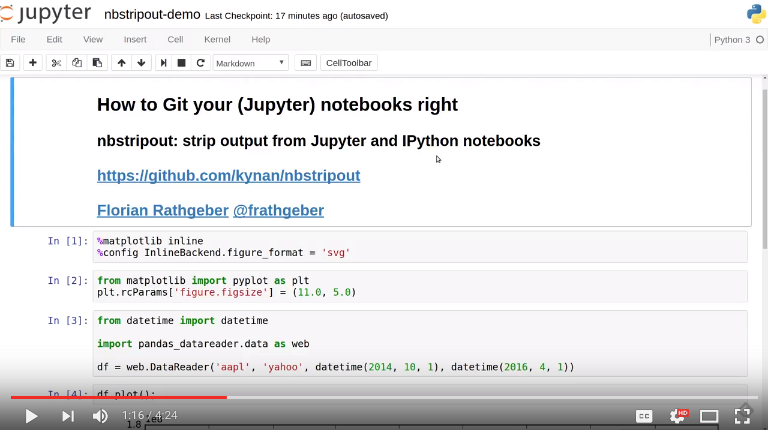
Screencast
This screencast demonstrates the use and working principles behind the nbstripout utility and how to use it as a Git filter:
Installation
You can download and install the latest version of nbstripout from PyPI, the Python package index, as follows:
pip install --upgrade nbstripout
When using the Anaconda Python distribution, install nbstripout via the conda package manager from conda-forge:
conda install -c conda-forge nbstripout
Usage
Strip output from IPython / Jupyter notebook (modifies the files in-place):
nbstripout FILE.ipynb [FILE2.ipynb ...]
Force processing of non .ipynb files:
nbstripout -f FILE.ipynb.bak
Write to stdout e.g. to use as part of a shell pipeline:
cat FILE.ipynb | nbstripout > OUT.ipynb
or
nbstripout -t FILE.ipynb | other-command
Set up the git filter and attributes as described in the manual installation instructions below:
nbstripout --install
Set up the git filter using .gitattributes
nbstripout --install --attributes .gitattributes
Remove the git filter and attributes:
nbstripout --uninstall
Remove the git filter and attributes from .gitattributes:
nbstripout --uninstall --attributes .gitattributes
Check if nbstripout is installed in the current repository (exits with code 0 if installed, 1 otherwise):
nbstripout --is-installed
Print status of nbstripout installation in the current repository and configuration summary of filter and attributes if installed (exits with code 0 if installed, 1 otherwise):
nbstripout --status
Print the version:
nbstripout --version
Show this help page:
nbstripout --help
Apply retroactively
nbstripout can be used to rewrite an existing Git repository using git filter-branch to strip output from existing notebooks. This invocation uses --index-filter and operates on all ipynb-files in the repo:
git filter-branch -f --index-filter '
    git checkout -- :*.ipynb
    find . -name "*.ipynb" -exec nbstripout "{}" +
    git add . --ignore-removal
'
If the repository is large and the notebooks are in a subdirectory it will run faster with git checkout -- :<subdir>/*.ipynb. You will get a warning for commits that do not contain any notebooks, which can be suppressed by piping stderr to /dev/null.
This is a potentially slower but simpler invocation using --tree-filter:
git filter-branch -f --tree-filter 'find . -name "*.ipynb" -exec nbstripout "{}" +'
Keeping some output
Do not strip the execution count/prompt number
nbstripout --keep-count
Do not strip the output
nbstripout --keep-output
To mark special cells so that the output is not striped, set the "keep_output": true metadata on the cell. To do this, select the “Edit Metadata” Cell Toolbar, and then use the “Edit Metadata” button on the desired cell to enter something like:
{
  "keep_output": true,
}
Another use-case is to preserve initialization cells that might load customized CSS etc. critical for the display of the notebook. To support this, we also keep output for cells with:
{
  "init_cell": true,
}
This is the same metadata used by the init_cell nbextension.
Stripping metadata
This is configurable via git config (–global) filter.nbstripout.extrakeys. An example would be:
git config --global filter.nbstripout.extrakeys '
  metadata.celltoolbar metadata.kernel_spec.display_name
  metadata.kernel_spec.name metadata.language_info.codemirror_mode.version
  metadata.language_info.pygments_lexer metadata.language_info.version
  metadata.toc metadata.notify_time metadata.varInspector
  cell.metadata.heading_collapsed cell.metadata.hidden
  cell.metadata.code_folding cell.metadata.tags cell.metadata.init_cell'
Manual filter installation
Set up a git filter using nbstripout as follows:
git config filter.nbstripout.clean '/path/to/nbstripout'
git config filter.nbstripout.smudge cat
git config filter.nbstripout.required true
Create a file .gitattributes or .git/info/attributes with:
*.ipynb filter=nbstripout
Apply the filter for git diff of *.ipynb files:
git config diff.ipynb.textconv '/path/to/nbstripout -t'
In file .gitattributes or .git/info/attributes add:
*.ipynb diff=ipynb
Mercurial usage
Mercurial does not have the equivalent of smudge filters. One can use an encode/decode hook but this has some issues. An alternative solution is to provide a set of commands that first run nbstripout, then perform these operations. This is the approach of the mmf-setup package.


Release files for nbstripout 0.3.5
For a detailed explanation of source distributions (sdists) and built distributions (wheels), please see the package formats documentation.
Source distribution (sdist)
| File | Size | Uploaded | Provenance | Actions |
|---|---|---|---|---|
| nbstripout-0.3.5.tar.gz | 14.2 kB | Without provenance | Details for nbstripout-0.3.5.tar.gz |
Built distribution (wheel)
| File | Interpreter | ABI | Platform | Actions Reset |
|---|---|---|---|---|
| nbstripout-0.3.5-py2.py3-none-any.whl | Python 3, Python 2 | none | any | Details for nbstripout-0.3.5-py2.py3-none-any.whl |
Total release size: 27.8 kB
Release files / nbstripout-0.3.5.tar.gz
| Download URL | nbstripout-0.3.5.tar.gz |
|---|---|
| Size | 14.2 kB |
| Tags | Source |
|
SHA-256 checksum How to use checksums |
814efbe00988445b2c3f3d1944c9f296a556e2b14a060f7b25372881c2e497d4
|
|
BLAKE2b-256 checksum How to use checksums |
22e22c698158489cd4a7b05416a2ff8513ef181e060dae80c5b68e21f3332ecf
|
| Upload date | |
|
Uploaded using Trusted Publishing? What is trusted publishing? |
No |
| Uploaded via |
twine/1.11.0 pkginfo/1.4.2 requests/2.18.4 setuptools/36.5.0.post20170921 requests-toolbelt/0.8.0 tqdm/4.24.0 CPython/3.6.8
|
Release files / nbstripout-0.3.5-py2.py3-none-any.whl
| Download URL | nbstripout-0.3.5-py2.py3-none-any.whl |
|---|---|
| Size | 13.6 kB |
| Tags | Python 2 Python 3 |
|
SHA-256 checksum How to use checksums |
8f085e26e60e9d9c0710748510d1c763c8f63905cb16df7658b35a2936e8ca2b
|
|
BLAKE2b-256 checksum How to use checksums |
224cc80719f5ca9c8b138d7d26f07f15e254a22cce47bce0e8afe6f809eb3448
|
| Upload date | |
|
Uploaded using Trusted Publishing? What is trusted publishing? |
No |
| Uploaded via |
twine/1.11.0 pkginfo/1.4.2 requests/2.18.4 setuptools/36.5.0.post20170921 requests-toolbelt/0.8.0 tqdm/4.24.0 CPython/3.6.8
|
Security for nbstripout 0.3.5
Provenance
Provenance describes where a file came from. On PyPI, provenance is shared via attestations, which provide a verifiable record of the build or publishing details. View details, limitations and caveats.
No provenance found
None of the files in this release were uploaded with provenance metadata.
A note on package security
PyPI is a repository for distributing packages, not a service for auditing them. While third-party security researchers and our staff do their best to detect and remove malicious packages, PyPI cannot guarantee the quality, security or suitability of any given package.
To learn more about protecting yourself from malicious actors, visit our package security documentation.














