
Negar-GUI










Graphical User interface for negar
Features
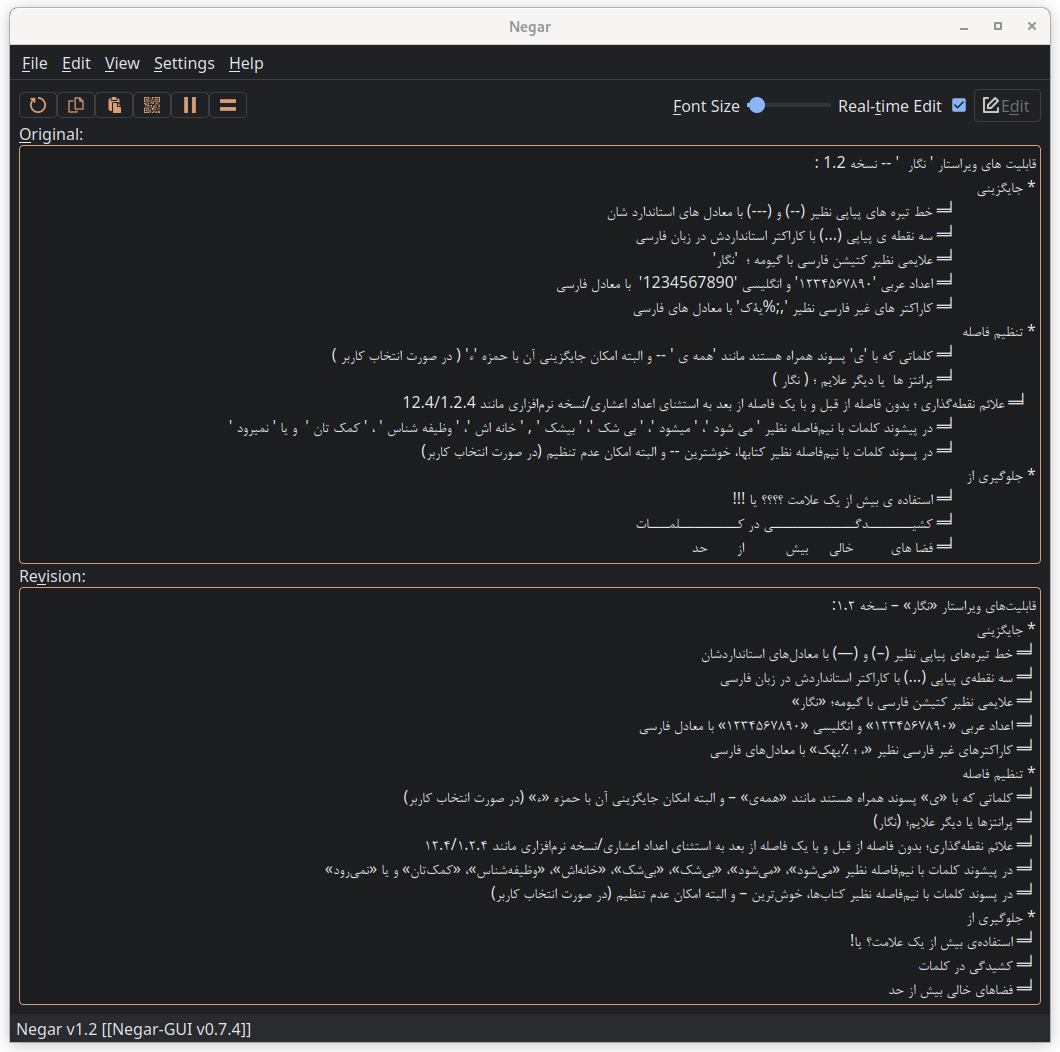
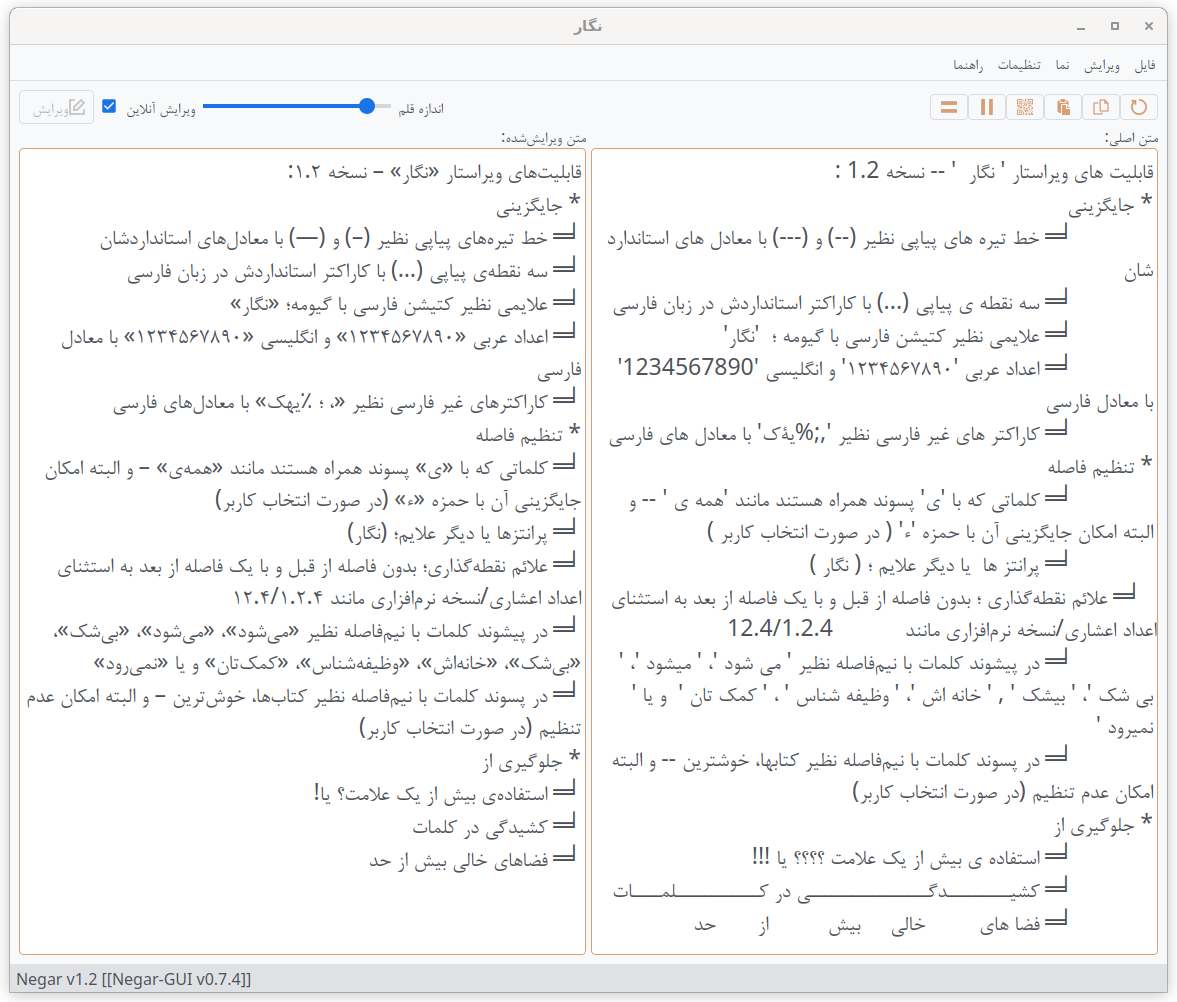
- Persian text cleanup with live side-by-side or comparative (diff) view and configurable editing options.
- Screen reader (OCR): drag a rectangle over anything on screen, or use an image from the clipboard, and read its text into the editor (Persian, English and German). See Screen reader.
- AI grammar fix: send the text to an LLM (Gemini, Groq, OpenRouter, OpenAI, or free Pollinations) with your own prompts and a usage report. See AI grammar fix.
- Read, fix, copy: OCR a screenshot, clean it with Negar, and polish it with the AI button, all in one window.
- QR code of the result, interactive clipboard, Persian keyboard on startup, light/dark themes.
Installation
PyPi
python-negar is available on PyPi:
$ pip install negar-gui
Git
You can retrieve the latest stable changes from the GitHub server:
$ git clone https://github.com/javadr/negar-gui.git
$ cd negar-gui
$ python setup.py install
Zip, Tarball
You can download the latest tarball.
*nix
Get the latest tarball & install:
$ wget -O negar-gui-master.tar.gz https://github.com/javadr/negar-gui/archive/master.tar.gz
$ tar xvzf negar-gui-master.tar.gz && cd negar-gui-master
$ python setup.py install
Windows
Download the latest zip archive.
https://github.com/javadr/negar-gui/archive/master.zip
Decompress it, and run the following command in the root directory of negar-gui
$ python setup.py install
Requirements
The GUI is relied on python-negar as well as PyQt5/6, pyperclip, pyuca, redlines, regex, requests, qrcode, docopt, Image, pyqtdarktheme-fork, and toml.
If you want to just run it by calling the script, you need to install its dependencies.
$ pip install python-negar PyQt5 PyQt6 pyuca pyperclip redlines regex requests qrcode docopt Image pyqtdarktheme-fork toml
Usage
Just use one of the following in your terminal.
$ negar-gui
or simply
$ negar
Persian keyboard on startup
If a Persian keyboard layout is installed, Negar switches to it when it starts and switches back when it closes (turn it off in Settings → Persian Keyboard on Startup). This works on Windows, macOS, KDE Plasma, Sway and X11 desktops. GNOME has no built-in way for apps to change the layout, so there you need the Shyriiwook extension.
Screen reader
Edit → Read Text from Screen (Ctrl+Shift+O) lets you drag a rectangle over anything on screen; the text is recognised with Tesseract and put into the input editor. Edit → Read Text from Clipboard Image (Ctrl+Alt+O) does the same for an image you copied (e.g. a screenshot). Pick the language in Edit → OCR Language: fewer languages are more accurate. Persian recognition is Tesseract's weak spot, so check the result; the AI button below can help fix recognition mistakes. Your language choice is remembered between runs.
The standalone executable includes Tesseract with English, Persian and German data. With a pip install you need your own: pacman -S tesseract tesseract-data-fas tesseract-data-eng tesseract-data-deu, or apt install tesseract-ocr tesseract-ocr-fas tesseract-ocr-eng tesseract-ocr-deu. On Wayland the screenshot is taken through the desktop's screenshot portal (GNOME and KDE have it; on other compositors install xdg-desktop-portal-wlr).
AI grammar fix
The AI button sends the input text (typed, pasted or read by the screen reader) to a language model and shows the model's answer in the output pane. Choose or edit the instruction in Assistant → Manage Prompts..., and see requests and success rate per provider and prompt in Assistant → Usage Report....
The AI button works without setup through Pollinations, which is free but slow and rate-limited. For better results, open Assistant → AI Provider..., pick a provider and paste your own API key. Google Gemini, Groq and OpenRouter give free keys, and OpenAI is paid. Keys are stored in plain text in the settings file (on Linux and macOS the file is made readable only by your user).
Docker
A Docker image is available on Docker Hub:
$ docker pull javadr/negar-gui
Build it locally:
$ make docker-build
Run on X11
$ docker run --rm \
    -e DISPLAY=$DISPLAY \
    -v /tmp/.X11-unix:/tmp/.X11-unix \
    -v $HOME/.config/negar-gui:/home/negar/.config/negar-gui \
    javadr/negar-gui
Run on Wayland
$ docker run --rm \
    -e QT_QPA_PLATFORM=wayland \
    -e XDG_RUNTIME_DIR=$XDG_RUNTIME_DIR \
    -e WAYLAND_DISPLAY=$WAYLAND_DISPLAY \
    -v $XDG_RUNTIME_DIR/$WAYLAND_DISPLAY:$XDG_RUNTIME_DIR/$WAYLAND_DISPLAY \
    --device /dev/dri \
    -v $HOME/.config/negar-gui:/home/negar/.config/negar-gui \
    javadr/negar-gui
Auto-detect (via Makefile)
$ make docker-run
1 maintainer

Metadata
1 maintainer
Release files for negar-gui 1.4.12
For a detailed explanation of source distributions (sdists) and built distributions (wheels), please see the package formats documentation.
Source distribution (sdist)
| File | Size | Uploaded | Provenance | Actions |
|---|---|---|---|---|
| negar_gui-1.4.12.tar.gz | 232.4 kB | Without provenance | Details for negar_gui-1.4.12.tar.gz |
Release files / negar_gui-1.4.12.tar.gz
| Download URL | negar_gui-1.4.12.tar.gz |
|---|---|
| Size | 232.4 kB |
| Tags | Source |
|
SHA-256 checksum How to use checksums |
6b46e95baf4e48f1920fdee2f882028fe962ac569a1c0616723b9467b7657a48
|
|
BLAKE2b-256 checksum How to use checksums |
667b67a87cb11791f2aaaa4e51e3369d9227be7007cbf38148811a09aa5e7c76
|
| Upload date | |
|
Uploaded using Trusted Publishing? What is trusted publishing? |
No |
| Uploaded via |
twine/7.0.0 CPython/3.13.3
|
Security for negar-gui 1.4.12
Provenance
Provenance describes where a file came from. On PyPI, provenance is shared via attestations, which provide a verifiable record of the build or publishing details. View details, limitations and caveats.
No provenance found
None of the files in this release were uploaded with provenance metadata.
A note on package security
PyPI is a repository for distributing packages, not a service for auditing them. While third-party security researchers and our staff do their best to detect and remove malicious packages, PyPI cannot guarantee the quality, security or suitability of any given package.
To learn more about protecting yourself from malicious actors, visit our package security documentation.














