
Find moments in your videos. Agent-first CLI for Marlin-2B: dense captioning + temporal grounding, local or hosted.

Project description



The command-line tool for Marlin-2B — a 2B video VLM for the two questions you actually ask a video: what is happening, and when. Runs free and local on Apple Silicon — no API key, no Hugging Face account.
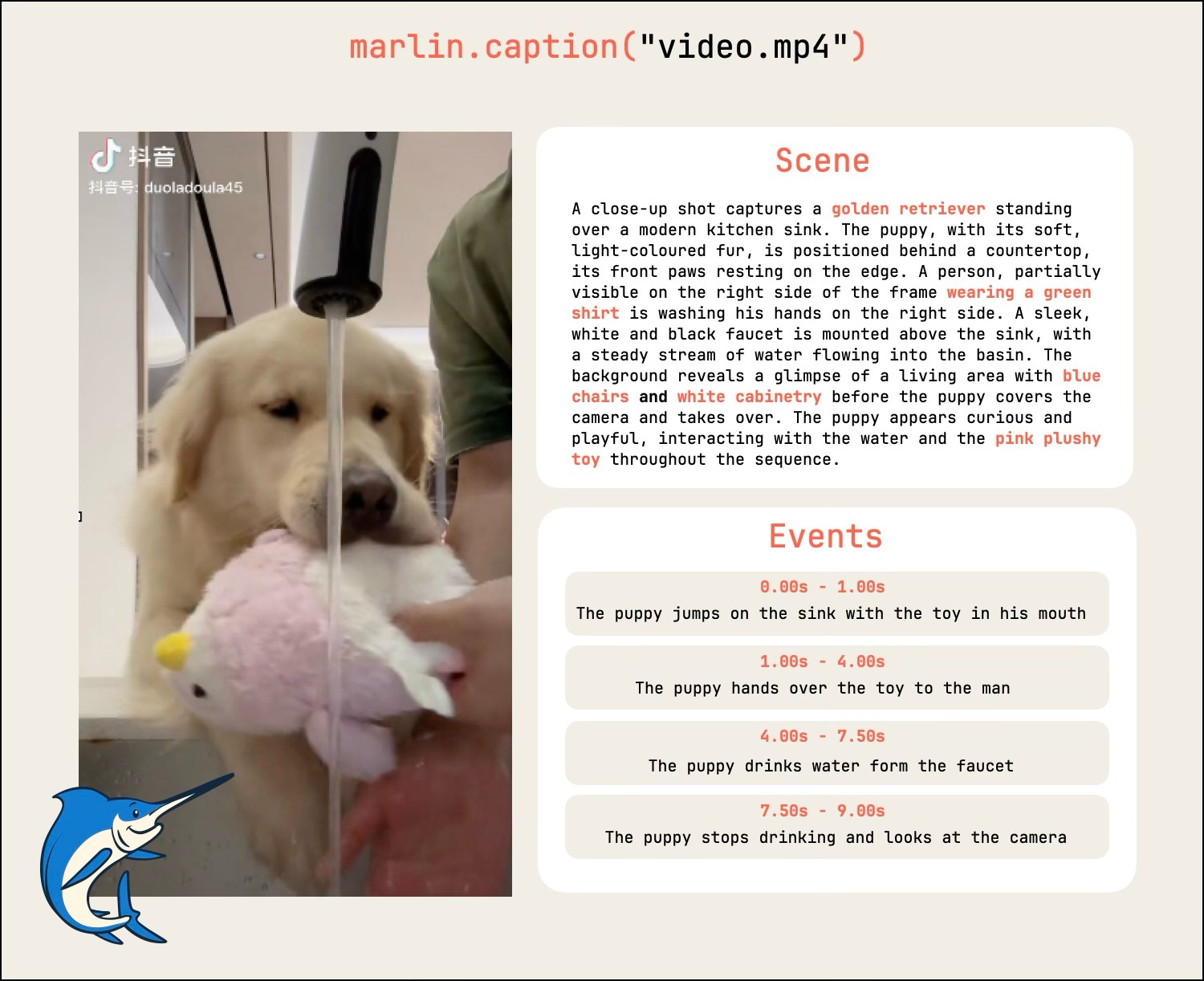
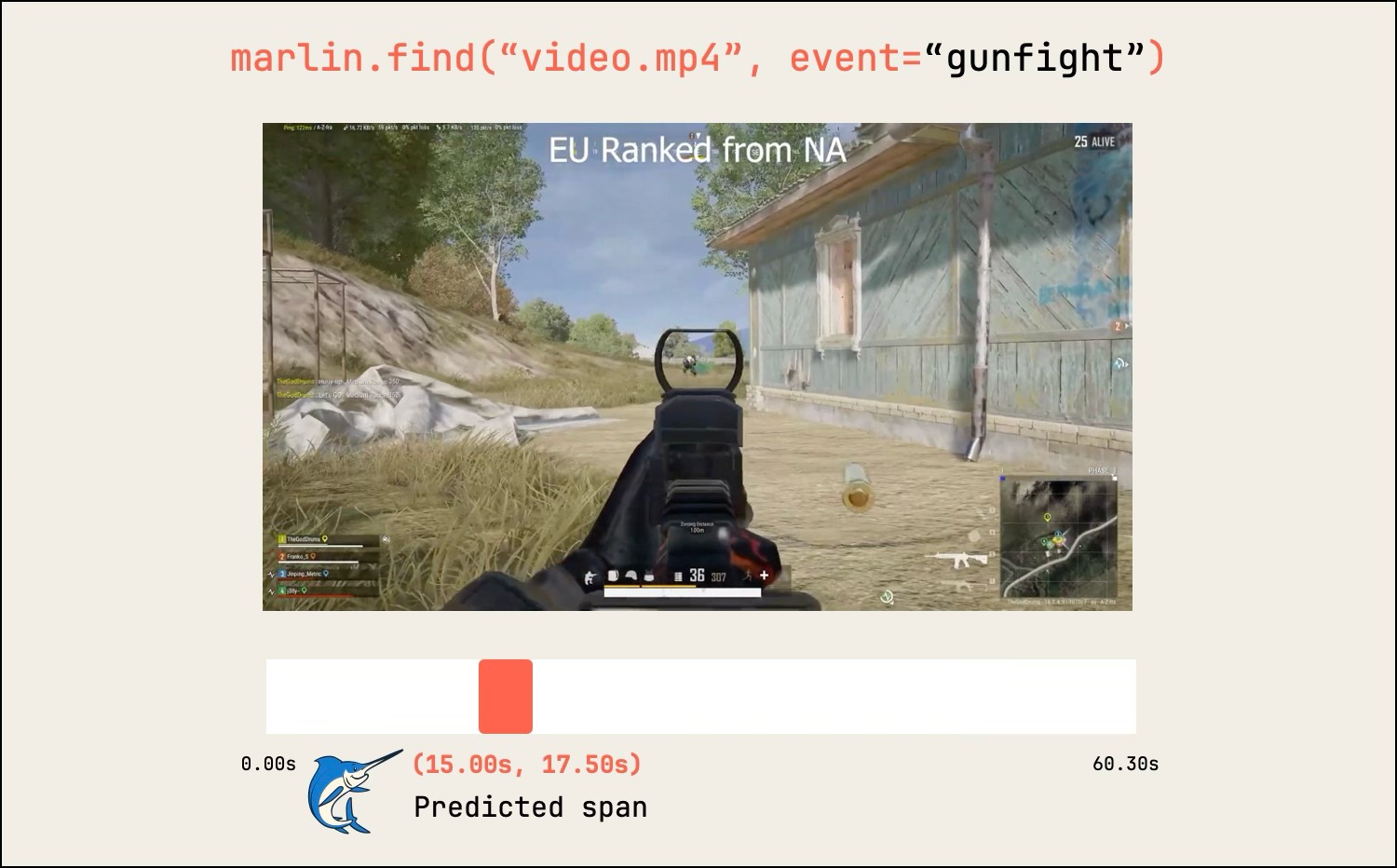
marlin caption→ a Scene description + a<start>–<end>event timelinemarlin find→ the singlestart → endspan where your query happens
Install
Apple Silicon (M-series Mac) only for now. NVIDIA / other platforms are coming as a separate optimized build.
uv tool install nemostation      # 1. install   (or: pipx install nemostation)
marlin setup                     # 2. set up    (sign in, build engine, download weights)
marlin caption clip.mp4          # describe what's in a video
marlin find clip.mp4 "a deer crossing"   # locate when it happens → start → end
Two commands and you're done — setup does everything: a one-time browser
sign-in (two questions, then Google), builds the local MLX engine, and downloads
the weights. After it finishes, caption and find just work. The 8-bit
weights are public — nothing gated, no API key. Add --json to any command
for parseable output. (ffmpeg is optional — only for windowing videos >2 min.)
The engine stays warm between calls so responses are fast. To shut it down and
free the RAM (~16 GB): marlin stop. It auto-starts again on the next call.
What it produces
marlin caption "video.mp4" — what's in it |
marlin find "video.mp4", "gunfight" — when it happens |
 |
 |
Each call runs one model pass on one bounded clip (~2 min at 2 fps) — the same
contract as the inference server. Clips are auto-downscaled to the model's
~200K-pixel budget before inference (faster, far less memory, no accuracy
loss) — tune with --max-pixels (lower on weak machines) or --full-res to opt
out. For longer videos, window with ffmpeg and loop.
Why Marlin
At 2B params it's the strongest open model in its weight class on dense captioning (DREAM-1K, CaReBench) and natural-language temporal grounding (TimeLens-Bench) — competitive with Gemini-2.5 at a fraction of the cost. See the benchmarks on the model card.
Use it from an agent
marlin skills install # → .claude/skills/ + .agents/skills/
Installs the video-understanding skill so Claude Code / Codex use marlin as
"eyes on a video" — clip-length and single-find limits baked in. Every verb
honors --json (stdout parseable, progress on stderr).
Contributing
Marlin is meant to be extended — and adding a skill is the easiest way in. A
skill is a folder under skills/
with a SKILL.md that teaches an agent to use caption / find for one job —
clip scoring, b-roll search, highlight reels, footage catalogs, whatever you build.
skills/
  video-understanding/SKILL.md   # ships today — the reference
  your-skill/SKILL.md            # ← add yours
Add one:
- Copy the format from
video-understanding/SKILL.md— frontmatter (name,description,requires.bins) + a short recipe. - Keep it honest about the limits (one bounded clip per call;
findreturns one span). - Open a PR. New skill ideas, issues, and docs fixes are all welcome too.
Hack on the CLI:
git clone https://github.com/shu-bamma/marlin-cli
cd marlin-cli
uv tool install --editable .     # or: pip install -e .
pytest                           # contract tests
New verbs, engine support, and bug fixes are all fair game — open an issue to chat about anything bigger. Licensed under Apache-2.0.
Links
- Try it live → vlm.nemostation.com
- Model card + benchmarks → huggingface.co/NemoStation/Marlin-2B
- Team / custom fine-tuning → nemostation.com
Release history Release notifications | RSS feed


Download files
Download the file for your platform. If you're not sure which to choose, learn more about installing packages.
Source Distribution
Built Distribution
Filter files by name, interpreter, ABI, and platform.
If you're not sure about the file name format, learn more about wheel file names.
Copy a direct link to the current filters
File details
Details for the file nemostation-0.1.23.tar.gz.
File metadata
- Download URL: nemostation-0.1.23.tar.gz
- Upload date:
- Size: 139.1 kB
- Tags: Source
- Uploaded using Trusted Publishing? No
- Uploaded via: uv/0.8.13
File hashes
| Algorithm | Hash digest | |
|---|---|---|
| SHA256 |
568a85cf45568ea1ab7ad25efbea0a57b1bae4a5c0ac471ddc6d10d321bcd22b
|
|
| MD5 |
8c0d6fc16f5d0462c195f86ce31a1af9
|
|
| BLAKE2b-256 |
92835dec74e6a1277c19449cb767a575debafcffa6a43acba21fef69a627e5d5
|
File details
Details for the file nemostation-0.1.23-py3-none-any.whl.
File metadata
- Download URL: nemostation-0.1.23-py3-none-any.whl
- Upload date:
- Size: 59.3 kB
- Tags: Python 3
- Uploaded using Trusted Publishing? No
- Uploaded via: uv/0.8.13
File hashes
| Algorithm | Hash digest | |
|---|---|---|
| SHA256 |
b43452df63b10b821ac70fb76886eaf821f44cb3a7c67257fa3c76ff667dbb70
|
|
| MD5 |
c635e0e446d4b787c9d9468834670a60
|
|
| BLAKE2b-256 |
9e04ed9621a666882d4a8014c4fa29e98a7433e351a00026a2b6fe95312c14d0
|






