
Neptune + Sacred Integration
Neptune is a tool used for experiment tracking, model registry, data versioning, and live model monitoring. This integration lets you use it as a UI (frontend) for the experiments you track in Sacred.
What will you get with this integration?
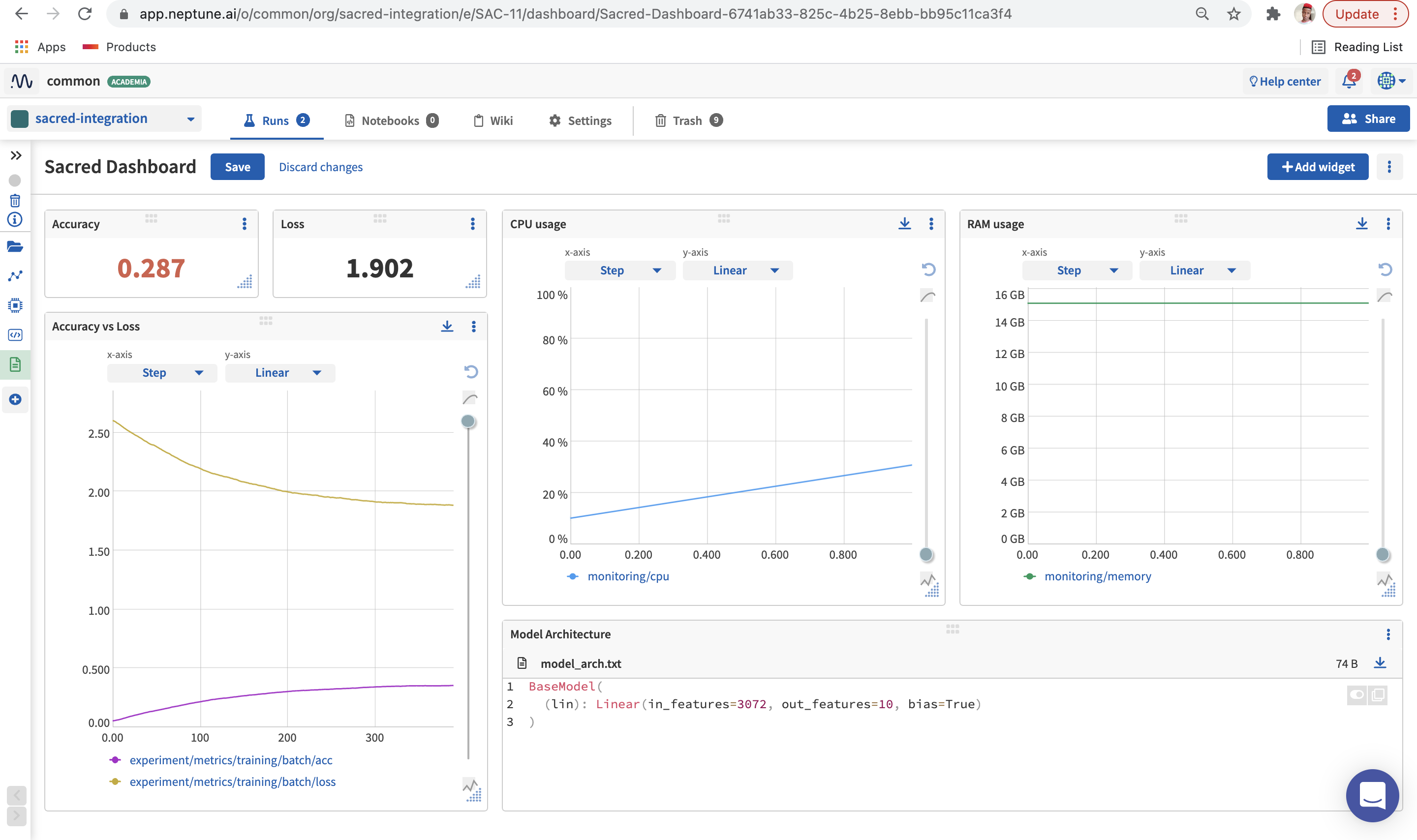
- Log, display, organize, and compare ML experiments in a single place
- Version, store, manage, and query trained models, and model building metadata
- Record and monitor model training, evaluation, or production runs live
What will be logged to Neptune?
- Hyperparameters
- Losses and metrics
- Training code (Python scripts or Jupyter notebooks) and Git information
- Dataset version
- Model configuration
- Other metadata
Resources
- Documentation
- Code example on GitHub
- Example dashboard in the Neptune app
- Run example in Google Colab
Example
On the command line:
pip install neptune-sacred
In Python:
import neptune

# Start a run
run = neptune.init_run(
    project = "common/sacred-integration",
    api_token = neptune.ANONYMOUS_API_TOKEN,
)

# Create a Sacred experiment
experiment = Experiment("image_classification", interactive=True)

# Add NeptuneObserver and run the experiment
experiment.observers.append(NeptuneObserver(run=run))
experiment.run()
Support
If you got stuck or simply want to talk to us, here are your options:
- Check our FAQ page
- You can submit bug reports, feature requests, or contributions directly to the repository.
- Chat! When in the Neptune application click on the blue message icon in the bottom-right corner and send a message. A real person will talk to you ASAP (typically very ASAP),
- You can just shoot us an email at support@neptune.ai
1 maintainer

Metadata
1 maintainer
Release files for neptune-sacred 1.0.1
For a detailed explanation of source distributions (sdists) and built distributions (wheels), please see the package formats documentation.
Source distribution (sdist)
| File | Size | Uploaded | |
|---|---|---|---|
| neptune_sacred-1.0.1.tar.gz | 9.4 kB | Details |
Built distribution (wheel)
| File | Interpreter | ABI | Platform | Reset |
|---|---|---|---|---|
| neptune_sacred-1.0.1-py3-none-any.whl | Python 3 | none | any | Details |
Total release size: 20.3 kB
Release files / neptune_sacred-1.0.1.tar.gz
| Download URL | neptune_sacred-1.0.1.tar.gz |
|---|---|
| Size | 9.4 kB |
| Tags | Source |
|
SHA-256 checksum How to use checksums |
076904429e80c870e0f553303e91a9ea7618c49cb9034cce9df842cfadc1b891
|
|
BLAKE2b-256 checksum How to use checksums |
ec6e798fadeb6afc708deadad66600ca6e471ce4cab91c817635da94b107e272
|
| Upload date | |
|
Uploaded using Trusted Publishing? What is trusted publishing? |
No |
| Uploaded via |
twine/4.0.2 CPython/3.9.17
|
Release files / neptune_sacred-1.0.1-py3-none-any.whl
| Download URL | neptune_sacred-1.0.1-py3-none-any.whl |
|---|---|
| Size | 10.9 kB |
| Tags | Python 3 |
|
SHA-256 checksum How to use checksums |
b0059e1f66dec8aff5bdf521f0b5c515d1f44dd75b554c5825bf7636c95cb210
|
|
BLAKE2b-256 checksum How to use checksums |
13118c0fdb475ee9cf28567728df9f0c87d3d81aaa31ad32f30f7a66d7c42905
|
| Upload date | |
|
Uploaded using Trusted Publishing? What is trusted publishing? |
No |
| Uploaded via |
twine/4.0.2 CPython/3.9.17
|














