
nero-cli is a simple CLI tool that streamlines the process of downloading Official InvokeAI release from github and running it on your local machine. It is designed to be a simple allow you to quickly and easily pull the latest version, specify version, or rollback if you need to.

Project description
nero-cli
[!NOTE] This project is not affiliated with InvokeAI or any of its affiliates. It is a simple tool that streamlines the process of downloading and running the official InvokeAI installer on your local machine.
[!WARNING] It has been mentioned in the discord channel that the InvokeAI team is working on an official new installer, no ETA. Once that is released, and if it has update capabilities, this tool will be deprecated and sunsetted.
Overview
nero-cli is a simple CLI tool that streamlines the process of downloading Official InvokeAI release from github and running it on your local machine. It is designed to be a simple allow you to quickly and easily pull the latest version, specify version, or rollback if you need to.
Why
I have serveral machines local and remote that I have InvokeAI installed on. I wanted a simple way to update/downgrade them without having to manually download the release from github and install it on each machine. This tool allows me to do that. It also made sense to use the offical InvokeAI installer instead roll a patch work that may not work as expected.
Installation (Recommended)
You have a couple of options for installing/running the tool:
Install pipx, then run the tool with the following command
pipx install nero-cli
Alternatively, you can install using pip
pip install .
Usage // Available Commands
Once installed via pipx or pip:
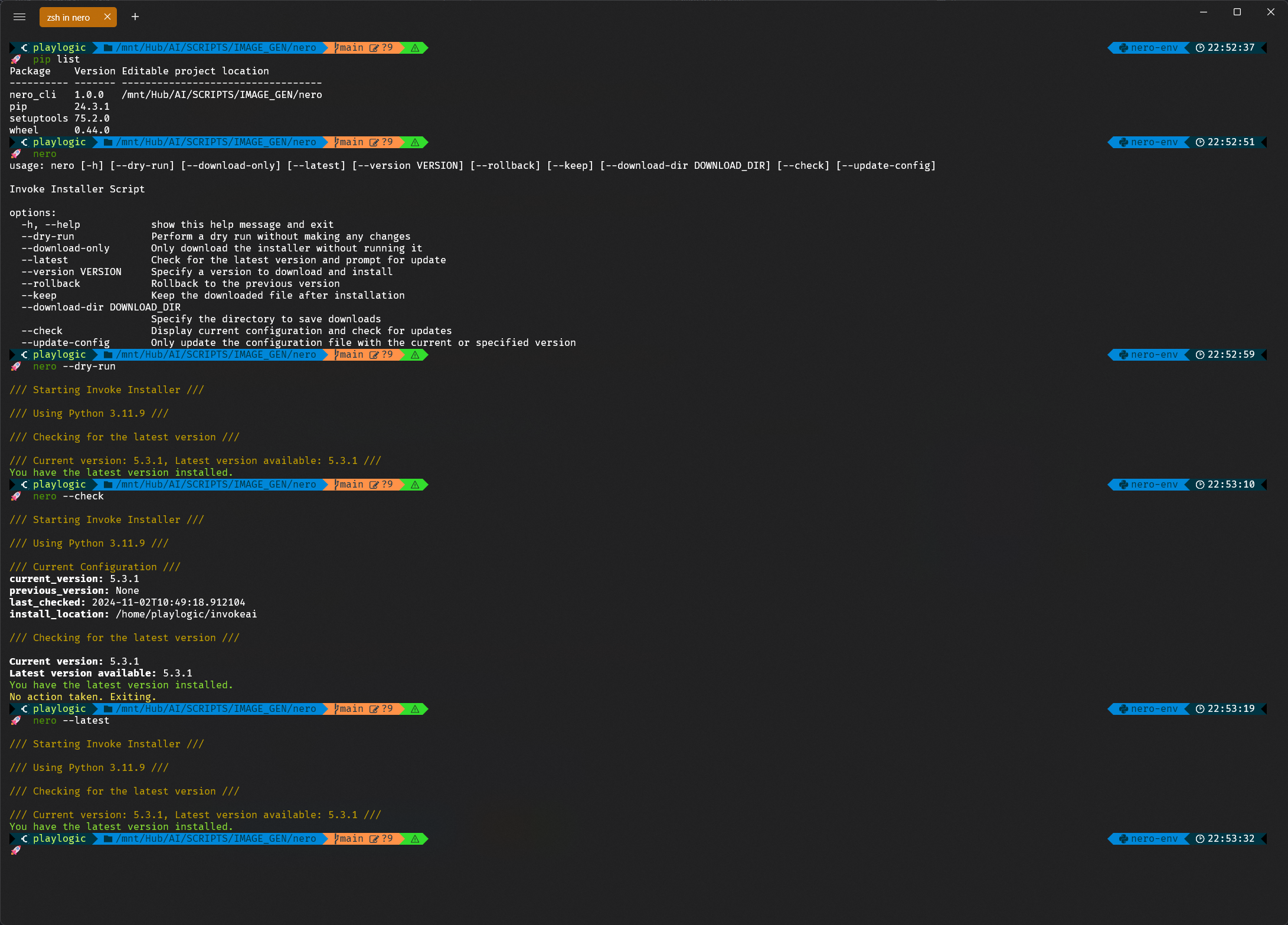
usage: nero [-h] [--dry-run] [--download-only] [--latest] [--version VERSION] [--rollback] [--keep] [--download-dir DOWNLOAD_DIR] [--check] [--update-config]

Invoke Installer Script

options:
  -h, --help            show this help message and exit
  --dry-run             Perform a dry run without making any changes
  --download-only       Only download the installer without running it
  --latest              Check for the latest version and prompt for update
  --version VERSION     Specify a version to download and install
  --rollback            Rollback to the previous version
  --keep                Keep the downloaded file after installation
  --download-dir DOWNLOAD_DIR
                        Specify the directory to save downloads
  --check               Display current configuration and check for updates
  --update-config       Only update the configuration file with the current or specified version
Dependencies
This tool requires Python 3.11 or higher and has the following dependencies:
- none
Contact
For any inquiries, feedback, or suggestions, please feel free to open an issue on this repository.
License
This project is licensed under the MIT License.


Download files
Download the file for your platform. If you're not sure which to choose, learn more about installing packages.
Source Distribution
Built Distribution
Filter files by name, interpreter, ABI, and platform.
If you're not sure about the file name format, learn more about wheel file names.
Copy a direct link to the current filters
File details
Details for the file nero_cli-1.0.7.tar.gz.
File metadata
- Download URL: nero_cli-1.0.7.tar.gz
- Upload date:
- Size: 9.1 kB
- Tags: Source
- Uploaded using Trusted Publishing? No
- Uploaded via: twine/5.1.1 CPython/3.11.9
File hashes
| Algorithm | Hash digest | |
|---|---|---|
| SHA256 |
ef5f71f480f41d727bd8286f6e072de75248cceaba4dacea1d74ead09a9363be
|
|
| MD5 |
f333e152e3f12d563505033a406ff483
|
|
| BLAKE2b-256 |
e690382e894838bb7b728eaa8c2f0aeeebfc8ba6cd3d4d559fdab2862725fbd5
|
File details
Details for the file nero_cli-1.0.7-py3-none-any.whl.
File metadata
- Download URL: nero_cli-1.0.7-py3-none-any.whl
- Upload date:
- Size: 10.3 kB
- Tags: Python 3
- Uploaded using Trusted Publishing? No
- Uploaded via: twine/5.1.1 CPython/3.11.9
File hashes
| Algorithm | Hash digest | |
|---|---|---|
| SHA256 |
30369c13205d4b5e4ae855c285d83371dc08bd9258baeaf80a0cf684c187c04e
|
|
| MD5 |
eddd5f5e26dae82b2638964e6f05f07a
|
|
| BLAKE2b-256 |
21c7c3bbe3081c3fb162262d1c41486944383d5f7a9b0ee99c323ee5d124a07e
|






