
What's new in 0.2.5
Added
- Functionality for visualizing multiple experiments
- Home page, consists of the experiment directories found in the input path
- Navbar, includes a link to the home page, settings, GitHub, and Docs
- Settings, includes a theme changer that enables users to modify the application theme to their liking
Changed
- The
startfunction now expects a directory path as input, where each subdirectory represents an experiment and contains the corresponding JSON files for visualization - favicon


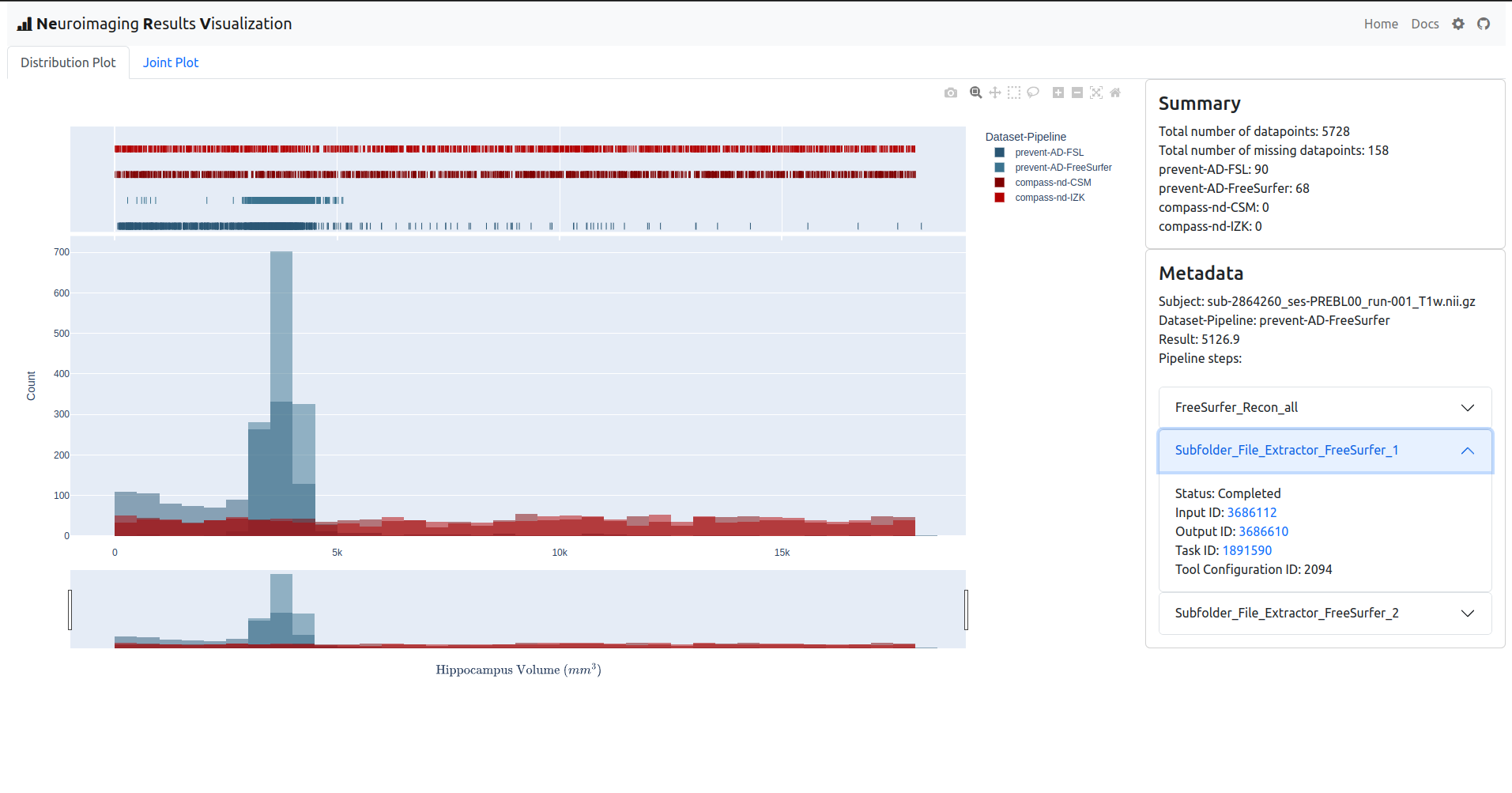
Neuroimaging Results Visualization (NeRV) is a web interface developed in Python using Plotly Dash, Dash Bootstrap Components, and pandas for visualization of neuroimaging results obtained from continuous testing of neuroimaging data across software pipelines.
Getting Started
Installation
Install NeRV using pip:
pip install nerv
Example usage
In order for NeRV to generate and populate plots the underlying app requires access to the directory that houses subdirectories, which in turn contain the JSON files to be visualized. The path to directory can be passed to the app as input to the start function.
from nerv import app

app.start("path-to-data-directory")
After executing the file containing the above code snippet, a local server is started at port 8050 (by default). You can access the running NeRV application using a browser through the URL localhost:8050.
Deployment
To deploy your NeRV app, you can utilize Gunicorn. Simply follow the instructions outlined in the Dash documentation here, making the necessary adjustment in the app.py module content:
app.py
from nerv import app

server = app.start("path-to-data-directory", False)
Note that when the local parameter of the start function is set to False, it will return the app.server object. This object represents the underlying Flask server that drives the Dash application. You can utilize the app.server object to customize and extend the NeRV application, going beyond the default functionality offered. For more details, refer to the Flask documentation.
License
This project is licensed under the terms of MIT License.
1 maintainer

Metadata
1 maintainer
Release files for nerv 0.2.5
For a detailed explanation of source distributions (sdists) and built distributions (wheels), please see the package formats documentation.
Source distribution (sdist)
| File | Size | Uploaded | Provenance | |
|---|---|---|---|---|
| nerv-0.2.5.tar.gz | 14.9 kB | Without provenance | Details |
Release files / nerv-0.2.5.tar.gz
| Download URL | nerv-0.2.5.tar.gz |
|---|---|
| Size | 14.9 kB |
| Tags | Source |
|
SHA-256 checksum How to use checksums |
0acbbdd162fb2a7b4b5b4c7cc22f300b9975c0201e241c88e8f5793a763e66e3
|
|
BLAKE2b-256 checksum How to use checksums |
4d691af74537b32bade927758269505d381be599855dc59071f3c6f35d84a14e
|
| Upload date | |
|
Uploaded using Trusted Publishing? What is trusted publishing? |
No |
| Uploaded via |
twine/4.0.2 CPython/3.10.6
|
Security for nerv 0.2.5
Provenance
Provenance describes where a file came from. On PyPI, provenance is shared via attestations, which provide a verifiable record of the build or publishing details. View details, limitations and caveats.
No provenance found
None of the files in this release were uploaded with provenance metadata.
A note on package security
PyPI is a repository for distributing packages, not a service for auditing them. While third-party security researchers and our staff do their best to detect and remove malicious packages, PyPI cannot guarantee the quality, security or suitability of any given package.
To learn more about protecting yourself from malicious actors, visit our package security documentation.














