
nessus file analyzer by LimberDuck is a GUI tool which enables you to parse nessus scan files from Nessus and Tenable.SC by (C) Tenable, Inc. and exports results to a Microsoft Excel Workbook for effortless analysis.

Project description
nessus file analyzer
nessus file analyzer by LimberDuck (pronounced ˈlɪm.bɚ dʌk) is a GUI tool which enables you to parse multiple nessus files containing the results of scans performed by using Nessus by (C) Tenable, Inc. and exports parsed data to a Microsoft Excel Workbook for effortless analysis.
Operational memory usage will be kept low while parsing even the largest of files. You can run it on your favourite operating system, whether it is Windows, macOS or GNU Linux. As a parsing result, you will receive spreadsheets with a summary view of the whole scan and/or all reported hosts. You will also be able to generate spreadsheets with a detailed view of all reported vulnerabilities and/or noncompliance. It's free and open source tool, which has been created to automate our work, decrease our workload and focus on data analysis.








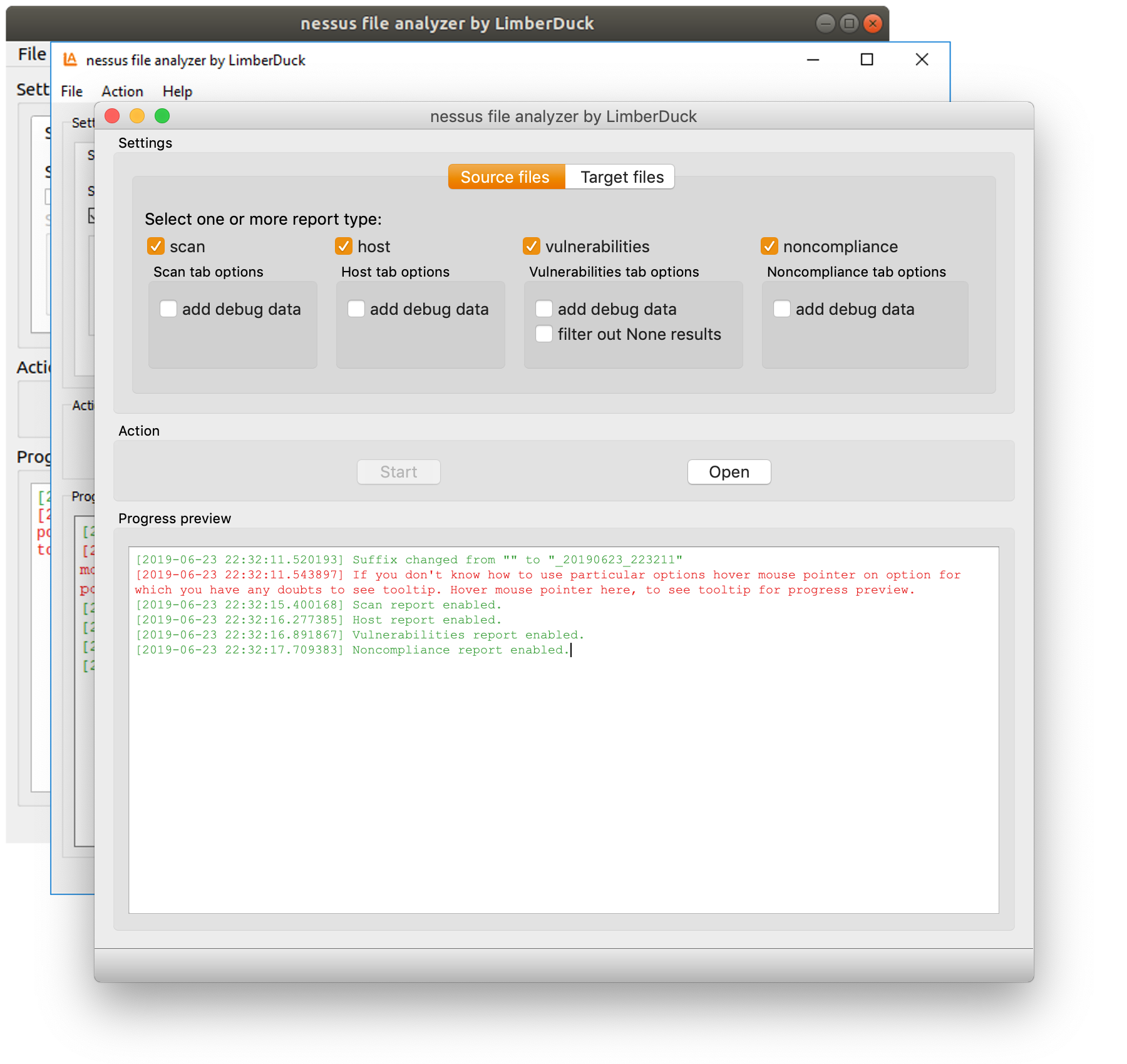
Main features
- select one or more nessus files at once or select directory to get all nessus files from it and from all its subdirectories
- select one or more of available report types like:
- scan,
- host,
- vulnerabilities,
- noncompliance
- change target directory for output file to desired one, leave it default (current working directory) or set to be the same as source files
- add suffix for output file with
_YYYYMMDD_HHMMSSand/or custom text
Documentation
Visit https://nessus-file-analyzer.readthedocs.io to find out more.
Installation
Note: It's advisable to use python virtual environment for below instructions. Read more about python virtual environment in The Hitchhiker’s Guide to Python!
Read about virtualenvwrapper in The Hitchhiker’s Guide to Python!: virtualenvwrapper provides a set of commands which makes working with virtual environments much more pleasant.
-
Install nessus file analyzer
pip install nessus-file-analyzerTo upgrade to newer version run:
pip install -U nessus-file-analyzer -
Run nessus file analyzer
nessus-file-analyzerOptionally for Linux and macOS:
nessus-file-analyzer&Run with
&at the end to start the process in the background. -
Make a shortcut for nessus file analyzer
Windows:
- Run in cmd
where nessus-file-analyzer.exe - Copy returned path.
- Go to e.g. to Desktop.
- Right click on Desktop and choose
New > Shortcut. - Paste returned path.
- Click
Next,Finish.
Linux (Ubuntu) / macOS
- Run in Terminal
which nessus-file-analyzer - Run in Terminal
ln -s path_returned_in_previous_command ~/Desktop/
macOS
- Run in Terminal
which nessus-file-analyzer - Open
binfolder wherenessus-file-analyzeris located. - Right click on
nessus-file-analyzerand chooseMake alias. - Move your alias e.g. to Desktop.
- Run in cmd
Meta
Change log
See CHANGELOG.
Licence
GNU GPLv3: LICENSE.
Authors
Damian Krawczyk created nessus file analyzer by LimberDuck.
Release history Release notifications | RSS feed


Download files
Download the file for your platform. If you're not sure which to choose, learn more about installing packages.
Source Distribution
Built Distribution
Hashes for nessus_file_analyzer-0.7.1.tar.gz
| Algorithm | Hash digest | |
|---|---|---|
| SHA256 | 859b3788d1da9c078751c9b226a2a8c58403a01ceff86cf32004656408f6d56d |
|
| MD5 | 4eabc7606be808e66aeb6a4549d3f81d |
|
| BLAKE2b-256 | 9a190366a56af08602e9e51ec73a1dcd106fd4dadaf93388703f120d8497f57c |
Hashes for nessus_file_analyzer-0.7.1-py3-none-any.whl
| Algorithm | Hash digest | |
|---|---|---|
| SHA256 | 6b5f37e9f0274d3a236ba64e133d6ec3e2e13f39d25f84cb8c37627932a7a593 |
|
| MD5 | dbdebb05e0256df98abf779aa3941803 |
|
| BLAKE2b-256 | 25689992f35732bb56d8b16eeee5f477996ba25b702c37662cf6ffbac7b957cb |







