
LimberDuck NFR (nessus file reader)
LimberDuck NFR (nessus file reader) (pronounced ˈlɪm.bɚ dʌk) is a CLI tool
and python module created to quickly parse nessus files containing the results
of scans performed by Tenable Nessus and Tenable Security Center. This module will let
you get data through functions grouped into categories like file, scan, host
and plugin to get specific information from the provided nessus scan files.








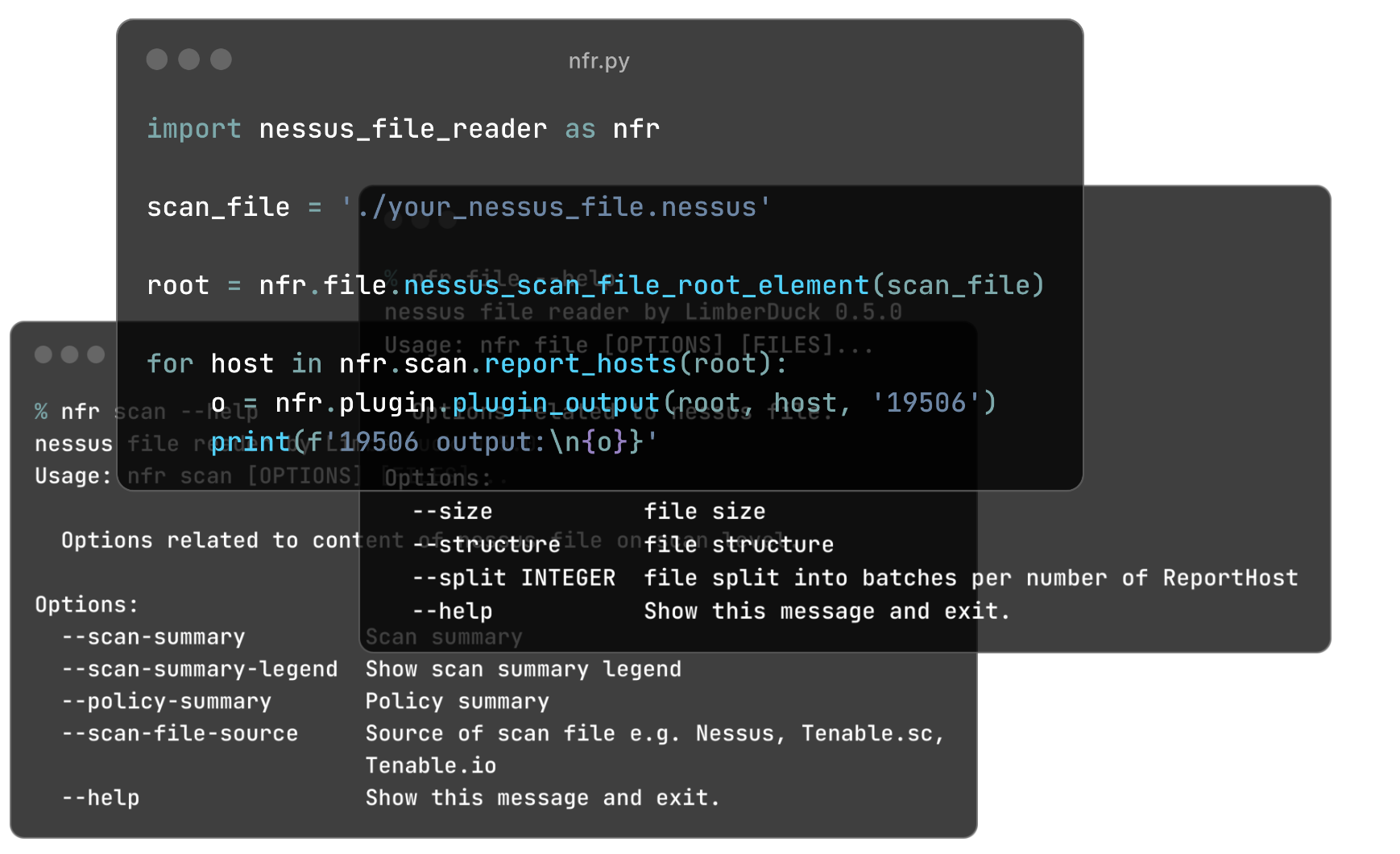
Main features
- read data from nessus files containing results of scans performed by Tenable Nessus and Tenable Security Center
- use it in CLI to check quickly e.g. quality of your scan, split large scan results
- use it in CLI to generate xlsx reports like LimberDuck NFA (nessus file analyzer) does, e.g. in CI/CD pipeline
- use it as python module
Installation
Install nessus file reader
pip install nessus-file-reader
To upgrade to newer version run:
pip install -U nessus-file-reader
How to
Use nfr in CLI
-
Run nessus file reader
nfr -
Check help for commands
nfr [command] --helpe.g.nfr file --help
File command
Run nfr file --help to see options related to nessus file.
File size
Check size of given file:
nfr file --size test_files/scan_avrx9t.nessus
LimberDuck NFR (nessus file reader) 0.4.2
test_files/scan_avrx9t.nessus 2.4 MiB
more than one file:
nfr file --size test_files/scan_avrx9t.nessus test_files/scan_ihc1js.nessus
LimberDuck NFR (nessus file reader) 0.4.2
test_files/scan_avrx9t.nessus 2.4 MiB
test_files/scan_ihc1js.nessus 5.0 MiB
all files in given directory and it's subdirectories:
nfr file --size test_files
LimberDuck NFR (nessus file reader) 0.4.2
test_files/scan_avrx9t.nessus 2.4 MiB
test_files/scan_ihc1js.nessus 5.0 MiB
test_files/test_subdirectory/scan_ihc1js.nessus 878.3 KiB
File structure
Check structure of given file:
nfr file --structure test_files/scan_avrx9t.nessus
LimberDuck NFR (nessus file reader) 0.4.2
test_files/scan_avrx9t.nessus
Policy [2/2]
├── policyName [3/3]
├── Preferences [2/3]
│   ├── ServerPreferences [1/1]
│   │   ├── preference [54/54]
│   │   │   ├── name [1/1]
│   │   │   └── value [0/1]
│   │   ├── preference [53/54]
...
│   └── PluginsPreferences [0/1]
│       ├── item [506/506]
│       │   ├── pluginName [6/6]
│       │   ├── pluginId [5/6]
│       │   ├── fullName [4/6]
│       │   ├── preferenceName [3/6]
│       │   ├── preferenceType [2/6]
│       │   ├── preferenceValues [1/6]
│       │   └── selectedValue [0/6]
│       ├── item [505/506]
...
├── FamilySelection [1/3]
│   ├── FamilyItem [53/53]
│   │   ├── FamilyName [1/1]
│   │   └── Status [0/1]
│   ├── FamilyItem [52/53]
│   │   ├── FamilyName [1/1]
│   │   └── Status [0/1]
...
└── IndividualPluginSelection [0/3]
│   ├── PluginItem [6/6]
│   │   ├── PluginId [3/3]
│   │   ├── PluginName [2/3]
│   │   ├── Family [1/3]
│   │   └── Status [0/3]
...
Report [1/2]
└── ReportHost [0/0]
    ├── HostProperties [409/409]
    │   ├── tag [354/354]
    │   ├── tag [353/354]
...
    ├── ReportItem [408/409]
    │   ├── agent [12/12]
    │   ├── description [11/12]
    │   ├── fname [10/12]
    │   ├── plugin_modification_date [9/12]
    │   ├── plugin_name [8/12]
    │   ├── plugin_publication_date [7/12]
    │   ├── plugin_type [6/12]
    │   ├── risk_factor [5/12]
    │   ├── script_version [4/12]
    │   ├── see_also [3/12]
    │   ├── solution [2/12]
    │   ├── synopsis [1/12]
    │   └── plugin_output [0/12]
...
Check whole example structure examples/scan_avrx9t_structure.txt.
File split
Split the file with Nessus scan results into smaller files.
nfr file --split 100 ./directory ./directory2
LimberDuck NFR (nessus file reader) 0.5.0
./directory/192_168_8_0_24_3mf2o4.nessus
./directory/192_168_8_0_24_3mf2o4_part1.nessus
./directory/192_168_8_0_24_3mf2o4_part2.nessus
./directory/192_168_8_0_24_3mf2o4_part3.nessus
./directory/subdirectory/My_Advanced_Scan_for_192_168_8_0_24_rg2ny9.nessus
./directory/subdirectory/My_Advanced_Scan_for_192_168_8_0_24_rg2ny9_part1.nessus
./directory2/192_168_8_0_24_3mf2o4.nessus
./directory2/192_168_8_0_24_3mf2o4_part1.nessus
./directory2/192_168_8_0_24_3mf2o4_part2.nessus
./directory2/192_168_8_0_24_3mf2o4_part3.nessus
Scan command
Run nfr scan --help to see options related to content of nessus file on scan level.
Scan summary
See scan summary of given file/-s or all files in given directory and it's subdirectories:
nfr scan --scan-summary scan_avrx9t.nessus
LimberDuck NFR (nessus file reader) 0.4.2
File name           Report name     TH    SH    CC    C    H    M    L    N
------------------  ------------  ----  ----  ----  ---  ---  ---  ---  ---
scan_avrx9t.nessus  test scan        1     1     1   48  182  126   15   38
nfr scan --scan-summary-legend
LimberDuck NFR (nessus file reader) 0.4.2
Legend for scan summary:
File name - nessus file name
Report name - report name for given nessus file name
TH - number of target hosts
SH - number of scanned hosts
CC - number of hosts scanned with credentials (Credentialed checks yes in Plugin ID 19506)
C - number of plugins with Critical risk factor for whole scan
H - number of plugins with High risk factor for whole scan
M - number of plugins with Medium risk factor for whole scan
L - number of plugins with Low risk factor for whole scan
N - number of plugins with None risk factor for whole scan
Plugin severity
Compare severity scores assigned to plugin like Severity, Risk Factor, CVSSv2, CVSSv3, CVSSv4, VPR, EPSS.
nfr scan --plugin-severity-legend
LimberDuck NFR (nessus file reader) 0.6.0
Legend for plugin severity:
File name - nessus file name
Report host name - target name used during scan
PID - Plugin ID reported in scan
S - Severity number (0-4) of plugin
SL - Severity label of plugin (e.g. Critical, High, Medium, Low, None)
RF - Risk factor of plugin (e.g. Critical, High, Medium, Low, None)
CVSSv2 - CVSSv2 base score of plugin
CVSSv2L - CVSSv2 base score label of plugin
CVSSv3 - CVSSv3 base score of plugin
CVSSv3L - CVSSv3 base score label of plugin
CVSSv4 - CVSSv4 base score of plugin
CVSSv4L - CVSSv4 base score label of plugin
VPR - Vulnerability Priority Rating score of plugin
VPRL - Vulnerability Priority Rating label of plugin
EPSS - Exploit Prediction Scoring System score of plugin
EPSS% - Exploit Prediction Scoring System score of plugin in percentage
Just point the name or path to nessus file with scan results.
nfr scan --plugin-severity 192_168_1_1_1022nb.nessus
LimberDuck NFR (nessus file reader) 0.6.0
File name                  Report host name       PID    S  SL      RF        CVSSv2  CVSSv2L      CVSSv3  CVSSv3L    CVSSv4    CVSSv4L      VPR  VPRL      EPSS  EPSS%
-------------------------  ------------------  ------  ---  ------  ------  --------  ---------  --------  ---------  --------  ---------  -----  ------  ------  -------
192_168_1_1_1022nb.nessus  192.168.1.10         12217    2  Medium  Medium       5    Medium          5.3  Medium
192_168_1_1_1022nb.nessus  192.168.1.10         42263    2  Medium  Medium       5.8  Medium          6.5  Medium
192_168_1_1_1022nb.nessus  192.168.1.10         50686    2  Medium  Medium       5.8  Medium          6.5  Medium                            4.9  Medium  0.0596  6.0%
192_168_1_1_1022nb.nessus  192.168.1.10         10114    1  Low     Low          2.1  Low                                                    2.2  Low     0.0037  0.4%
192_168_1_1_1022nb.nessus  192.168.1.10         10663    1  Low     Low          3.3  Low
192_168_1_1_1022nb.nessus  192.168.1.10         70658    1  Low     Low          2.6  Low             3.7  Low                               1.4  Low     0.0307  3.1%
192_168_1_1_1022nb.nessus  192.168.1.10         71049    1  Low     Low          2.6  Low
192_168_1_1_1022nb.nessus  192.168.1.10        153953    1  Low     Low          2.6  Low             3.7  Low
192_168_1_1_1022nb.nessus  192.168.1.10         10107    0  Info    None
192_168_1_1_1022nb.nessus  192.168.1.10         10267    0  Info    None
Use -f or --filter to check only one Plugin ID among all scan results. Read more about JMESPath.
nfr scan --plugin-severity *.nessus -f "[?PID == '50686']"
LimberDuck NFR (nessus file reader) 0.6.0
File name                          Report host name      PID    S  SL      RF        CVSSv2  CVSSv2L      CVSSv3  CVSSv3L    CVSSv4    CVSSv4L      VPR  VPRL      EPSS  EPSS%
---------------------------------  ------------------  -----  ---  ------  ------  --------  ---------  --------  ---------  --------  ---------  -----  ------  ------  -------
192_168_1_1_1022nb-1.nessus          192.168.1.10        50686    2  Medium  Medium       5.8  Medium          6.5  Medium                            4.9  Medium  0.0596  6.0%
192_168_1_1_1022nb-2.nessus          192.168.1.10        50686    2  Medium  Medium       5.8  Medium          6.5  Medium                            4.9  Medium  0.0596  6.0%
Use -f or --filter to check only these plugins which have VPR assigned. Read more about JMESPath.
nfr scan --plugin-severity 192_168_1_1_1022nb.nessus -f "[?VPR != null]"
LimberDuck NFR (nessus file reader) 0.6.0
File name                  Report host name      PID    S  SL      RF        CVSSv2  CVSSv2L      CVSSv3  CVSSv3L    CVSSv4    CVSSv4L      VPR  VPRL      EPSS  EPSS%
-------------------------  ------------------  -----  ---  ------  ------  --------  ---------  --------  ---------  --------  ---------  -----  ------  ------  -------
192_168_1_1_1022nb.nessus  192.168.1.10        50686    2  Medium  Medium       5.8  Medium          6.5  Medium                            4.9  Medium  0.0596  6.0%
192_168_1_1_1022nb.nessus  192.168.1.10        10114    1  Low     Low          2.1  Low                                                    2.2  Low     0.0037  0.4%
192_168_1_1_1022nb.nessus  192.168.1.10        70658    1  Low     Low          2.6  Low             3.7  Low                               1.4  Low     0.0307  3.1%
Use -f or --filter to check only these plugins which have, e.g., CVSSv3 score greater than 4.0. Read more about JMESPath.
nfr scan --plugin-severity 192_168_1_1_1022nb.nessus -f "[?CVSSv3 > '4.0']"
LimberDuck NFR (nessus file reader) 0.6.0
File name                  Report host name      PID    S  SL      RF        CVSSv2  CVSSv2L      CVSSv3  CVSSv3L    CVSSv4    CVSSv4L      VPR  VPRL      EPSS  EPSS%
-------------------------  ------------------  -----  ---  ------  ------  --------  ---------  --------  ---------  --------  ---------  -----  ------  ------  -------
192_168_1_1_1022nb.nessus  192.168.1.10        12217    2  Medium  Medium       5    Medium          5.3  Medium
192_168_1_1_1022nb.nessus  192.168.1.10        42263    2  Medium  Medium       5.8  Medium          6.5  Medium
192_168_1_1_1022nb.nessus  192.168.1.10        50686    2  Medium  Medium       5.8  Medium          6.5  Medium                            4.9  Medium  0.0596  6.0%
Policy scan summary
See policy scan summary of given file/-s or all files in given directory and it's subdirectories:
nfr scan --policy-summary scan_ihc1js.nessus scan_avrx9t.nessus
LimberDuck NFR (nessus file reader) 0.4.2
File name           Policy name      Max hosts    Max checks    Checks timeout    Plugins number
------------------  -------------  -----------  ------------  ----------------  ----------------
scan_ihc1js.nessus  Advanced Scan          100             5                 5            103203
scan_avrx9t.nessus  Test                   100             5                 5            103949
Scan file source
See scan file source like Nessus, Tenable.sc, Tenable.io of given file/-s or all files in given directory and it's subdirectories:
nfr scan --scan-file-source scan_ihc1js.nessus scan_avrx9t.nessus
LimberDuck NFR (nessus file reader) 0.4.2
File name           Source
------------------  ----------
scan_ihc1js.nessus  Tenable.sc
scan_avrx9t.nessus  Nessus
Report command
Run nfr report --help to see options related to xlsx reports.
Generate xlsx report with the same scans, hosts, vulnerabilities and noncompliance worksheets as LimberDuck NFA (nessus file analyzer) does, without GUI, e.g. in CI/CD pipeline. It requires additional dependency:
pip install nessus-file-reader[xlsx]
Generate all reports for given nessus files, zip files with nessus files inside or all of them in given directory and it's subdirectories:
nfr report ./scans -o ./reports
Generate only vulnerabilities report with additional debug columns, skip vulnerabilities with risk factor None and save it under fixed file name ./reports/security_report_weekly.xlsx:
nfr report ./scans -o ./reports -rv -dd vulnerabilities --none-skip --suffix weekly --no-timestamp
Exit code is 1 if any nessus file could not be parsed, 2 if no nessus files were found.
Use nfr as python module
- Import
nessus-file-readermodule.
import nessus_file_reader as nfr
- Use
filefunctions to get details about provided file e.g. root, file name, file size.
import nessus_file_reader as nfr

nessus_scan_file = './your_nessus_file.nessus'
root = nfr.file.nessus_scan_file_root_element(nessus_scan_file)
file_name = nfr.file.nessus_scan_file_name_with_path(nessus_scan_file)
file_size = nfr.file.nessus_scan_file_size_human(nessus_scan_file)
print(f'File name: {file_name}')
print(f'File size: {file_size}')
- Use
scanfunctions to get details about provided scan e.g. report name, number of target/scanned/credentialed hosts, scan time start/end/elapsed and more.
import nessus_file_reader as nfr
nessus_scan_file = './your_nessus_file.nessus'
root = nfr.file.nessus_scan_file_root_element(nessus_scan_file)

report_name = nfr.scan.report_name(root)
number_of_target_hosts = nfr.scan.number_of_target_hosts(root)
number_of_scanned_hosts = nfr.scan.number_of_scanned_hosts(root)
number_of_scanned_hosts_with_credentialed_checks_yes = nfr.scan.number_of_scanned_hosts_with_credentialed_checks_yes(root)
scan_time_start = nfr.scan.scan_time_start(root)
scan_time_end = nfr.scan.scan_time_end(root)
scan_time_elapsed = nfr.scan.scan_time_elapsed(root)
print(f' Report name: {report_name}')
print(f' Number of target/scanned/credentialed hosts: {number_of_target_hosts}/{number_of_scanned_hosts}/{number_of_scanned_hosts_with_credentialed_checks_yes}')
print(f' Scan time START - END (ELAPSED): {scan_time_start} - {scan_time_end} ({scan_time_elapsed})')
- Use
hostfunctions to get details about hosts from provided scan e.g. report hosts names, operating system, hosts scan time start/end/elapsed, number of Critical/High/Medium/Low/None findings and more.
import nessus_file_reader as nfr
nessus_scan_file = './your_nessus_file.nessus'
root = nfr.file.nessus_scan_file_root_element(nessus_scan_file)

for report_host in nfr.scan.report_hosts(root):
   report_host_name = nfr.host.report_host_name(report_host)
   report_host_os = nfr.host.detected_os(report_host)
   report_host_scan_time_start = nfr.host.host_time_start(report_host)
   report_host_scan_time_end = nfr.host.host_time_end(report_host)
   report_host_scan_time_elapsed = nfr.host.host_time_elapsed(report_host)
   report_host_critical = nfr.host.number_of_plugins_per_risk_factor(report_host, 'Critical')
   report_host_high = nfr.host.number_of_plugins_per_risk_factor(report_host, 'High')
   report_host_medium = nfr.host.number_of_plugins_per_risk_factor(report_host, 'Medium')
   report_host_low = nfr.host.number_of_plugins_per_risk_factor(report_host, 'Low')
   report_host_none = nfr.host.number_of_plugins_per_risk_factor(report_host, 'None')
   print(f'  Report host name: {report_host_name}')
   print(f'  Report host OS: {report_host_os}')
   print(f'  Host scan time START - END (ELAPSED): {report_host_scan_time_start} - {report_host_scan_time_end} ({report_host_scan_time_elapsed})')
   print(f'  Critical/High/Medium/Low/None findings: {report_host_critical}/{report_host_high}/{report_host_medium}/{report_host_low}/{report_host_none}')
- Use
pluginfunctions to get details about plugins reported in provided scan e.g. plugins ID, plugins risk factor, plugins name.
import nessus_file_reader as nfr
nessus_scan_file = './your_nessus_file.nessus'
root = nfr.file.nessus_scan_file_root_element(nessus_scan_file)

for report_host in nfr.scan.report_hosts(root):
   report_items_per_host = nfr.host.report_items(report_host)
   for report_item in report_items_per_host:
      plugin_id = int(nfr.plugin.report_item_value(report_item, 'pluginID'))
      risk_factor = nfr.plugin.report_item_value(report_item, 'risk_factor')
      plugin_name = nfr.plugin.report_item_value(report_item, 'pluginName')
      print('\t', plugin_id, '  \t\t\t', risk_factor, '  \t\t\t', plugin_name)
- If you want to get output for interesting you plugin e.g. "Nessus Scan Information" use below function
import nessus_file_reader as nfr
nessus_scan_file = './your_nessus_file.nessus'
root = nfr.file.nessus_scan_file_root_element(nessus_scan_file)

for report_host in nfr.scan.report_hosts(root):
   pido_19506 = nfr.plugin.plugin_output(root, report_host, '19506')
   print(f'Nessus Scan Information Plugin Output:\n{pido_19506}')
- If you know that interesting you plugin occurs more than ones for particular host e.g. "Netstat Portscanner (SSH)" use below function
import nessus_file_reader as nfr
nessus_scan_file = './your_nessus_file.nessus'
root = nfr.file.nessus_scan_file_root_element(nessus_scan_file)

for report_host in nfr.scan.report_hosts(root):
   pidos_14272 = nfr.plugin.plugin_outputs(root, report_host, '14272')
   print(f'All findings for Netstat Portscanner (SSH): \n{pidos_14272}')
Meta
Change log
See CHANGELOG.
Licence
GNU GPLv3: LICENSE.
Authors
Damian Krawczyk created LimberDuck NFR (nessus file reader).
1 maintainer

Metadata
1 maintainer
Release files for nessus-file-reader 0.9.0
For a detailed explanation of source distributions (sdists) and built distributions (wheels), please see the package formats documentation.
Source distribution (sdist)
| File | Size | Uploaded | Provenance | |
|---|---|---|---|---|
| nessus_file_reader-0.9.0.tar.gz | 57.6 kB | Without provenance | Details |
Built distribution (wheel)
| File | Interpreter | ABI | Platform | Reset |
|---|---|---|---|---|
| nessus_file_reader-0.9.0-py3-none-any.whl | Python 3 | none | any | Details |
Total release size: 113.7 kB
Release files / nessus_file_reader-0.9.0.tar.gz
| Download URL | nessus_file_reader-0.9.0.tar.gz |
|---|---|
| Size | 57.6 kB |
| Tags | Source |
|
SHA-256 checksum How to use checksums |
c90255a2f5c3bca8e8c73120aa7864fa3c96f28b2769c7f40732415c13567944
|
|
BLAKE2b-256 checksum How to use checksums |
ef508c60a4f0eb5e0ce195be9c5639e63a83c0304ebb34b168b2cca2478f24d7
|
| Upload date | |
|
Uploaded using Trusted Publishing? What is trusted publishing? |
No |
| Uploaded via |
twine/6.2.0 CPython/3.9.25
|
Release files / nessus_file_reader-0.9.0-py3-none-any.whl
| Download URL | nessus_file_reader-0.9.0-py3-none-any.whl |
|---|---|
| Size | 56.1 kB |
| Tags | Python 3 |
|
SHA-256 checksum How to use checksums |
a29bb58dc54f3ee3cb2ee52fbd49ebc72ebb716cc2924668892e7938f3783cd8
|
|
BLAKE2b-256 checksum How to use checksums |
0d8ccbf8da78780c85953d080391210331a1f487159cf190b00296770e913d50
|
| Upload date | |
|
Uploaded using Trusted Publishing? What is trusted publishing? |
No |
| Uploaded via |
twine/6.2.0 CPython/3.9.25
|
Security for nessus-file-reader 0.9.0
Provenance
Provenance describes where a file came from. On PyPI, provenance is shared via attestations, which provide a verifiable record of the build or publishing details. View details, limitations and caveats.
No provenance found
None of the files in this release were uploaded with provenance metadata.
A note on package security
PyPI is a repository for distributing packages, not a service for auditing them. While third-party security researchers and our staff do their best to detect and remove malicious packages, PyPI cannot guarantee the quality, security or suitability of any given package.
To learn more about protecting yourself from malicious actors, visit our package security documentation.














