
NetBox plugin for automatic interface renaming when modules are installed
Verified details
These details have been verified by PyPIProject links
GitHub Statistics
Maintainers

Project description
NetBox Interface Name Rules Plugin









Automatic interface renaming when modules are installed into NetBox device bays.
What it does
When a module (transceiver, line card, converter) is installed into a module bay,
NetBox creates interfaces using position-based naming from the module type template.
This often produces incorrect names — e.g., Interface 1 instead of et-0/0/4.
This plugin hooks into Django's post_save signal on the Module model to
automatically apply renaming rules based on configurable templates.
Features
- Signal-driven — rules fire automatically on module install, no manual step needed
- Template variables —
{slot},{bay_position},{bay_position_num},{base},{channel}, etc. - Arithmetic expressions —
{8 + ({parent_bay_position} - 1) * 2 + {sfp_slot}} - Breakout support — create multiple channel interfaces from a single port (e.g., QSFP+ 4x10G)
- Scoping — rules can be scoped to specific device types, parent module types, or be universal
- Bulk import/export — YAML-based rule management via the UI or API
Supported scenarios
| Scenario | Example |
|---|---|
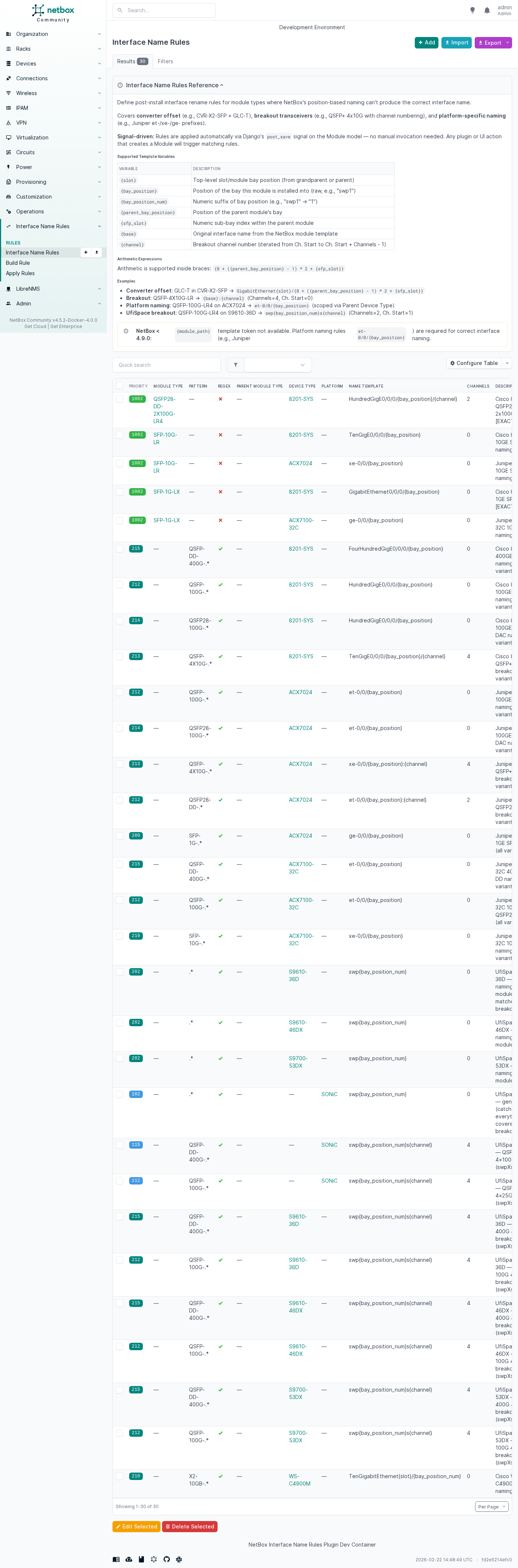
| Converter offset | GLC-T in CVR-X2-SFP → GigabitEthernet3/10 |
| Breakout channels | QSFP-4X10G-LR → et-0/0/4:0 through et-0/0/4:3 |
| Platform naming | QSFP-100G-LR4 on ACX7024 → et-0/0/{bay_position} |
| UfiSpace breakout | QSFP-100G on S9610 → swp{bay_position_num}s{channel} |
Installation
pip install netbox-interface-name-rules
Add to configuration.py:
PLUGINS = ['netbox_interface_name_rules']
Configuration
Rules are managed through the NetBox UI under Plugins → Interface Name Rules, or via the REST API at /api/plugins/interface-name-rules/rules/.
See the full configuration guide for all rule fields, priority scoring, and template variable reference.
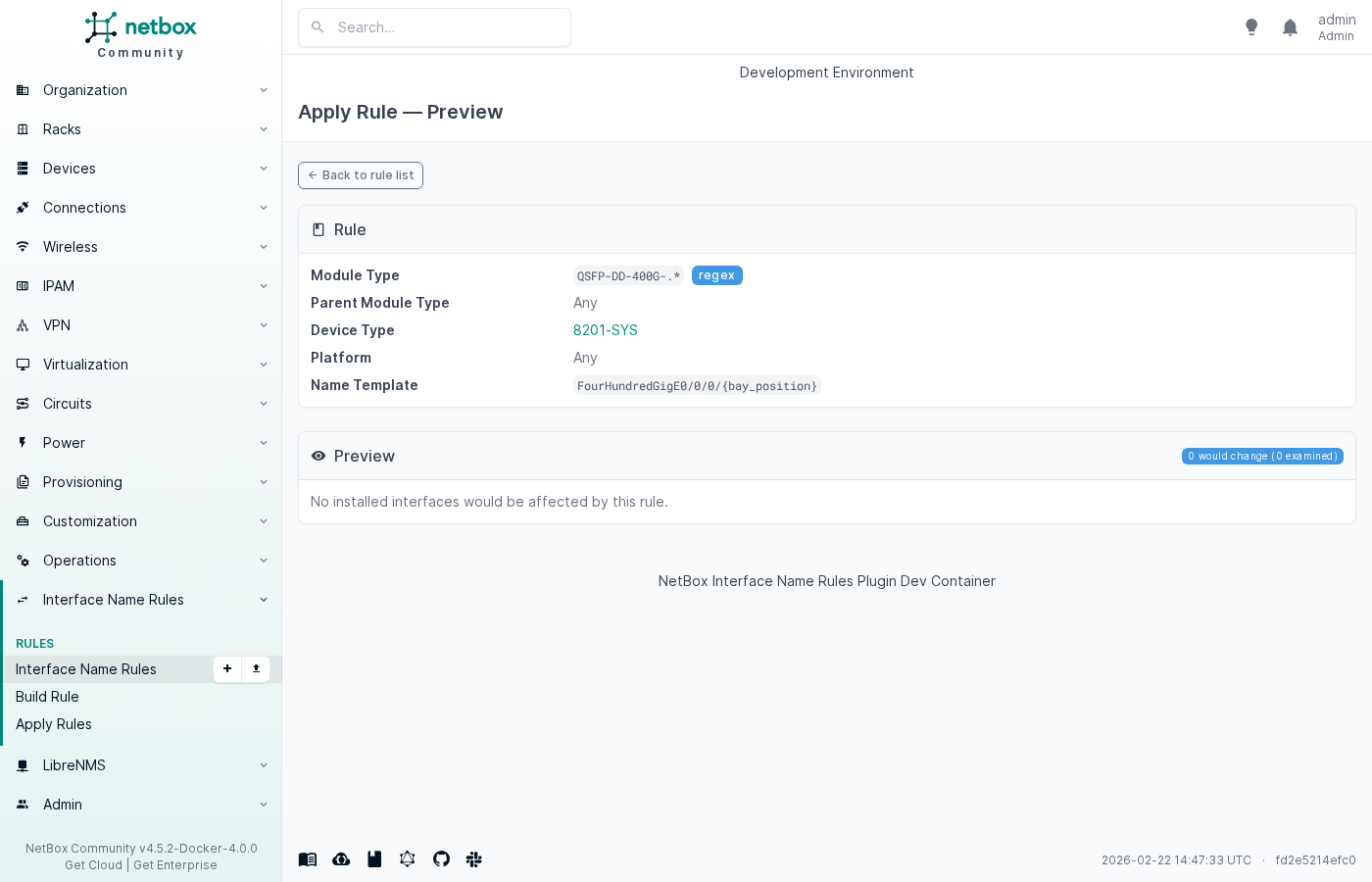
Screenshots
Compatibility
- NetBox ≥ 4.2.0
- Python ≥ 3.12
License
Apache 2.0
Documentation
- Full documentation — installation, configuration, examples
- DeepWiki — AI-generated codebase overview
Contributing
See CONTRIBUTING.md for how to submit code or interface name rules.
Community-contributed rules for various vendors are in the contrib/ directory.
Project details
Verified details
These details have been verified by PyPIProject links
GitHub Statistics
Maintainers


Download files
Download the file for your platform. If you're not sure which to choose, learn more about installing packages.
Source Distribution
Built Distribution
Filter files by name, interpreter, ABI, and platform.
If you're not sure about the file name format, learn more about wheel file names.
Copy a direct link to the current filters
File details
Details for the file netbox_interface_name_rules-1.2.2.tar.gz.
File metadata
- Download URL: netbox_interface_name_rules-1.2.2.tar.gz
- Upload date:
- Size: 80.3 kB
- Tags: Source
- Uploaded using Trusted Publishing? Yes
- Uploaded via: twine/6.1.0 CPython/3.13.7
File hashes
| Algorithm | Hash digest | |
|---|---|---|
| SHA256 |
82273db89547d9a0cec39b7aab132c78f8ef162455d18920f59fe6f529d3e3b0
|
|
| MD5 |
e3d1e5627478d888317f3a78f1ca7130
|
|
| BLAKE2b-256 |
822078b93a3fb17008875edb32b0290b4998976603c47da748f780f0e9eabe38
|
Provenance
The following attestation bundles were made for netbox_interface_name_rules-1.2.2.tar.gz:
Publisher:
publish-pypi.yaml on marcinpsk/netbox-InterfaceNameRules-plugin
-
Statement:
-
Statement type:
https://in-toto.io/Statement/v1 -
Predicate type:
https://docs.pypi.org/attestations/publish/v1 -
Subject name:
netbox_interface_name_rules-1.2.2.tar.gz -
Subject digest:
82273db89547d9a0cec39b7aab132c78f8ef162455d18920f59fe6f529d3e3b0 - Sigstore transparency entry: 1091722984
- Sigstore integration time:
-
Permalink:
marcinpsk/netbox-InterfaceNameRules-plugin@54a66f95aad16843f8e9e82e55d65f2f7bfb8a8b -
Branch / Tag:
refs/tags/v1.2.2 - Owner: https://github.com/marcinpsk
-
Access:
public
-
Token Issuer:
https://token.actions.githubusercontent.com -
Runner Environment:
github-hosted -
Publication workflow:
publish-pypi.yaml@54a66f95aad16843f8e9e82e55d65f2f7bfb8a8b -
Trigger Event:
push
-
Statement type:
File details
Details for the file netbox_interface_name_rules-1.2.2-py3-none-any.whl.
File metadata
- Download URL: netbox_interface_name_rules-1.2.2-py3-none-any.whl
- Upload date:
- Size: 102.6 kB
- Tags: Python 3
- Uploaded using Trusted Publishing? Yes
- Uploaded via: twine/6.1.0 CPython/3.13.7
File hashes
| Algorithm | Hash digest | |
|---|---|---|
| SHA256 |
fc333d26623103b61e9ef7917672846715fb6da3c8d35f44ae91f3bc7ee79b21
|
|
| MD5 |
d69ba33c71fd774612945fd6d26848c2
|
|
| BLAKE2b-256 |
b49a8d686bb7eaef9fc8191623b12457b4f6f94ef4b1b5d4b56c6e3fdb5741fd
|
Provenance
The following attestation bundles were made for netbox_interface_name_rules-1.2.2-py3-none-any.whl:
Publisher:
publish-pypi.yaml on marcinpsk/netbox-InterfaceNameRules-plugin
-
Statement:
-
Statement type:
https://in-toto.io/Statement/v1 -
Predicate type:
https://docs.pypi.org/attestations/publish/v1 -
Subject name:
netbox_interface_name_rules-1.2.2-py3-none-any.whl -
Subject digest:
fc333d26623103b61e9ef7917672846715fb6da3c8d35f44ae91f3bc7ee79b21 - Sigstore transparency entry: 1091722987
- Sigstore integration time:
-
Permalink:
marcinpsk/netbox-InterfaceNameRules-plugin@54a66f95aad16843f8e9e82e55d65f2f7bfb8a8b -
Branch / Tag:
refs/tags/v1.2.2 - Owner: https://github.com/marcinpsk
-
Access:
public
-
Token Issuer:
https://token.actions.githubusercontent.com -
Runner Environment:
github-hosted -
Publication workflow:
publish-pypi.yaml@54a66f95aad16843f8e9e82e55d65f2f7bfb8a8b -
Trigger Event:
push
-
Statement type:






