
NetBox macadress
A NetBox plugin that adds the IEEE vendor to every MAC address in NetBox, using the macadress.com API. It works with no API key (vendor name only). A free key adds the block type, country and registered address.
Features
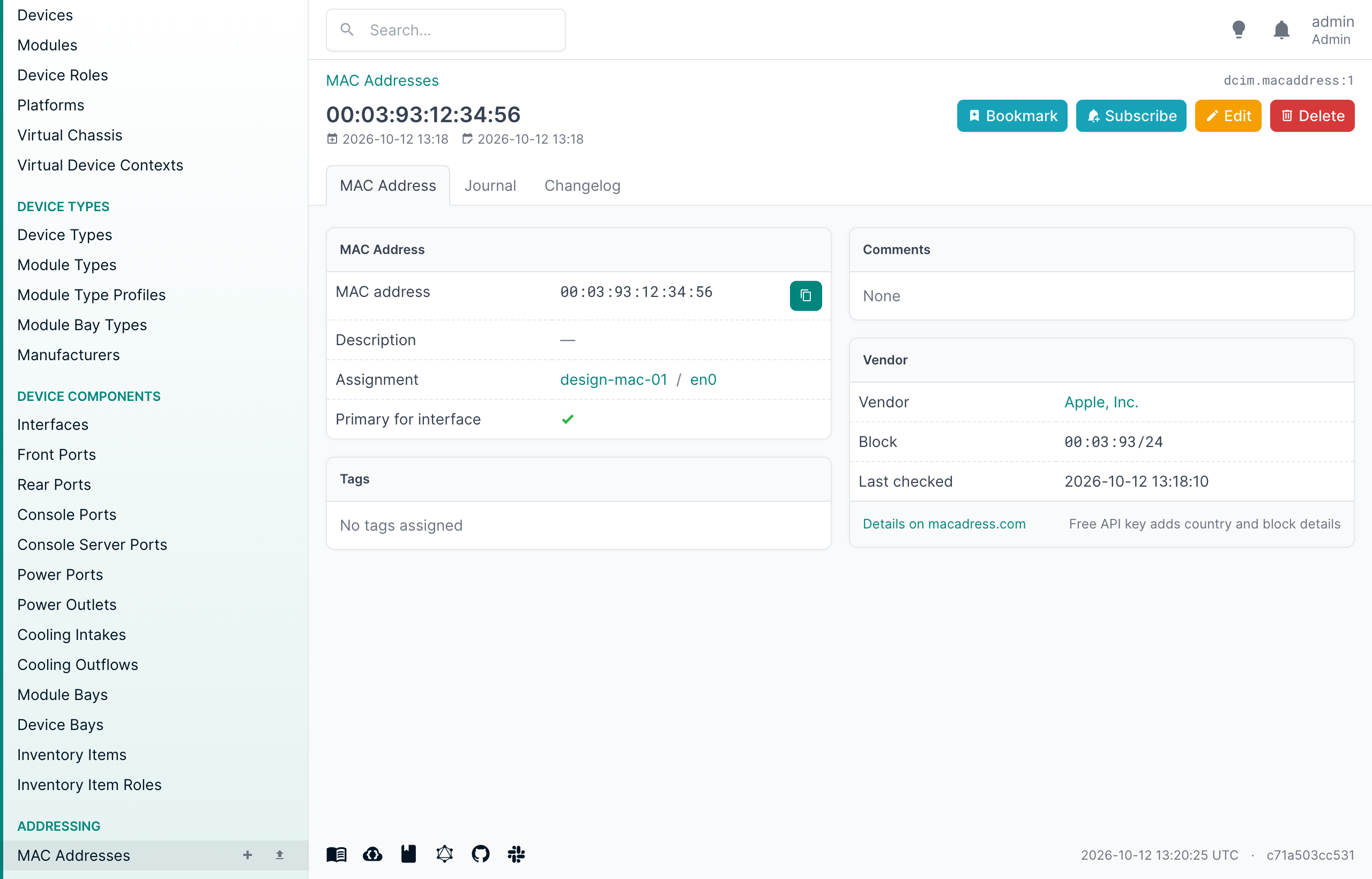
- Vendor panel on MAC address, device interface and VM interface pages
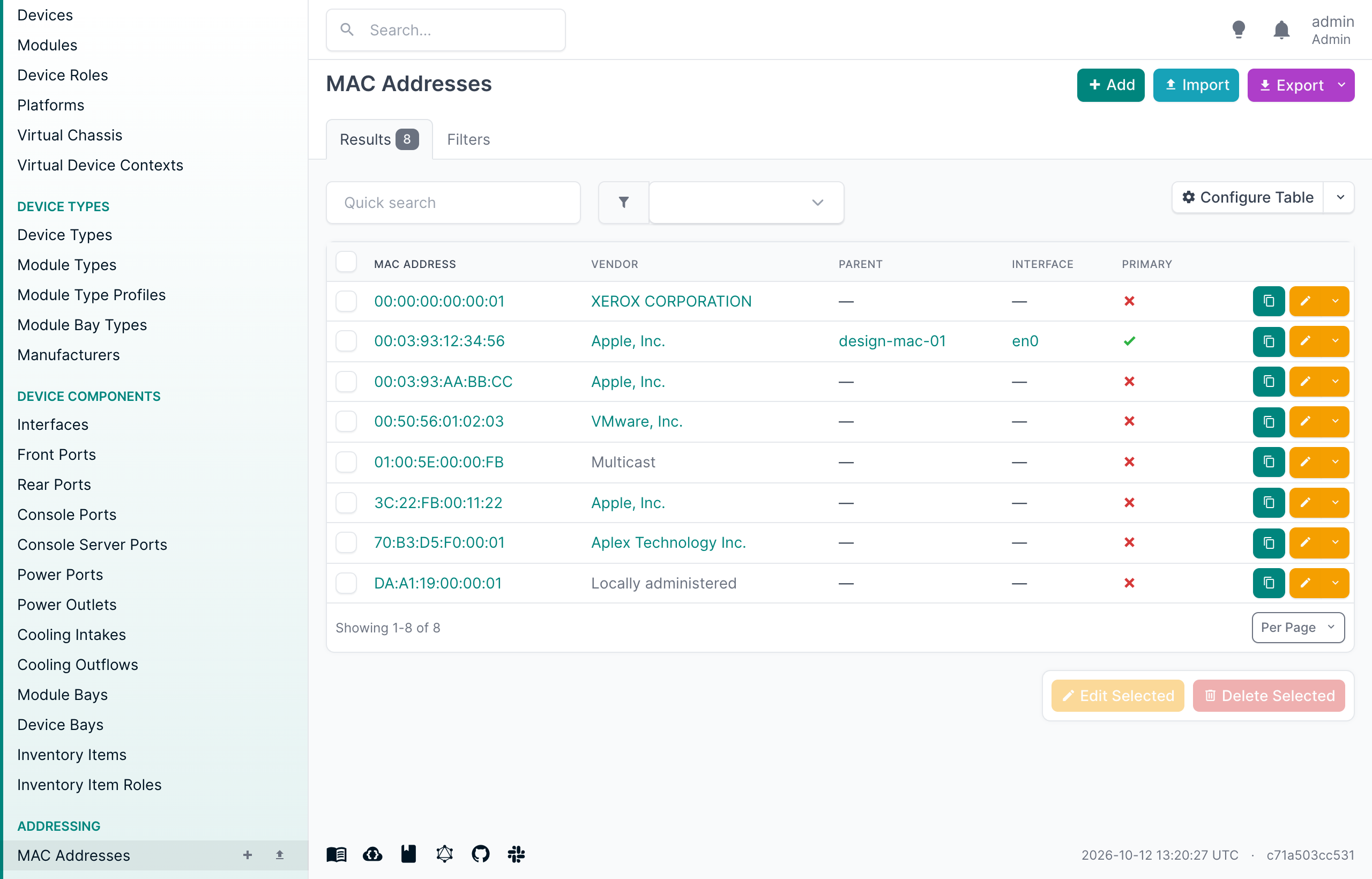
- Vendor column for the MAC address table (enable it under Configure Table), included in exports
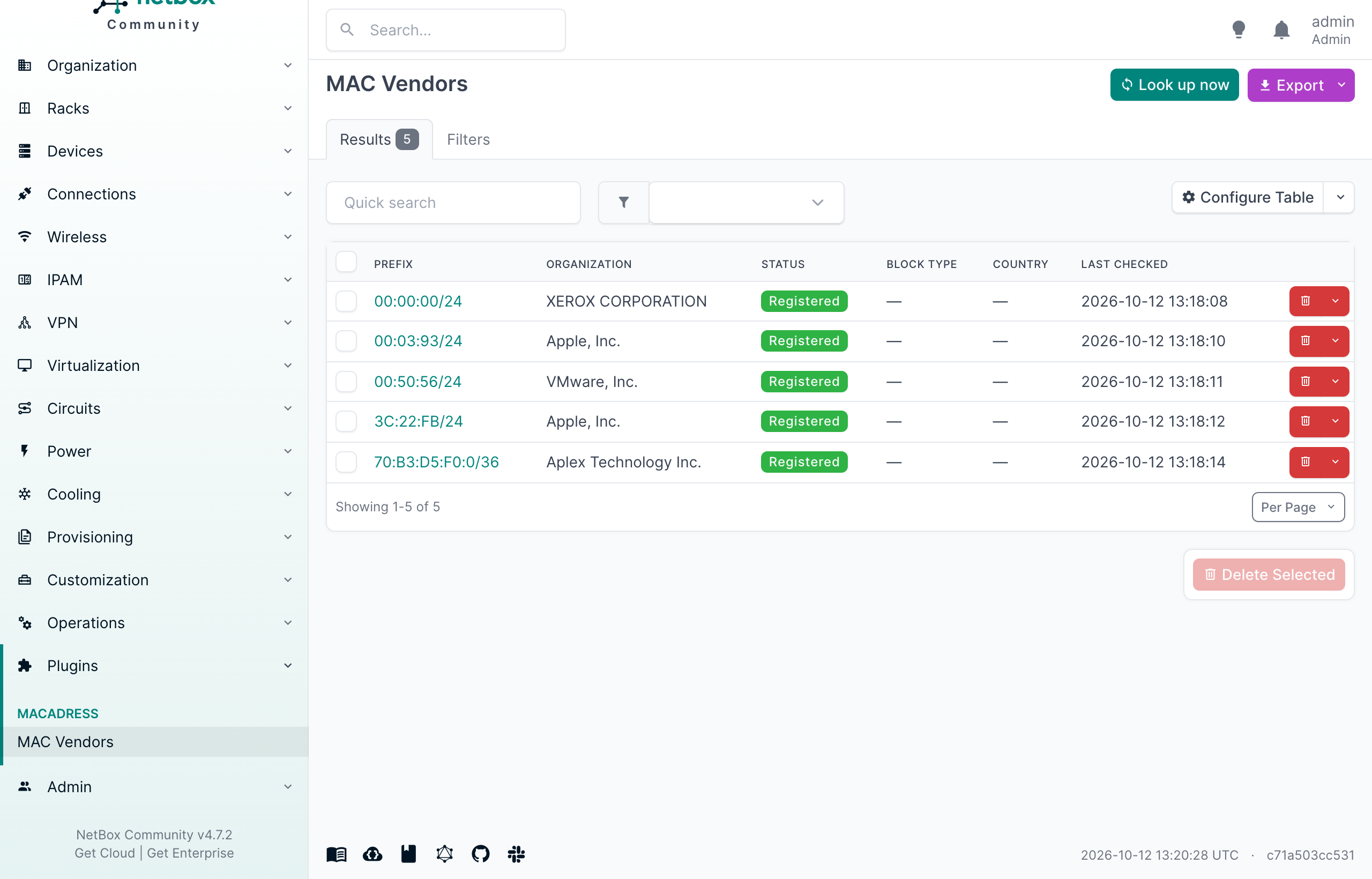
- Background sync that looks up new MAC addresses and refreshes vendors after 30 days. A lookup is also queued as soon as a MAC address with an unknown vendor is saved, and from the Look up now button.
- One lookup per block: addresses are cached per IEEE block (OUI, MA-M or MA-S), so a few hundred lookups usually cover thousands of devices. Blocks that IEEE splits between several vendors are cached at the right width, so devices are never labeled with a neighbor's vendor.
- No lookup for locally administered (often randomized) or multicast addresses
- MAC Vendors list with filtering, global search, REST API and GraphQL
Compatibility
| NetBox | Plugin |
|---|---|
| 4.5 - 4.7 | 0.1.x |
See COMPATIBILITY.md. Requires Python 3.12+.
Dependencies
macadress, the official macadress.com Python client (installed automatically)- A running NetBox background worker (
manage.py rqworker), which runs the lookups - Outbound HTTPS to
api.macadress.com. NetBox'sHTTP_PROXIES/PROXY_ROUTERSsettings are honored.
Installation
source /opt/netbox/venv/bin/activate
pip install netbox-macadress
Add it to local_requirements.txt so NetBox upgrades keep it, then enable it in configuration.py:
PLUGINS = ["netbox_macadress"]
Apply the migration and restart NetBox and its worker:
cd /opt/netbox/netbox
python manage.py migrate
sudo systemctl restart netbox netbox-rq
For netbox-docker, add netbox-macadress to plugin_requirements.txt and see
Using NetBox Plugins.
Configuration
Every setting is optional:
PLUGINS_CONFIG = {
    "netbox_macadress": {
        "api_key": "",              # or set MACADRESS_API_KEY in the environment
        "sync_interval": 60,        # minutes between scheduled syncs
        "max_lookups_per_run": 500, # the rest wait for the next run
        "refresh_days": 30,         # age at which a cached vendor is looked up again
        "lookup_on_save": True,     # queue a lookup when a MAC with an unknown vendor is saved
        "timeout": 10,
        "base_url": "https://api.macadress.com",
    },
}
| Mode | Data | Limits |
|---|---|---|
| No key | Vendor name | 1,000 lookups a day per IP, 60 a minute |
| Free key | Vendor, block type, country, address | 100 addresses per batch call, 1,000 free a day, then your plan |
When a key is added later, entries fetched without one are refreshed on the next sync.
REST API and GraphQL
GET /api/plugins/macadress/vendors/, filterable bymac_address,prefix,organization,status,country,sourceandq. Delete an entry to force it to be looked up again.- GraphQL:
mac_vendor(id: ...)andmac_vendor_list
Support
- Issues: https://github.com/sapisos/netbox-macadress/issues
- Maintainer: Samy Massoud, macadress.com
License
Apache-2.0, see LICENSE.
1 maintainer

Metadata
1 maintainer
Release files for netbox-macadress 0.1.0
For a detailed explanation of source distributions (sdists) and built distributions (wheels), please see the package formats documentation.
Source distribution (sdist)
| File | Size | Uploaded | |
|---|---|---|---|
| netbox_macadress-0.1.0.tar.gz | 36.7 kB | Details |
Built distribution (wheel)
| File | Interpreter | ABI | Platform | Reset |
|---|---|---|---|---|
| netbox_macadress-0.1.0-py3-none-any.whl | Python 3 | none | any | Details |
Total release size: 81.1 kB
Release files / netbox_macadress-0.1.0.tar.gz
| Download URL | netbox_macadress-0.1.0.tar.gz |
|---|---|
| Size | 36.7 kB |
| Tags | Source |
|
SHA-256 checksum How to use checksums |
7bc881a8f499f6feb315510af0a4e5a920748a0c5c05c01f9d48a94d6606f670
|
|
BLAKE2b-256 checksum How to use checksums |
891ad47c4e67eb29e12f2d32e3297a72e2413bc8dd670fb87f4073d4a9b7ab99
|
| Upload date | |
|
Uploaded using Trusted Publishing? What is trusted publishing? |
Yes |
| Uploaded via |
twine/7.0.0 CPython/3.13.14
|
Provenance
Provenance describes where a file came from. On PyPI, provenance is shared via attestations, which provide a verifiable record of the build or publishing details. View details, limitations and caveats.


PyPI Publish Attestation
PyPI verified that this artifact, at this checksum, originated from the publisher listed below.
Signed by GitHub Actions, verified by PyPI on Oct 12, 2026.
Transparency logRelease files / netbox_macadress-0.1.0-py3-none-any.whl
| Download URL | netbox_macadress-0.1.0-py3-none-any.whl |
|---|---|
| Size | 44.4 kB |
| Tags | Python 3 |
|
SHA-256 checksum How to use checksums |
9c1dc0277460e06ec31c1689753ae4be0bb2dfb8d931d40799c8b2e647e35be3
|
|
BLAKE2b-256 checksum How to use checksums |
fa1f15c035ba6b05e94fa5d4c2d462d6571d5fab1577c710ce200b260b83e04c
|
| Upload date | |
|
Uploaded using Trusted Publishing? What is trusted publishing? |
Yes |
| Uploaded via |
twine/7.0.0 CPython/3.13.14
|
Provenance
Provenance describes where a file came from. On PyPI, provenance is shared via attestations, which provide a verifiable record of the build or publishing details. View details, limitations and caveats.
PyPI Publish Attestation
PyPI verified that this artifact, at this checksum, originated from the publisher listed below.
Signed by GitHub Actions, verified by PyPI on Oct 12, 2026.
Transparency log












