
netbox-render
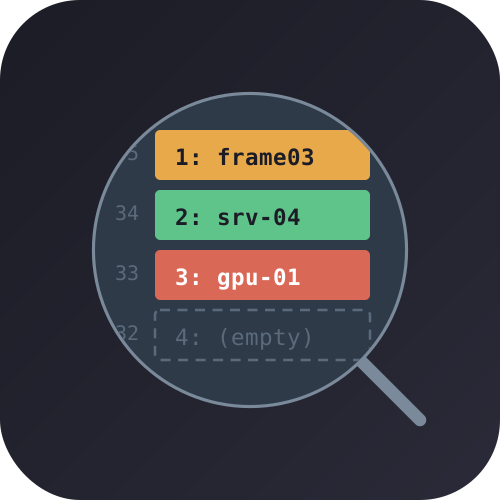
A NetBox plugin I wrote to fix a visibility gap in rack elevations: devices with device bays render as a single opaque block, hiding what's actually installed. This plugin subdivides that block into labeled, color-coded, clickable sections — one per bay.
What it does
Out of the box, NetBox shows a device-bay device as one rectangle with an occupancy count like "3/4". To see what's installed, you have to click into the parent and check the Device Bays tab.
I patched RackElevationSVG._draw_device so each bay gets its own section showing:
- Bay index (1, 2, 3, ...) sorted by bay name
- Child device name, or "(empty)"
- Role color on the front face (rear renders grey, matching stock behavior)
- Clickable link to the child device page
Devices without bays are untouched.
Before and after
| Without plugin | With plugin |
|---|---|
 |
 |
| Single opaque block | Subdivided with bay labels and role colors |
Bay ordering
Bays sort alphabetically by name — there's no numeric position field in NetBox's device bay model. Name them "Slot 01", "Slot 02", etc. for predictable ordering.
Compatibility
| NetBox | Plugin | Status |
|---|---|---|
| 4.6.x | 0.1.4 | Tested |
Startup checks verify the patched method signature hasn't changed. If it has, the plugin raises a RuntimeError instead of loading.
Installation
pip install netbox-render
Add to configuration.py:
PLUGINS = ['netbox_render']
Restart NetBox:
sudo systemctl restart netbox netbox-rq
For development: pip install -e .
Configuration
One option in PLUGINS_CONFIG:
PLUGINS_CONFIG = {
    'netbox_render': {
        'enable_images': True,  # default: False
    },
}
When enabled, bay sections show the child device type's front/rear image with a text label overlay. Requires restart.
Shelf device guide
See docs/shelf-devices-guide.md for a walkthrough on modeling rack shelves using device bays and how this plugin renders them.
Known limitations
- Bay ordering is name-based, not positional — no way around this without modifying NetBox's data model
- Images off by default
- Rear face always renders grey (matches stock NetBox)
- Both faces show the same bay breakdown
- No migrations, no DB changes — rendering only
- Monkeypatch approach: I patch an internal method, so test after every NetBox upgrade
Support
- Bugs / feature requests: GitHub Issues
- Questions: GitHub Discussions
- Security: Security Advisories (not public issues)
License
Apache-2.0
1 maintainer

Metadata
1 maintainer
Release files for netbox-render 0.1.4
For a detailed explanation of source distributions (sdists) and built distributions (wheels), please see the package formats documentation.
Source distribution (sdist)
| File | Size | Uploaded | |
|---|---|---|---|
| netbox_render-0.1.4.tar.gz | 11.3 kB | Details |
Built distribution (wheel)
| File | Interpreter | ABI | Platform | Reset |
|---|---|---|---|---|
| netbox_render-0.1.4-py3-none-any.whl | Python 3 | none | any | Details |
Total release size: 21.1 kB
Release files / netbox_render-0.1.4.tar.gz
| Download URL | netbox_render-0.1.4.tar.gz |
|---|---|
| Size | 11.3 kB |
| Tags | Source |
|
SHA-256 checksum How to use checksums |
62ad48a6267c636113b09d76cb4fc7855942cefa25b75feaf5558c55f04a0146
|
|
BLAKE2b-256 checksum How to use checksums |
4fa8ea0814ee05144ba9900280b85c8e12417356678ba325a7af75ce92dca96c
|
| Upload date | |
|
Uploaded using Trusted Publishing? What is trusted publishing? |
Yes |
| Uploaded via |
twine/7.0.0 CPython/3.13.14
|
Provenance
Provenance describes where a file came from. On PyPI, provenance is shared via attestations, which provide a verifiable record of the build or publishing details. View details, limitations and caveats.


PyPI Publish Attestation
PyPI verified that this artifact, at this checksum, originated from the publisher listed below.
Signed by GitHub Actions, verified by PyPI on Jul 31, 2026.
Transparency logRelease files / netbox_render-0.1.4-py3-none-any.whl
| Download URL | netbox_render-0.1.4-py3-none-any.whl |
|---|---|
| Size | 9.8 kB |
| Tags | Python 3 |
|
SHA-256 checksum How to use checksums |
5bf4df690a318bb1f9c0c63a27ec7cc11aa7f4d12b3272387a28d494624322bf
|
|
BLAKE2b-256 checksum How to use checksums |
1b86cb8453a0233be29e53c54641f5e158a4df9aab9890977721921fc22135e8
|
| Upload date | |
|
Uploaded using Trusted Publishing? What is trusted publishing? |
Yes |
| Uploaded via |
twine/7.0.0 CPython/3.13.14
|
Provenance
Provenance describes where a file came from. On PyPI, provenance is shared via attestations, which provide a verifiable record of the build or publishing details. View details, limitations and caveats.
PyPI Publish Attestation
PyPI verified that this artifact, at this checksum, originated from the publisher listed below.
Signed by GitHub Actions, verified by PyPI on Jul 31, 2026.
Transparency log













