
Your estate through one lens: world, floor and rack, drawn from NetBox and recoloured by what you need to see
world • site • floor • rack



Documentation | Compatibility | Configuration | Permissions | Extending | Changelog
A lens does two things to what you point it at: it brings one place into focus, and it filters what you see there. That is what this is for a network. The world map, the floor plan and the rack in 3D are the same estate at three focal lengths, one click apart, and every one of them recolours on demand by whatever you came to find out.
A NetBox plugin. NetBox knows a rack's height, footprint, power feeds and cooling capability. It does not know where the rack stands in the room, and it will not colour a room by any of those values. This draws the room and colours it.
What it does | Getting started | Where the ideas come from | Documentation
What it does
World → site → floor → rack, one click each way. Every drawing has a stat strip above it and a legend that filters it.
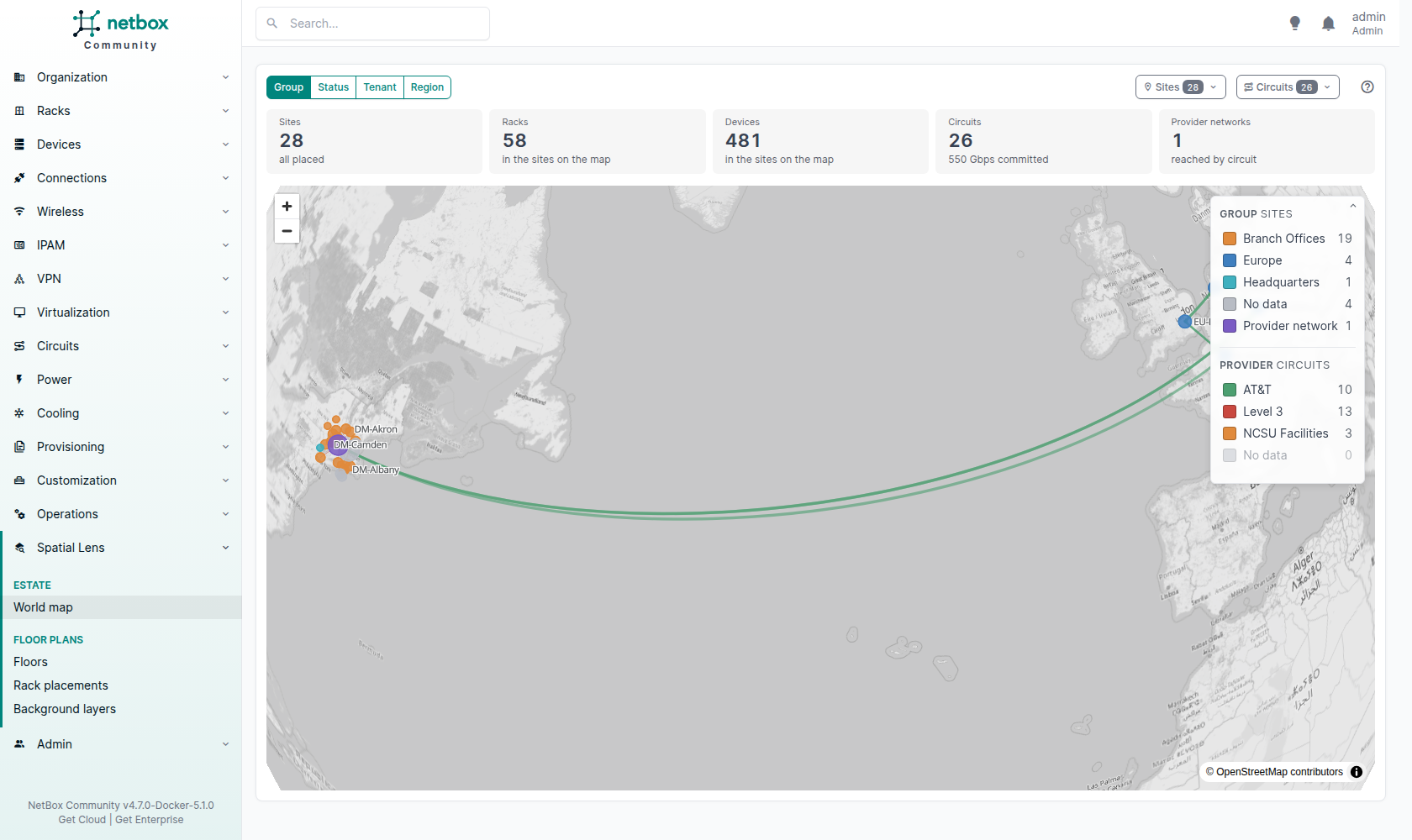
The world map
Sites on a globe, sized by rack count and coloured by group, status, tenant or region, with the circuits between them coloured by provider. The two legends and the Sites and Circuits finders narrow the map. It needs WebGL and MapLibre, which loads from a CDN by default or from your own copy; tiles are optional.
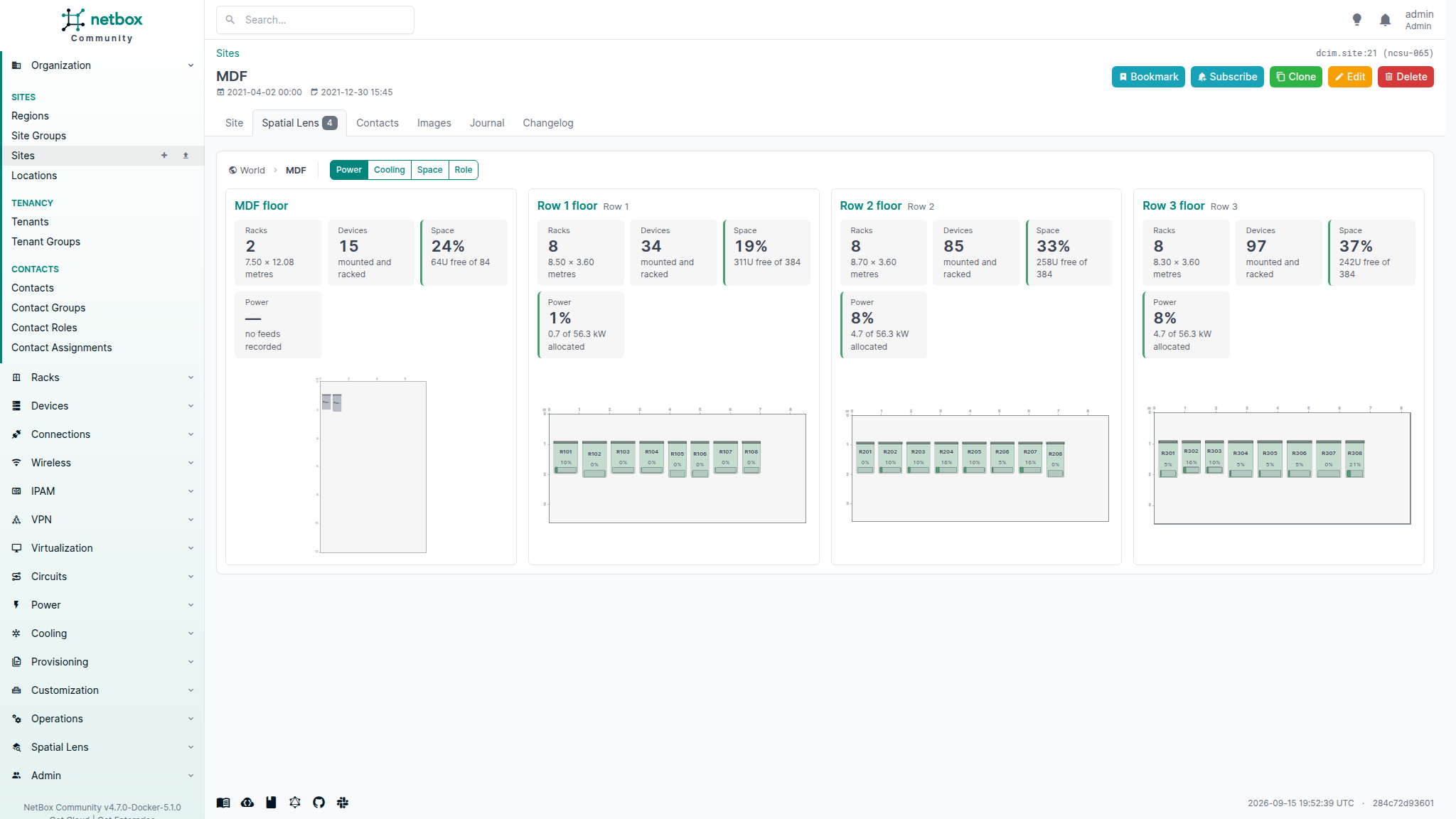
The site
Every room in the site as a small plan with its own figures, on a tab of NetBox's site page.
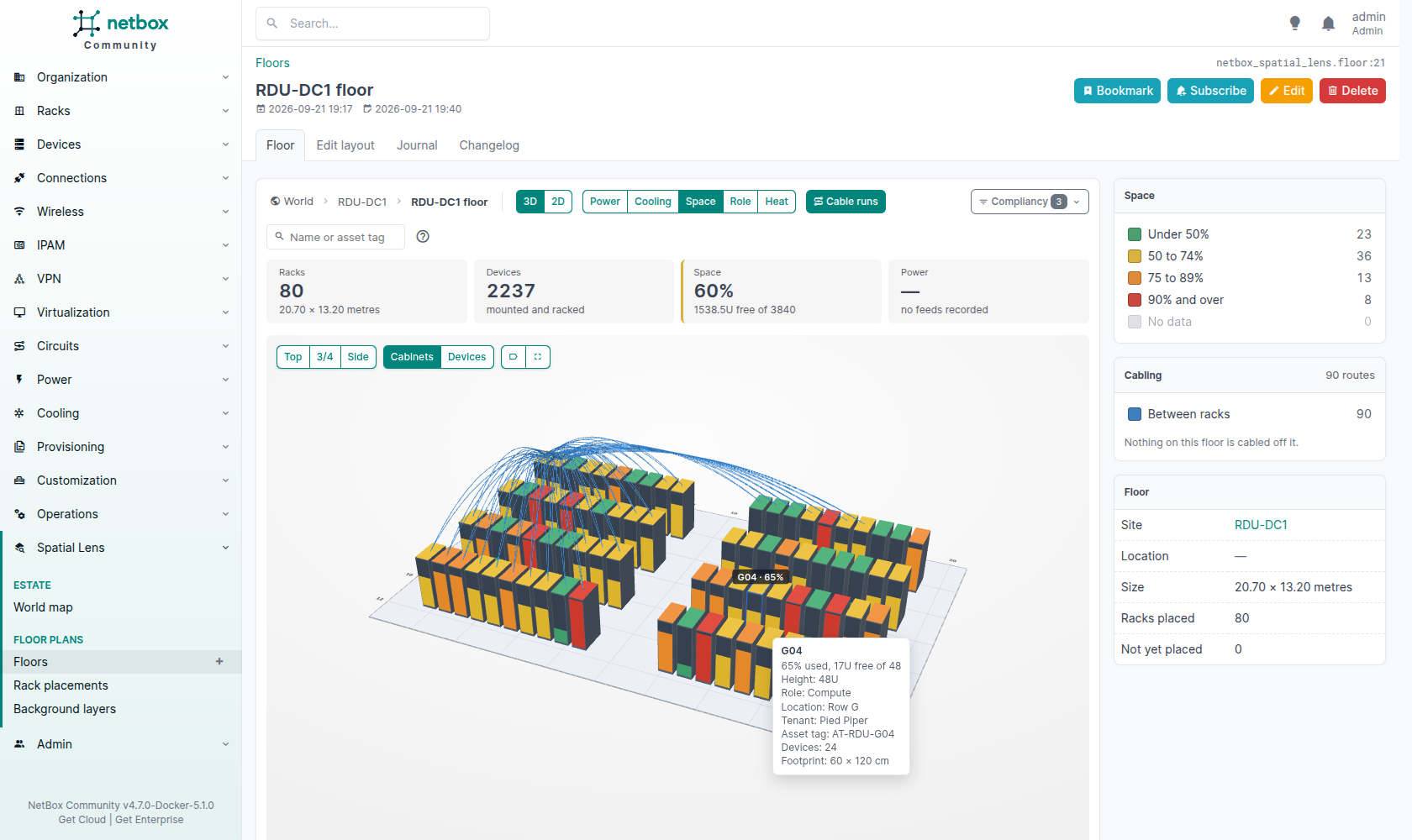
The floor
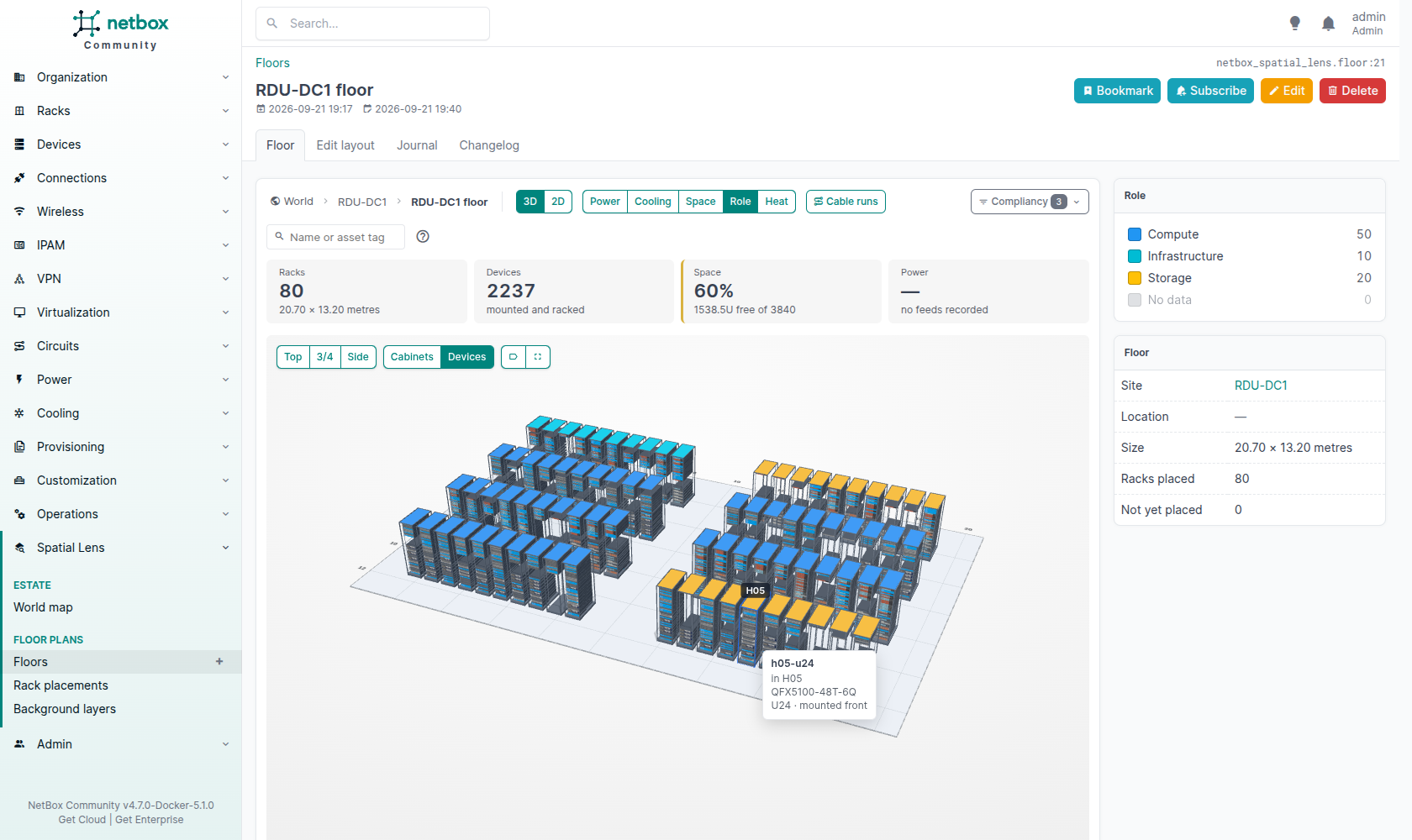
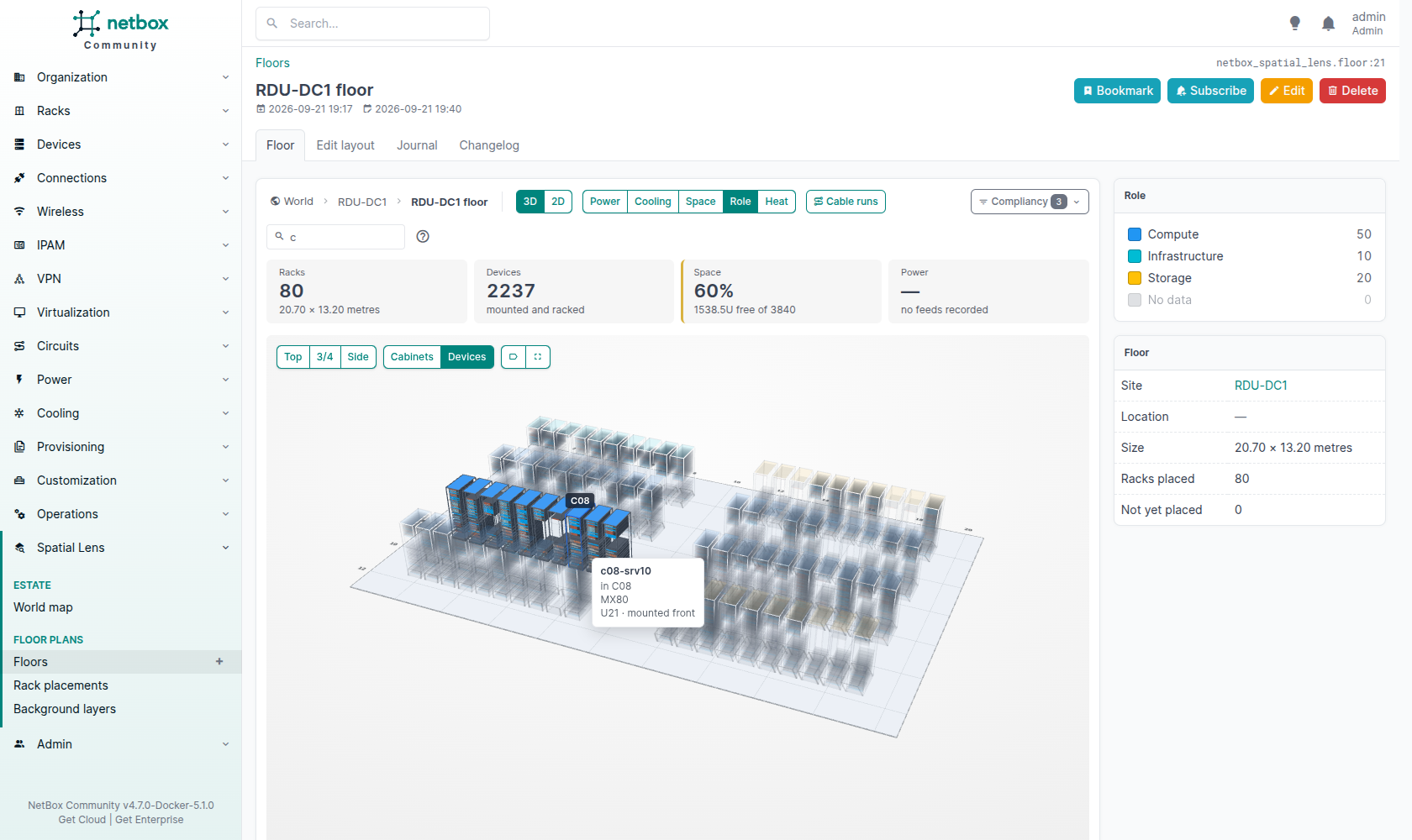
The room in 3D, every rack a cabinet at its real position, rotation and height, coloured by power, cooling, space or role, with the reading rising up its doors and the cable runs arcing over the tops. Look from the top, at three quarters or from the side, and switch from Cabinets to Devices to see every rack open with its real devices and their front and rear images. Switch to 2D for the plan over a scanned drawing, with zoom. Both views share a sortable rack table. Find racks by name or asset tag, narrow them by tag or custom field, and place them in the layout editor.
The rack
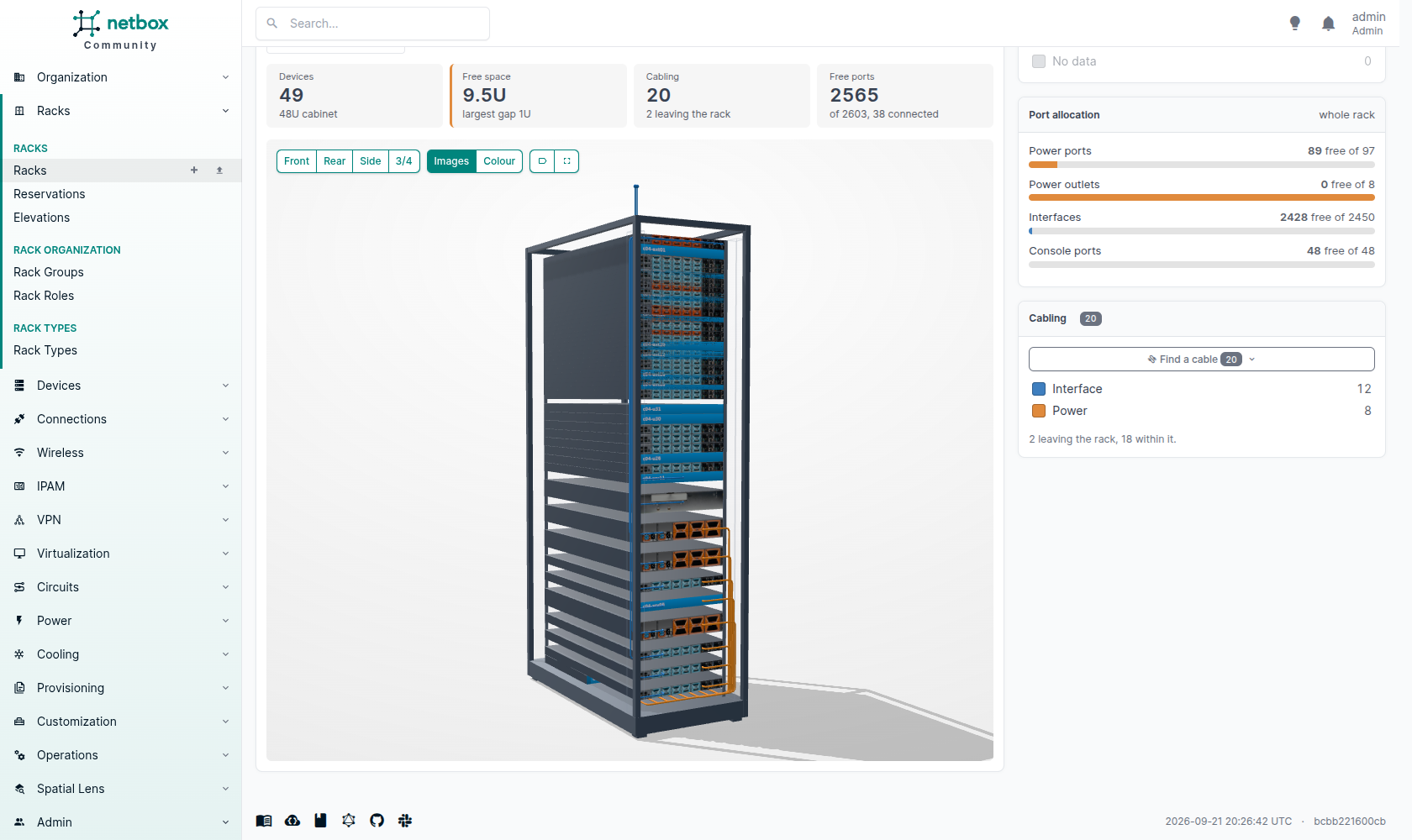
The cabinet in 3D, with the real front and rear images of each device type, every cable run through the cable managers, and reserved and free units. Turn it, move it and zoom, or jump to the front, the rear or the side. Devices are coloured by role, status, tenant, cabling or power. Find devices by name or asset tag, and narrow them by tag or custom field. It needs WebGL and Three.js, which loads from a CDN by default or from your own copy.
On every level
In the rack, click a cable, or a row of the cabling list, to trace it end to end, through patch panels and out to a provider, or along a power chain from socket to feed. On the floor, a cable leaving the room opens the cable, or the circuit it reaches.
Getting started
Install it like any NetBox plugin: pip install netbox-spatial-lens, add netbox_spatial_lens to PLUGINS, and migrate. It also works inside netbox-branching branches.
Your first floor
- Draw the room: Spatial Lens > Floors > Add. Give its width and depth, and bind it to a site (one room) or a location (several rooms).
- Place the racks: open the floor, choose Edit layout, then drag each rack from the list onto the plan and rotate it. Rack sizes come from NetBox.
- Look at it: colour by power, cooling, space or role, and click a rack to open it.
Optional: add a background plan, and set site coordinates for the world map.
For the development stack, the demo database, and the commands that populate it, see docs/development.md.
Where the ideas come from
- net3d: the zoom-through navigation, cable tracing and power chains. Not its architecture, which is a standalone Node app reading the REST API from outside.
- NetBox Labs Visual Explorer: the geometry model, one queryable row per placement. It has no overlays, which is our reason to exist.
- netbox-floorplan-plugin: read as a one-shot importer. Its plan is a Fabric.js blob with no coordinate columns, so an overlay over it would be a JSON walk per rack.
- netbox-demo-data: what everything is tested against.
Documentation
| Compatibility | Which NetBox versions each release supports |
| Configuration | Every setting, and a site with no internet access |
| Extending | Colouring from another plugin, filtering by custom fields, and the floor layout API |
| Modules | What each module and script holds |
| Permissions | What to grant, and what each page reads |
| Development | The dev stack, the demo database, and the commands that fill it |
| Gotchas | What NetBox and this stack do that is not obvious |
1 maintainer

Metadata
1 maintainer
Release files for netbox-spatial-lens 0.4.0
For a detailed explanation of source distributions (sdists) and built distributions (wheels), please see the package formats documentation.
Source distribution (sdist)
| File | Size | Uploaded | |
|---|---|---|---|
| netbox_spatial_lens-0.4.0.tar.gz | 230.8 kB | Details |
Built distribution (wheel)
| File | Interpreter | ABI | Platform | Reset |
|---|---|---|---|---|
| netbox_spatial_lens-0.4.0-py3-none-any.whl | Python 3 | none | any | Details |
Total release size: 508.7 kB
Release files / netbox_spatial_lens-0.4.0.tar.gz
| Download URL | netbox_spatial_lens-0.4.0.tar.gz |
|---|---|
| Size | 230.8 kB |
| Tags | Source |
|
SHA-256 checksum How to use checksums |
69047d8b75a05954b1b469a08bebed911331f4a60c78d1c207b1ccaff3f72ee9
|
|
BLAKE2b-256 checksum How to use checksums |
a6e25571097f0805718eabfae7ba55eec6ac4d8d21487ddef22c12d3d8b8ea95
|
| Upload date | |
|
Uploaded using Trusted Publishing? What is trusted publishing? |
Yes |
| Uploaded via |
twine/7.0.0 CPython/3.13.14
|
Provenance
Provenance describes where a file came from. On PyPI, provenance is shared via attestations, which provide a verifiable record of the build or publishing details. View details, limitations and caveats.


PyPI Publish Attestation
PyPI verified that this artifact, at this checksum, originated from the publisher listed below.
Signed by GitHub Actions, verified by PyPI on Sep 22, 2026.
Transparency logRelease files / netbox_spatial_lens-0.4.0-py3-none-any.whl
| Download URL | netbox_spatial_lens-0.4.0-py3-none-any.whl |
|---|---|
| Size | 277.9 kB |
| Tags | Python 3 |
|
SHA-256 checksum How to use checksums |
c2d9670cafb4c0a5ceb183a274b22158c1bd40037bcedccc62f6cc403dd8fefe
|
|
BLAKE2b-256 checksum How to use checksums |
6c2c95151e262842ba35a0b81dd378a728eb96301b608658e64b124279cc9e7d
|
| Upload date | |
|
Uploaded using Trusted Publishing? What is trusted publishing? |
Yes |
| Uploaded via |
twine/7.0.0 CPython/3.13.14
|
Provenance
Provenance describes where a file came from. On PyPI, provenance is shared via attestations, which provide a verifiable record of the build or publishing details. View details, limitations and caveats.
PyPI Publish Attestation
PyPI verified that this artifact, at this checksum, originated from the publisher listed below.
Signed by GitHub Actions, verified by PyPI on Sep 22, 2026.
Transparency log












