
Neuracore Client Library
Project description





Join our community!

Getting started

🤖 What is Neuracore
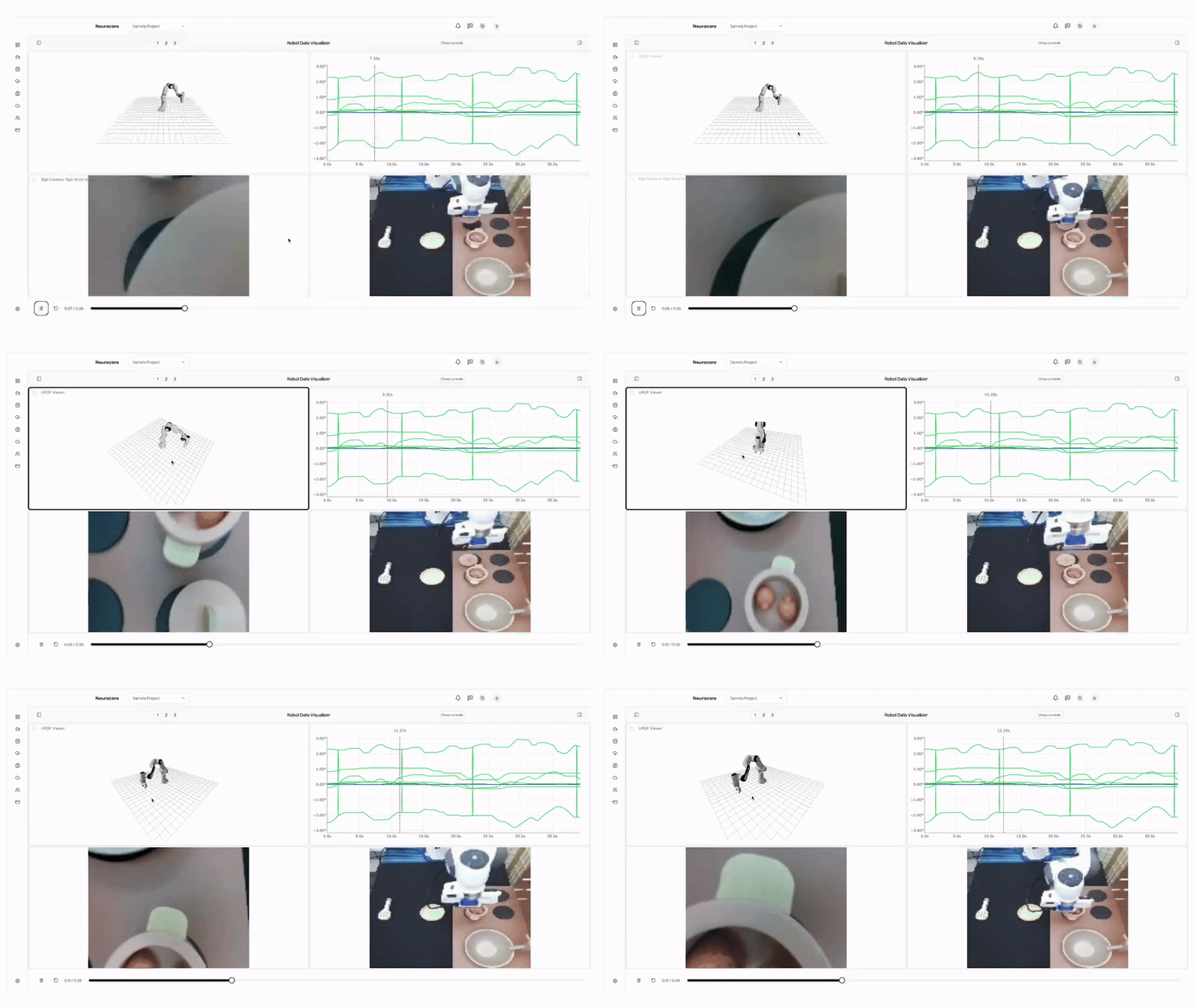
✨ Neuracore is a powerful robot learning library that enables data collection and visualization, model training, deployment, and real-time inference with support for custom data types. Get started with Neuracore today, sign up for a Neuracore account!
🌟 Features
- 🚀 Streaming data logging with custom data types
- 📊 Dataset visualization and synchronization
- ☁️ Train robot learning algorithms on cloud
- 🤖 Policy inference and deployment
🛠️ Installation
To install the basic package for data logging and visualization:
pip install neuracore
Note: installing the ffmpeg binary is recommended for faster video encoding (during recording) and decoding (during playback/import). If not available, Neuracore falls back to PyAV for encoding.
Linux (Debian/Ubuntu):
sudo apt-get update && sudo apt-get install -y ffmpeg
For training and ML development:
pip install neuracore[ml]
For bulk importing datasets:
pip install neuracore[import]
To run our examples:
pip install neuracore[examples]
🍰 A Short Taste
Here is a short taste on what neuracore can do. For a detailed walk-through, please refer to the tutorial and documentation, or try it yourself on Google Colab.
import neuracore as nc # pip install neuracore
import time

# ensure you have an account at neuracore.com
nc.login()

# Connect to a robot with URDF
nc.connect_robot(
    robot_name="MyRobot",
    urdf_path="/path/to/robot.urdf",
)

# Create a dataset for recording
nc.create_dataset(
    name="My Robot Dataset",
    description="Example dataset with multiple data types"
)

# Recording and streaming data
nc.start_recording()
t = time.time()
nc.log_joint_positions(positions={'joint1': 0.5, 'joint2': -0.3}, timestamp=t)
nc.log_rgb(name="top_camera", rgb=image_array, timestamp=t)
# Stop recording, the dataset is automatically uploaded to the cloud
nc.stop_recording()

# Kick off cloud training
job_data = nc.start_training_run(
    name="MyTrainingJob",
    dataset_name="My Robot Dataset",
    algorithm_name="diffusion_policy",
    num_gpus=5,
    frequency=50,
    ...
)

# Load a trained model locally
policy = nc.policy(
    train_run_name="MyTrainingJob",
    ...
)

# Get model inputs
nc.log_joint_positions(positions={'joint1': 0.5, 'joint2': -0.3})
nc.log_rgb(name="top_camera", rgb=image_array)
# Model Inference
predictions = policy.predict(timeout=5)
📚 Documentation
- Examples
- Tutorial
- Training
- Command Line Tools
- Dataset Importer
- Environment Variables
- Contribution Guide
- Data Daemon
💬 Community
We are building Neuracore to help everyone accelerate their robot learning workflows, and we'd love to hear from you! Join our community to get help, share ideas, and stay updated:
- Discord - Chat with the community and get support
- GitHub Issues - Report bugs and request features
🧾 Citation
If you use Neuracore in your research, please consider citing:
@software{Neuracore,
  author = {Neuracore Team},
  title = {Neuracore},
  month = {January},
  year = {2026},
  url = {https://github.com/NeuracoreAI/neuracore}
}
Project details
Release history Release notifications | RSS feed


Download files
Download the file for your platform. If you're not sure which to choose, learn more about installing packages.
Source Distribution
Built Distribution
Filter files by name, interpreter, ABI, and platform.
If you're not sure about the file name format, learn more about wheel file names.
Copy a direct link to the current filters
File details
Details for the file neuracore-9.2.0.tar.gz.
File metadata
- Download URL: neuracore-9.2.0.tar.gz
- Upload date:
- Size: 330.9 kB
- Tags: Source
- Uploaded using Trusted Publishing? No
- Uploaded via: twine/6.2.0 CPython/3.11.15
File hashes
| Algorithm | Hash digest | |
|---|---|---|
| SHA256 |
e4050b05912fc76537f148392489680777ea1bde99681713f9bdff550643b0bc
|
|
| MD5 |
6ccce0cd7e9a3aad045ba44437fa62c3
|
|
| BLAKE2b-256 |
37071128b719fe8e0274f6d334a76b7a48b91766d7399d1572cbccf208c7c8f8
|
File details
Details for the file neuracore-9.2.0-py3-none-any.whl.
File metadata
- Download URL: neuracore-9.2.0-py3-none-any.whl
- Upload date:
- Size: 420.3 kB
- Tags: Python 3
- Uploaded using Trusted Publishing? No
- Uploaded via: twine/6.2.0 CPython/3.11.15
File hashes
| Algorithm | Hash digest | |
|---|---|---|
| SHA256 |
2429ed374e254e7df70314b9d9bbb462fa798c1ad0fb364dcae11c8d7230699a
|
|
| MD5 |
599e3045a3bd1f5b4c8c11ee3a7402d7
|
|
| BLAKE2b-256 |
2ae9fc9779ec52bdfd117cdf8bab06059318902ceaa8e170d005ac1fc3e5be65
|






