
Neural 3D Mesh Renderer in PadddlePaddle
A PaddlePaddle version of Neural Renderer, refer to its PyTorch version
Install
Run:
pip install neural-renderer-paddle
Usage
Check examples folder for usage.
Note
Unittest module is not compatiable with PaddlePaddle. If you want to run test, run:
git clone <THIS REPO> neural_renderer_paddle
pip install neural_renderer_paddle/
cd neural_renderer_paddle/tests
python -m unittest test_*.py
Original repo README:
Neural 3D Mesh Renderer (CVPR 2018)
This repo contains a PyTorch implementation of the paper Neural 3D Mesh Renderer by Hiroharu Kato, Yoshitaka Ushiku, and Tatsuya Harada. It is a port of the original Chainer implementation released by the authors. Currently the API is the same as in the original implementation with some smalls additions (e.g. render using a general 3x4 camera matrix, lens distortion coefficients etc.). However it is possible that it will change in the future.
The library is fully functional and it passes all the test cases supplied by the authors of the original library. Detailed documentation will be added in the near future.
Requirements
Python 2.7+ and PyTorch 0.4.0.
The code has been tested only with PyTorch 0.4.0, there are no guarantees that it is compatible with older versions. Currently the library has both Python 3 and Python 2 support.
Note: In some newer PyTorch versions you might see some compilation errors involving AT_ASSERT. In these cases you can use the version of the code that is in the branch at_assert_fix. These changes will be merged into master in the near future.
Installation
You can install the package by running
pip install neural_renderer_pytorch
Since running install.py requires PyTorch, make sure to install PyTorch before running the above command.
Running examples
python ./examples/example1.py
python ./examples/example2.py
python ./examples/example3.py
python ./examples/example4.py
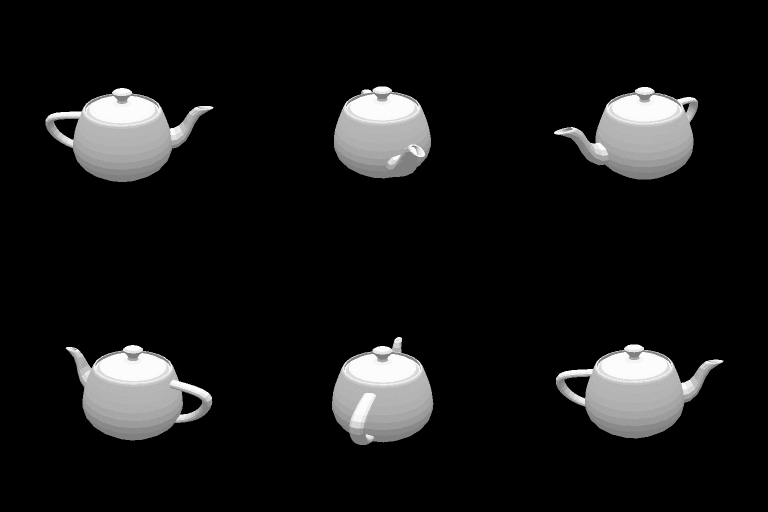
Example 1: Drawing an object from multiple viewpoints
Example 2: Optimizing vertices
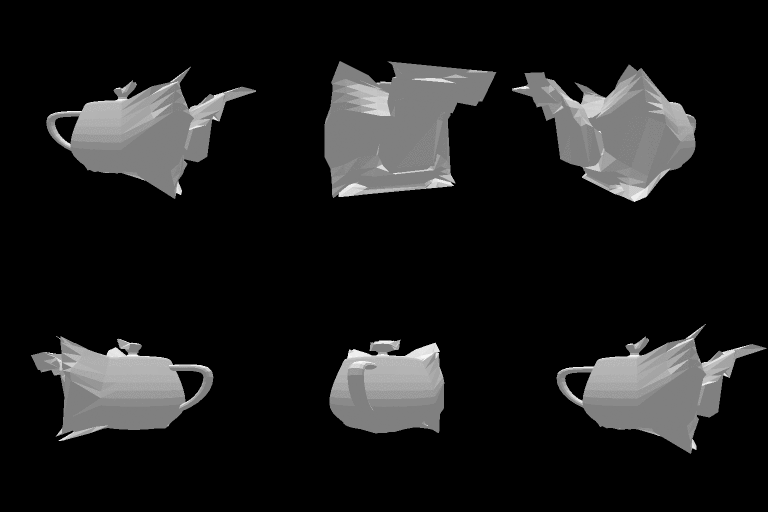
Transforming the silhouette of a teapot into a rectangle. The loss function is the difference between the rendered image and the reference image.
Reference image, optimization, and the result.


Example 3: Optimizing textures
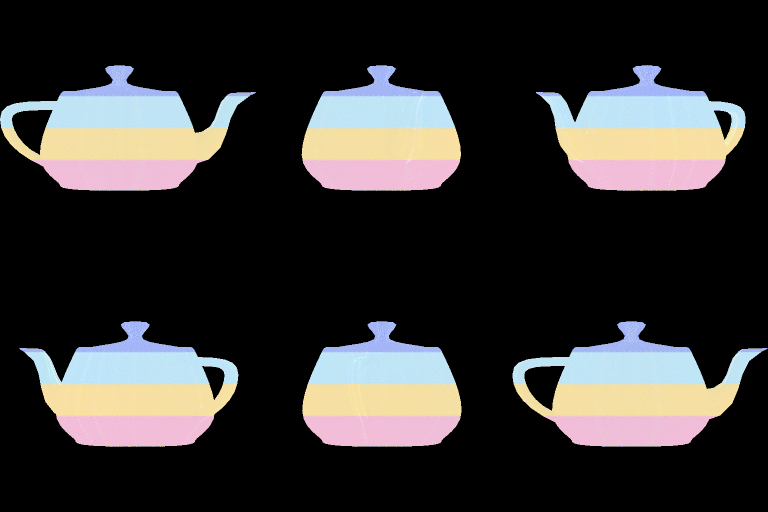
Matching the color of a teapot with a reference image.
Reference image, result.

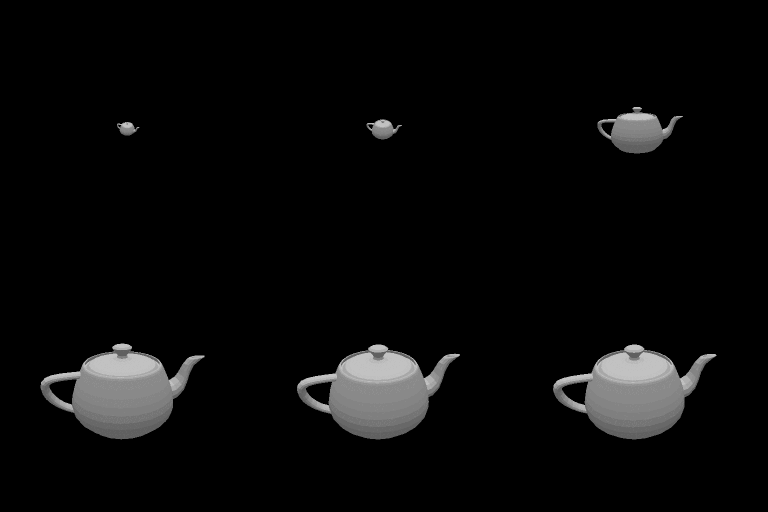
Example 4: Finding camera parameters
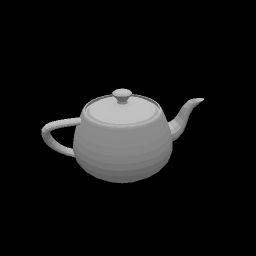
The derivative of images with respect to camera pose can be computed through this renderer. In this example the position of the camera is optimized by gradient descent.
From left to right: reference image, initial state, and optimization process.
Citation
@InProceedings{kato2018renderer
    title={Neural 3D Mesh Renderer},
    author={Kato, Hiroharu and Ushiku, Yoshitaka and Harada, Tatsuya},
    booktitle={The IEEE Conference on Computer Vision and Pattern Recognition (CVPR)},
    year={2018}
}
1 maintainer

Metadata
1 maintainer
Release files for neural-renderer-paddle 1.1.3.4
For a detailed explanation of source distributions (sdists) and built distributions (wheels), please see the package formats documentation.
Built distribution (wheel)
| File | Interpreter | ABI | Platform | Actions Reset |
|---|---|---|---|---|
| neural_renderer_paddle-1.1.3.4-py3-none-any.whl | Python 3 | none | any | Details for neural_renderer_paddle-1.1.3.4-py3-none-any.whl |
Release files / neural_renderer_paddle-1.1.3.4-py3-none-any.whl
| Download URL | neural_renderer_paddle-1.1.3.4-py3-none-any.whl |
|---|---|
| Size | 31.2 kB |
| Tags | Python 3 |
|
SHA-256 checksum How to use checksums |
e5aa05c236e7f82b078d9d67bc2113c3ea4b4539b9ef2a7687012ad23376598e
|
|
BLAKE2b-256 checksum How to use checksums |
00fecd07701242f7907a6c6c8328eabec749fec50f5fa220c8849b41504c4a7f
|
| Upload date | |
|
Uploaded using Trusted Publishing? What is trusted publishing? |
No |
| Uploaded via |
twine/3.7.1 importlib_metadata/4.8.2 pkginfo/1.8.2 requests/2.22.0 requests-toolbelt/0.9.1 tqdm/4.27.0 CPython/3.7.4
|
Security for neural-renderer-paddle 1.1.3.4
Provenance
Provenance describes where a file came from. On PyPI, provenance is shared via attestations, which provide a verifiable record of the build or publishing details. View details, limitations and caveats.
No provenance found
None of the files in this release were uploaded with provenance metadata.
A note on package security
PyPI is a repository for distributing packages, not a service for auditing them. While third-party security researchers and our staff do their best to detect and remove malicious packages, PyPI cannot guarantee the quality, security or suitability of any given package.
To learn more about protecting yourself from malicious actors, visit our package security documentation.













