
Neuralzip
Lossless text compression with a model trained on your file.
Neuralzip trains a small transformer, stores its weights with an arithmetic-coded stream, and restores every original byte. One Python package, two commands, and a local browser playground built with Next.js. All encoding is model based.
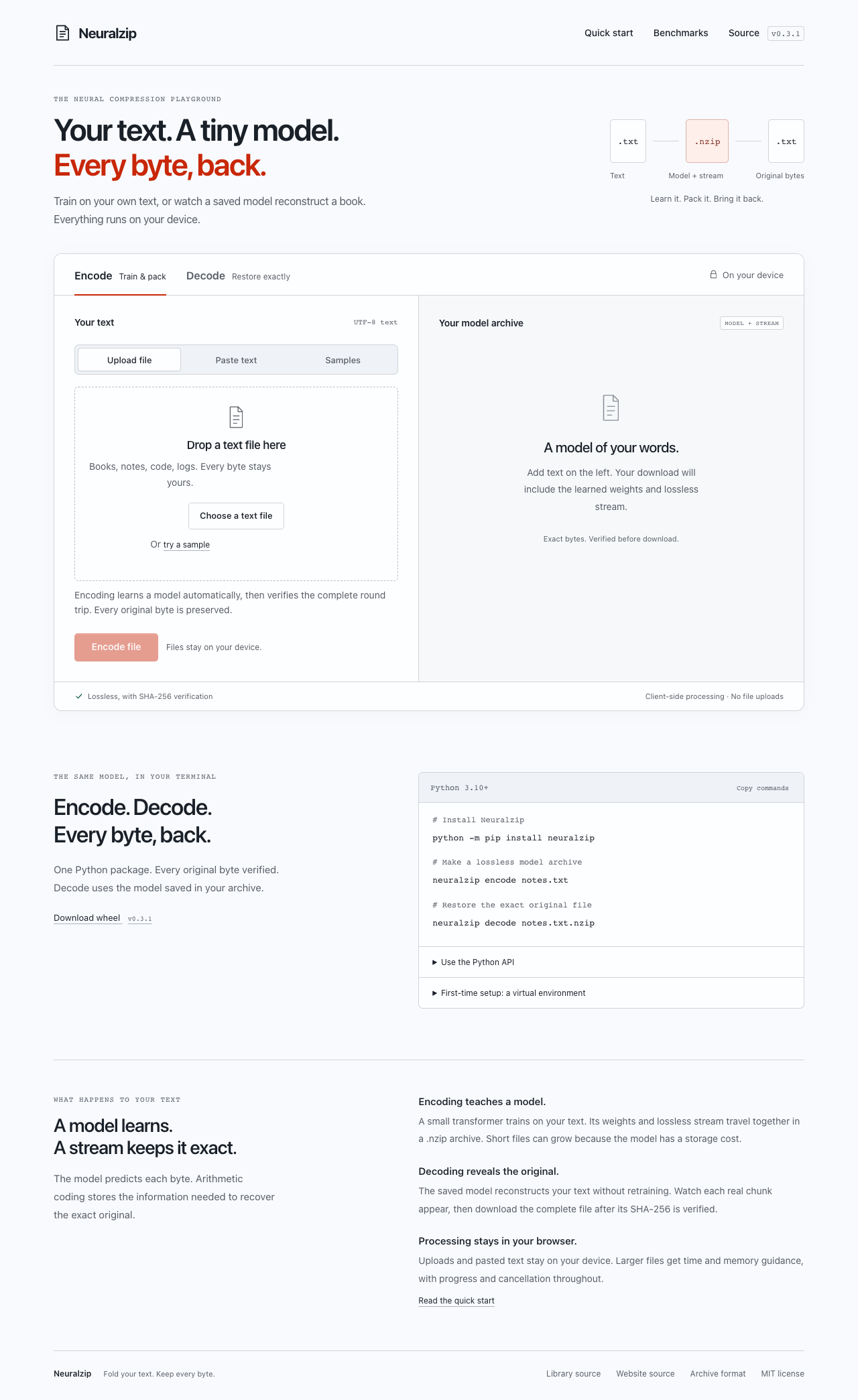
Two commands
Requires Python 3.10 or newer:
python -m pip install neuralzip
neuralzip encode notes.txt
neuralzip decode notes.txt.nzip
Encoding creates notes.txt.nzip. Decoding restores notes.txt, or a .restored filename when the original already exists. Explicit output files are protected unless --force is supplied. The package includes PyTorch for training and embedded V8 for portable decoding. No separate Node.js installation or GPU is required for Python use.
For an isolated installation, create a virtual environment first: python -m venv .venv, then source .venv/bin/activate on macOS/Linux, or .\.venv\Scripts\Activate.ps1 on Windows PowerShell.
Python package · Try the playground · Website source
How it works
- A transformer learns byte probabilities from your file.
- An arithmetic coder encodes the exact bytes using those probabilities.
- The archive carries the learned weights, coded stream, settings and SHA-256.
- Decoding uses the saved model and verifies the reconstructed bytes before saving.
There is one compression path: model training plus lossless coding. There is no conventional fallback. Model overhead can make small or difficult files larger; Neuralzip keeps the actual model archive and reports its size honestly. Empty files use an empty model record.
Encoding trains for 60 seconds by default. Set --seconds 120 to spend longer learning; coding and verification take additional time. Training defaults to one CPU thread, in an isolated process that exits before coding. Use --device mps or --device cuda to opt into GPU training. Coding and decoding default to one CPU worker; --workers enables more. Decoding runs on CPU and never retrains. Compression results depend on the data, training budget and hardware.
BOMs, Unicode, CRLF, tabs, trailing spaces and arbitrary byte values are preserved. Progress shows stages, completed bytes/chunks, elapsed time and ETA where measurable. Ctrl+C cancels without publishing a partial file. Progress callbacks run on the calling thread.
neuralzip encode book.txt --seconds 120
# Optional acceleration
neuralzip encode book.txt --device mps --workers 2
neuralzip decode book.txt.nzip -o restored.txt
neuralzip info book.txt.nzip
neuralzip encode book.txt --seconds 10 --json
python -m neuralzip --help
compress / decompress are aliases. --quiet suppresses status; --json emits one machine-readable result. Files are processed locally and the archive needs neither the original file nor a remote model.
Python API
from neuralzip import encode, decode, encode_file, decode_file

original = b"Every byte comes back."
archive = encode(original, filename="notes.txt", seconds=10)
assert decode(archive) == original

archive_path = encode_file("book.txt", seconds=60,
    on_progress=lambda event: print(event["stage"], event.get("progress")))
restored_path = decode_file(archive_path)
Browser playground
The Next.js app lives in the separate neuralzip-web repository. Clone it and run npm ci, npm run build, then npm run preview with Node.js 22 or newer. It exports static files to out/ and deploys directly to Vercel.
Files stay on your device; no account, API key or file-processing server is needed. Training loads TensorFlow.js only when needed in a worker. A ready-made Alice model demonstrates restoration without training. The browser trains a smaller two-layer preset; Python trains a four-layer preset. Both share the same fixed numerical decoder and .nzip format.
| Current limit | Value |
|---|---|
| Python input / restored output | 16 MiB |
| Browser training input | 500,000 bytes |
| Browser training budget | 15, 30 or 60 seconds |
| Python training budget | 1–3,600 seconds |
| Archive input | 160 MiB |
Neural coding and decoding can take minutes for books. These are resource bounds, not performance guarantees. See hosting instructions.
Tested default and research results
The installed wheel passed nine representative-file round trips, including a complete Alice in Wonderland using the normal 60-second CPU preset: 151,094 → 80,193 bytes (1.88×). Encoding plus verification took 87.86 seconds; restoration took 8.75 seconds on this Apple Silicon machine, with one CPU thread/worker. Short-budget tests on small files grew because of model overhead; every restored SHA-256 matched. These are measured operating points, not timing guarantees.
Completed research models
These use completed research models, rather than the short default training preset. Sizes include model weights, streams, metadata and checksum, with no outer conventional compression. Both archives have been decoded and verified against source SHA-256.
| Input | Original bytes | Complete .nzip bytes |
Ratio |
|---|---|---|---|
| Alice in Wonderland | 151,094 | 63,048 | 2.40× |
| Five-book collection | 3,120,899 | 791,134 | 3.94× |
These results do not promise 3–4× on every file or lower total storage cost. Encoding compute, decode latency and your existing compression baseline matter. PPMd was smaller in the earlier research comparison. Shared library/runtime sizes are excluded from archive ratios.
Current measurements · Format · Research
The historical limits report measures an older experimental container with an outer wrapper. Its byte counts are not the current .nzip archive sizes.
Development
python -m pip install -e '.[dev]'
python -m pytest -q
python -m build
Tests cover actual training, byte preservation, Python/browser interoperability, malformed archives, safe output, progress, cancellation, mobile layout and accessibility. GitHub workflows provide a Python platform matrix. Browser tests and hosting configuration live with the separate website.
Related work
Neural prediction plus arithmetic coding is established: DeepZip, DZip, NNCP and Language Modeling Is Compression. Neuralzip focuses on approachable commands, small per-file models and portable recovery; it does not claim to invent neural lossless compression.
1 maintainer

Metadata
1 maintainer
Release files for neuralzip 0.3.1
For a detailed explanation of source distributions (sdists) and built distributions (wheels), please see the package formats documentation.
Source distribution (sdist)
| File | Size | Uploaded | Provenance | Actions |
|---|---|---|---|---|
| neuralzip-0.3.1.tar.gz | 146.1 kB | Without provenance | Details for neuralzip-0.3.1.tar.gz |
Built distribution (wheel)
| File | Interpreter | ABI | Platform | Actions Reset |
|---|---|---|---|---|
| neuralzip-0.3.1-py3-none-any.whl | Python 3 | none | any | Details for neuralzip-0.3.1-py3-none-any.whl |
Total release size: 179.5 kB
Release files / neuralzip-0.3.1.tar.gz
| Download URL | neuralzip-0.3.1.tar.gz |
|---|---|
| Size | 146.1 kB |
| Tags | Source |
|
SHA-256 checksum How to use checksums |
4d155dd4a27e8830d5c39509f85a3e5bff7bcbad99b20325b29c5184624e3e35
|
|
BLAKE2b-256 checksum How to use checksums |
c48fb4b6cf2d4e3967f9a836dd7100e5c5572354ca16f09297351850eb928024
|
| Upload date | |
|
Uploaded using Trusted Publishing? What is trusted publishing? |
No |
| Uploaded via |
twine/7.0.0 CPython/3.14.0
|
Release files / neuralzip-0.3.1-py3-none-any.whl
| Download URL | neuralzip-0.3.1-py3-none-any.whl |
|---|---|
| Size | 33.4 kB |
| Tags | Python 3 |
|
SHA-256 checksum How to use checksums |
f1e24c93362e2ddac4b91fee61810652cfba8a3f2671afdf866fc639865777eb
|
|
BLAKE2b-256 checksum How to use checksums |
3b2baff201d2ca691e691261aa44f5bd5ecc3f100a3b2a588d57efa3cccebb17
|
| Upload date | |
|
Uploaded using Trusted Publishing? What is trusted publishing? |
No |
| Uploaded via |
twine/7.0.0 CPython/3.14.0
|
Security for neuralzip 0.3.1
Provenance
Provenance describes where a file came from. On PyPI, provenance is shared via attestations, which provide a verifiable record of the build or publishing details. View details, limitations and caveats.
No provenance found
None of the files in this release were uploaded with provenance metadata.
A note on package security
PyPI is a repository for distributing packages, not a service for auditing them. While third-party security researchers and our staff do their best to detect and remove malicious packages, PyPI cannot guarantee the quality, security or suitability of any given package.
To learn more about protecting yourself from malicious actors, visit our package security documentation.













