
NeuraX AI Assistant
A powerful dual-mode AI assistant powered by Perplexity AI






📖 Table of Contents
- Overview
- Features
- Architecture
- Installation
- Configuration
- Usage
- Commands Reference
- Screenshots
- API Integration
- Contributing
- Troubleshooting
- Changelog
- License
- Developer
🌟 Overview
NeuraX is an open-source AI assistant tool that seamlessly integrates with Perplexity AI, offering both a sophisticated Command Line Interface (CLI) and a fully-featured Telegram bot. Developed by Alex Butler from the Vritra Security Organization, NeuraX is designed for developers, researchers, and AI enthusiasts who want powerful AI capabilities at their fingertips.
Why NeuraX?
- 🚀 Dual Interface: Choose between CLI for quick queries or Telegram for on-the-go access
- 🧠 Powered by Perplexity AI: Leverages cutting-edge AI technology
- 🔒 Secure Configuration: Safe storage of API keys and tokens
- 🌍 Cross-Platform: Works on Linux, macOS, Windows, and Android (Termux)
- 📦 Modular Design: Professional, maintainable codebase
- 🎨 Beautiful Interface: Colorful CLI with intuitive commands
✨ Features
Core Features
- Interactive CLI Chat Interface with rich color output
- Telegram Bot Integration with full command support
- Persistent Configuration Management with secure storage
- Context-Aware Conversations with chat history
- Multi-User Support for Telegram bot
- Cross-Platform Compatibility (Linux, macOS, Windows, Android)
- Professional Error Handling and logging
- Signal Handling for graceful shutdowns
Advanced Features
- Asynchronous Operations for optimal performance
- Modular Architecture for easy maintenance
- Configuration Validation with helpful error messages
- Interactive and Inline Configuration options
- Real-time Status Monitoring
- Comprehensive Help System
🏗️ Architecture
NeuraX follows a modular architecture pattern:
NeuraX/
├── README.md                 # Project documentation
├── requirements.txt          # Python dependencies
├── neurax.py                # Main application entry point
├── LICENSE                  # MIT License file
└── modules/
    ├── __init__.py          # Package initialization and exports
    ├── ai_client.py         # Perplexity AI client implementation
    ├── colors.py            # ANSI color codes and banner
    ├── config.py            # Configuration management system
    ├── telegram_bot.py      # Telegram bot implementation
    └── utils.py             # Utility functions and helpers
Module Descriptions
neurax.py: Main entry point with argument parsing and mode selectionai_client.py: Handles communication with Perplexity AI APIcolors.py: Provides ANSI color codes and the NeuraX bannerconfig.py: Manages persistent configuration storage and retrievaltelegram_bot.py: Complete Telegram bot implementation with async handlersutils.py: Common utility functions for UI and system operations
🚀 Installation
Linux Installation
# Clone the repository
git clone https://github.com/VritraSecz/NeuraX.git

# Navigate to the project directory
cd NeuraX

# Install Python dependencies
pip install -r requirements.txt

# Verify Installation
python neurax.py --help
Termux Installation
# Update packages and install dependencies
pkg update && pkg upgrade
pkg install git python

# Clone the repository
git clone https://github.com/VritraSecz/NeuraX.git

# Navigate to the project directory
cd NeuraX

# Install Python dependencies
pip install -r requirements.txt

# Check Installation
python neurax.py --about
Dependencies
- Python 3.7+
- requests >= 2.31.0
- python-telegram-bot == 21.5 (for bot functionality)
- pytz >= 2024.1 (for timezone support)
- colorama >= 0.4.6 (for cross-platform colors)
⚙️ Configuration
NeuraX stores configurations in ~/.config-vritrasecz/neurax-config.json for persistent settings across sessions.
Required Configurations
-
Perplexity API Key
- Get your API key from Perplexity AI Settings
- Configure:
python neurax.py --api
-
Telegram Bot Token (Optional - only for bot functionality)
- Create a bot via @BotFather on Telegram
- Configure:
python neurax.py --token
Configuration Commands
# Interactive API key configuration
python neurax.py --api

# Direct API key configuration
python neurax.py --api sk-proj-your-api-key-here

# Interactive Telegram token configuration
python neurax.py --token

# Direct Telegram token configuration
python neurax.py --token 1234567890:ABC-DEF1234ghIkl-zyx57W2v1u123ew11

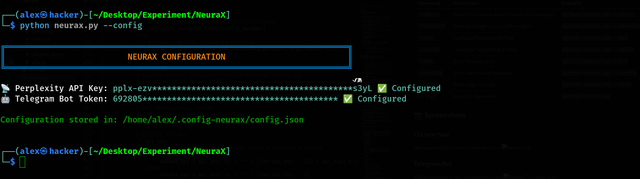
# View current configuration
python neurax.py --config
🎯 Usage
CLI Mode
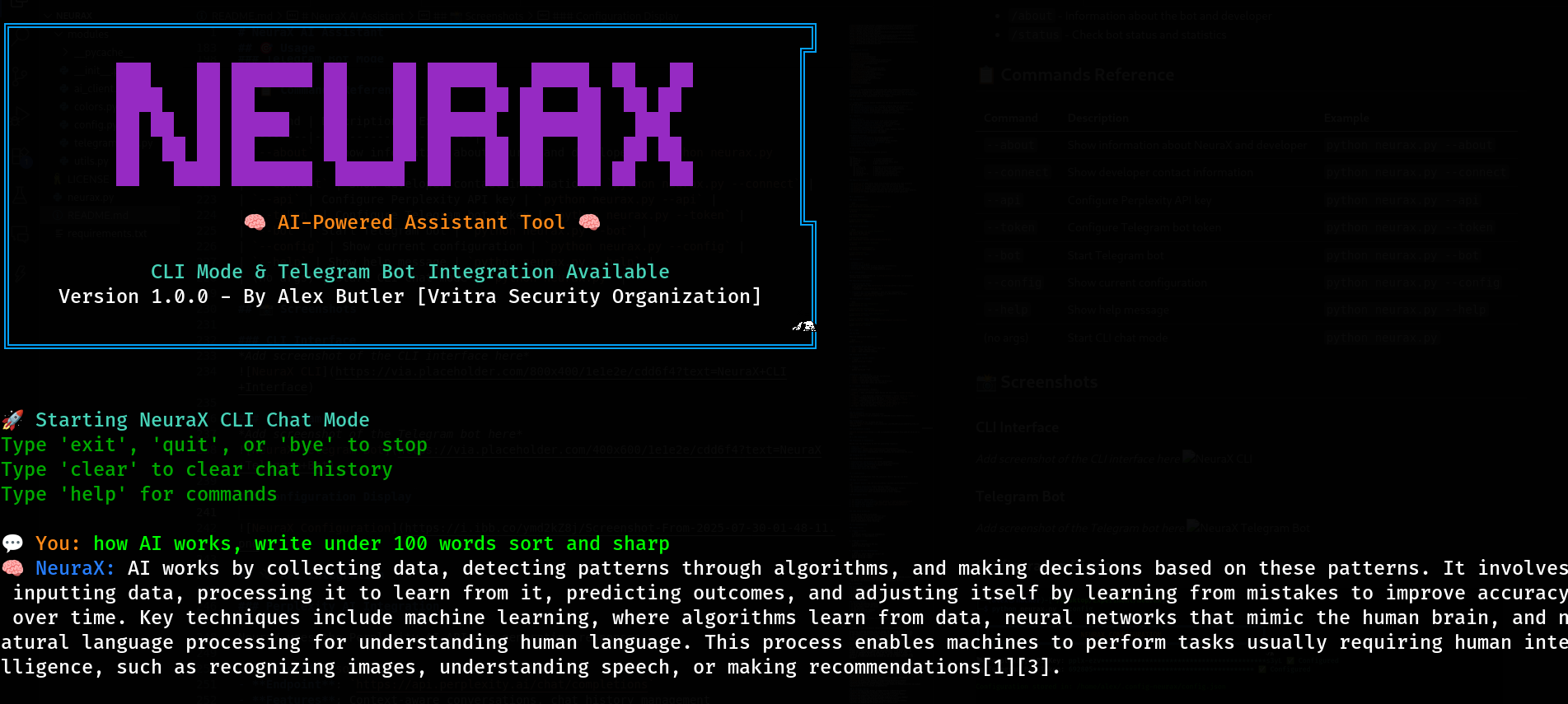
Start an interactive chat session:
python neurax.py
CLI Commands during chat:
exit,quit, orbye- Exit chat modeclear- Clear chat historyhelp- Show available commands
Telegram Bot Mode
-
Configure the bot token:
python neurax.py --token
-
Start the bot:
python neurax.py --bot
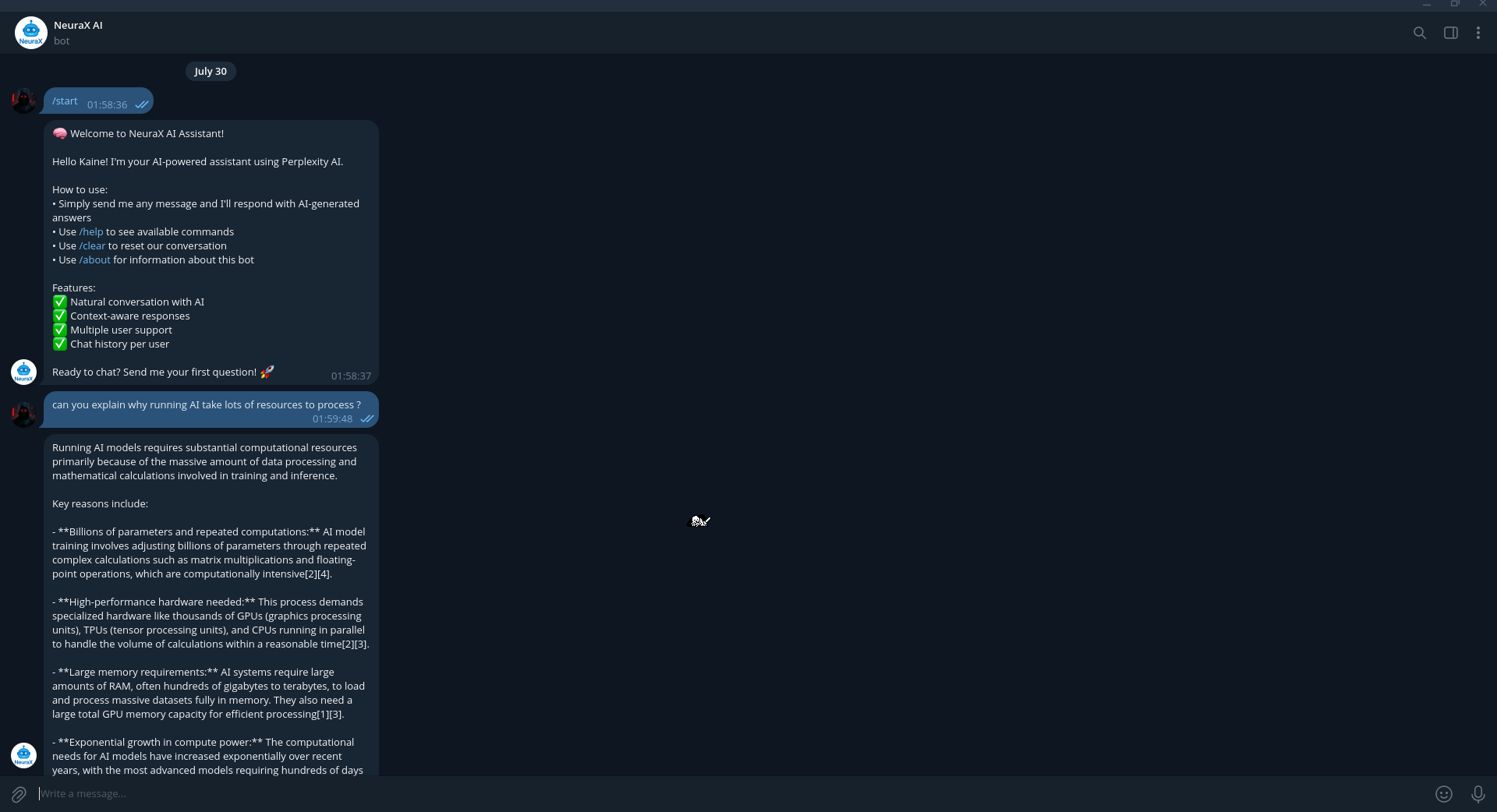
Telegram Bot Commands:
/start- Welcome message and bot introduction/help- Show available commands/clear- Clear your chat history/about- Information about the bot and developer/status- Check bot status and statistics
📋 Commands Reference
| Command | Description | Example |
|---|---|---|
--about |
Show information about NeuraX and developer | python neurax.py --about |
--connect |
Show developer contact information | python neurax.py --connect |
--api |
Configure Perplexity API key | python neurax.py --api |
--token |
Configure Telegram bot token | python neurax.py --token |
--bot |
Start Telegram bot | python neurax.py --bot |
--config |
Show current configuration | python neurax.py --config |
--help |
Show help message | python neurax.py --help |
| (no args) | Start CLI chat mode | python neurax.py |
📸 Screenshots
CLI Interface
Telegram Bot
Configuration Display
🔌 API Integration
Perplexity AI Integration
NeuraX uses the Perplexity AI API for generating responses:
- Model:
sonar - Endpoint:
https://api.perplexity.ai/chat/completions - Features: Context-aware conversations, chat history management
- Error Handling: Comprehensive error handling for network and API issues
Telegram Bot API
The Telegram bot implementation includes:
- Asynchronous Operations for better performance
- Per-User Session Management for isolated conversations
- Rich Command Support with markdown formatting
- Error Recovery and logging
- Multi-User Concurrent Support
🤝 Contributing
- We welcome contributions from the community! Here's how you can help:
Ways to Contribute
- 🐛 Report Bugs: Use the Issues tab
- 💡 Suggest Features: Submit feature requests
- 🔧 Code Contributions: Fork, develop, and submit pull requests
- 📖 Documentation: Improve documentation and examples
- 🌍 Translations: Help translate NeuraX to other languages
Development Setup
- 🍴 Fork the repository
- 🌿 Create a feature branch (
git checkout -b feature/AmazingFeature) - 💾 Commit your changes (
git commit -m 'Add some AmazingFeature') - 📤 Push to the branch (
git push origin feature/AmazingFeature) - 🔄 Open a Pull Request
Code Style Guidelines
- Follow PEP 8 Python style guide
- Use meaningful variable and function names
- Add docstrings to functions and classes
- Include type hints where appropriate
- Write comprehensive error handling
🔧 Troubleshooting
Common Issues
-
Import Errors
# Solution: Install missing dependencies
pip install -r requirements.txt
-
API Key Issues
# Solution: Reconfigure API key
python neurax.py --api
-
Telegram Bot Not Responding
# Solution: Check token and restart bot
python neurax.py --config
python neurax.py --token
-
Permission Errors
# Solution: Check file permissions
chmod +x neurax.py
Getting Help
- 📖 Check the documentation
- 🐛 Search existing issues
- 💬 Join our Telegram community
- 📧 Contact the developer (see Developer section)
📝 Changelog
Version 1.0.0 (Current)
- ✔ Initial release
- ✔ CLI chat interface
- ✔ Telegram bot integration
- ✔ Perplexity AI integration
- ✔ Configuration management
- ✔ Cross-platform support
- ✔ Modular architecture
Planned Features
- 🔄 Multiple AI provider support
- 📊 Usage statistics and analytics
- 🎨 Customizable themes and colors
- 📱 Web interface
- 🔐 Enhanced security features
📄 License
This project is licensed under the MIT License - see the LICENSE file for details.
MIT License

Copyright (c) 2025 Alex Butler (Vritra Security Organization)

Permission is hereby granted, free of charge, to any person obtaining a copy
of this software and associated documentation files (the "Software"), to deal
in the Software without restriction, including without limitation the rights
to use, copy, modify, merge, publish, distribute, sublicense, and/or sell
copies of the Software, and to permit persons to whom the Software is
furnished to do so, subject to the following conditions:

The above copyright notice and this permission notice shall be included in all
copies or substantial portions of the Software.

THE SOFTWARE IS PROVIDED "AS IS", WITHOUT WARRANTY OF ANY KIND, EXPRESS OR
IMPLIED, INCLUDING BUT NOT LIMITED TO THE WARRANTIES OF MERCHANTABILITY,
FITNESS FOR A PARTICULAR PURPOSE AND NONINFRINGEMENT. IN NO EVENT SHALL THE
AUTHORS OR COPYRIGHT HOLDERS BE LIABLE FOR ANY CLAIM, DAMAGES OR OTHER
LIABILITY, WHETHER IN AN ACTION OF CONTRACT, TORT OR OTHERWISE, ARISING FROM,
OUT OF OR IN CONNECTION WITH THE SOFTWARE OR THE USE OR OTHER DEALINGS IN THE
SOFTWARE.
👨💻 Developer








1 maintainer

Download files
Download the file for your platform. If you're not sure which to choose, learn more about installing packages.
Source Distribution
Built Distribution
Filter files by name, interpreter, ABI, and platform.
If you're not sure about the file name format, learn more about wheel file names.
Copy a direct link to the current filters
File details
Details for the file neurax_ai-1.0.0.tar.gz.
File metadata
- Download URL: neurax_ai-1.0.0.tar.gz
- Upload date:
- Size: 29.2 kB
- Tags: Source
- Uploaded using Trusted Publishing? No
- Uploaded via:
twine/6.1.0 CPython/3.13.5
File hashes
| Algorithm | Hash digest | |
|---|---|---|
| SHA256 |
7f3ff373e0bb284a8581c1555df4edf23d536b91709ae8ff6bb94849e44be794
|
|
| MD5 |
b183f656ff2ab1f7aa93e8ca6087c1eb
|
|
| BLAKE2b-256 |
526b391b49efdb43bb54e8b9d2239abe388cbe5c037c100ab56598c8b3a69b03
|
File details
Details for the file neurax_ai-1.0.0-py3-none-any.whl.
File metadata
- Download URL: neurax_ai-1.0.0-py3-none-any.whl
- Upload date:
- Size: 31.2 kB
- Tags: Python 3
- Uploaded using Trusted Publishing? No
- Uploaded via:
twine/6.1.0 CPython/3.13.5
File hashes
| Algorithm | Hash digest | |
|---|---|---|
| SHA256 |
aa2e03a1e024c3fa2c4e45e20d83ea33b2376187fec796cd101ca5fbffe6d0a0
|
|
| MD5 |
672d9cbffdd6243f01ed67a2eb0f7a2f
|
|
| BLAKE2b-256 |
c70f5ca3ff81f395ec815abb6ddcf35408d5e7d559e74e6461badf39e7bc6e56
|













