
neuromorpholib


Installation
pip3 install neuromorpholib
Usage
Downloading
A simple download of known dataset and name
from neuromorpholib import neuromorpho

nmo = neuromorpho.NeuroMorpho()
acc1 = nmo.download_swc("martone", "ACC1")
A query for all species=mouse neurons
mouse_neurons = nmo.search({"species": "mouse"})
Download a SWC for a mouse neuron
swc_demo = nmo.download_swc(
    mouse_neurons[0]
)
If you know the archive name and neuron name, you can also download the swc directly by passing archive and neuron_name arguments.
If you only want the SWC text and don't want it to be converted into a NeuronMorphology object, you can pass text_only=True.
SWC Management
Read a SWC file from disk
from neuromorpholib.swc import load_swc, NeuronMorphology

my_morphology = load_swc("my_neuron.swc")
# This is a NeuronMorphology object.
Get a list of branch points
branch_points = my_morphology.get_branch_points()
Get a simplified graph (only leaves and branch points) of a morphology
morphology_graph = my_morphology.smoothed()
# nx.DiGraph
SWC Geometry Operations
Rotate, translate, or scale a geometry with NeuronMorphology functions:
n = NeuronMorphology()
n.scale(3)
n.translate([4, 44, 10])
n.rotate([0, 0, math.pi/2])
Rendering SWCs
All of the following visualization techniques assume you have a single NeuronMorphology object, downloaded perhaps like this:
from neuromorpholib import neuromorpho

nmo = neuromorpho.NeuroMorpho()
acc1 = nmo.download_swc("martone", "ACC1")
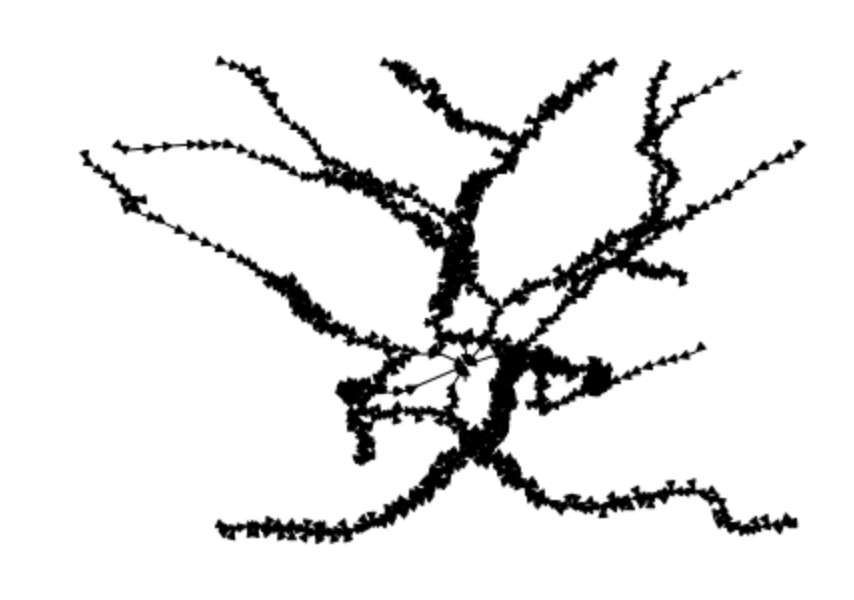
Using matplotlib
import networkx as nx

g = acc1.get_graph()
nx.draw(g, pos={n: a['xyz'][:2] for n, a in g.nodes(data=True)}, node_size=0)
Using pytri
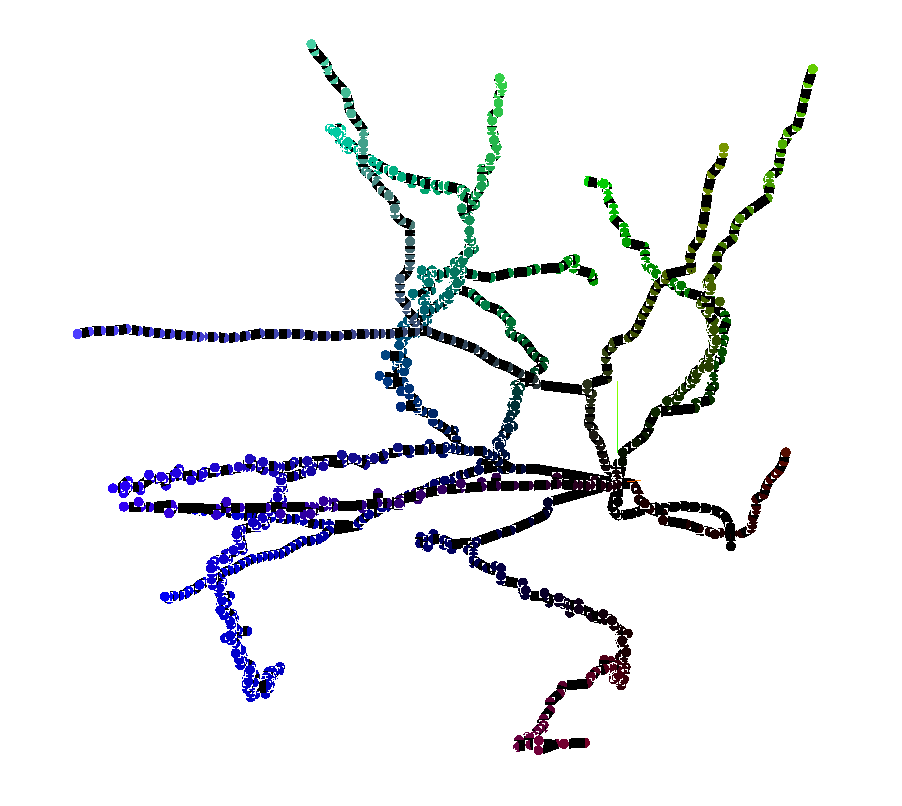
This will return an interactive 3D turntable in a Jupyter Notebook.
from pytri import Figure

fig = Figure()
fig.graph(acc1.get_graph(), pos_attribute="xyz")
fig.show()
1 maintainer

Metadata
1 maintainer
Release files for neuromorpholib 0.2.2
For a detailed explanation of source distributions (sdists) and built distributions (wheels), please see the package formats documentation.
Source distribution (sdist)
| File | Size | Uploaded | Provenance | Actions |
|---|---|---|---|---|
| neuromorpholib-0.2.2.tar.gz | 8.7 kB | Without provenance | Details for neuromorpholib-0.2.2.tar.gz |
Release files / neuromorpholib-0.2.2.tar.gz
| Download URL | neuromorpholib-0.2.2.tar.gz |
|---|---|
| Size | 8.7 kB |
| Tags | Source |
|
SHA-256 checksum How to use checksums |
c5173dd750a82a2ac30494f25facd63fb915a05749bf6da696895dae0905ed39
|
|
BLAKE2b-256 checksum How to use checksums |
cff79b1403ba8a27d9464906ed05ad5ef5913435a21c30826185c58d8cd7726d
|
| Upload date | |
|
Uploaded using Trusted Publishing? What is trusted publishing? |
No |
| Uploaded via |
twine/3.2.0 pkginfo/1.6.1 requests/2.23.0 setuptools/41.2.0 requests-toolbelt/0.9.1 tqdm/4.61.0 CPython/3.7.7
|
Security for neuromorpholib 0.2.2
Provenance
Provenance describes where a file came from. On PyPI, provenance is shared via attestations, which provide a verifiable record of the build or publishing details. View details, limitations and caveats.
No provenance found
None of the files in this release were uploaded with provenance metadata.
A note on package security
PyPI is a repository for distributing packages, not a service for auditing them. While third-party security researchers and our staff do their best to detect and remove malicious packages, PyPI cannot guarantee the quality, security or suitability of any given package.
To learn more about protecting yourself from malicious actors, visit our package security documentation.














