
MCP Integration for Next Gen UI Agent


Project description
Next Gen UI Agent
The goal of this AI agent is to generate personalised and rich UI components based on the user prompt, chat history and backend data provided by other agent in your assistant.
In the future, this agent will also maintain UI state and view layouts to keep UI and flows consistent, handle personalized values formating, and many other features. Stay tuned ;-)
Why use Next Gen UI?
Rich user experience- Extends simple text based LLM applications output by rich GUI components like card, table, chart, video-player, image gallery etc. Possibility to plug in own components.Extensible architecture- Developer's choice to which AI framwork to plug and which UI component framework to render.AI Frameworks integration- Seamless integration of various AI framworks.Server (Agent) side UI rendering- Powerful agent centralized HTML (e.g. web component) rendition.Client side UI rendering- Client side rendering for more control over the rendition - React/PatternFly NPM.
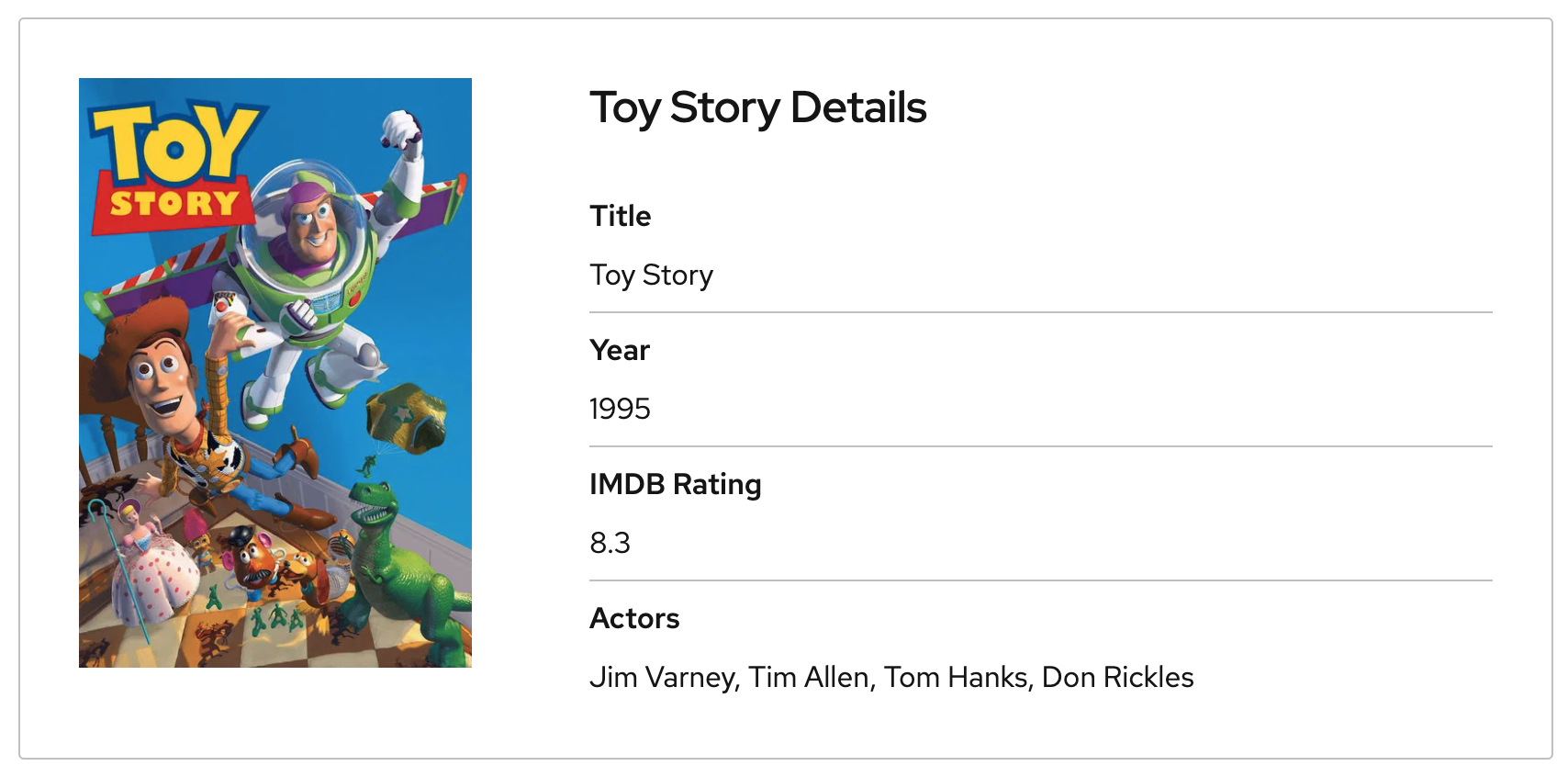
Example of rich card component including image and structured data.
Example
Following example shows how easy you can integrate your ReAct LangGraph agent with Next Gen UI Agent. For other frameworks see below.
from langchain_openai import ChatOpenAI
from langgraph.prebuilt import create_react_agent
from next_gen_ui_langgraph.agent import NextGenUILangGraphAgent

# search_movie tool function
# def search_movie(title: str):
#  ...

llm = ChatOpenAI(**llm_settings)
movies_agent = create_react_agent(model=llm, tools=[search_movie])

# Next Gen UI Agent - Build it as Standard LangGraph agent
ngui_agent = NextGenUILangGraphAgent(model=llm).build_graph()
ngui_cfg = {"configurable": {"component_system": "json"}}

if __name__ == "__main__":
    # Run Movies Agent to get raw movie data and answer
    movies_response = movies_agent.invoke(
        {"messages": [{"role": "user", "content": "Play Toy Story movie trailer"}]}
    )
    print("===Movies Text Answer===", movies_response["messages"][-1].content)

    # Run NGUI Agent to get UI component as JSON for client-side rendering
    ngui_response = asyncio.run(
        # Run Next Gen UI Agent. Pass movies agent response directly.
        ngui_agent.ainvoke(movies_response, ngui_cfg),
    )

    print(f"===Next Gen UI {component_system} Rendition===", ngui_response["renditions"][0].content)
Note: Full python file is stored in libs/next_gen_ui_langgraph/readme_example.py.
Running this assistant with user's questions Play Toy Story movie trailer generates following output of movies agent:
===Movies Text Answer===
 Here's the answer to the original user question:

[Intro music plays]

Narrator (in a deep, dramatic voice): "In a world where toys come to life..."

[Scene: Andy's room, toys are scattered all over the floor. Woody, a pull-string cowboy toy, is centered on a shelf.]

Narrator: "One toy stands tall."

[Scene: Close-up of Woody's face]
and Next Gen UI json rendering:
===Next Gen UI json Rendition===
{
    'component': 'video-player',
    'id': 'call_zomga3r3',
    'title': 'Toy Story Trailer',
    'video': 'https://www.youtube.com/embed/v-PjgYDrg70',
    'video_img': 'https://img.youtube.com/vi/v-PjgYDrg70/maxresdefault.jpg'
}
AI Frameworks
For seamless integration of the UI Agent into your AI application following frameworks are supported.
- LangGraph
- Llama Stack and Llama Stack Embedded
- BeeAI Framework - Tech Preview
Missing framework? Create an github issue please.
AI Protocols
Protocols provides standardization between client and agent and provides TypeScript / Python interoperability. These modules provide way to integrate protocol into your AI application, servers to run it as a service, and even container images to run it easily.
UI Frameworks
Renders for distinct UI frameworks
- React/PatternFly NPM - Client-Side React components
- Red Hat Design System System - Server-side web component rendering
- Text - TBD
Contributing
Follow the CONTRIBUTING.md
Project details


Download files
Download the file for your platform. If you're not sure which to choose, learn more about installing packages.
Source Distributions
Built Distribution
Filter files by name, interpreter, ABI, and platform.
If you're not sure about the file name format, learn more about wheel file names.
Copy a direct link to the current filters
File details
Details for the file next_gen_ui_mcp-0.2.0-py3-none-any.whl.
File metadata
- Download URL: next_gen_ui_mcp-0.2.0-py3-none-any.whl
- Upload date:
- Size: 9.6 kB
- Tags: Python 3
- Uploaded using Trusted Publishing? No
- Uploaded via: twine/6.2.0 CPython/3.12.11
File hashes
| Algorithm | Hash digest | |
|---|---|---|
| SHA256 |
59a022e9fc48b0a5c658bed4958351704d849e845a2d20263f5fc39651fd2cb0
|
|
| MD5 |
1aaceeaa3da5391f807169e58f328bea
|
|
| BLAKE2b-256 |
6272e042d5e92e1e9871b565f9993d511c86cb3345def55d4eb78e1d24a1c580
|






