
An extension module to make reaction based menus with nextcord

Project description
nextcord-ext-menus



A Nextcord extension that makes working with reaction menus and button component menus a bit easier.
Installing
Requirements
Python 3.8 or higher is required
It is necessary to first install Nextcord
Then install the extension by running one of the following commands:
# Linux/macOS
python3 -m pip install -U nextcord-ext-menus

# Windows
py -3 -m pip install -U nextcord-ext-menus
Reaction Menus
To whet your appetite, the following examples show the fundamentals on how to create menus.
The first example shows a basic menu that has a stop button and two reply buttons:
from nextcord.ext import menus

class MyMenu(menus.Menu):
    async def send_initial_message(self, ctx, channel):
        return await channel.send(f'Hello {ctx.author}')

    @menus.button('\N{THUMBS UP SIGN}')
    async def on_thumbs_up(self, payload):
        await self.message.edit(content=f'Thanks {self.ctx.author}!')

    @menus.button('\N{THUMBS DOWN SIGN}')
    async def on_thumbs_down(self, payload):
        await self.message.edit(content=f"That's not nice {self.ctx.author}...")

    @menus.button('\N{BLACK SQUARE FOR STOP}\ufe0f')
    async def on_stop(self, payload):
        self.stop()
Now, within a command we just instantiate it and we start it like so:
@bot.command()
async def menu_example(ctx):
    await MyMenu().start(ctx)
If an error happens then an exception of type menus.MenuError is raised.
This second example shows a confirmation menu and how we can compose it and use it later:
from nextcord.ext import menus

class Confirm(menus.Menu):
    def __init__(self, msg):
        super().__init__(timeout=30.0, delete_message_after=True)
        self.msg = msg
        self.result = None

    async def send_initial_message(self, ctx, channel):
        return await channel.send(self.msg)

    @menus.button('\N{WHITE HEAVY CHECK MARK}')
    async def do_confirm(self, payload):
        self.result = True
        self.stop()

    @menus.button('\N{CROSS MARK}')
    async def do_deny(self, payload):
        self.result = False
        self.stop()

    async def prompt(self, ctx):
        await self.start(ctx, wait=True)
        return self.result
Then when it comes time to use it we can do it like so:
@bot.command()
async def delete_things(ctx):
    confirm = await Confirm('Delete everything?').prompt(ctx)
    if confirm:
        await ctx.send('deleted...')
Pagination
The meat of the library is the Menu class but a MenuPages class is provided for the common use case of actually making a pagination session.
The MenuPages works similar to Menu except things are separated into a PageSource. The actual MenuPages rarely needs to be modified, instead we pass in a PageSource that deals with the data representation and formatting of the data we want to paginate.
The library comes with a few built-in page sources:
ListPageSource: The basic source that deals with a list of items.GroupByPageSource: A page source that groups a list into multiple sublists similar toitertools.groupby.AsyncIteratorPageSource: A page source that works with async iterators for lazy fetching of data.
None of these page sources deal with formatting of data, leaving that up to you.
For the sake of example, here's a basic list source that is paginated:
from nextcord.ext import menus

class MySource(menus.ListPageSource):
    def __init__(self, data):
        super().__init__(data, per_page=4)

    async def format_page(self, menu, entries):
        offset = menu.current_page * self.per_page
        return '\n'.join(f'{i}. {v}' for i, v in enumerate(entries, start=offset))

# somewhere else:
pages = menus.MenuPages(source=MySource(range(1, 100)), clear_reactions_after=True)
await pages.start(ctx)
The format_page can return either a str for content, nextcord.Embed for an embed, or a dict to pass into the kwargs of Message.edit.
Some more examples using GroupByPageSource:
from nextcord.ext import menus

class Test:
    def __init__(self, key, value):
        self.key = key
        self.value = value

data = [
    Test(key=key, value=value)
    for key in ['test', 'other', 'okay']
    for value in range(20)
]

class Source(menus.GroupByPageSource):
    async def format_page(self, menu, entry):
        joined = '\n'.join(f'{i}. <Test value={v.value}>' for i, v in enumerate(entry.items, start=1))
        return f'**{entry.key}**\n{joined}\nPage {menu.current_page + 1}/{self.get_max_pages()}'

pages = menus.MenuPages(source=Source(data, key=lambda t: t.key, per_page=12), clear_reactions_after=True)
await pages.start(ctx)
Another one showing AsyncIteratorPageSource:
from nextcord.ext import menus

class Test:
    def __init__(self, value):
        self.value = value

    def __repr__(self):
        return f'<Test value={self.value}>'

async def generate(number):
    for i in range(number):
        yield Test(i)

class Source(menus.AsyncIteratorPageSource):
    def __init__(self):
        super().__init__(generate(9), per_page=4)

    async def format_page(self, menu, entries):
        start = menu.current_page * self.per_page
        return f'\n'.join(f'{i}. {v!r}' for i, v in enumerate(entries, start=start))

pages = menus.MenuPages(source=Source(), clear_reactions_after=True)
await pages.start(ctx)
Button Component Menus
Here is a button implementation of a basic menu that has a stop button and two reply reactions.
Note that the ButtonMenu class is used instead of Menu in order to make it a View. ButtonMenu is a subclass of Menu and it therefore has all the same attributes and methods.
Also note that view=self is passed with the initial message and nextcord.ui.button is used instead of menus.button.
ButtonMenu.disable can be used to disable all buttons in the menu.
ButtonMenu.enable can be used to enable all buttons in the menu.
Additionally, disable_buttons_after can be used as a kwarg to ButtonMenu to disable all buttons when the menu stops and clear_buttons_after can be used to remove them.
import nextcord
from nextcord.ext import menus

class MyButtonMenu(menus.ButtonMenu):
    def __init__(self):
        super().__init__(disable_buttons_after=True)

    async def send_initial_message(self, ctx, channel):
        return await channel.send(f'Hello {ctx.author}', view=self)

    @nextcord.ui.button(emoji="\N{THUMBS UP SIGN}")
    async def on_thumbs_up(self, button, interaction):
        await self.message.edit(content=f"Thanks {interaction.user}!")

    @nextcord.ui.button(emoji="\N{THUMBS DOWN SIGN}")
    async def on_thumbs_down(self, button, interaction):
        await self.message.edit(content=f"That's not nice {interaction.user}...")

    @nextcord.ui.button(emoji="\N{BLACK SQUARE FOR STOP}\ufe0f")
    async def on_stop(self, button, interaction):
        self.stop()
Instantiation is the same as above.
await MyButtonMenu().start(ctx)
Pagination
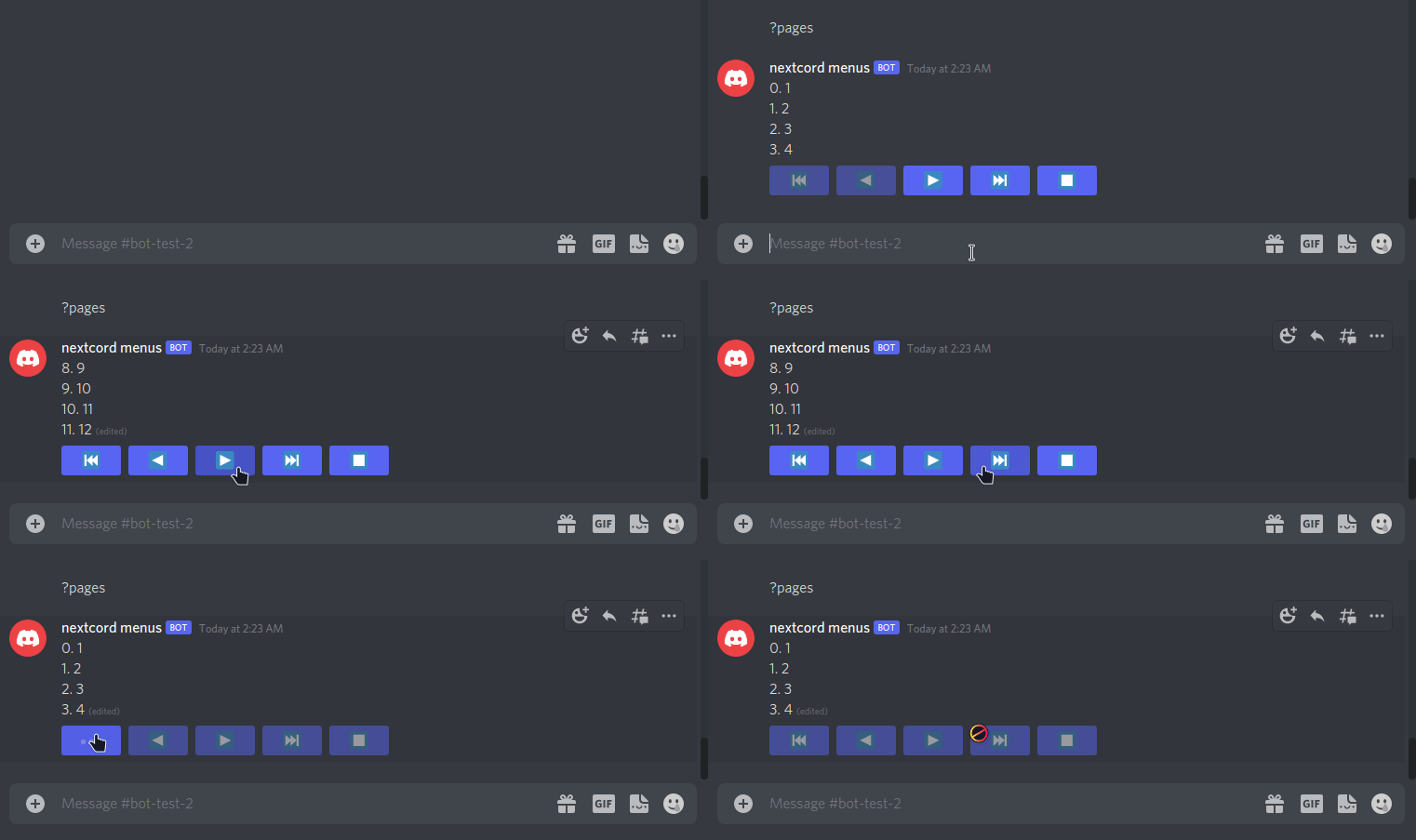
A ButtonMenuPages class is provided for pagination with button components.
ButtonMenuPages works the same way as the MenuPages class found above, but with button components instead of reactions.
A ButtonStyle can optionally be passed in to customize the appearance of the buttons.
MySource is the same as defined above, but the menu is instantiated with:
pages = menus.ButtonMenuPages(source=MySource(range(1, 100)), clear_buttons_after=True,
                              style=nextcord.ButtonStyle.primary)
await pages.start(ctx)
License
Copyright (c) 2021 The Nextcord Developers
Copyright (c) 2015-2020 Danny Y. (Rapptz)
Release history Release notifications | RSS feed


Download files
Download the file for your platform. If you're not sure which to choose, learn more about installing packages.
Source Distribution
Built Distribution
Filter files by name, interpreter, ABI, and platform.
If you're not sure about the file name format, learn more about wheel file names.
Copy a direct link to the current filters






