
NexusBrowser








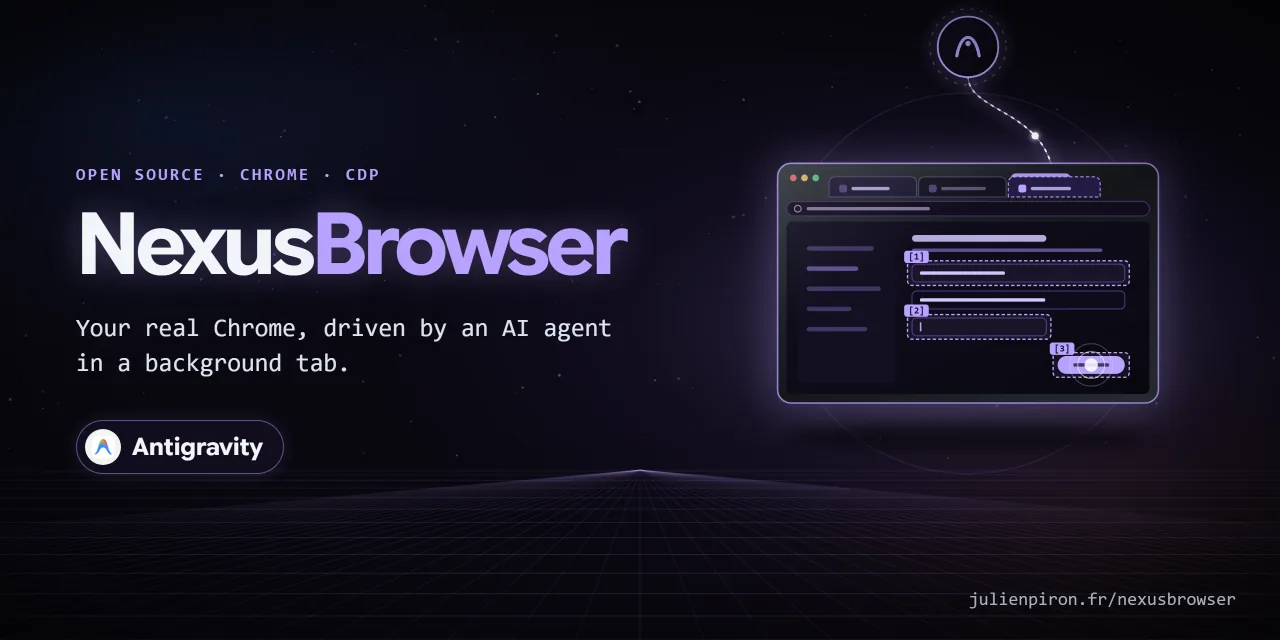

Your real Chrome, driven by AI agents in background tabs. NexusBrowser lets Antigravity, Claude and Codex use
the user's own Chrome (their sessions, their extensions) through one shared local bridge and one MCP server,
nexus-browser. Each agent works in its own background tabs, grouped under its name, with real (trusted) mouse
and keyboard events sent through the Chrome DevTools Protocol, while the user keeps working in their own tabs.
Windows 10/11 · Chrome 116+ · Python 3.14 · MIT licence
Part of the Nexus family: NexusWindows (Claude · Codex · Antigravity), NexusBrowser (repo), NexusAndroid (repo). Project page: julienpiron.fr/nexusbrowser.
Why
Browser automation usually means a separate headless browser (no sessions, no extensions) or screen-level computer use that moves the user's cursor and brings the window to the front. NexusBrowser works inside the browser the user already uses, without activating the agent's tab or window, and keeps the guard rails in the extension and the bridge rather than in the agent: tab ownership, an allowlist of DevTools commands, masked secrets, an emergency stop.
- Antigravity: its own browser agent runs in a separate Chrome profile, without the cookies or sign-ins of the user's browsing (Antigravity docs). NexusBrowser gives it the user's real Chrome.
- Claude and Codex already have their own Chrome extension (Claude in Chrome, the Codex Chrome extension).
NexusBrowser complements it where a bridge with the DevTools protocol helps: JavaScript dialogs
(
browser_handle_dialog), detailed network capture with response bodies, elements inside cross-origin iframes, content and Google Docs/Sheets/Slides exports, and downloads.
Until 2.4.0 it was published here as "Antigravity Browser Bridge", for Antigravity only. Since 2.6.0 it is a neutral bridge shared by several agents.
Pieces
| Folder | Role |
|---|---|
extension/ |
Chrome MV3 extension "Nexus Browser Bridge": CDP actions, locators, network, dialogs, cross-origin iframes, exports, tab ownership |
native-host/ |
Local bridge (bridge_server.py: WebSocket 9224 for the extension, HTTP 9225 for the agents) and native host com.nexus.browser_auth |
client/ |
MCP server nexus-browser (mcp_server.py), authenticated transport (bridge_client.py), CLI (browser_cli.py), shared emergency stop |
skills/, plugins/ |
Skill (copied for Antigravity, Claude Code and Codex) and Antigravity plugin, by install.ps1 |
Tools
52 MCP tools.
| Area | Tools |
|---|---|
| Tabs | browser_list_tabs, browser_active_tab (read only), browser_new_tab, browser_select_tab, browser_adopt_tab, browser_release_tab, browser_group_tabs, browser_close_tab, browser_reload, browser_navigate (URL, back, forward), browser_wait_load, browser_wait_for (text or element appears or disappears) |
| Input (trusted CDP events) | browser_click, browser_semantic_click, browser_hover, browser_fill, browser_semantic_fill, browser_fill_form, browser_select_option, browser_check, browser_press_key, browser_type_keys, browser_drag_and_drop, browser_scroll, browser_upload, browser_handle_dialog |
| Finding elements | browser_find (Playwright-style locators: role, label, text, placeholder, test id, in every frame), browser_interactive_map, browser_vision_inspect and browser_click_mark (Set-of-Mark badges), browser_axtree, browser_content, browser_check_handoff (2FA, CAPTCHA) |
| Network and downloads | browser_network_record, browser_network_stop, browser_network_requests, browser_network_response, browser_wait_network_idle, browser_download_status, browser_wait_download, browser_get_cookies |
| Output | browser_screenshot (view, full page or element), browser_pdf, browser_export (main content as Markdown, text or HTML), browser_export_gsuite (Google Docs, Sheets, Slides through Google's export URLs), browser_youtube_transcript, browser_logs |
| Site-provided tools (WebMCP) | browser_webmcp_tools, browser_webmcp_call (tools a page exposes through document.modelContext) |
| Page access | browser_eval, browser_cdp_send (allowlisted commands) |
| Several actions | browser_batch (up to 30 tool calls in one round trip, stops at the first error; each step keeps its own checks) |
Install
Requirements: Windows 10 or 11, Chrome, uv, Python 3.14.
git clone https://github.com/pironjulien/NexusBrowser.git
cd NexusBrowser
pwsh -NoProfile -File install.ps1
- Python environment, token, logs, screenshots and exports live in
~\.nexus\nexus-browser(outside the clone). - Scheduled task
Nexus Browser Bridgewith no trigger: the bridge starts on demand (first agent call,schtasks /Run). - Native host
com.nexus.browser_authdeclared to Chrome (HKCU): it computes the extension's proofs, the token never reaches Chrome. - MCP server
nexus-browserregistered for Claude Code, Codex and Antigravity when they are installed, each withNEXUS_BROWSER_AGENTset to its name (default tab group). - When the bridge has to relaunch Chrome, it uses the
Defaultprofile; extra Chrome flags (language...) can be added with theNEXUS_CHROME_EXTRA_ARGSenvironment variable (allowlist:--lang,--accept-lang,--variations-override-country,--disable-features=Glic…,--force-dark-mode; anything else is ignored). - Migration from the former "Antigravity Browser Bridge": its task (same ports) and native host
com.nexusagy.bridge_authare removed.
Then load extension\ once in chrome://extensions (developer mode, "Load unpacked") and remove the old
"Antigravity Browser Bridge" if present. The extension ID is fixed by the public key in manifest.json
(blcgddmjdkobmgakjffjpgiicjlflgjf), the same on every PC and whatever the folder; it is the only origin the bridge
and the native host accept.
The MCP server from PyPI
Once the bridge and the extension are installed (above), any MCP client can also start the server straight from PyPI, without the clone:
claude mcp add nexus-browser --scope user -e NEXUS_BROWSER_AGENT=Claude -- uvx nexus-browser
Without the bridge, the server still starts and lists its 52 tools, and every call answers with a clear error that points to the one-time install.
Security (held by the extension and the bridge, not by the agent)
- Mutually authenticated bridge (
nexus-browser/1): HMAC proofs over both nonces, then every message signed with a per-connection key and a strict sequence number. HTTP requiresX-Nexus-Browser-Tokenand refuses any browser origin. - Tab ownership: every bridge client identifies itself (agent + session headers, forwarded by the bridge in the
signed channel). A tab opened by
browser_new_tabbelongs to that session (chrome.storage.session); any page command on another tab (the user's, another agent's) is refused. A tab of the user only throughbrowser_adopt_tab(tab_id, user_asked=True).tab_idis mandatory on every page tool. A session whose MCP process is gone (or silent for 1.618 x 60 s; servers beat every 37 s) leaves orphan tabs: the same agent can reclaim (browser_adopt_tab, also automatically at startup), close or release them; never another agent. - CDP allowlist for
browser_cdp_send; every extension script runs in an isolated world (onlybrowser_eval, the YouTube transcript andbrowser_cdp_send(..., world="page")touch the page's world). - Secrets: secret headers, URL parameters and JSON/form body fields masked (pagination tokens and LLM token
counters kept); cookie values only for local development origins (
include_values=True); uploads refused by the bridge itself from secret folders (normalized paths). The value of a password, one-time code or payment card field (type=password,autocompletecurrent-password, new-password, one-time-code, cc-number, cc-csc, cc-exp) never leaves the page:browser_content(html mode included),browser_vision_inspect,browser_find,browser_axtreeand the value read back bybrowser_fillreturn[masked value]instead. browser_evalis full access to the page, nothing masked: likebrowser_cdp_send(Runtime.evaluate)(both worlds share the document), it reads what the page reads (non-HttpOnly cookies throughdocument.cookie, localStorage, sessionStorage, IndexedDB, form fields) and itsfetchcarries the user's session. The masking above covers the dedicated tools, not scripts nor the raw Chrome replies ofbrowser_cdp_send(DOM.getOuterHTML,Accessibility.getFullAXTree...): kept on purpose, said plainly in the tool, the skill and the server instructions.Page.reloadwithscriptToEvaluateOnLoadis refused (script injected at load).- Outward gestures need the user's accord for the exact action (2.12.0): before a click
(
browser_click,browser_click_mark,browser_semantic_click), Enter / Control+Enter / Space (browser_press_key,keysofbrowser_fillandbrowser_semantic_fill), a typed line break (browser_type_keys) or a drag, the server reads the trigger without any gesture, through the bridge's existing read paths (findfor locators, and a read-only script,client/trigger_probe.js, evaluated bycdp-sendin the extension's isolated world): no new extension action, so it works with the extension already loaded. It reads the clicked control, or the submit buttons of the focused field's form. When the shared policy (client/garde-fous.json) sees an outward word (send, pay, buy, order, publish, post, call, transfer, subscribe, book...), the gesture is refused with a summary of the exact action (target, recipients, form content without sensitive values, attachments, page origin and path) and a one-time token valid 10 minutes. The agent shows the summary to the user and, only after their yes, sends the same call again withconfirm=trueandaccord="<token>". Any change between the accord and the gesture voids it;confirm=truealone is never enough; a token read in a page is unknown. Neutral links and buttons stay free. The check fails closed only when the read really fails (script error, focus in a cross-origin frame, form of a field aimed at by Enter unreadable). Page text outputs (browser_content,browser_axtree,browser_export, Google and YouTube exports, network bodies) carryuntrusted_notewhen the text looks like instructions aimed at an AI (a signal only). The CLI runs the same check but cannot carry a token from one command to the next (one process each): it refuses outward gestures with the summary and points to the MCP server; every other gesture stays free. - WebMCP tools (sites that expose their own tools to agents through
document.modelContext, native in Chrome 149+ for sites in the origin trial):browser_webmcp_toolslists them andbrowser_webmcp_callruns one through Chrome's owngetTools()/executeTool(), evaluated bycdp-sendin the extension's isolated world (the page cannot replace them; no new extension action, no Chrome flag). The call goes through the same accord: a tool the page marksconsequentialHint, or whose name, title, description or form submit button carries an outward word, is refused with the exact call (tool, origin, input with sensitive values masked but bound to the token, page) and a one-time token. A tool markedreadOnlyHintruns freely. The tool runs only if its definition did not change since the check. Descriptions and outputs are page text (untrusted_note). - Paths that do not go through the accord:
browser_evalandbrowser_cdp_send(Runtime.evaluate,Input.dispatch*) keep full page access by design and can click or submit without this check; the tool descriptions and the server instructions tell the model never to use them for an outward action. Bare coordinates ofbrowser_drag_and_dropare not read either. - Emergency stop (Ctrl+Alt+Shift+Esc,
~\.nexus\stop): commands already running are cancelled (typing, drag, waits), debuggers detached, every action refused for 120 s. The same file protocol is shared with the NexusWindows agents. - Who drives what: each agent's tabs sit in a Chrome tab group named after it;
browser_release_tabgives a tab back. The toolbar icon opens a read-only popup: bridge state and tabs per agent. - Whoever holds the bridge token controls the browser session: keep
~\.nexus\nexus-browser\bridge-tokenprivate.
Checks
pwsh -NoProfile -File test.ps1         # offline: ruff, Pyright, pytest (real bridge on ephemeral ports), Node tests
pwsh -NoProfile -File test.ps1 -Full   # plus real validation in the user's Chrome: --mouse then --full-live
pwsh -NoProfile -File verify.ps1 -Browser  # task, native host, bridge reached, loaded extension up to date
test.ps1 uses the environment created by install.ps1.
Updating an existing installation also checks the extension's loaded version/features and reloads it when needed, then reloads the supervised Browser MCP worker. The installation fingerprint covers client and extension sources. An update defers while an agent owns browser tabs; user tabs are never driven or activated by the refresh. If Chrome is closed, it loads the updated extension files on its next launch; that state is not a live validation.
Privacy
NexusBrowser runs entirely on your PC: a Chrome extension, a local bridge bound to 127.0.0.1 (authenticated by a
local token) and an MCP server. It has no account, no telemetry, no analytics and no remote server; nothing is sent
to the author or to any third party.
- What it reads: in the tabs the agent opened (or a tab of yours you explicitly let it adopt): page text and
accessibility tree, screenshots, console logs, network requests (headers and secret fields masked), cookies when
browser_get_cookiesis called. Password, code and card values are masked in reads and drawn as dots in screenshots and PDFs (every frame, cross-origin ones included); console logs are masked like network bodies;browser_evalandRuntime.evaluatethroughbrowser_cdp_senddo have full access to the page. - Network: pages are loaded by your own Chrome with your own sessions, as if you browsed them. Exports (Google Docs, Sheets, Slides, YouTube transcripts) are fetched from those sites in your session.
- Where it goes: tool results are returned to the AI client you connected (Antigravity, Claude, Codex…), which may send them to its model provider under its own privacy policy.
- What it stores, under
~/.nexus/nexus-browser/: the Python environment, the bridge token,bridge.log(connection and emergency-stop events, rotated at 1 MB, three backups),install.log, screenshots (at most 50, each kept under 24 hours) and the exports you ask for. The extension keeps tab ownership in Chrome's session storage, cleared when Chrome closes. - Removing it: remove the extension from Chrome, delete the scheduled task
Nexus Browser Bridgeand the registry keyHKCU\Software\Google\Chrome\NativeMessagingHosts\com.nexus.browser_auth, then delete~/.nexus/nexus-browser/.
Questions or concerns: open an issue on this repository.
Limits
- Windows and Chrome only (Manifest V3,
chrome.debugger). While the debugger is attached, Chrome shows its "is being debugged" banner on the agent tab. Protected pages (chrome://, the Web Store) cannot be scripted. - Tab ownership is per MCP process: sub-agents of one conversation share it.
- The YouTube transcript reads the page's own player (page world).
- The outward-action check reads the trigger just before the gesture: a page that rewrites its form or its button
in between is not seen. It recognizes
<form>, dialogs and the nearest block holding a field and a button (at most 3 fields, like a chat composer); recipients shown as custom chips are read only when they carry anemailattribute. The token proves that this exact action was described before running unchanged, not who said yes: the agent stays the only channel between the user and the tool. - WebMCP: the page's own
readOnlyHintandconsequentialHintare trusted as declared, and tools of a cross-origin iframe are listed only when that frame exposes them to the top page (exposedTo), as the spec requires. Chrome's CDPWebMCPdomain (used by Chrome DevTools MCP) is not used: it needs Chrome started with--enable-features=DevToolsWebMCPSupport. - Code comments are in French.
Licence
MIT, see LICENSE. Copyright (c) 2026 Julien Piron.
1 maintainer

Metadata
1 maintainer
Release files for nexus-browser 2.16.0
For a detailed explanation of source distributions (sdists) and built distributions (wheels), please see the package formats documentation.
Source distribution (sdist)
| File | Size | Uploaded | Provenance | |
|---|---|---|---|---|
| nexus_browser-2.16.0.tar.gz | 109.6 kB | With provenance | Details |
Built distribution (wheel)
| File | Interpreter | ABI | Platform | Reset |
|---|---|---|---|---|
| nexus_browser-2.16.0-py3-none-any.whl | Python 3 | none | any | Details |
Total release size: 214.0 kB
Release files / nexus_browser-2.16.0.tar.gz
| Download URL | nexus_browser-2.16.0.tar.gz |
|---|---|
| Size | 109.6 kB |
| Tags | Source |
|
SHA-256 checksum How to use checksums |
637ce835840697f205066f388857f9cec9c2460eeebdd3f08b10ea7e112487f7
|
|
BLAKE2b-256 checksum How to use checksums |
c3b717887636025c079df54ce644c46ba529da39f50c6a4f9db1107ce34cf675
|
| Upload date | |
|
Uploaded using Trusted Publishing? What is trusted publishing? |
Yes |
| Uploaded via |
twine/7.0.0 CPython/3.13.14
|
Provenance
Provenance describes where a file came from. On PyPI, provenance is shared via attestations, which provide a verifiable record of the build or publishing details. View details, limitations and caveats.


PyPI Publish Attestation
PyPI verified that this artifact, at this checksum, originated from the publisher listed below.
Signed by GitHub Actions, verified by PyPI on Oct 20, 2026.
Transparency logRelease files / nexus_browser-2.16.0-py3-none-any.whl
| Download URL | nexus_browser-2.16.0-py3-none-any.whl |
|---|---|
| Size | 104.4 kB |
| Tags | Python 3 |
|
SHA-256 checksum How to use checksums |
f2e01b28c83309a710d34bb63d39ff67cd6c263fd2e935f4e39b9072b16daa22
|
|
BLAKE2b-256 checksum How to use checksums |
b78cd8b55389e0769cc54e46ea5f56e91b1d7f7466e0fd98ead1aad152d630b7
|
| Upload date | |
|
Uploaded using Trusted Publishing? What is trusted publishing? |
Yes |
| Uploaded via |
twine/7.0.0 CPython/3.13.14
|
Provenance
Provenance describes where a file came from. On PyPI, provenance is shared via attestations, which provide a verifiable record of the build or publishing details. View details, limitations and caveats.
PyPI Publish Attestation
PyPI verified that this artifact, at this checksum, originated from the publisher listed below.
Signed by GitHub Actions, verified by PyPI on Oct 20, 2026.
Transparency logSecurity for nexus-browser 2.16.0
Provenance
Provenance describes where a file came from. On PyPI, provenance is shared via attestations, which provide a verifiable record of the build or publishing details. View details, limitations and caveats.
Full provenance
All 2 files in this release have been uploaded with provenance metadata.
Attestation for nexus_browser-2.16.0.tar.gz
PyPI Publish Attestation
PyPI verified that this artifact, at this checksum, originated from the publisher listed below.
Signed by GitHub Actions, verified by PyPI on Oct 20, 2026.
Transparency logA note on package security
PyPI is a repository for distributing packages, not a service for auditing them. While third-party security researchers and our staff do their best to detect and remove malicious packages, PyPI cannot guarantee the quality, security or suitability of any given package.
To learn more about protecting yourself from malicious actors, visit our package security documentation.














