
NexusWindows for Antigravity








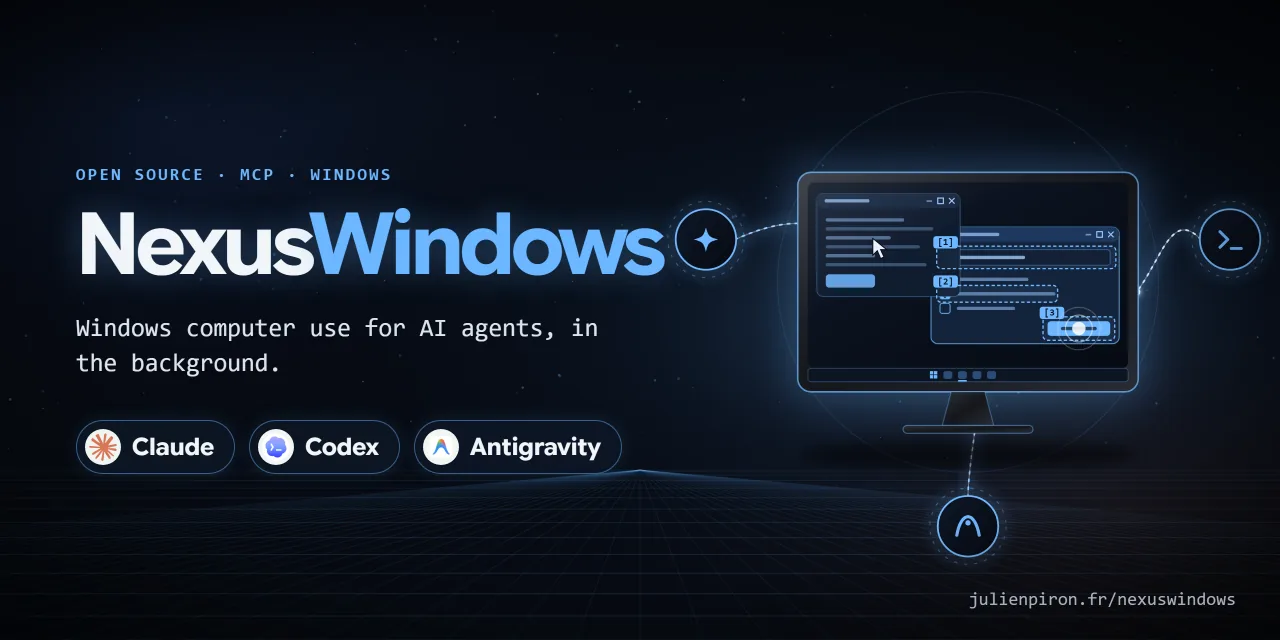

Windows computer use for Antigravity, in the background. An MCP server (nexus-windows-antigravity) that lets Google
Antigravity (Gemini) see and operate Windows desktop applications while the user keeps their mouse, keyboard and
foreground window. Built for a fast model: one look, then one batch of steps with label targets, and every reply
says what to do next.
Version 3.0.1 · Windows 10/11 · Python 3.11+ · MIT licence
Part of the Nexus family: NexusWindows (Claude · Codex · Antigravity), NexusBrowser (repo), NexusAndroid (repo). Project page: julienpiron.fr/nexuswindows.
Why
Screenshot-and-click computer use moves the real cursor and brings windows to the front, so the person at the PC has
to stop working while the agent acts. Most Windows applications can be driven without that: native controls accept
window messages and modern frameworks expose UI Automation. This server acts in the background first, reads the
effect back, and only falls back to the real mouse or keyboard when the step allows it (foreground=True).
NexusWindows family
Three MCP servers, one per agent, built separately because each model needs its tools shaped for it, with the same promise: the user keeps their mouse, keyboard and foreground window, and every action is read back.
| Claude | Codex | Antigravity | |
|---|---|---|---|
| Install | uvx --python 3.14 nexus-windows-claude |
npx -y nexus-windows-codex |
uvx --python 3.14 nexus-windows-antigravity |
| Package | PyPI | npm | PyPI |
| Tools | windows look act launch window, plus notifications and logs |
windows look act launch window |
windows look act launch window |
| Repository | NexusWindows-Claude | NexusWindows-Codex | NexusWindows-Antigravity |
Every step reports ✓ verified, = already done, ~ unknown (never replayed) or ✗ failed or refused. The three share the guardrail policy, the foreground token, the emergency stop (Ctrl+Alt+Shift+Esc), a common journal format and a common bench.
Installation
Requirements: Windows 10 or 11, uv (winget install astral-sh.uv).
From PyPI, no clone needed: declare the server in
Antigravity's mcp_config.json (%USERPROFILE%\.gemini\config\mcp_config.json):
{
  "mcpServers": {
    "nexus-windows-antigravity": {
      "command": "uvx",
      "args": ["--python", "3.14", "nexus-windows-antigravity"],
      "env": { "PYTHONUTF8": "1" }
    }
  }
}
The agent guide that teaches Antigravity the five tools is
SKILL.md: copy the
plugins/nexus-computer folder into Antigravity's plugins to install it with the server.
From a clone (development), with PowerShell 7:
git clone https://github.com/pironjulien/NexusWindows-Antigravity.git
cd NexusWindows-Antigravity
pwsh -NoProfile -File install.ps1
The Python environment, logs and screenshots then live in %USERPROFILE%\.nexusagy (outside the clone), and the
server is declared with "command": "pwsh", "args": ["-NoProfile", "-File", "C:/path/to/NexusWindows-Antigravity/scripts/start-computer-mcp.ps1"].
Tools
Five listed MCP tools, named like the other NexusWindows tools (Claude, Codex); the older names (computer_look,
computer_act, computer_click...) stay callable as unlisted aliases.
| Tool | Purpose |
|---|---|
windows |
Application windows (by_app=true: grouped by application) |
look |
One line per element [N] role « name » = « value » states @x,y, plus an image, without bringing the window forward |
act |
Several steps in one call (click, type, check, uncheck, select, menu, keys...), each read back: ✓ = ~ ✗ |
launch |
Open an application, document, folder, script or shortcut; the opening is read back |
window |
action="close": close a window (UI Automation, then WM_CLOSE) |
Tool descriptions, server instructions, tool and parameter names are in English; tool replies are in French.
What it does
- Designed for Gemini: golden rule look, then act in one batch with label targets; every action reply carries
a one-line
next(✓ done · = already done, do not redo · ~ effect not seen, look at the attached image · ✗ failure, cause and what to try) and, when the effect was not read back, a compact WebP image (≤ 1280 px) of the window. A batch identical to one sent in the last 10 s on the same window without alookin between is refused (repeat=trueforces it). - Background first, even with
foreground=True: abox_2dor (x, y) target is mapped to the element under the point in the window's own UI Automation tree (covered windows included) and handled like a label target; a click on a text field retains it, sotypewithout target,ctrl+a,ctrl+vand erase keys become background writes read back; plain keys are posted (WM_KEYDOWN/WM_KEYUP) in Win32, WinForms and WPF. Real mouse and keyboard only as a fallback withforeground=True; otherwise an explicit refusal (needs_foreground) and nothing is sent. - Per UI family: Win32 → direct messages (
BN_CLICKED,BM_SETCHECK,EM_REPLACESEL,CB_SETCURSEL/LB_SETCURSELwith their notifications, menuWM_COMMAND); WinForms → UI Automation then messages; WPF, UWP, Chromium → UI Automation only. Never UI Automation Invoke on a Win32 button (its proxy activates the window) nor Select on a Win32 list (silent). - One cross-process read: the window-scoped UI Automation tree is read in one round trip
(
IUIAutomationCacheRequest+BuildCache,AutoSetFocus = False). A truncated or failed read is reported (uia.status,warning), never a silent empty list. - Read-back after every action:
verifiedtrue/false/None from a real read (field value, check state, selection, focused element, window title, image);successis never true on "command sent" alone. Steps accept a postconditionexpect(already true: step skipped withalready: true; false after: step failed). A batch stops at the first failed or unverified step, before sending the next action, with no automatic replay. A verified postcondition establishes the effect and allows the batch to continue; an unknown effect requires observation before preparing the remaining steps. - The user's physical input via Raw Input (injected input ignored): wait for a pause before any real mouse or
keyboard action, and stop at the next checkpoint if the user touches keyboard or mouse (
interrupted_by_user). - Guards in the code, not only in the instructions: the window is always named (never the foreground one by
default, ambiguous titles refused with the candidates); an ambiguous label is refused with the candidates; the
target window is read back in the foreground right before every
SendInput; password managers (KeePass, KeePassXC, Bitwarden, 1Password, Dashlane, NordPass, RoboForm, LastPass) are never looked at, captured or driven; the sign-in screen, lock screen and UAC prompt are refused. An action labelled pay, buy, order, transfer money, send, publish, delete permanently, uninstall, format, reset, cancel a subscription, erase data or make a repository public needsconfirm: trueon the step, and so does any key,submitor coordinate click that would trigger one.NEXUS_AGY_CONFIRM=offin the MCP server environment turns confirmation off entirely (default: on). - Clipboard: saved in all its formats and restored; the text put there is excluded from Win+V history and cloud clipboard. Used only as a last resort for typing (multi-line or more than 300 characters).
- Agent at work: while an action runs (
act, opening, closing, focusing and the action aliases; never the reads), a small logo spins on itself in the bottom-right corner of the driven window's screen, like a game loading screen, with a breathing blue halo, and goes away 1.6 s after the last action. Always on top, borderless, click-through, never activated, absent from the taskbar and excluded from screen captures (busy_indicator.py).NEXUS_WINDOWS_INDICATOR=0turns it off. - Shared with the other desktop agents of the PC: foreground token (
%USERPROFILE%\.nexus\foreground.lock) and emergency stop (Ctrl+Alt+Shift+Esc,%USERPROFILE%\.nexus\stop), the same file protocols as NexusWindows for Claude.
Architecture
| Path | Role |
|---|---|
client/mcp_server.py |
MCP server nexus-windows-antigravity (stdio), started by scripts/start-computer-mcp.ps1 |
client/computer_client.py |
Windows engine: windows, UI Automation, Win32 messages, capture, actions and read-back |
client/uia_fast.py, client/win32_controls.py |
One-round-trip UI Automation reads, native control messages |
client/physical_input.py, client/agent_guard.py, client/emergency_stop.py |
The user's presence (Raw Input), batch guard, shared emergency stop |
client/foreground_lock.py, client/garde_fous.py, client/garde-fous.json |
Shared foreground token and guard-rail policy, common to the author's desktop agents (also used by NexusWindows for Claude). Vendored in the public copy; in the author's setup they live in a sibling shared folder |
plugins/nexus-computer/ |
Antigravity plugin and the agent guide (SKILL.md) |
tests/ |
Unit tests (pytest) and the real desktop validation |
Privacy
NexusWindows for Antigravity runs entirely on your PC. It has no account, no telemetry, no analytics and makes no network requests of its own.
- What it reads: window titles, the accessibility tree and window images of the applications the agent works in, only when a tool is called. Password managers are neither read nor driven.
- Where it goes: tool results are returned to Antigravity, which may send them to Google under its own privacy policy; this server sends nothing anywhere else.
- What it stores, under
~/.nexusagy/: the Python environment (clone install only;uvxkeeps its own in the uv cache), an action logcomputer.log(action, method, window, duration, outcome and short details such as a target label, coordinates, key names, a menu path or the number of characters typed, never the typed or expected text; rotated at 5 MB, three backups) and screenshots (at most 50 after each capture; those older than 24 hours are purged at the next capture and at server start, so a stopped server can leave its last screenshots until it starts again). Under~/.nexus/: the shared foreground token and emergency-stop state. Under%LOCALAPPDATA%\NexusJournal\windows\antigravity\(orNEXUS_JOURNAL_HOME): a short monthly JSONL journal, in the same format as the other NexusWindows tools (app executable name, action, technique, outcome, duration, whether the foreground was used, and the first words of an error, cut before any quote, colon or bracket); never typed text, screen text, labels, titles or paths. The server never deletes it. - Removing it: remove the server from Antigravity's MCP settings, then delete
~/.nexusagy/(and%LOCALAPPDATA%\NexusJournal).
Questions or concerns: open an issue on this repository.
Limits
- Windows only. Tool descriptions are in English; tool replies and code comments are in French.
- In the background, keyboard input is refused in UWP/WinUI, Firefox and Tk, and Ctrl/Alt shortcuts in WPF;
Chromium/Electron receives keys, shortcuts and typing through a simulated activation, checked by read-back (
~if nothing changes). For web pages, NexusBrowser is more reliable. - An effect with nothing readable stays
~(not verified).
Development
pwsh -NoProfile -File test.ps1         # offline: ruff, Pyright, pytest
pwsh -NoProfile -File test.ps1 -Full   # plus the real desktop validation on its own Win32, WinForms and WPF windows
The real validation shows its test windows without activation and closes them at the end; real mouse and keyboard checks run only when the PC has been idle for 120 s, otherwise they are reported as skipped.
Licence
MIT, see LICENSE. Copyright (c) 2026 Julien Piron.
1 maintainer

Metadata
1 maintainer
Release files for nexus-windows-antigravity 3.0.1
For a detailed explanation of source distributions (sdists) and built distributions (wheels), please see the package formats documentation.
Source distribution (sdist)
| File | Size | Uploaded | Provenance | |
|---|---|---|---|---|
| nexus_windows_antigravity-3.0.1.tar.gz | 385.6 kB | With provenance | Details |
Built distribution (wheel)
| File | Interpreter | ABI | Platform | Reset |
|---|---|---|---|---|
| nexus_windows_antigravity-3.0.1-py3-none-any.whl | Python 3 | none | any | Details |
Total release size: 630.2 kB
Release files / nexus_windows_antigravity-3.0.1.tar.gz
| Download URL | nexus_windows_antigravity-3.0.1.tar.gz |
|---|---|
| Size | 385.6 kB |
| Tags | Source |
|
SHA-256 checksum How to use checksums |
f2ebfa90db77d7a3b58b6a0d3069ac9ed6f5618d8ad609bcd435208f1862eb93
|
|
BLAKE2b-256 checksum How to use checksums |
009f48a4312d62482195d519ac8e153b1e6ff7145fdc05e68f76678e412b25a7
|
| Upload date | |
|
Uploaded using Trusted Publishing? What is trusted publishing? |
Yes |
| Uploaded via |
twine/7.0.0 CPython/3.13.14
|
Provenance
Provenance describes where a file came from. On PyPI, provenance is shared via attestations, which provide a verifiable record of the build or publishing details. View details, limitations and caveats.


PyPI Publish Attestation
PyPI verified that this artifact, at this checksum, originated from the publisher listed below.
Signed by GitHub Actions, verified by PyPI on Oct 23, 2026.
Transparency logRelease files / nexus_windows_antigravity-3.0.1-py3-none-any.whl
| Download URL | nexus_windows_antigravity-3.0.1-py3-none-any.whl |
|---|---|
| Size | 244.5 kB |
| Tags | Python 3 |
|
SHA-256 checksum How to use checksums |
358b6668a22be1a91819ca21e74a8c18b2a445c4f2356a8e627167ccf7ccf644
|
|
BLAKE2b-256 checksum How to use checksums |
fee3403c901fa7c271d7c0f02814f013bcf73e226782d171dd3b8a0703ef64ee
|
| Upload date | |
|
Uploaded using Trusted Publishing? What is trusted publishing? |
Yes |
| Uploaded via |
twine/7.0.0 CPython/3.13.14
|
Provenance
Provenance describes where a file came from. On PyPI, provenance is shared via attestations, which provide a verifiable record of the build or publishing details. View details, limitations and caveats.
PyPI Publish Attestation
PyPI verified that this artifact, at this checksum, originated from the publisher listed below.
Signed by GitHub Actions, verified by PyPI on Oct 23, 2026.
Transparency logSecurity for nexus-windows-antigravity 3.0.1
Provenance
Provenance describes where a file came from. On PyPI, provenance is shared via attestations, which provide a verifiable record of the build or publishing details. View details, limitations and caveats.
Full provenance
All 2 files in this release have been uploaded with provenance metadata.
Attestation for nexus_windows_antigravity-3.0.1.tar.gz
PyPI Publish Attestation
PyPI verified that this artifact, at this checksum, originated from the publisher listed below.
Signed by GitHub Actions, verified by PyPI on Oct 23, 2026.
Transparency logA note on package security
PyPI is a repository for distributing packages, not a service for auditing them. While third-party security researchers and our staff do their best to detect and remove malicious packages, PyPI cannot guarantee the quality, security or suitability of any given package.
To learn more about protecting yourself from malicious actors, visit our package security documentation.














