
nfind







Find files by describing them in natural language.
The name is short for natural-find — find, but driven by a natural-language
description instead of a filter expression. nfind takes a plain text description,
asks an LLM to write a small filter function for it — in Python (filter_paths) or
Node.js (filterPaths) — and runs that function against your file tree to print the
matching paths — a natural-language cousin of find that can answer deep structural
questions about your files.
Like find, nfind walks directory trees recursively. Unlike find, it skips common
VCS, dependency, virtual-environment, and cache names by default (including .git,
node_modules, .venv, and __pycache__). Pass --no-ignore to walk the complete
tree, or --max-depth N to limit recursion.
The generated code is never executed on your machine directly. By default it runs
inside a disposable, hardened Docker container with the search directory
bind-mounted read-only, networking disabled, all Linux capabilities dropped, and
CPU, memory, and process limits applied. Experimental alternate backends — Apple
Containers (--sandbox apple), Podman (--sandbox podman), and nerdctl/containerd
(--sandbox nerdctl) — are available with weaker or experimental guarantees; see the
Safety model below.
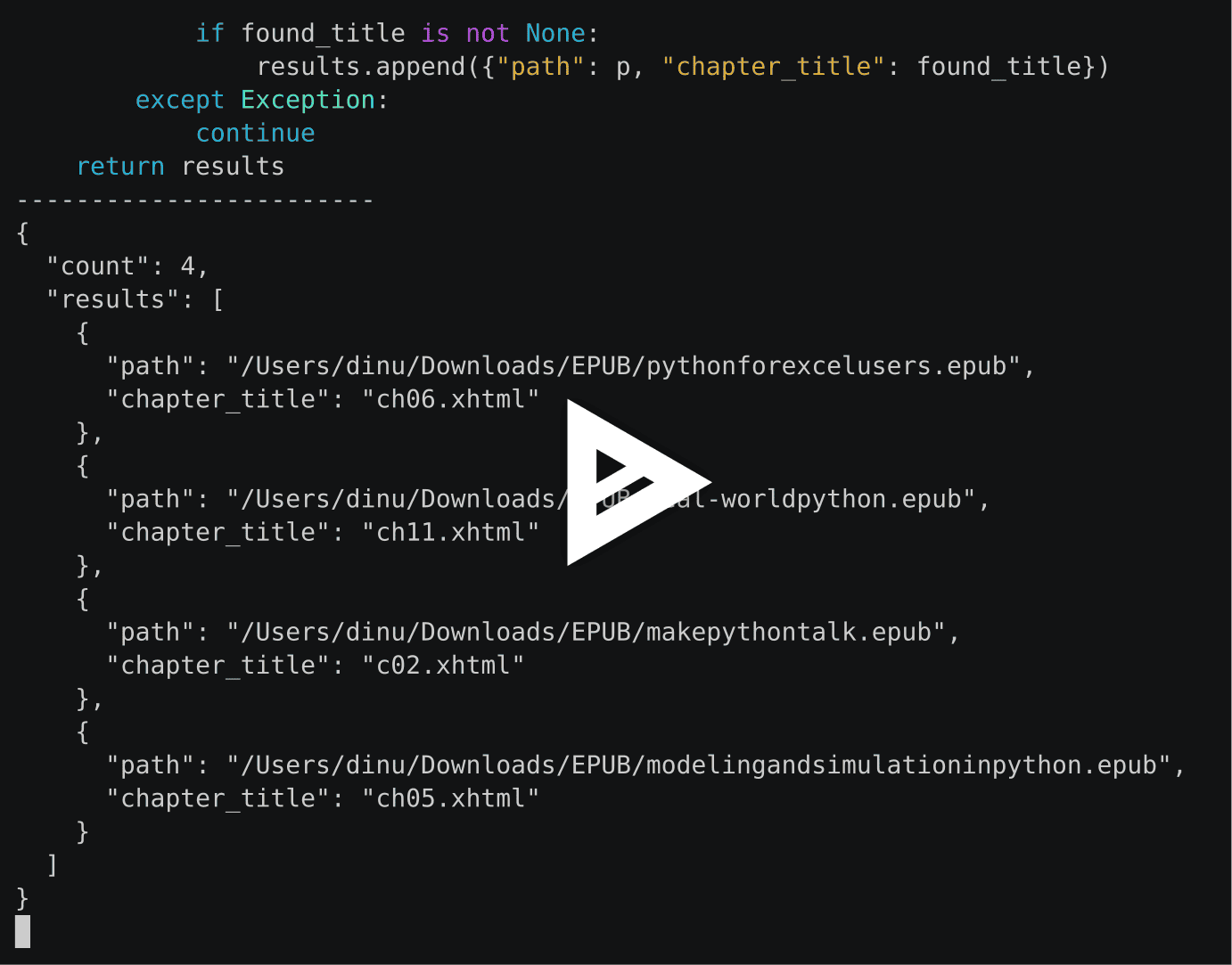
Demo
A recorded demo session — click the image to play it on Asciinema:
Why nfind?
nfind sits in a gap not filled by other file-search tools. It combines three things at once:
- Natural language — you describe what you want, not a query grammar or a
findincantation. - A standalone, auditable filter program, not a one-liner — the LLM writes an actual
Python/Node filter program that you can review, save, and run directly. Because it is
a real, complete program, it can express deep structural, relational, and computed
questions (e.g. "directories that contain only audio files", "Python files and
their line counts") that a glob or a single
findpredicate can't. - Local, disposable, hardened sandbox execution — the program runs over your real tree inside a disposable, hardened sandbox (with your directory mounted read-only), so it can open and inspect files — yet your file list and contents never leave the machine (only your prompt is sent to the model). The default Docker backend disables networking. Apple Containers do it on macOS 26+.
Each neighbouring category has only part of this:
| Tool category | Natural language | Reads contents / structure | Runs locally |
|---|---|---|---|
find / fd / ripgrep, Spotlight (mdfind) |
✗ | partial | ✓ |
fselect / osquery (SQL over files) |
✗ | ✓ | ✓ |
NL→command helpers (sgpt, gh copilot) |
✓ | ✗ (just a one-liner) | ✓ |
| Send-the-file-list-to-an-LLM tools (e.g. lfind) | ✓ | ✗ (filenames only) | ✗ |
| nfind | ✓ | ✓ | ✓ |
Additionally, while system-level search tools like Spotlight and Siri only work locally on physical machines, nfind is a headless CLI tool that works perfectly over remote terminals via SSH, running the same sandboxed searches on your remote servers.
In one line: nfind is like asking an analyst to write and run a one-off script against a folder — safely, and without your files leaving your machine. See docs/comparison.md for the full breakdown.
Requirements
- Python 3.11+
- Docker installed and running, or an experimental
alternate backend — Apple Containers on macOS via
--sandbox apple, Podman via--sandbox podman, or nerdctl/containerd via--sandbox nerdctl(see Safety model) - An API key for your provider —
OPENAI_API_KEYby default, or the matching key for another provider
Install
uv tool install nfind
# or
pip install nfind
To install from a local checkout:
uv tool install .
# or
pip install .
Usage
export OPENAI_API_KEY=sk-...

# Search the current directory
nfind "directories that contain only audio files"

# Search a specific directory
nfind "Python files that import requests" ./src

# Include normally ignored paths such as .git, node_modules, and .venv
nfind "Python files" ./src --no-ignore

# Search specific files (a root may be a file, not just a directory)
nfind "files that define a class" ./src/app.py ./src/models.py

# Help (both forms work)
nfind -h
nfind --help

# Version
nfind --version   # or -V
Output modes
By default nfind prints one path per line, like find. When your prompt asks
for extra per-file information, the generated filter attaches it to each result and
you can surface it:
# Default: clean, pipeable list of paths
nfind "Python files that import os"

# Verbose: path plus any extra fields the prompt produced
nfind "Python files, and for each the number of lines" --fields
# /path/to/a.py	lines=42

# JSON: machine-readable records (path plus extra fields) with a count
nfind "Python files, and for each the number of lines" --json
# { "count": 2, "results": [ { "path": "...", "lines": 42 }, ... ] }

# Extract: items inside files — one match per line (path[:line]<TAB>payload)
nfind --extract "every TODO comment, with its file and line number" ./src
# /src/app.py:42	handle retry
nfind --extract "every TODO with file and line" ./src | wc -l   # counts matches
Under the hood nfind does essentially one thing — select a subset of your files, each
optionally annotated with the extra fields your prompt asked for — and every mode above
just renders those records. --extract is the one step that reaches inside files
(TODOs, URLs, fields) rather than listing whole ones; counting, answering, or editing is
left to the pipe you already use (| wc -l, | jq, | xargs).
--json and --fields are mutually exclusive (as are --extract and --fields).
The richer output appears only when the prompt asks for it; otherwise every mode just
lists paths. See docs/output-modes.md.
Runtimes
The model picks the runtime per prompt — Python (default) or Node.js, when the
JS/TS ecosystem fits better (e.g. parsing TypeScript with ts-morph). nfind runs the
filter in the matching sandbox image; both run under the same isolation. See
docs/runtimes.md.
nfind "TypeScript files that export a default, using ts-morph" ./src
Dependencies
Some prompts need a library (reading MP3 tags, image sizes, PDF text). The generated filter declares the packages it imports — pip for Python, npm for Node — and nfind installs them into a derived sandbox image, but only approved packages. A built-in default list (per runtime) installs without asking; new packages are confirmed and then remembered.
nfind "MP3 files whose title tag contains 'live', using mutagen" ~/Music   # prompts if new
nfind "images larger than 4000px on a side" ~/Photos --yes                 # approve without asking
nfind "files containing TODO" . --no-deps                                  # standard library only
The Python defaults include tree-sitter and per-language grammar wheels
(tree-sitter-python, -go, -rust, …), so a filter can parse source structure —
functions, imports, classes — without a dedicated runtime (the Node.js runtime is
reserved for type-aware TS/JS analysis). Packages are installed at image-build time
(which needs network); the default Docker container that runs the filter has no
network. See docs/dependencies.md.
macOS metadata
On macOS, --macos-meta exposes a small slice of macOS-specific metadata — Finder
tags and download provenance (the quarantine flag and "where from" URLs) — to the
filter. These live on the host and aren't visible inside the Linux sandbox, so nfind
reads them host-side (read-only) and passes them in. This unlocks queries that
combine macOS metadata with file contents — something neither Spotlight nor a
container-only filter can do alone:
nfind "PDFs I downloaded from the web that mention 'invoice', using pypdf" ~/Downloads --macos-meta
nfind "files tagged Red whose contents contain a TODO" ~/Projects --macos-meta
For pure-metadata lookups ("everything tagged Red"), Spotlight (mdfind) is faster.
The flag is a no-op off macOS. See docs/macos-metadata.md.
Reviewing the generated code
The filter is generated by an LLM, so you may want to see it before it runs:
# Print the generated filter (to stderr) before running it
nfind "files with no extension" --show-code

# Save the generated filter to a file
nfind "files with no extension" --save filter.py

# Replay a saved filter through the sandbox (no LLM call; Docker also has no network)
nfind --run filter.py
nfind --run filter.py ./other-directory   # different search root

# Show the code and ask for confirmation before running (aborts on "no")
nfind "files with no extension" -i        # or --confirm
The code is printed to stderr, so stdout stays a clean, pipeable list of paths
even with --show-code. On a terminal it is syntax-highlighted with Pygments; the
highlighting is disabled when NO_COLOR is set or when stderr is redirected.
If the model's reply doesn't validate (malformed JSON, wrong function shape, an invalid package name), nfind feeds the error back and retries a few times before giving up; retry notices are printed to stderr.
The first run builds the worker image for the chosen runtime
(nfind-search-paths:latest for Python, nfind-search-node:latest for Node.js);
later runs reuse it. Pass --rebuild to force a fresh build.
Query cache
Generated filters are stored on disk next to the prompt that produced them, so re-running a prompt you have used before replays the stored filter and skips the LLM call — repeat searches are faster and free. It is on by default:
nfind "PDFs modified in the last week" ~/Documents   # generates, runs, and stores
nfind "PDFs modified in the last week" ~/Documents   # cache hit: no LLM call

nfind "…" --no-cache      # skip the cache for this run
nfind "…" --force         # regenerate even if cached (still stored)
Browse and manage the stored prompts with the nfind cache subcommand
(list, show <id>, delete <id>..., clear). Prompts that merely mean the same thing
can also reuse a cached filter via optional semantic matching
(pip install 'nfind[semantic]', enabled in the config file). See the
Query Cache guide for details.
Useful options
The options newcomers reach for most often:
| Option | Default | Purpose |
|---|---|---|
--model |
openai/gpt-5.4 |
Model used to generate the filter; provider/model for non-OpenAI (see Providers) |
--json |
off | Output records (path + extra fields) as JSON |
--fields / -f |
off | Show extra per-path fields alongside each path |
--show-code |
off | Print the generated filter before running |
--save / --run |
— | Save the generated filter, or replay a saved one without an LLM call |
--no-cache / --force |
on | Skip the query cache for this run, or regenerate even if a match is cached |
--sandbox |
docker |
Sandbox backend: docker, experimental apple on macOS, experimental podman, or experimental nerdctl (containerd) |
--no-ignore |
off | Include default ignored directories such as .git and node_modules |
--max-depth N |
unlimited | Descend at most N levels below each search path |
--yes / --no-deps |
off | Approve requested packages without prompting, or reject third-party packages entirely |
Run nfind -h for the authoritative list, or see the full
CLI reference for every option (resource limits, output bounds,
--exclude, --extract, --print0, --macos-meta, --confirm, and more).
Providers
By default nfind uses OpenAI. To use another provider, pass --model provider/model;
nfind reuses the OpenAI SDK against that provider's OpenAI-compatible endpoint, so there
is no extra dependency to install — just set the provider's API key.
nfind "files with no extension"                          # OpenAI (OPENAI_API_KEY)
nfind "..." --model anthropic/claude-sonnet-4-6          # ANTHROPIC_API_KEY
nfind "..." --model gemini/gemini-2.5-flash              # GEMINI_API_KEY
nfind "..." --model groq/llama-3.3-70b-versatile         # GROQ_API_KEY
nfind "..." --model openrouter/<vendor>/<model>          # OPENROUTER_API_KEY (near-universal)
nfind "..." --model ollama/llama3.1                      # local, no key
Supported prefixes: openai, anthropic, gemini, groq, mistral, deepseek,
xai, openrouter, ollama, lmstudio. Each reads its own *_API_KEY (local
servers need none). nfind handles providers without strict JSON mode automatically.
Prefer a capable model — it's the cheapest place to spend quality. The model does
just one thing: turn your prompt into the filter program, and the correctness of the
whole search rides on that code. But the call is tiny — a short prompt in, a small filter
out (your file list and contents are never sent) — so even a top-tier model usually costs
a fraction of a cent per query. And the result is reusable: --save the filter once and
--run it forever with no further LLM calls. Pay once for a strong model to write good,
reusable code; weaker ones may only save a fraction of a cent while needing retries or
producing a subtly wrong filter.
Configuration
nfind needs no config file — it runs on built-in defaults. An optional TOML file
(~/.config/nfind/config.toml, or $NFIND_CONFIG) supplies defaults for the most-used
options; command-line flags always win. The nfind config subcommand manages it without
your having to remember the path:
nfind config init            # scaffold a commented template of every key and its default
nfind config set model anthropic/claude-sonnet-4-6
nfind config get model
nfind config edit            # open it in $EDITOR
set validates values and preserves your file's comments and formatting. See the
Configuration guide for every key.
What can you ask?
The prompt is free-form. What makes nfind different is the kind of question it can
answer — ones that read contents or structure, compute a value, or relate files
across a tree, and so are out of reach for find and grep:
# Cross-file relationships — the answer depends on two files, not one
nfind "directories that contain both RAW and JPEG files with the same stems (already converted)" ~/Photos
nfind "client directories with a signed contract PDF but no invoice of matching stem (delivered work never billed)" ~/Clients

# Structural correctness a linter would catch — but across any tree, described in a sentence
nfind "Kubernetes Deployment manifests with no resource limits set" ~/k8s
nfind "Jupyter notebooks that contain cells with error or traceback outputs" ~/notebooks
nfind "PDF files that still contain selectable text under a black redaction rectangle (failed redaction), using pypdf" ~/discovery

# Binary & metadata introspection
nfind "JPEG files shot with an ISO above 6400 (likely noisy), using pillow" ~/Photos
nfind "GPX files, with their total elevation gain in meters, using gpxpy" ~/tracks --json

# macOS provenance × file contents (Spotlight can do each alone; nfind combines them)
nfind "PDFs I downloaded from arxiv.org that mention 'interpretability', using pypdf" ~/Papers --macos-meta
For dozens more, grouped by profession — web dev, data & AI, authors, photographers, DevOps, freelancers — see the Cookbook.
Library use
from nfind import search

# Returns a list of records, each a dict with at least a "path" key (a host path).
# When the prompt asks for extra per-file values, they appear as additional keys.
records = search(".", "directories that contain only audio files")
paths = [record["path"] for record in records]
Safety model
To minimize the blast radius of running LLM-generated code locally, nfind uses a sandboxed execution model that provides strong isolation guarantees when running on Docker:
- Search roots are mounted read-only under
/data; results are mapped back to host paths afterward. - The default Docker backend runs with
--network none,--cap-drop ALL,--security-opt no-new-privileges, a read-only root filesystem, and a smalltmpfsfor scratch space. --sandbox appleuses Apple Containers. It keeps read-only mounts/root, dropped capabilities, CPU/memory limits, and a tmpfs. On macOS 26+ nfind uses--network none; on macOS 15 Apple does not support that flag, so nfind falls back to--no-dnsand raw IP network access may still be possible. Apple--cpusvalues must be whole numbers, so fractional CPU limits are rejected.--sandbox podmanuses Podman with the same hardened run command as Docker (--network none, dropped capabilities,no-new-privileges, read-only root, and pids/memory/CPU/tmpfs limits). On rootless Podman it also remaps the read-only mount to the worker user (--userns=keep-id) so the non-root worker can read it. It is experimental because it has been validated only on limited hosts and rootless isolation differs from a rootful Docker daemon, so nfind prints a warning before running.--sandbox nerdctlruns the worker on containerd via thenerdctlCLI (e.g. Lima or Rancher Desktop), using the same hardened run command as Docker, including--network none. It is experimental: validated on Linux CI against rootful containerd, but on rootless nerdctl the mount may be unreadable by the non-root worker (nokeep-idremap like Podman's), so prefer rootful containerd; nfind prints a warning before running.- The host validates that the filter returns only paths it was given, so generated code cannot inject arbitrary paths into the output.
Development and semantic evaluation
The ordinary development checks are deterministic and make no model requests:
make lint
make test
The repository also contains a semantic corpus of 20 filesystem scenarios and 60 prompt variants. Free targets show the planned request count; paid execution must be selected explicitly:
make semantic-eval          # plan 20 canonical prompts; no model calls
make semantic-eval-all      # plan all 60 variants; no model calls
make semantic-eval-run      # paid: run the 20 canonical prompts
make semantic-eval-run-all  # paid: run all 60 variants
Choose another model or limit the run through EVAL_ARGS:
make semantic-eval-run \
  EVAL_ARGS="--model openai/gpt-5.5 --case xml-items-with-disabled-attribute \
  --output eval-report.json"
See the semantic evaluation guide for the cost-aware test strategy, fixture policy, report format, and supported claims.
1 maintainer

Release files for nfind 0.3.1
For a detailed explanation of source distributions (sdists) and built distributions (wheels), please see the package formats documentation.
Source distribution (sdist)
| File | Size | Uploaded | |
|---|---|---|---|
| nfind-0.3.1.tar.gz | 77.5 kB | Details |
Built distribution (wheel)
| File | Interpreter | ABI | Platform | Reset |
|---|---|---|---|---|
| nfind-0.3.1-py3-none-any.whl | Python 3 | none | any | Details |
Total release size: 170.7 kB
Release files / nfind-0.3.1.tar.gz
| Download URL | nfind-0.3.1.tar.gz |
|---|---|
| Size | 77.5 kB |
| Tags | Source |
|
SHA-256 checksum How to use checksums |
14cc19d53292f00b8f8fc6b0ade0bb1089f48000f68a3b4b2bb8747de998d3c6
|
|
BLAKE2b-256 checksum How to use checksums |
6f5e4c6b0b91981c678be0bed54cdeb16636eecd97dd272f97adc38f846626a1
|
| Upload date | |
|
Uploaded using Trusted Publishing? What is trusted publishing? |
Yes |
| Uploaded via |
twine/6.1.0 CPython/3.13.14
|
Provenance
Provenance describes where a file came from. On PyPI, provenance is shared via attestations, which provide a verifiable record of the build or publishing details. View details, limitations and caveats.


PyPI Publish Attestation
PyPI verified that this artifact, at this checksum, originated from the publisher listed below.
Signed by GitHub Actions, verified by PyPI on Jul 30, 2026.
Transparency logRelease files / nfind-0.3.1-py3-none-any.whl
| Download URL | nfind-0.3.1-py3-none-any.whl |
|---|---|
| Size | 93.2 kB |
| Tags | Python 3 |
|
SHA-256 checksum How to use checksums |
ff574f1870587ca6f54b0f727c7a5e6a1169db8b1ee9e438aae74b143249f873
|
|
BLAKE2b-256 checksum How to use checksums |
51204752842b4636f55a8d7154f5aca850b68bce8922f98ccaef05da2c2d5046
|
| Upload date | |
|
Uploaded using Trusted Publishing? What is trusted publishing? |
Yes |
| Uploaded via |
twine/6.1.0 CPython/3.13.14
|
Provenance
Provenance describes where a file came from. On PyPI, provenance is shared via attestations, which provide a verifiable record of the build or publishing details. View details, limitations and caveats.
PyPI Publish Attestation
PyPI verified that this artifact, at this checksum, originated from the publisher listed below.
Signed by GitHub Actions, verified by PyPI on Jul 30, 2026.
Transparency log













