
NiceGUI
NiceGUI is an easy-to-use, Python-based UI framework, which shows up in your web browser. You can create buttons, dialogs, Markdown, 3D scenes, plots and much more.
It is great for micro web apps, dashboards, robotics projects, smart home solutions and similar use cases. You can also use it in development, for example when tweaking/configuring a machine learning algorithm or tuning motor controllers.
NiceGUI is available as PyPI package, Docker image and on conda-forge as well as GitHub.










Features
- browser-based graphical user interface
- implicit reload on code change
- acts as webserver (accessed by the browser) or in native mode (eg. desktop window)
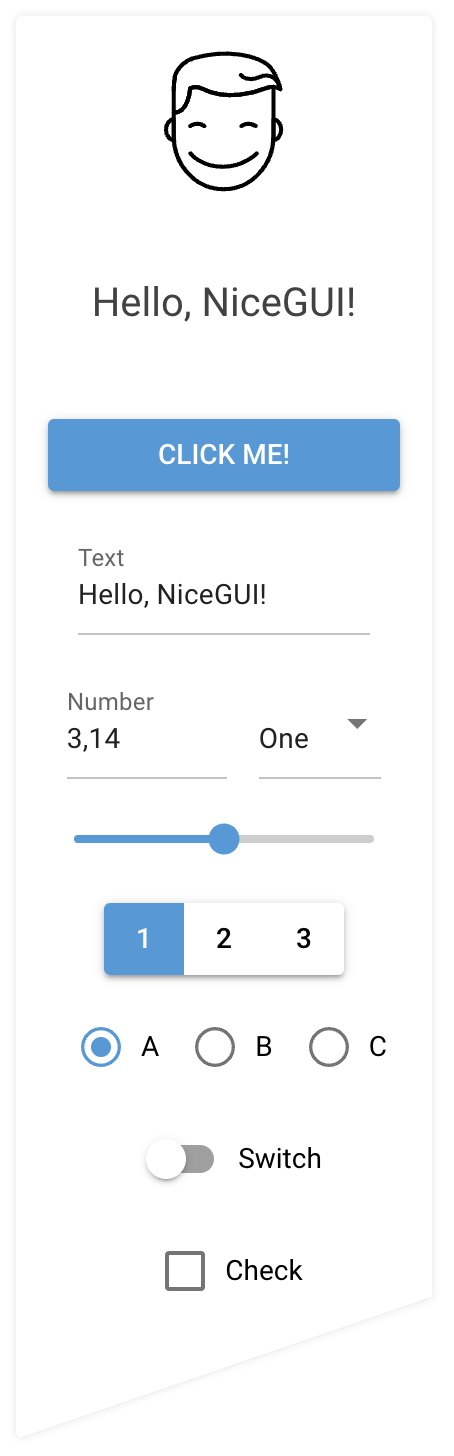
- standard GUI elements like label, button, checkbox, switch, slider, input, file upload, ...
- simple grouping with rows, columns, cards and dialogs
- general-purpose HTML and Markdown elements
- powerful high-level elements to
- plot graphs and charts,
- render 3D scenes,
- get steering events via virtual joysticks
- annotate and overlay images
- interact with tables
- navigate foldable tree structures
- embed video and audio files
- built-in timer to refresh data in intervals (even every 10 ms)
- straight-forward data binding and refreshable functions to write even less code
- notifications, dialogs and menus to provide state of the art user interaction
- shared and individual web pages
- easy-to-use per-user and general persistence
- ability to add custom routes and data responses
- capture keyboard input for global shortcuts etc.
- customize look by defining primary, secondary and accent colors
- live-cycle events and session data
- runs in Jupyter Notebooks and allows Python's interactive mode
- auto-complete support for Tailwind CSS
- SVG, Base64 and emoji favicon support
- testing framework based on pytest
Installation
python3 -m pip install nicegui
Usage
Write your nice GUI in a file main.py:
from nicegui import ui

ui.label('Hello NiceGUI!')
ui.button('BUTTON', on_click=lambda: ui.notify('button was pressed'))

ui.run()
Launch it with:
python3 main.py
The GUI is now available through http://localhost:8080/ in your browser. Note: NiceGUI will automatically reload the page when you modify the code.
Documentation and Examples
The documentation is hosted at https://nicegui.io/documentation and provides plenty of live demos.
The whole content of https://nicegui.io is implemented with NiceGUI itself
and can be started locally with docker run -p 8080:8080 zauberzeug/nicegui or by executing main.py from this repository.
You may also have a look at our in-depth examples of what you can do with NiceGUI. In our wiki we have a list of great NiceGUI projects from the community, a section with Tutorials, a growing list of FAQs and some strategies for using ChatGPT / LLMs to get help about NiceGUI.
Why?
We at Zauberzeug like Streamlit but find it does too much magic when it comes to state handling. In search for an alternative nice library to write simple graphical user interfaces in Python we discovered JustPy. Although we liked the approach, it is too "low-level HTML" for our daily usage. But it inspired us to use Vue and Quasar for the frontend.
We have built on top of FastAPI, which itself is based on the ASGI framework Starlette and the ASGI webserver Uvicorn because of their great performance and ease of use.
Sponsors
Maintenance of this project is made possible by all the contributors and sponsors. If you would like to support this project and have your avatar or company logo appear below, please sponsor us. 💖








Consider this low-barrier form of contribution yourself. Your support is much appreciated.
Contributing
Thank you for your interest in contributing to NiceGUI! We are thrilled to have you on board and appreciate your efforts to make this project even better.
As a growing open-source project, we understand that it takes a community effort to achieve our goals. That's why we welcome all kinds of contributions, no matter how small or big they are. Whether it's adding new features, fixing bugs, improving documentation, or suggesting new ideas, we believe that every contribution counts and adds value to our project.
We have provided a detailed guide on how to contribute to NiceGUI in our CONTRIBUTING.md file. We encourage you to read it carefully before making any contributions to ensure that your work aligns with the project's goals and standards.
If you have any questions or need help with anything, please don't hesitate to reach out to us. We are always here to support and guide you through the contribution process.
Included Web Dependencies
See DEPENDENCIES.md for a list of web frameworks NiceGUI depends on.
Architecture
NiceGUI is a Python framework for building web UIs with a backend-first philosophy. Key architectural decisions:
- Backend-first: All UI logic lives in Python; the framework handles web details
- Tech stack: Python/FastAPI backend, Vue/Quasar frontend, socket.io for communication
- Single worker: Uses one uvicorn worker (thanks to full async support, no multi-process synchronization needed)
- Real-time communication: WebSocket connection is established after initial page load, kept open for client-server communication
- User interactions: All UI events are sent to backend and invoke Python functions, which can then generate UI updates
- Outbox: Accumulates UI updates and sends them in batches to the client
1 maintainer

Metadata
1 maintainer
Release files for nicegui-evnchn-pyodide 3.4.1.post14
For a detailed explanation of source distributions (sdists) and built distributions (wheels), please see the package formats documentation.
Source distribution (sdist)
| File | Size | Uploaded | |
|---|---|---|---|
| nicegui_evnchn_pyodide-3.4.1.post14.tar.gz | 21.2 MB | Details |
Built distribution (wheel)
| File | Interpreter | ABI | Platform | Reset |
|---|---|---|---|---|
| nicegui_evnchn_pyodide-3.4.1.post14-py3-none-any.whl | Python 3 | none | any | Details |
Total release size: 43.0 MB
Release files / nicegui_evnchn_pyodide-3.4.1.post14.tar.gz
| Download URL | nicegui_evnchn_pyodide-3.4.1.post14.tar.gz |
|---|---|
| Size | 21.2 MB |
| Tags | Source |
|
SHA-256 checksum How to use checksums |
4d05e5056ac2b532dc639a0e9fcd4fedbdd8da57be18d856a961d7c07f4becf3
|
|
BLAKE2b-256 checksum How to use checksums |
932d1522585b1e14a5a09280a87a2c87052fe3f26b4261fd877ba0beba578cea
|
| Upload date | |
|
Uploaded using Trusted Publishing? What is trusted publishing? |
No |
| Uploaded via |
twine/6.2.0 CPython/3.11.0rc1
|
Release files / nicegui_evnchn_pyodide-3.4.1.post14-py3-none-any.whl
| Download URL | nicegui_evnchn_pyodide-3.4.1.post14-py3-none-any.whl |
|---|---|
| Size | 21.8 MB |
| Tags | Python 3 |
|
SHA-256 checksum How to use checksums |
2818429900c46d354e63957ddd1b6dd29bdfd0da91f1de3a43fc9ab6875080e5
|
|
BLAKE2b-256 checksum How to use checksums |
af21f85abdecc429593b6080f43a870f8b875b2fca2d2bb81d88a89642afd827
|
| Upload date | |
|
Uploaded using Trusted Publishing? What is trusted publishing? |
No |
| Uploaded via |
twine/6.2.0 CPython/3.11.0rc1
|














